
Wizard-like application which enables you to easily create backups for specific settings in your Mozilla products, and protect them with the help of a password. #Mozilla Backup #Restore Mozilla #Create backup #Backup #Mail #Favorite

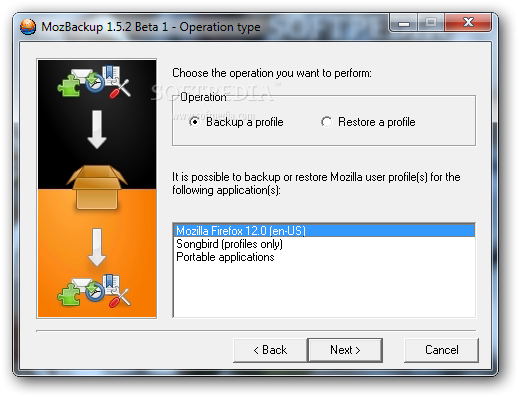
MozBackup is a small but very powerful software that can create backups for your Mozilla products. It can come in handy in case something bad happens and you lose your profile settings.
The program’s interface consists of a simple wizard in which you can choose the operation you want to perform (backup or restore a profile), as well as select the Mozilla application (e.g. Firefox, Thunderbird, even their portable versions).
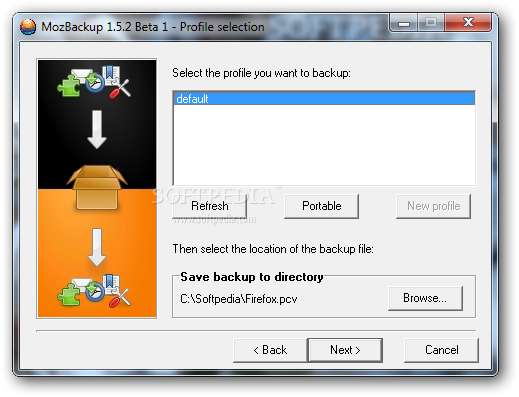
In order to continue, the selected program must be closed. Now you can pick the profile you want to backup and set the destination directory.
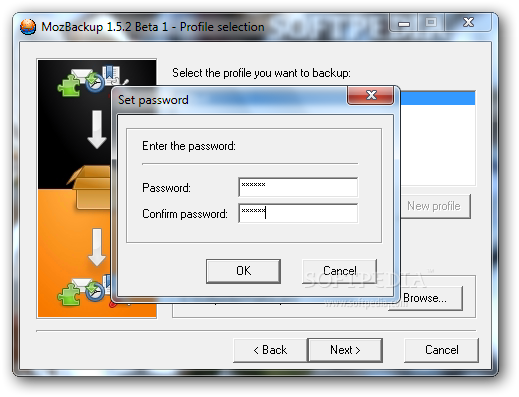
The backup file will have the PCV format. Plus, you can secure the file by choosing a password (this is especially useful if you share your computer with multiple users, so we suggest you apply this option).
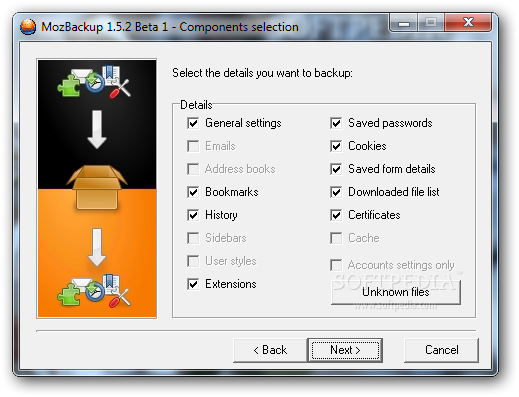
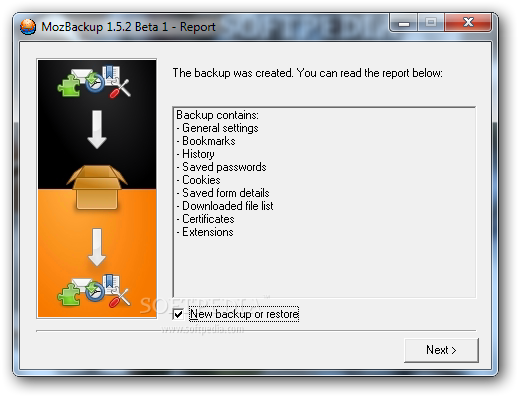
In the final step, you can select the details you want to backup. They can be from general settings, emails and address books to extensions, bookmarks, saved passwords, downloaded files list and certificates. Restoring the backup is similar.
The program uses a very small amount of system resources and manages to quickly complete a task. It does not have a Help file yet it is so simple to use, that beginners do not even need one. We strongly recommend MozBackup to all users, of any level of experience, since it offers a simple solution when it comes to preserving your settings for Mozilla applications.
What's new in MozBackup 1.5.2 Beta 1:
- Add: New warning when you want to create backup on drive with FAT32 file system where max. file size is limited.
- Add: Some new files from newer versions of FF/TB.
- Fix: SeaMonkey wasn't detected correctly when ZIP version of SeaMonkey is used (no info about program in registry).
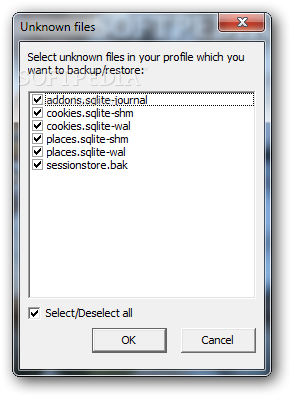
- Fix: *.map files were offered as unknown files.
MozBackup 1.5.2 Beta 1 / 1.5.1
add to watchlist add to download basket send us an update REPORT- runs on:
- Windows All
- file size:
- 774 KB
- filename:
- MozBackup-1.5.2-beta1-EN.zip
- main category:
- Tweak
- developer:
- visit homepage
7-Zip

Context Menu Manager

Bitdefender Antivirus Free

Windows Sandbox Launcher

IrfanView

Microsoft Teams

4k Video Downloader

calibre

Zoom Client

ShareX

- calibre
- Zoom Client
- ShareX
- 7-Zip
- Context Menu Manager
- Bitdefender Antivirus Free
- Windows Sandbox Launcher
- IrfanView
- Microsoft Teams
- 4k Video Downloader