
FreeMem Professional - increases your PC's performance by optimizing memory management #Free ram #Ram optimizer #Memory management #FreeMem #Optimizer #Optimize
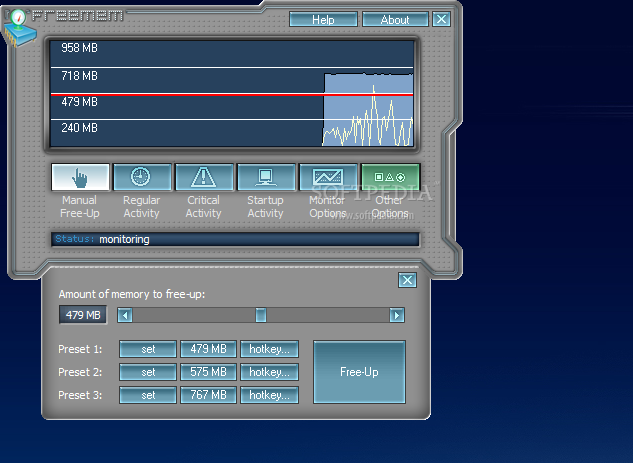
FreeMem is a application that will increase your PC's performance by optimizing Microsoft Windows memory management. You can avoid many system lockups by running this improved RAM-Optimizer. By freeing up some RAM regularly (e. g. every 30 minutes), you ensure that Windows Memory Management does its homework.
This feature runs in the background and will not interfere with your work. However, you will notice the results. You can always free up any amount of RAM by just a mouse click. While working heavily with your PC, you might notice that it's getting slower and slower. This is because your RAM is taken away.
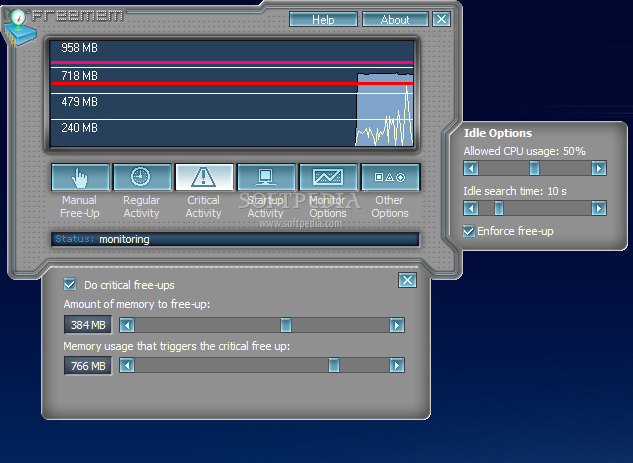
If a customizable amount of memory is reached, an emergency free up can be scheduled to take place. All background operations are subject to idle-detection. FreeMem never interferes with your current working as it waits for some idle time to do the free-up. You can configure this option to your liking. FreeMem delivers you a graphical chart of free physical RAM. Using this chart, you can verify the results of FreeMem's work.
Use this statistics to optimize your other settings. For your convenience, you can display the current available amount of RAM in the title-bar so that it is always visible, even if FreeMem is minimized. FreeMem can show valuable information inside tray icons.
A memory chart, a CPU chart and a status indicator can be shown. A small menu can pop up from here, which is configurable to free up any amount of RAM you like. After you turn on your PC, one of the heaviest usages of Windows starts.
A lot of stuff has to be loaded and initialized. After that, usually a lot of RAM is wasted, because you just don't need all the features Windows loads. It is essential that you free up a good amount of RAM right before you start working. We suggest: Leave this to FreeMem and don't worry about this any more.
FreeMem can display the tray-icon memory monitor in 3 different ways: ■ Chart ■ Numeric ■ Bar Optionally FreeMem can show a CPU monitor, too.
Limitations:
■ 30 days evaluation period
What's new in FreeMem Professional 5.3:
- Fixed issue with tray icon not updating at all
- Improved support for Windows XP Service Pack 2
FreeMem Professional 5.3
add to watchlist add to download basket send us an update REPORT- runs on:
- Windows All
- file size:
- 949 KB
- filename:
- fmemproen.exe

- main category:
- Tweak
- developer:
- visit homepage
IrfanView

Microsoft Teams

7-Zip

Zoom Client

calibre

Context Menu Manager

4k Video Downloader

Windows Sandbox Launcher

Bitdefender Antivirus Free

ShareX

- Windows Sandbox Launcher
- Bitdefender Antivirus Free
- ShareX
- IrfanView
- Microsoft Teams
- 7-Zip
- Zoom Client
- calibre
- Context Menu Manager
- 4k Video Downloader