
Defragment and free up your system's RAM. #Defragment RAM #RAM optimizer #Memory allocation #Defragment #RAM #Optimizer

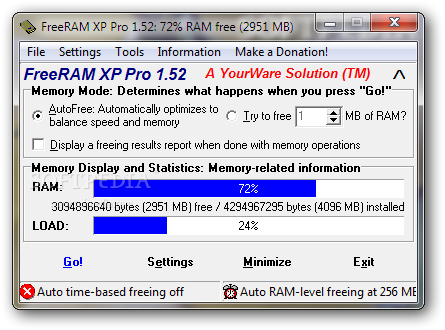
Are you still using Windows XP or an older OS and you got tired of apps that do nothing more than eat up your CPU and RAM? Looking for a software solution that really has the power to do something for you and improve your computer's performance?
FreeRAM XP Pro is definitely the tool that can help you because this lightweight utility has exactly what it takes to make your machine faster by freeing the system memory.
The application comes with real-time memory tracking and optimization, which means you should see your computer performing all tasks a little bit quicker as soon as you open FreeRAM XP Pro. Plus, it includes an on demand memory optimization tool, which means you just have to press the 'Go' button to see a boost in performance.
Although it could all sound pretty complicated and addressed to tech-savvy users, FreeRAM XP Pro is aimed at beginners and experienced users alike.
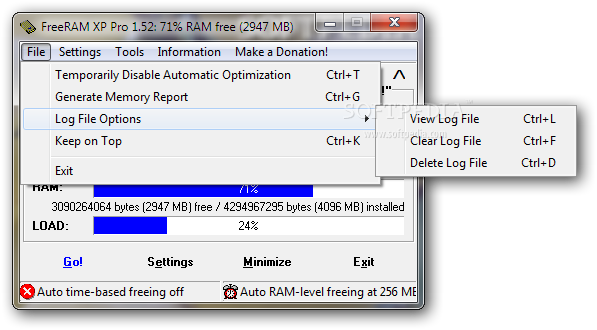
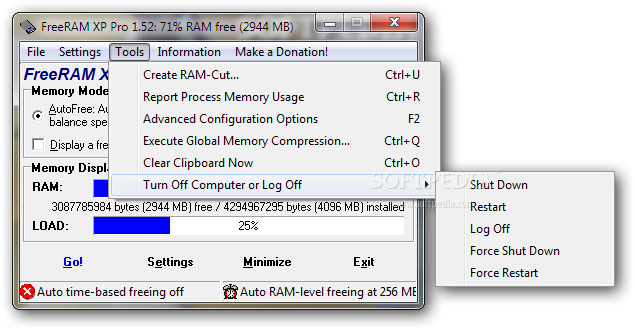
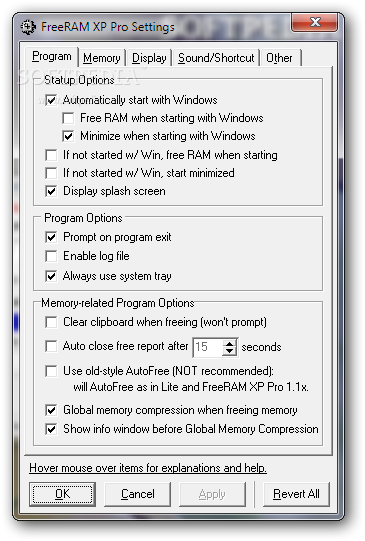
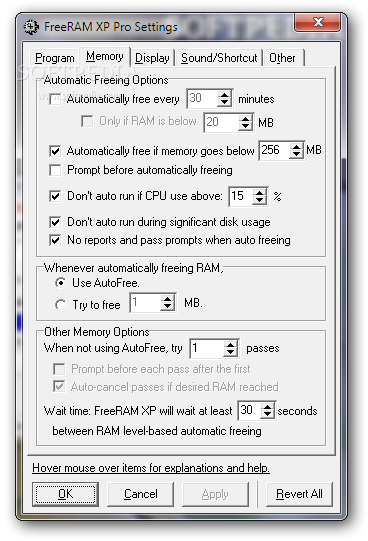
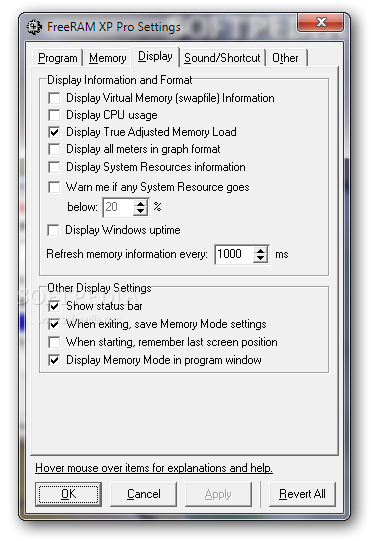
This program relies on a simple interface that doesn't involve the user too much, but hardcore users who want to have a look under the hood will surely have a thing or two to tinker with from its settings menu.
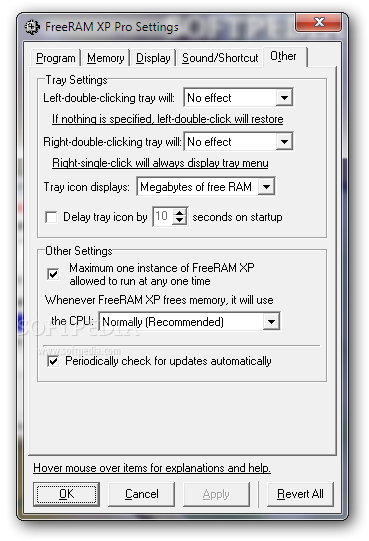
During our tests we noticed a performance boost every time the tool went to work. It is actually quite effective and you can configure the app to start optimizing memory once you right or left click its System Tray icon.
If you want to give FreeRAM XP Pro a try on newer versions of Windows, you will notice only a small improvement in terms of free memory. This is because the 'Superfetch' feature introduced with Vista renders most tools of this sort useless because the OS can now manage the memory far more efficiently.
That being said, FreeRAM XP Pro is certainly a must have for all Windows XP users because it can do a lot of good and optimize the RAM usage with a single mouse click. The feature set it comes with is more than sufficient to bring a lot of improvements to the OS functioning and obtain an overall increase in performance.
What's new in FreeRAM XP Pro 1.52:
- Enabled Global Memory Compression technology by default for all memory freeing operations.
- Adjusted AutoFree to be slightly more conservative in freeing RAM.
- Bug fix: Fixed minor installation issues across all platforms.
FreeRAM XP Pro 1.52
 Softpedia Editor's Pick
add to watchlist
add to download basket
send us an update
REPORT
Softpedia Editor's Pick
add to watchlist
add to download basket
send us an update
REPORT
- runs on:
-
Windows 7 32/64 bit
Windows Vista
Windows XP - file size:
- 605 KB
- filename:
- framxpro.zip
- main category:
- Tweak
- developer:
- visit homepage
Windows Sandbox Launcher

Bitdefender Antivirus Free

Context Menu Manager

Zoom Client

ShareX

IrfanView

4k Video Downloader

calibre

7-Zip

Microsoft Teams

- calibre
- 7-Zip
- Microsoft Teams
- Windows Sandbox Launcher
- Bitdefender Antivirus Free
- Context Menu Manager
- Zoom Client
- ShareX
- IrfanView
- 4k Video Downloader