
A smart memory management and optimization software utility that will keep your computer running more efficiently, faster, and longer #RAM optimizer #Memory optimizer #Free memory #RAM #Optimizer #Memory

Computer maintenance should be in the routine of any PC user, as proper actions can prolong the life of the machine. Aiming to keep your computer running at top performance for a longer period of time, RAM Idle for Windows 11/10 provides an intelligent memory management tool ready to help you monitor and optimize the RAM usage.
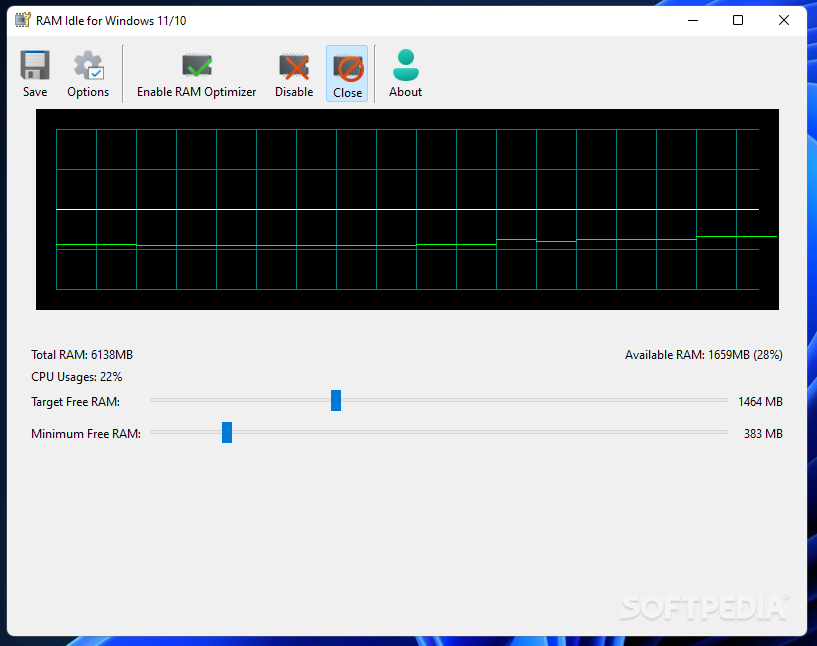
The application is straightforward, displaying both the RAM usage and the CPU usage within its main window. There is a graph that shows the values in real time, allowing you to keep an eye on peaks and pay close attention to how the computer’s resources are used.
The lower side of the main GUI reveals the total and the available RAM, both in absolute values and percentages, while the two sliders are part of the RAM optimizer. This tweaking tool allows you to set a target level for the free RAM and the minimum free RAM. Such settings are designed to prevent Windows from running slowly or simply freezing due to high memory usage.
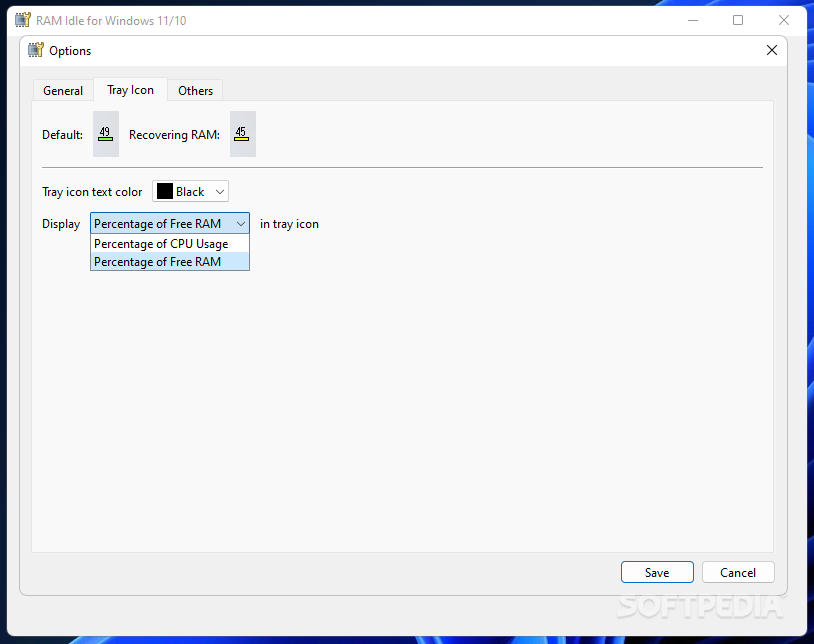
You can keep RAM Idle running in the system tray, without interfering with your work. It can display either the CPU usage or the RAM usage in the tray area, providing information at a glance for you.
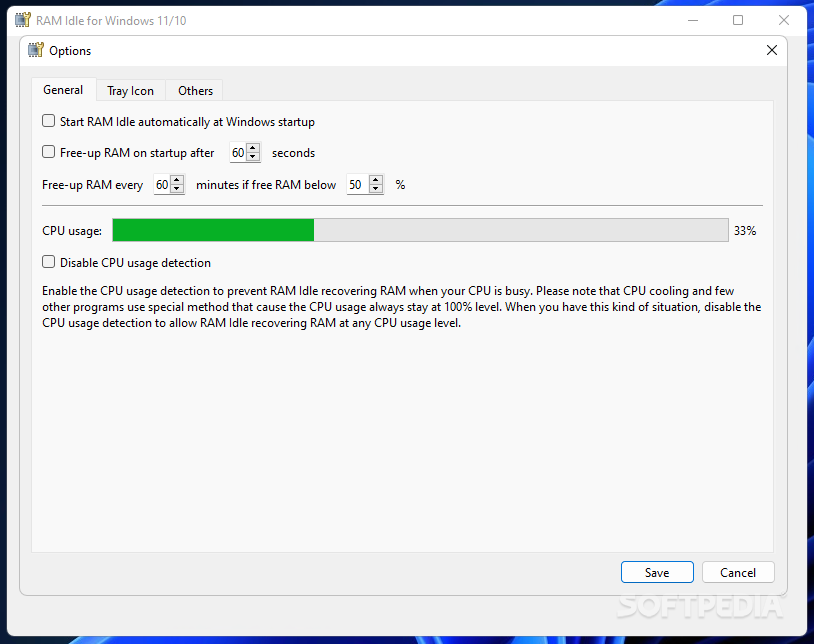
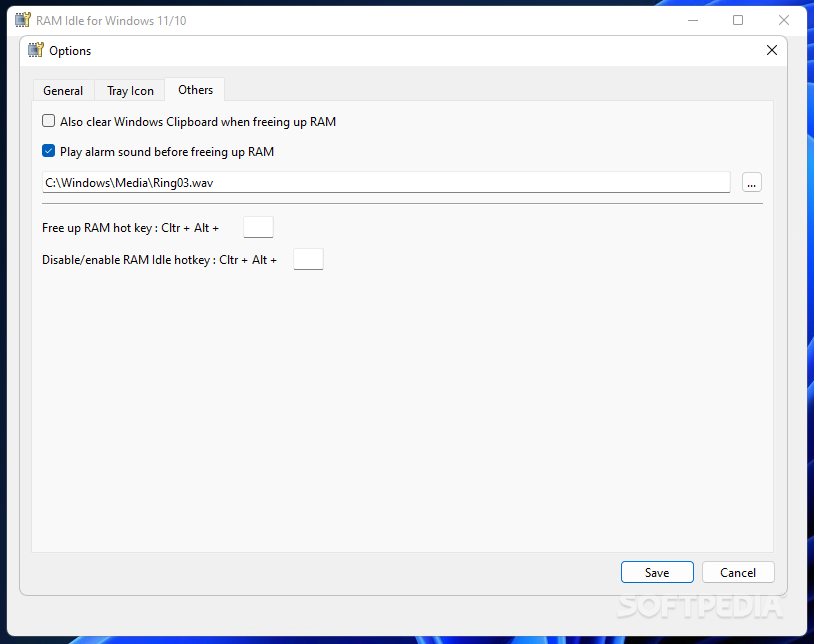
The Options window provides even more optimization settings. For instance, it is possible to configure RAM Idle to free up RAM automatically once every minute or if the free RAM is under 50% of the total memory amount. An alarm sound can be played before freeing RAM and a hotkey can be assigned to trigger this action manually.
It is advisable that you allow RAM Idle to also monitor CPU usage, as this will prevent it from recovering RAM while the processor is busy carrying out resource-demanding tasks or when the CPU is cooling, causing the CPU level to temporarily be at 100%.
RAM optimization can prolong the lifetime of your computer and make the entire PC usage experience more pleasant by avoiding situations when the memory is intensely used, and the PC might freeze or seem unresponsive. RAM Idle can help you out in this matter, providing a simple means of monitoring and optimizing the PC’s memory.
RAM Idle for Windows 11/10 1.0.0 Beta
add to watchlist add to download basket send us an update REPORT- PRICE: Free
- runs on:
-
Windows 11
Windows 10 64 bit - file size:
- 7.8 MB
- filename:
- RAMIdle100Beta.zip
- main category:
- Tweak
- developer:
- visit homepage
Windows Sandbox Launcher

7-Zip

Context Menu Manager

Microsoft Teams

ShareX

IrfanView

4k Video Downloader

calibre

Zoom Client

Bitdefender Antivirus Free

- calibre
- Zoom Client
- Bitdefender Antivirus Free
- Windows Sandbox Launcher
- 7-Zip
- Context Menu Manager
- Microsoft Teams
- ShareX
- IrfanView
- 4k Video Downloader