
Tweak your computer and considerably improve its performance by optimizing registry with the help of this intuitive, easy-to-use piece of software. #Optimize registry #Windows registry #Defrag registry #Tweak #Registry #Optimize

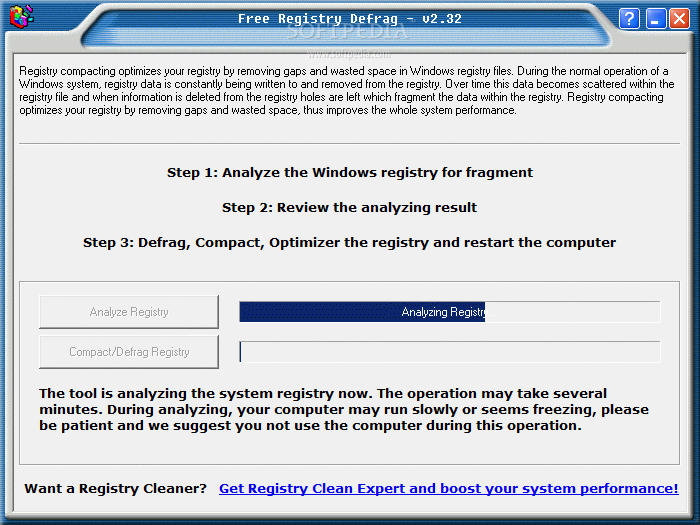
Free Registry Defrag is a tiny but powerful software that can perform a defragmentation task on your Windows registry. The user interface of the program consists of a standard window, in which you can press only two buttons.
The first thing you need to do is allow Free Registry Defrag analyze the Windows registry. This task can take several long minutes to complete, during which your operating system may not respond properly (e.g. other processes run slower). It is highly recommend you close other running applications to help this utility do its job faster.
Once the scanning is complete, you can view the result which consists of the current registry size, estimated size after compacting and the total size you will save after compacting.
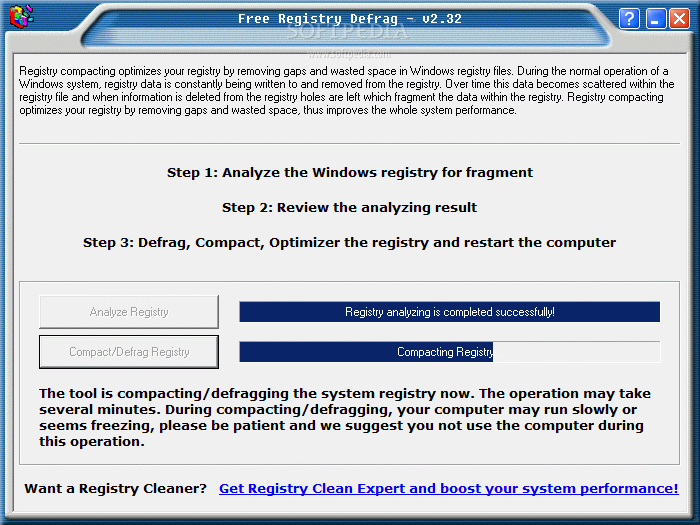
After Free Registry Defrag is done defragmenting the registry, you have to restart the computer in order to make the changes effective.
The program uses a low amount of system memory and moderate CPU when it is busy with a job. The user documentation is based on detailed information displayed directly in the interface.
After an initial scanning, Free Registry Defrag promised to reduce registry space by 6%, in our case. We performed a secondary scan to verify this accuracy and it turned out to be correct.
The bottom line is that Free Registry Defrag is a very good tool for defragmenting the Windows registry. It may lack any configurable settings and its interface may be outdated, but we still recommend it to all users.
Free Registry Defrag 3.00
add to watchlist add to download basket send us an update REPORT- PRICE: Free
- runs on:
- Windows All
- file size:
- 507 KB
- filename:
- registry-defrag.exe
- main category:
- Tweak
- developer:
Zoom Client

Windows Sandbox Launcher

calibre

7-Zip

IrfanView

ShareX

Context Menu Manager

Microsoft Teams

4k Video Downloader

Bitdefender Antivirus Free

- Microsoft Teams
- 4k Video Downloader
- Bitdefender Antivirus Free
- Zoom Client
- Windows Sandbox Launcher
- calibre
- 7-Zip
- IrfanView
- ShareX
- Context Menu Manager