
Packed with powerful backup and restore capabilities, this utility enables you to clean the Windows registry, so that your PC can run faster. #Fix registry #Clean registry #Registry cleaner #Registry #Clean #Cleaner

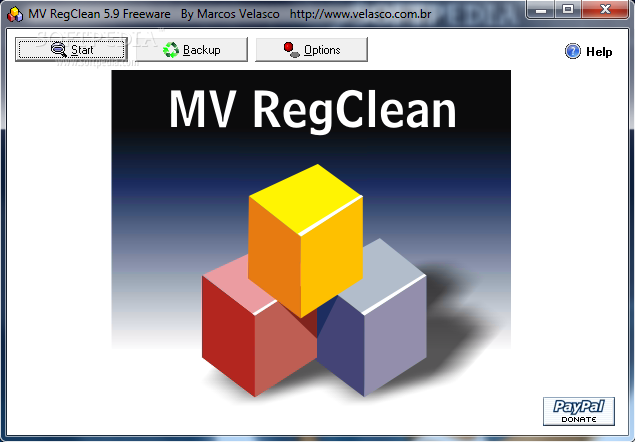
MV RegClean is a registry cleaner meant to keep your operating system up and running for a long time. Making sure that the registry is constantly cleaned can make the difference between a slow, unstable computer and a smooth running one.
MV RegClean can help you in that matter, as it verifies Windows Registry for invalid entries and provides you with the information needed to decide whether to delete certain entries or not.
The application is simplistic and does not frighten the inexperienced computer user, providing just a few buttons and a limited amount of options.
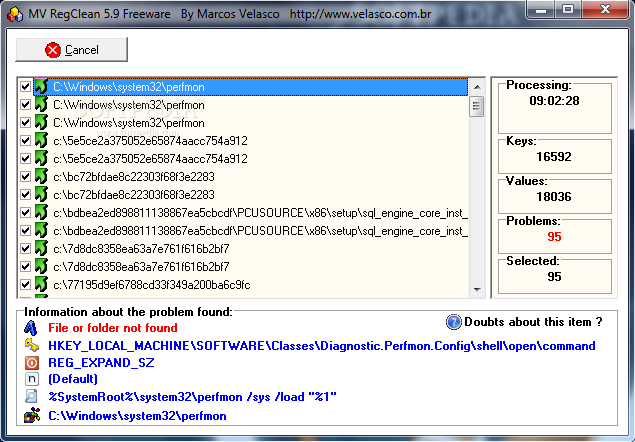
In order to start the cleaning process, the program first performs a system scan and provides you with information on the number of keys or values checked and the problems found. You can browse through the entries identified as problems and get more data on them: learn if the file or folder could not be found, if the key is not needed, get the location of the registry key, the value type and name.
You can choose to open the Registry Editor in the currently selected key and manually modify, delete or rename it. Alternatively, you can select the entries you are interested in and remove them using MV RegClean.
Another important function which comes in handy is that, by default, this utility creates a restore point before performing any changes to the registries. This proves useful when removing certain registry keys, which results in the malfunction of an application.
If this happens, you can easily restore the entries to any of the recorded previous states. You must know that the application does not automatically overwrite the last backup. It keeps them all, yet you can always remove them manually.
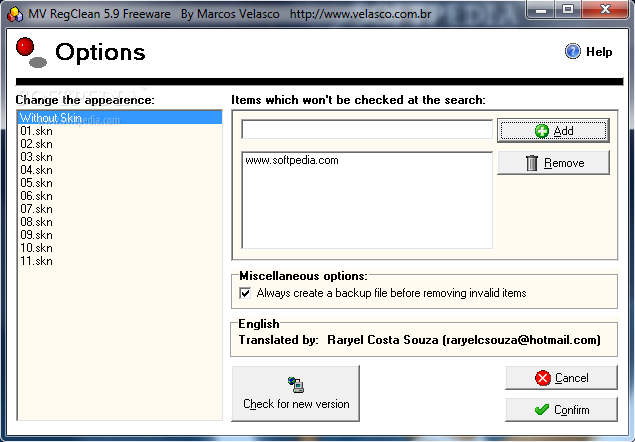
As stated before, MV RegClean provides users with minimum options, thus increasing general usability of the product. What you can do is change the tool’s skin, add items to be skipped at a search or disable the creation of a backup before removing invalid items.
To sum up, MV RegClean is an efficient piece of software which can be used with great ease by all types of people to clean their registry. The system’s performance is not going to be hampered and our tests did not return any errors or hangs. If you are interested in bypassing the installation process, you should know that a portable edition is available for download, called Portable MV RegClean.
MV RegClean 5.9
add to watchlist add to download basket send us an update REPORT- portable version
- Portable MV RegClean
- runs on:
- Windows All
- file size:
- 1.3 MB
- filename:
- mvregclean59-en.zip
- main category:
- Tweak
- developer:
- visit homepage
Windows Sandbox Launcher

4k Video Downloader

Bitdefender Antivirus Free

ShareX

calibre

IrfanView

7-Zip

Microsoft Teams

Context Menu Manager

Zoom Client

- Microsoft Teams
- Context Menu Manager
- Zoom Client
- Windows Sandbox Launcher
- 4k Video Downloader
- Bitdefender Antivirus Free
- ShareX
- calibre
- IrfanView
- 7-Zip