
Customize the Windows 7 login screen to have it greet you with a custom background picture before reaching the desktop in a simple process. #Logon Background Changer #Change Logon Background #Background Changer #Logon Background #Changer #Change

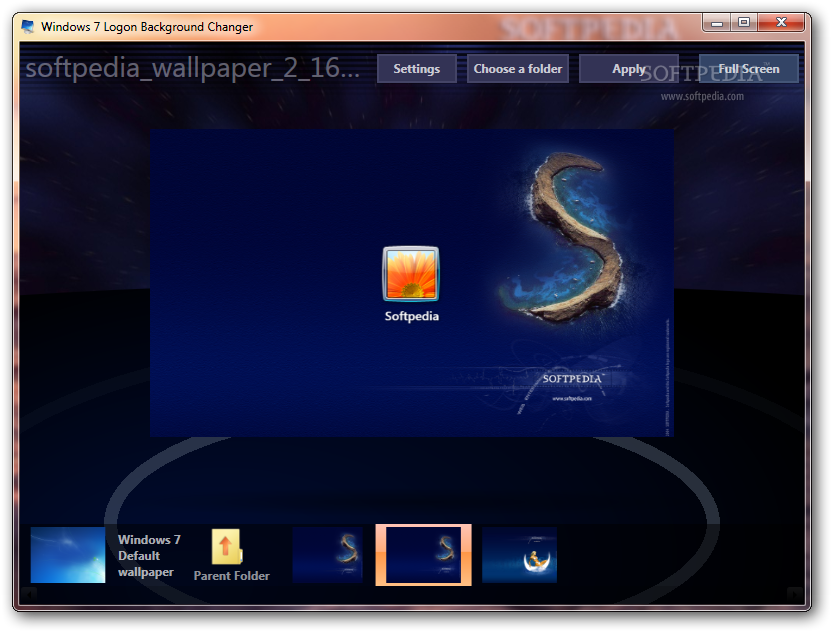
The operating system provided by Microsoft is highly customizable, even through default feature. You can go ahead to grab third-party alternatives, such as Windows 7 Logon Background Changer which enables you to modify the Windows logon picture safely and with just a few clicks.
Please note that this app works only on Windows 7 (it is not compatible with Windows Vista/8/10).
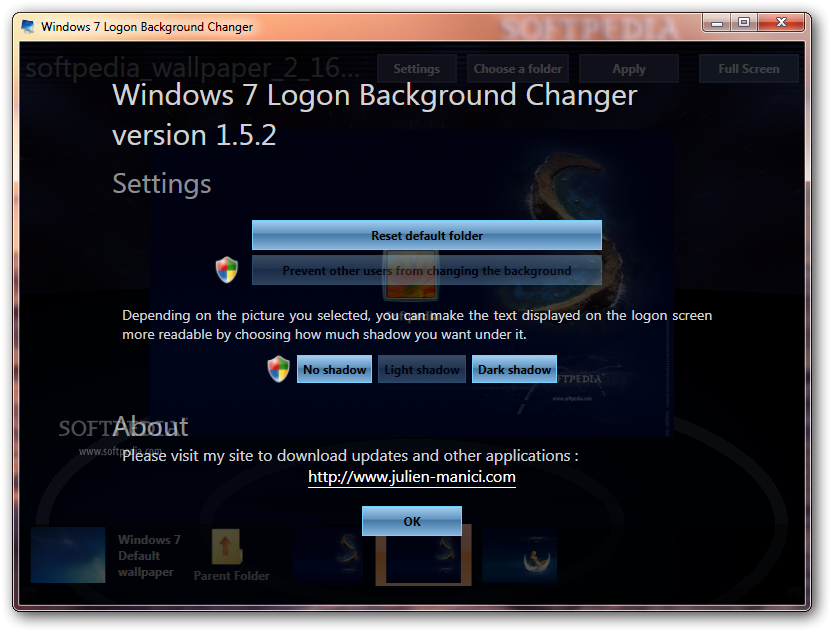
Everything is pretty straightforward, starting with the setup process, which is just a matter of pressing next and immediately ending with the software installed in a jiffy. Truth is, the interface isn't the most eye-catching, but you shouldn’t have any problems dealing with it.
The selection of default wallpapers included in the app is a pretty good and should please most users who want to try the software. Of course, you can add your very own wallpapers, just to give Windows a more personal touch.
Making the change takes only a few seconds and Windows 7 Logon Background Changer doesn’t even require a reboot to complete the operation. Nonetheless, you will see the new wallpaper only when you restart the computer.
Since it applies a series of changes to the operating system, you should use a backup software just to be safe in case something goes wrong. The utility takes the input picture and turns it into a JPG file, automatically adjusting the dimensions and quality.
Just like the name clearly points out, the application is dedicated to Windows 7, and you might run into compatibility issues if running it on newer iterations.
Overall, Windows 7 Logon Background Changer is certainly worth a try if you want to modify the logon wallpaper on your computer. It's a very light application that is truly easy to use and comes with a nice set of pictures you can choose from, while also offering you the possibility to add your own photos to the list.
Download Hubs
Windows 7 Logon Background Changer is part of these download collections: System Tweak, Tweak Logon Screen
What's new in Windows 7 Logon Background Changer 1.5.2.0:
- Fixes the thumbnail loading bug
Windows 7 Logon Background Changer 1.5.2.0
add to watchlist add to download basket send us an update REPORT- PRICE: Free
- runs on:
- Windows 7 32/64 bit
- file size:
- 777 KB
- filename:
- Win7LogonBackgroundChanger_1_5_2.zip
- main category:
- Tweak
- developer:
Zoom Client

7-Zip

Windows Sandbox Launcher

ShareX

Microsoft Teams

calibre

4k Video Downloader

IrfanView

Bitdefender Antivirus Free

Context Menu Manager

- IrfanView
- Bitdefender Antivirus Free
- Context Menu Manager
- Zoom Client
- 7-Zip
- Windows Sandbox Launcher
- ShareX
- Microsoft Teams
- calibre
- 4k Video Downloader