
A free gamma control application program with high-resolution sliders. #Gamma control #Modify gamma #Gamma preset #Gamma #Controler #Adapter

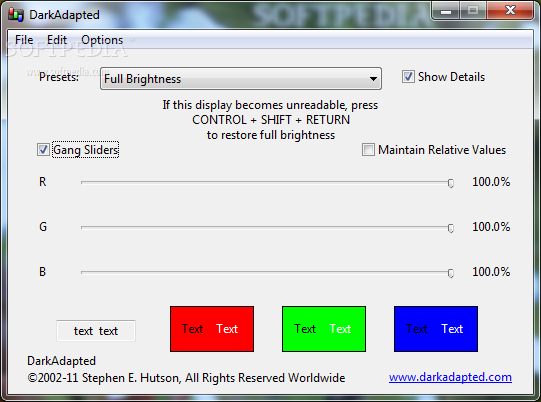
DarkAdapted is a very easy to use gamma control application that provides a user friendly interface to configure screen gamma settings with just a few clicks.
Although this may sound like rocket science for some of the users, DarkAdapted makes everything very easy to use, providing a basic interface to help them in this regard.
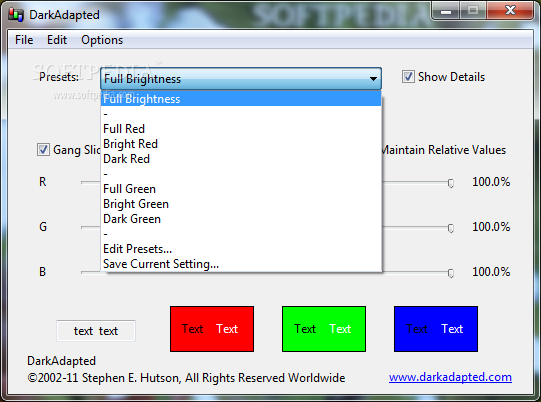
There are multiple presets included in the app, such as full brightness, full, bright and dark red, but you can also create your very own configuration profiles and change them in a few seconds.
The main window lets you adjust red, green and blue video components in real time, with a dedicated hotkey available to restore full brightness at any given moment.
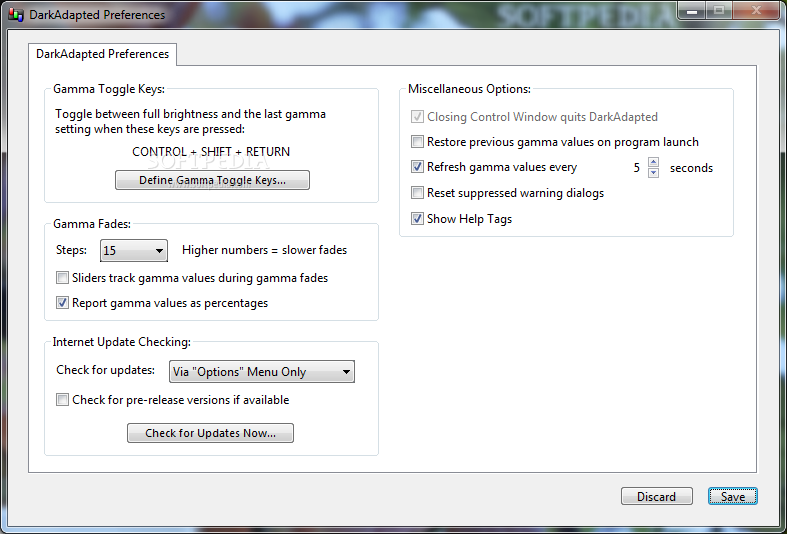
DarkAdapted also boasts a small configuration screen where you can find a few handy options, such as gamma toggle keys, gamma fades, Internet update checking and help tags.
As said, the user has the power to create his very own presets by providing different color values for red, green and blue. Each preset can be then saved separately and loaded straight from the main screen.
Just as expected, DarkAdapted has absolutely no problem to run on any Windows version on the market, but Windows 7 users need administrator privileges to apply the changes. Plus, it can work on very low hardware resources, so older machines can use it without any risk.
DarkAdapted is undoubtedly a handy software solution and the fact that it provides such a user friendly interface makes it appropriate for any type of user.
What's new in DarkAdapted 3.0.1 Build 244:
- New: DarkAdapted Pro: When changing between percentage and raw value displays using [tab] followed by [spacebar] in the Control Window, all Control Windows on all screens change to reflect the new type of display.
- Fixed Control Window bug where tabbing to change Gamma values would only work when pressing [enter] and not when [tab] was pressed to move to the next field.
- Changing values by tabbing to colors in Control Window no longer adjusts text in percentage mode.
- Implementing Preset Set fade now updates Presets pop-up menu in Control Window.
DarkAdapted 3.0.1 Build 244
add to watchlist add to download basket send us an update REPORT- runs on:
-
Windows 7
Windows Vista
Windows XP - file size:
- 7.8 MB
- filename:
- DarkAdapted_301W.exe
- main category:
- Tweak
- developer:
- visit homepage
Microsoft Teams

calibre

Bitdefender Antivirus Free

Zoom Client

Windows Sandbox Launcher

4k Video Downloader

IrfanView

ShareX

Context Menu Manager

7-Zip

- ShareX
- Context Menu Manager
- 7-Zip
- Microsoft Teams
- calibre
- Bitdefender Antivirus Free
- Zoom Client
- Windows Sandbox Launcher
- 4k Video Downloader
- IrfanView