
Easy-to-use software that enables you to change the configuration of your computer's display and change aspects such as brightness, contrast, and color levels. #Customize monitor #Configurate monitor #Monitor configuration #Customize #Adjustment #Redefine

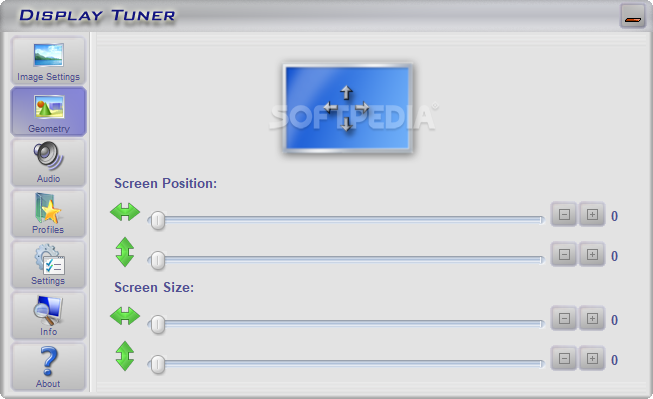
If you use to change monitor settings every once in a while, just because you need different configurations while playing games or watching movies, Display Tuner is a tool that could come in very handy.
Especially designed to let you adjust monitor settings straight from the desktop, Display Tuner is actually a very easy to use Windows application that gives you full control over the entire monitor configuration.
With a clean and intuitive interface, Display Tuner lets you change image settings, geometry and audio options, so pay attention to every single tab to make sure you get a perfectly calibrated monitor.
The “Image Settings” screen comes with parameters concerning colors, brightness and contrast, while “Geometry” gives you the chance to adjust screen position and size with just a few clicks.
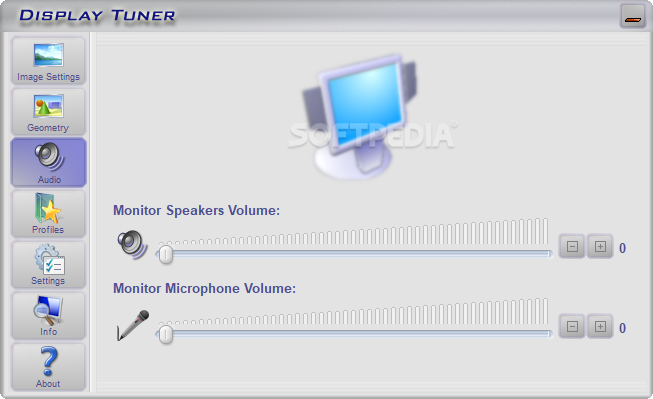
The “Audio” menu concerns the monitor speakers volume and the monitor microphone volume, so nothing too complicated in here.
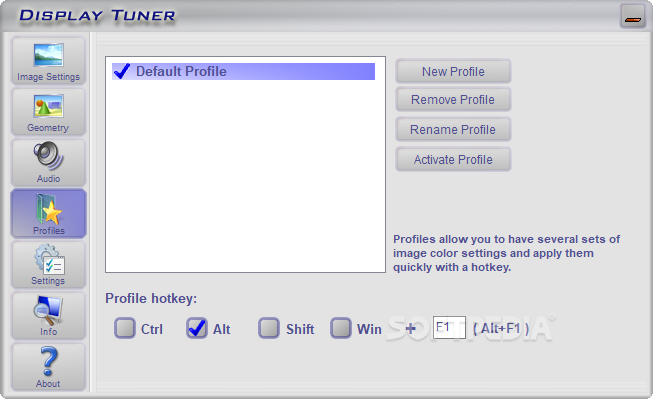
What’s more important is that Display Tuner doesn’t provide a backup feature to save the original settings, but instead it offers profiles to create multiple configurations and switch from one to another with a single click. It also comprises hotkey support to change the profile with a simple keyboard shortcut.
Don’t forget however to check if the application supports your monitor and your video card before anything else! We’ve received reports from users claiming that Display Tuner changed their monitor settings and they couldn’t reset them back to default.
Display Tuner is clearly a handy product, but keep in mind that you must double check whether it supports your monitor or not. Documentation is also available online and it’s strongly recommended to read it before making any modifications.
Display Tuner 1.7
add to watchlist add to download basket send us an update REPORT- runs on:
-
Windows 10 32/64 bit
Windows 2003
Windows 8 32/64 bit
Windows 7 32/64 bit
Windows Vista
Windows XP
Windows 2K - file size:
- 66 KB
- filename:
- dtuner.zip
- main category:
- Tweak
- developer:
- visit homepage
Zoom Client

calibre

IrfanView

Microsoft Teams

ShareX

Bitdefender Antivirus Free

Windows Sandbox Launcher

4k Video Downloader

7-Zip

Context Menu Manager

- 4k Video Downloader
- 7-Zip
- Context Menu Manager
- Zoom Client
- calibre
- IrfanView
- Microsoft Teams
- ShareX
- Bitdefender Antivirus Free
- Windows Sandbox Launcher