
View your Processor usage RAM usage and Processor Temperatures. #SideBar Gadget #Processor Usage #Processor Temperature #SideBar #Gadget #Processor

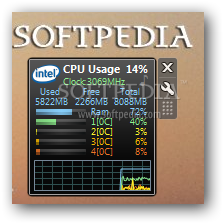
All CPU Meter is an advanced gadget that monitors the CPU and RAM usage, providing detailed graphs and statistics directly on your desktop.
Although it's just a gadget and not a dedicated application, All CPU Meter impresses thanks to the rich feature list. Boasting an appealing interface that seems to fit any desktop out there, All CPU Meter shows the used, free and total memory available, but also usage of every single CPU core. The main window displays a colored graph for you to keep an eye on the way these pieces of hardware perform.
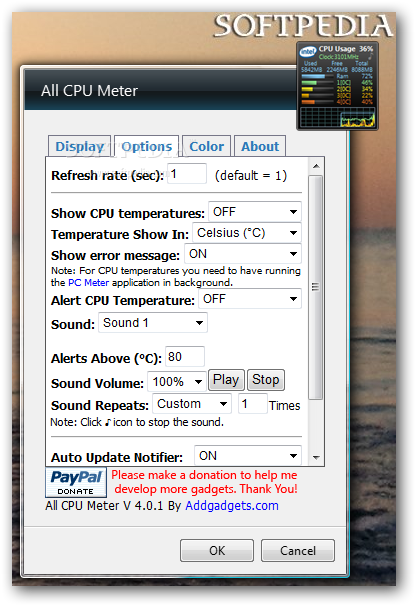
Another important thing about All CPU Meter is the “Options” screen that provides a wide array of configuration settings, especially when taking into account that we're dealing with a simple gadget.
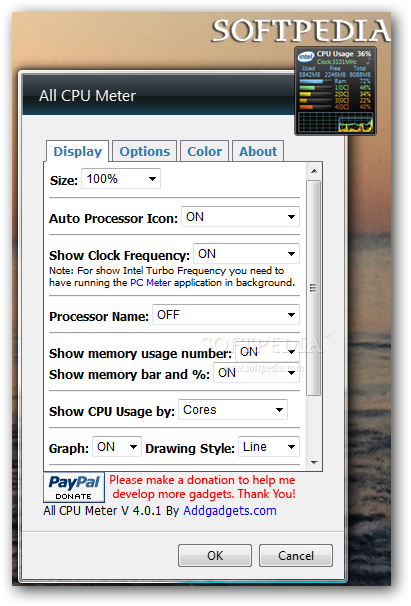
There are numerous display options, so you can configure the size and decide whether you wish to view processor name or clock frequency, memory usage number, bar and percentage.
Plus, you can adjust the graph by choosing the drawing style and select the action to perform when double clicking on the background. By default, a double-click opens the Windows Task Manager, but you can also set up the app to launch Resource Monitor or simply turn the feature off completely.
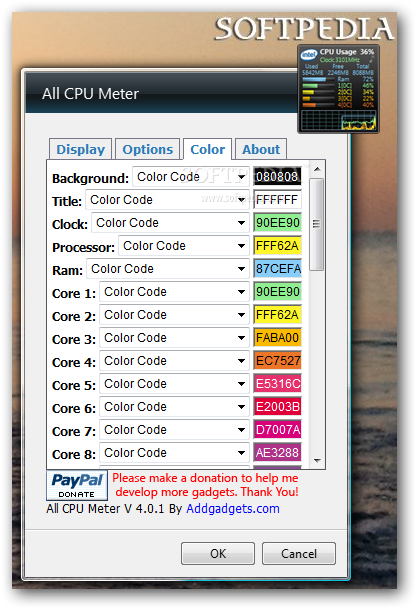
Of course, you can also configure the refresh rate via the “Options” tab, but also enable core temperatures. Last but not least, if the standard interface doesn't suit your taste, the dedicated “Color” tab allows you to change the colors for every single section of the gadget, including title, clock and processor.
All CPU Meter is quite a handy gadget and although it works only on Windows 7 and Vista, it does such a good job at keeping an eye on your CPU.
Download Hubs
All CPU Meter is part of these download collections: Temperature Monitors
What's new in All CPU Meter 4.7.3:
- Fixed freeze issues when there is no page file.
All CPU Meter 4.7.3
add to watchlist add to download basket send us an update REPORT- runs on:
-
Windows 2008
Windows 2003
Windows 7 32/64 bit
Windows Vista 32/64 bit - file size:
- 201 KB
- filename:
- All_CPU_Meter.zip
- main category:
- Windows Widgets
- developer:
- visit homepage
Microsoft Teams

ShareX

Windows Sandbox Launcher

IrfanView

4k Video Downloader

Bitdefender Antivirus Free

Zoom Client

Context Menu Manager

calibre

7-Zip

- Context Menu Manager
- calibre
- 7-Zip
- Microsoft Teams
- ShareX
- Windows Sandbox Launcher
- IrfanView
- 4k Video Downloader
- Bitdefender Antivirus Free
- Zoom Client
