
Adjust the size of the main window, place it on the area of interest and get ready to get the desired screen capture with this lightweight utility. #Screen capture #Capture to clipboard #Screen area #Capture #Screen #Area
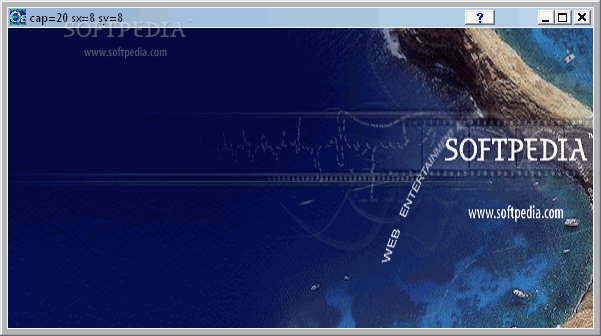
In some cases you may need more than just your keyboard's “Print Screen” button to get the perfect image. Various applications can help you with this job, amongst which is a lightweight utility called Capiche.
Once you bring up the main window, you might think it is broken. Your workspace represents a transparent, adjustable frame that can moved around. Aside from the taskbar buttons, there is nothing more to press.
The icon on your desktop has the transparency level set to maximum, and it is difficult to spot even when it sits in the system tray. The application is as stealthy as possible.
In order to get ahold of something on the desktop, you have to make use of the given frame. Drag its borders around to bring it to the desired size, move the main window to the area you want to capture, and you are good to go.
The only way to trigger this is by pressing the little “X” to close the application. However, it will only hide in the system tray. After this has happened, it means your picture is ready for processing. There is no way to export the result to file, so you need to have an image editor ready to paste the captured area. No hotkeys are available to quickly bring up the main menu, which can be a pain, seeing how everything it has to offer is either a frame or invisible.
Capiche is an extremely lightweight application that only manages to do half the job. You can get anything captured inside the given window, but it is not practical for long term use. The time spent preparing it is equivalent to how much it would otherwise take to crop the parts using traditional Windows tools.
Capiche 1.0
add to watchlist add to download basket send us an update REPORT- runs on:
- Windows All
- file size:
- 174 KB
- filename:
- capiche.zip
- main category:
- Multimedia
- developer:
- visit homepage
Windows Sandbox Launcher

ShareX

IrfanView

Microsoft Teams

Zoom Client

calibre

7-Zip

Bitdefender Antivirus Free

Context Menu Manager

4k Video Downloader

- Bitdefender Antivirus Free
- Context Menu Manager
- 4k Video Downloader
- Windows Sandbox Launcher
- ShareX
- IrfanView
- Microsoft Teams
- Zoom Client
- calibre
- 7-Zip