
Aims to be a tool to convert various PC video formats to a DVD that can be played on pretty much any standalone DVD player. DVD Flick provides support for a wide array of video formats, including 3GP, AVI, FLV, MP4, MKV, MOV, OGM and WMV. #Convert video #Create DVD #DVD burner #Create #Creator #Convert

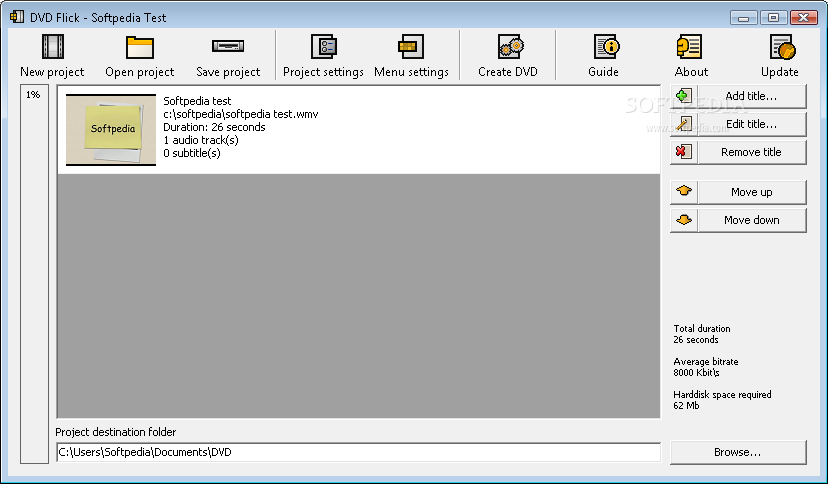
DVD Flick is a software solution designed to help you create DVDs using the video files stored on your computer.
Basically, you can add as many files as you want, of course as long as they fit on a DVD, and play them on your dedicated DVD player, media center or any other devices able to deal with such content.
While the interface is pretty intuitive and easy to navigate, DVD Flick provides support for a wide array of video formats, including 3GP, AVI, FLV, MP4, MKV, MOV, OGM and WMV.
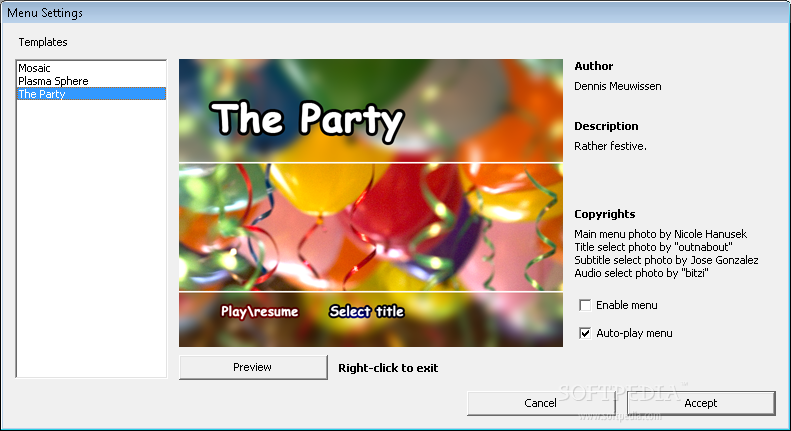
Moreover, the application lets you create interactive menus to allow the viewers browse through files, with multiple, but not too many, built-in templates included in the pack.
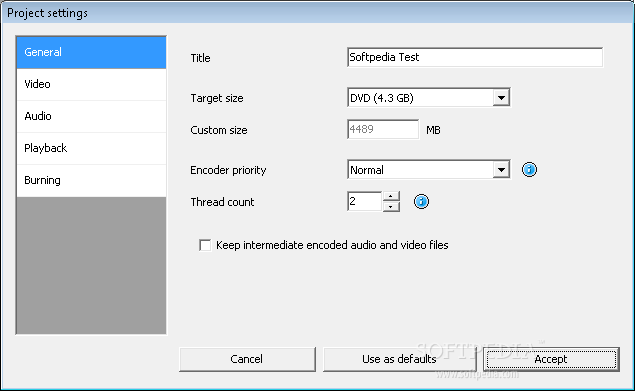
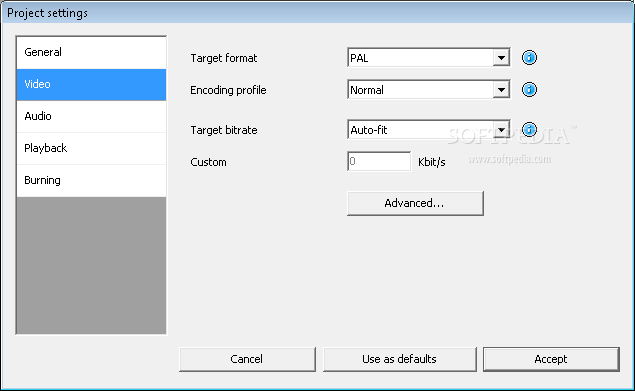
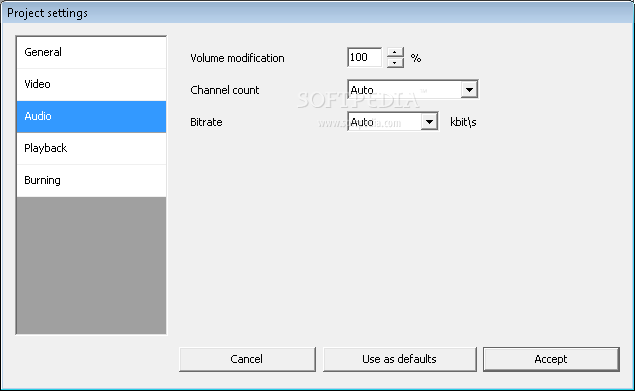
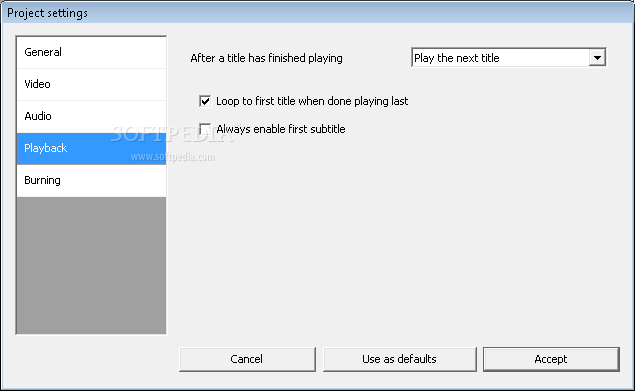
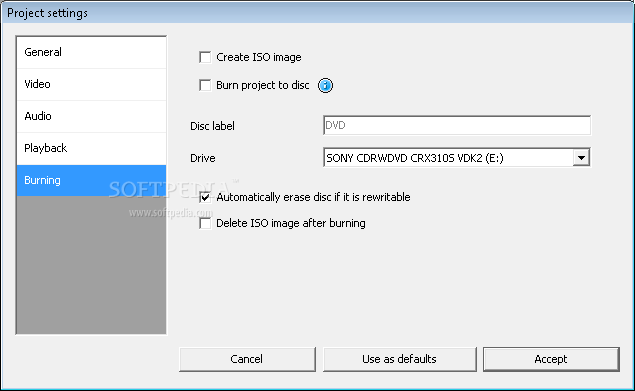
The settings menu allows you to choose the title of the project and the target size, configure the encoder and the thread count, adjust video and audio options, set up playback and customize the burning process.
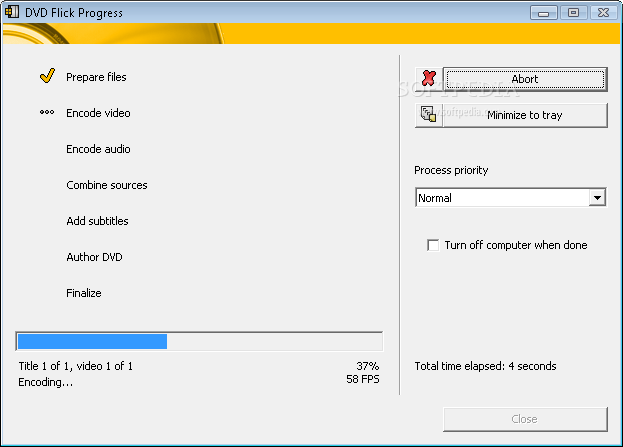
DVD Flick enables you to create either an ISO file that can be later burned on a disc or burn the project automatically once your work comes to an end.
The program boasts an online help file that's more of a step-by-step guide especially useful to beginners who may need assistance while trying to set up a new project.
Of course, the whole process takes some time, because you need to pick the files and configure the menus, but the amount of needed resources is minimal.
Overall, DVD Flick is a very easy to use application that can be safely used by beginners and more experienced users at absolutely no cost.
What's new in DVD Flick 1.3.0.7 Build 738:
- Added: buttonSubtitleMenuX and buttonAudioMenuX button types that jump to a title's audio or button menu directly.
- Changed: Removed "High" encoding priority setting. It is not useful anyway (no speed gain, only chokes other processes).
- Changed: Updated FFmpeg to revision 19276.
- Changed: Updated ImgBurn to version 2.4.4.0.
DVD Flick 1.3.0.7 Build 738
add to watchlist add to download basket send us an update REPORT- runs on:
- Windows All
- file size:
- 12.3 MB
- filename:
- dvdflick_setup_1.3.0.7.exe
- main category:
- Multimedia
- developer:
- visit homepage
4k Video Downloader

7-Zip

Windows Sandbox Launcher

IrfanView

calibre

Context Menu Manager

Microsoft Teams

Bitdefender Antivirus Free

Zoom Client

ShareX

- Bitdefender Antivirus Free
- Zoom Client
- ShareX
- 4k Video Downloader
- 7-Zip
- Windows Sandbox Launcher
- IrfanView
- calibre
- Context Menu Manager
- Microsoft Teams