
A useful tool that serves two main purposes: virtual CD-ROM drive(ISO/IMG files) and encrypted, virtual hard drive #Mount HD image #Encrypt HD image #Mount iso #Mount #Iso #Drive

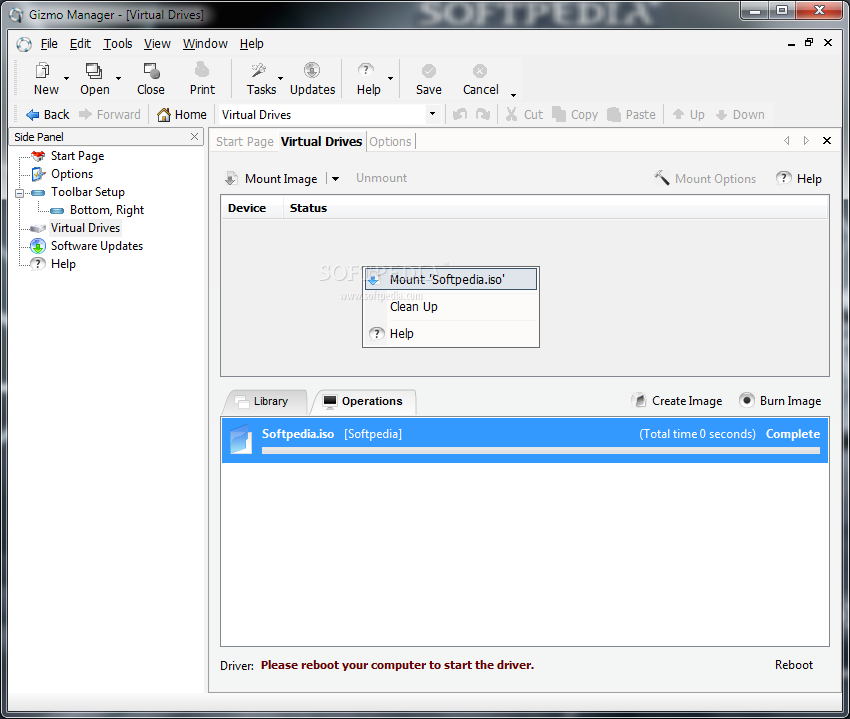
Combining ease of use with advanced functionality, Gizmo Drive provides users with a handy tool for mounting images to virtual drives, creating ISO archives from folders, encrypting HD images or mounting VHD files.
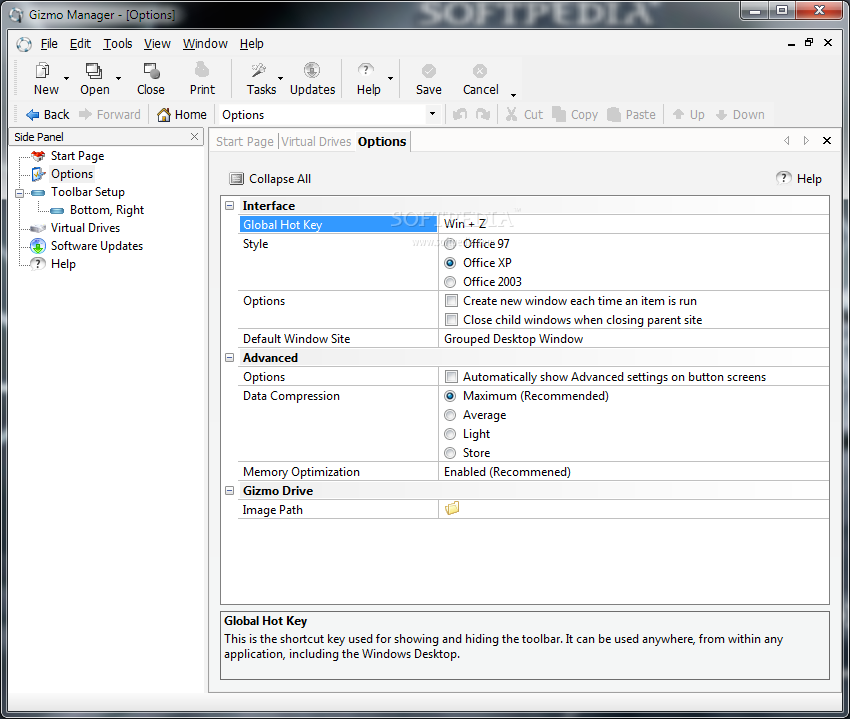
The graphical interface is intuitive and users can find all the tools they need within the side panel, from the list of virtual drives to the configuration options.
The built-in toolbar offers users full customization power and easy access to features, as you can change its every aspect (name, placement, effects, etc.) and add it different options and items, including documents, applications, tasks, web pages and more. Moreover, the included wizard can help you create your own toolbars for launching applications from within Gizmo Drive.
One of the advantages of the application is the high number of virtual drives it supports. A list of all the images you have mounted is available at all times, which comes in handy if you want to use the same file again.
The application provides support for multiple archive images, including ISO, BIN, CUE, NRG or IMG and can also mount password-protected archives. It allows you to mount VHD files that are used with Microsoft Virtual PC, as well as protect your important files and folders by using passphrase encrypted HD images.
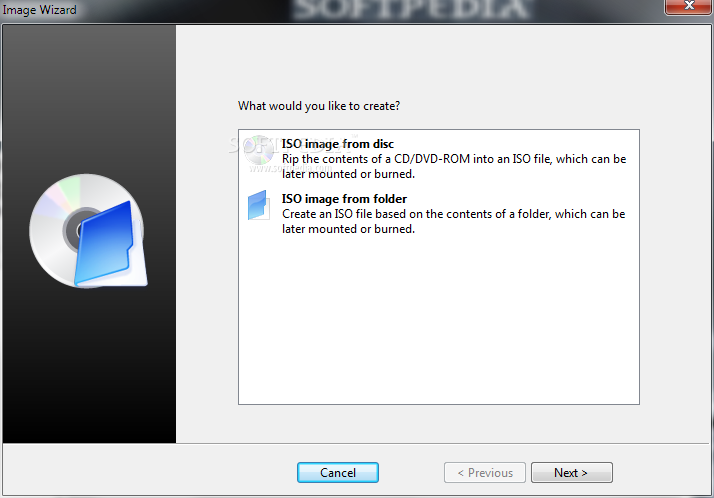
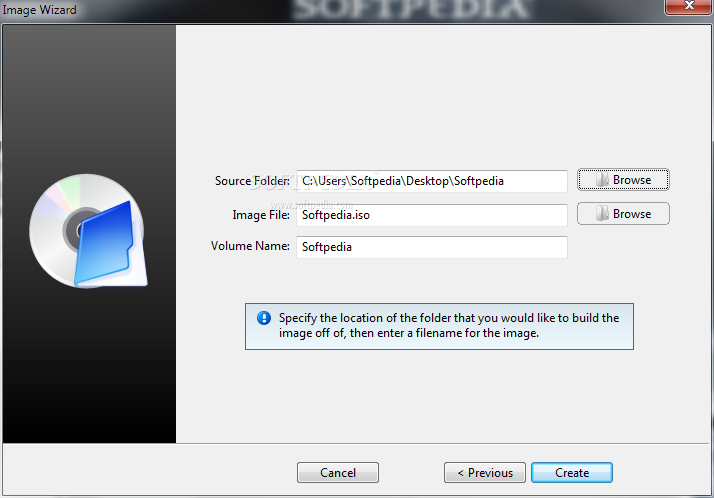
Among other advantages that this application comes with, you can find ISO image creation (the built-in wizard can help you create ISO images based on the contents of a disc or a folder) and disc burning capabilities. You can also generate a virtual hard drive out of the system's RAM, which allows quick access to data.
Gizmo Drive can be used both as a virtual drive mounter and an application launcher and its advanced features make it a worth-considering application and a serious competitor in its field.
Gizmo Drive 2.7.9
add to watchlist add to download basket send us an update REPORT- runs on:
-
Windows 2008
Windows 2003
Windows 7 32/64 bit
Windows Vista 32/64 bit
Windows XP 32/64 bit
Windows 2K - file size:
- 7.7 MB
- filename:
- gizmo-279-setup.exe
- main category:
- System
- developer:
- visit homepage
7-Zip

Microsoft Teams

calibre

Zoom Client

4k Video Downloader

IrfanView

Context Menu Manager

ShareX

Bitdefender Antivirus Free

Windows Sandbox Launcher

- ShareX
- Bitdefender Antivirus Free
- Windows Sandbox Launcher
- 7-Zip
- Microsoft Teams
- calibre
- Zoom Client
- 4k Video Downloader
- IrfanView
- Context Menu Manager