
Detect then clean a wide range of viruses and other types of malware, without slowing down the PC using this intuitive and straightforward tool. #Antivirus detection #Detect trojan #Malware detection #Stinger #Antivirus #Detection

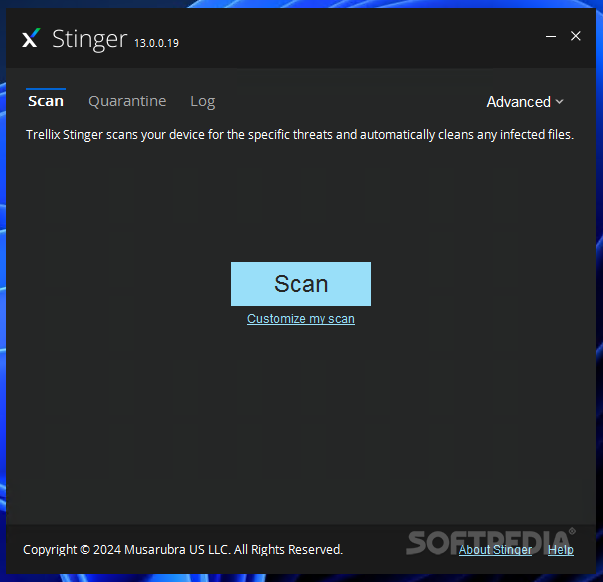
Formerly known as McAfee Stinger, Trellix Stinger relies on advanced security technologies to detect and remove threats on the host computer. It features rootkit scanning and leverages GTI File Reputation to analyze key locations on your machine and find potentially dangerous content and files.
It is worth mentioning from the start that Trellix Stinger is not a full-featured antivirus solution or a substitute for one. Instead, it can run alongside your security tool to make sure the system is free of threats from the list available in the “Advanced” menu.
In other words, Trellix Stinger is not a software utility that can protect your system from malware that tries to infiltrate, but solely to detect and remove certain threats that have already reached the PC, including GameOver Zeus and CryptoLocker.
With Trellix Stinger, you can run on-demand scans on the local computer and find viruses, rootkits, worms and other malware.
The application scans the local device for specific threats and instantly tries to clean or quarantine infected files. Hitting the “Scan” button will instruct Trellix Stinger to analyze key areas of Windows and locations that are known to be targeted by malware. Alternatively, you can easily customize the scan and select the folders to place under the magnifying glass.
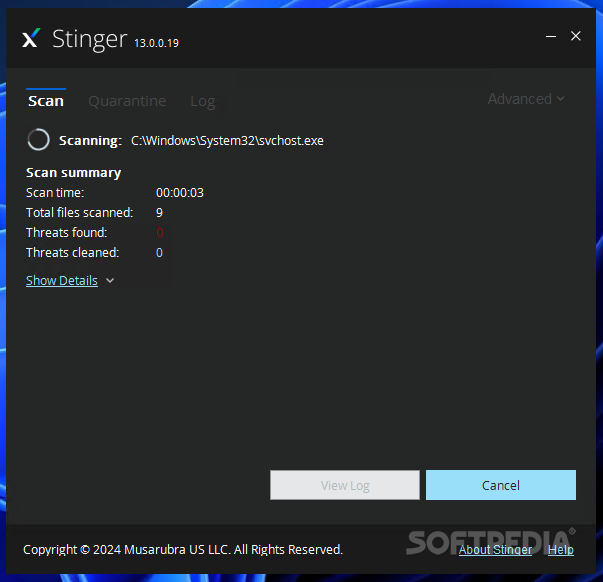
A scan summary is displayed as Trellix Stinger executes the task. This summary reveals the scan time and the number of files that have already been analyzed, along with the number of identified and cleaned threats.
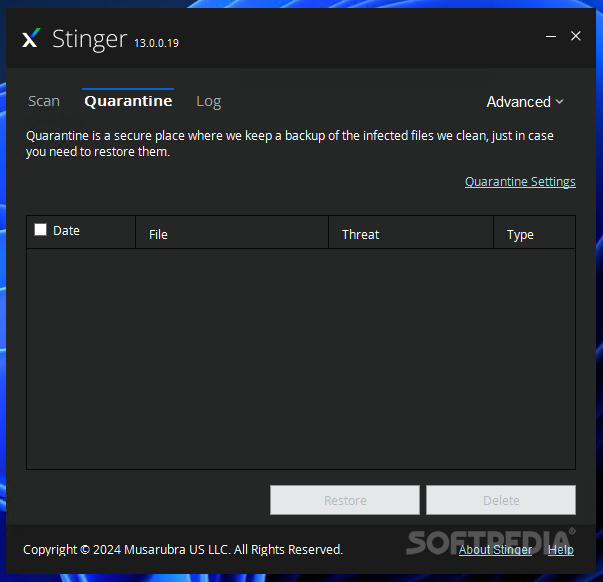
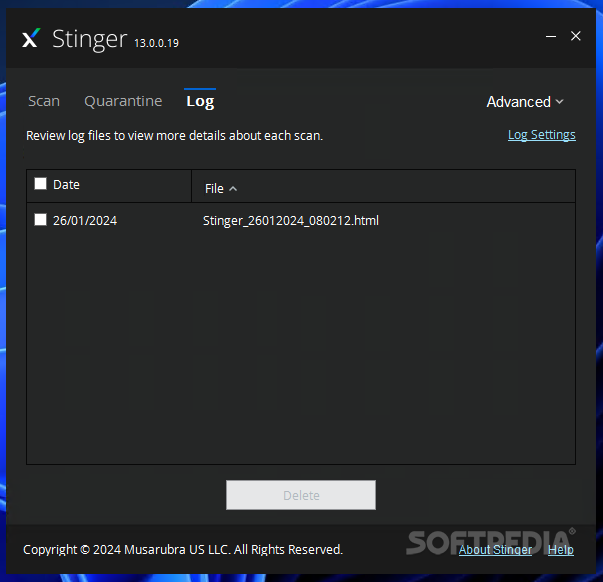
A quarantine folder is automatically created by Trellix Stinger and infected files is placed here. A scan log is created, so that you can keep a close eye on Stinger’s actions.
The amount of system resouces this application needs are moderate, even during a scan. However, I was a bit dissatisfied that Trellix Stinger failed to consider the target custom location and kept running in default mode, analyzing all the key locations in Windows.
Trellix Stinger can be used for analyzing the PC for existing threats that have already affected the computer’s security and trying to remove them. Please keep in mind that it does not work as a full-featured antivirus and will not provide real-time protection, so consider using it alongside a reliable security solution.
Download Hubs
Trellix Stinger (formerly McAfee Stinger) is part of these download collections: Remove Koobface Worm
What's new in Trellix Stinger (formerly McAfee Stinger) 13.0.0.105:
- New Detections:
- Exploit-CVE2020-1058
- Exploit-CVE2020-1060.a
- Exploit-CVE2020-1060.b
Trellix Stinger (formerly McAfee Stinger) 13.0.0.105
 Softpedia Editor's Pick
add to watchlist
add to download basket
send us an update
REPORT
Softpedia Editor's Pick
add to watchlist
add to download basket
send us an update
REPORT
- PRICE: Free
- runs on:
-
Windows 11
Windows Server 2016
Windows 10 32/64 bit
Windows Server 2012
Windows 2008 R2
Windows 8 32/64 bit
Windows 7 32/64 bit - file size:
- 45.6 MB
- filename:
- stinger32.exe
- main category:
- Antivirus
- developer:
- visit homepage
7-Zip

Bitdefender Antivirus Free

Microsoft Teams

Zoom Client

4k Video Downloader

Windows Sandbox Launcher

calibre

ShareX

IrfanView

Context Menu Manager

- ShareX
- IrfanView
- Context Menu Manager
- 7-Zip
- Bitdefender Antivirus Free
- Microsoft Teams
- Zoom Client
- 4k Video Downloader
- Windows Sandbox Launcher
- calibre