
User-friendly and rich-featured application that helps you transfer files from mobile phone to computer or vice versa, as well as synchronize and back up data. #Nokia manager #Synchronize phone #Backup phonebook #Nokia #Synchronize #Phonebook

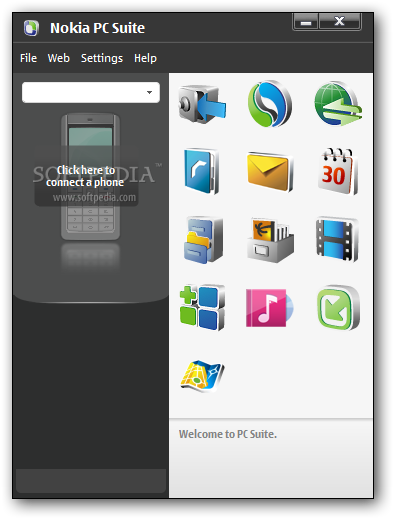
Nokia PC Suite is an application designed to enable Nokia Symbian owners to transfer important files from the mobile phone to the computer and vice versa, but also to control some of the handheld's features straight from the desktop.
The tool is supposed to provide some new functions to those who purchased a Nokia phone, including editing, backing up and synchronizing the files. Nokia PC Suite pretty much does that, as it is an easy-to-use application with a very pleasant and intuitive interface you should become accustomed with in a matter of minutes.
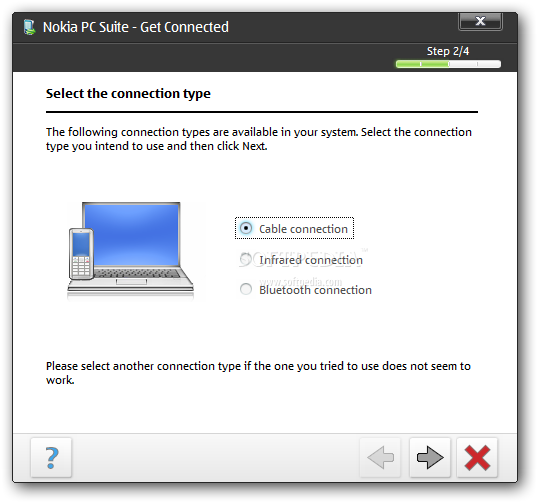
All functions can be accessed from the main interface, as soon as the phone is successfully connected to the computer. There are four connectivity options available: Bluetooth, infrared, serial cable (CA-42) and USB cable, with the last one being the fastest.
At times, some connection problems may occur while trying to pair the mobile phone and the computer. Also file transfer or other functions of the application could become unavailable. If this occurs, your should disconnect the devices and try to establish a new connection.
The messaging function of Nokia PC Suite comes in quite handy since it allows you to write an SMS message on you computer and send it to someone in the address book. However, note that the message is not automatically transferred to the phone's “Sent” menu.
The synchronization and backup features enable you to keep the important content stored on your Nokia phone safe and ready for a quick restore. You can sync notes, contacts and calendar and thus keep them up-to-date on both computer and mobile device.
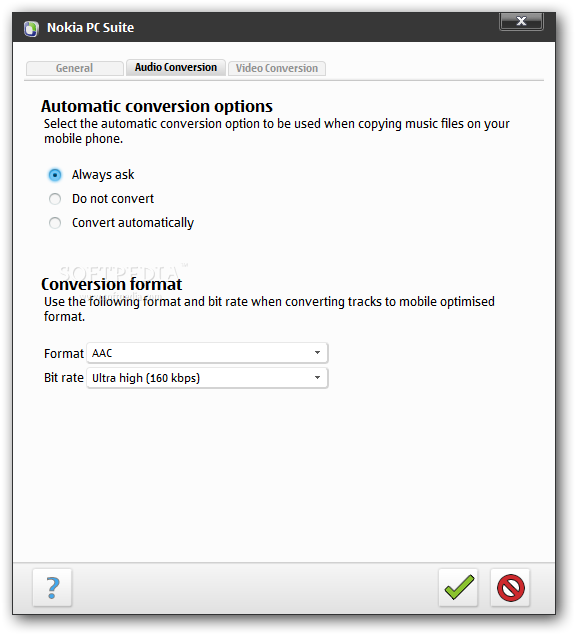
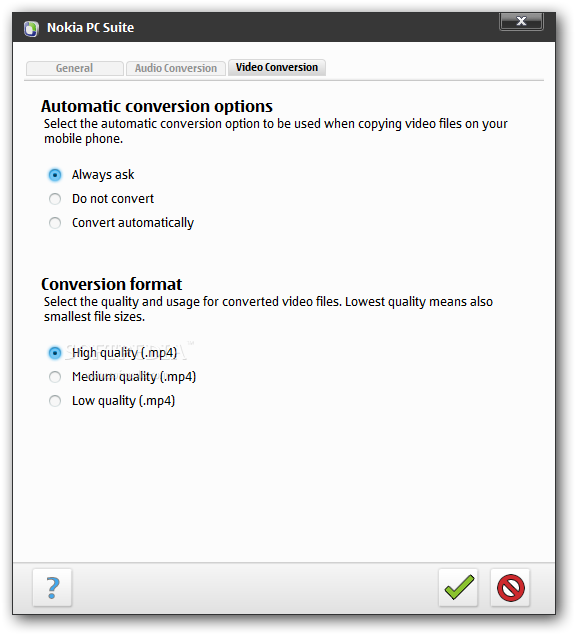
Another very useful function you will find in Nokia PC Suite is the video viewing and conversion. You can use it to turn any movie into the video format supported by your Nokia phone.
Bundling a lot of powerful functions that allow you to effortlessly control and manage the content on your mobile phone, Nokia PC Suite offers a pleasant experience overall.
Download Hubs
Nokia PC Suite is part of these download collections: Mobile Phone Managers
Nokia PC Suite 7.1.180.94
add to watchlist add to download basket send us an update REPORT- runs on:
-
Windows 2003
Windows 8 32/64 bit
Windows 7 32/64 bit
Windows Vista 32/64 bit
Windows XP 32/64 bit
Windows 2K - file size:
- 38.8 MB
- filename:
- Nokia_PC_Suite_eng_web.exe

- main category:
- Mobile Phone Tools
- developer:
- visit homepage
Zoom Client

4k Video Downloader

7-Zip

Windows Sandbox Launcher

calibre

Microsoft Teams

IrfanView

Bitdefender Antivirus Free

Context Menu Manager

ShareX

- Bitdefender Antivirus Free
- Context Menu Manager
- ShareX
- Zoom Client
- 4k Video Downloader
- 7-Zip
- Windows Sandbox Launcher
- calibre
- Microsoft Teams
- IrfanView