
A smart method of keeping your passwords safe database under multiple types of encryption like 256-bit AES/Rijndael encryption #Store password #Password manager #Secure database #Store #Password #Manager
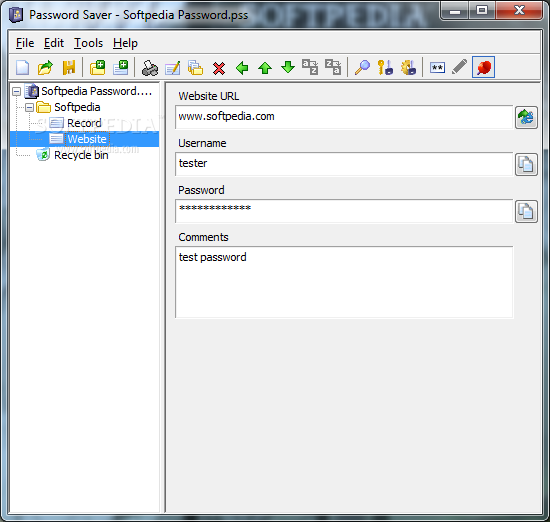
Password Saver is an easy-to-use, feature-rich solution for storing all your passwords in a secure, centralized database on your hard drive or a removable media disk. It employs industrial-strength encryption technology and offers export/import functionality designed especially for small to mid-sized teams.
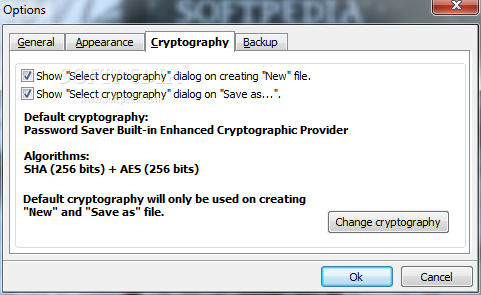
Your password database is protected using industrial-strength 256-bit AES/Rijndael encryption. The amount of time required to crack even a 128-bit AES key, much less a 256-bit key, is estimated to be 149 trillion (thousand-billion) years - longer than our universe has existed.
Password Saver uses a Microsoft Office-like scheme where each database is stored in a single file. These files are compact and portable - they can be stored on hard drives, USB flash disks, floppy disks, CD-RW disks, ZIP drives, or any other type of fixed or removable media.
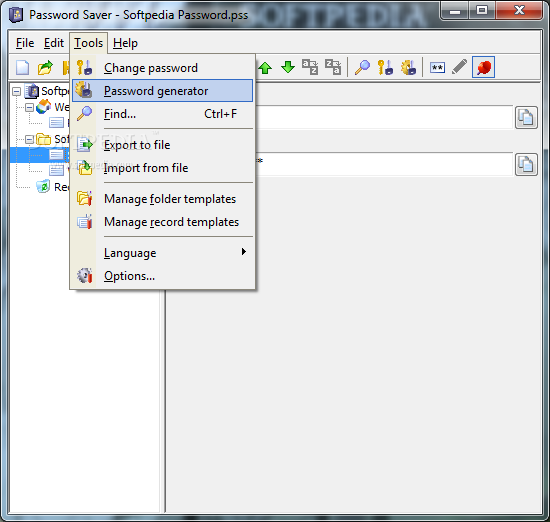
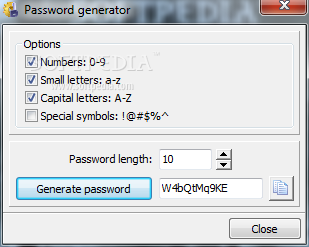
Also, since you no longer need to remember your passwords, you can generate random alphanumeric passwords which are proven to be far more secure than human-generated ones. This will greatly enhance the security of your sensitive data and accounts.
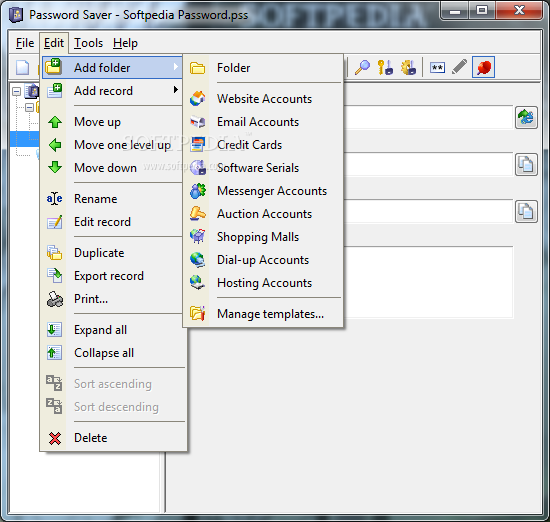
The software includes many pre-defined templates for commonly used records such as Web site and Email accounts so you get started adding data right away. However, you are not just limited to the pre-defined templates or even to just storing records with passwords. You can create customized templates that allow you to store any type of data.
The software's advanced import/export features also let you share passwords with co-workers and partners easily and securely.
You can export your database or just specific folders and passwords to an encrypted file, and then send these files to your co-workers, who can easily import them to their own databases.
System requirements
- 266 MHz CPU
- 32 MB RAM
- 5 MB HDD
Limitations in the unregistered version
- 15 days trial
- Nag screen
Password Saver 4.1.2
 Softpedia Editor's Pick
add to watchlist
add to download basket
send us an update
REPORT
Softpedia Editor's Pick
add to watchlist
add to download basket
send us an update
REPORT
- runs on:
- Windows All
- file size:
- 2.6 MB
- filename:
- Password_Saver.exe
- main category:
- Security
- developer:
- visit homepage
Windows Sandbox Launcher

7-Zip

Context Menu Manager

calibre

Microsoft Teams

Bitdefender Antivirus Free

IrfanView

ShareX

Zoom Client

4k Video Downloader

- ShareX
- Zoom Client
- 4k Video Downloader
- Windows Sandbox Launcher
- 7-Zip
- Context Menu Manager
- calibre
- Microsoft Teams
- Bitdefender Antivirus Free
- IrfanView