
View and manage the contents of four folders at the same time, transfer files easily and increase your overall productivity, with this nifty application #File manager #Folder manager #File explorer #Explorer #Viewer #Navigator

Even though there’s nothing inherently wrong with File Explorer, many find it rather slow and inefficient when it comes to performing more complex operations. This is why they are looking and using alternatives that can make file management smoother.
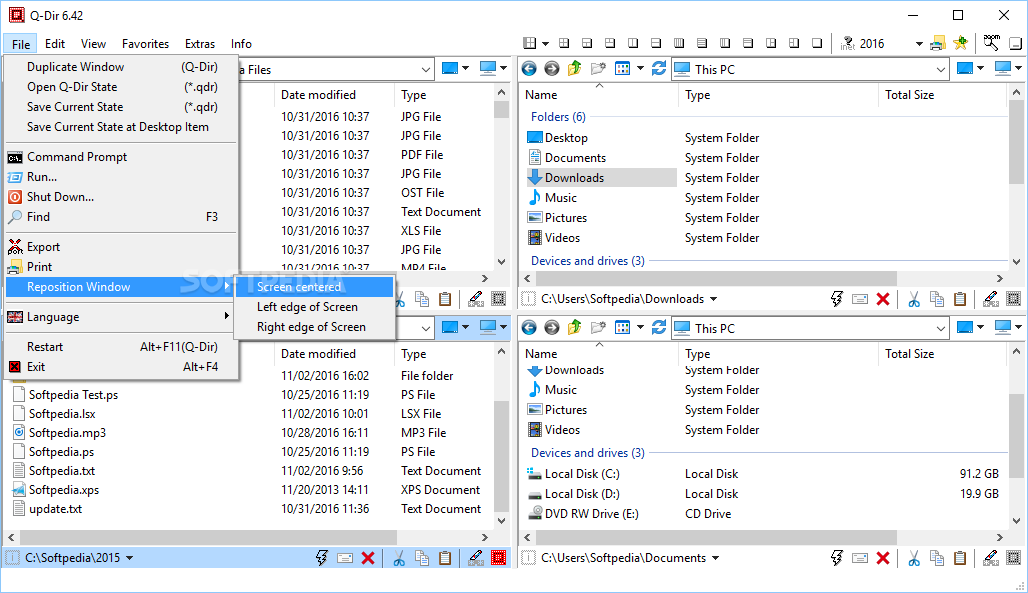
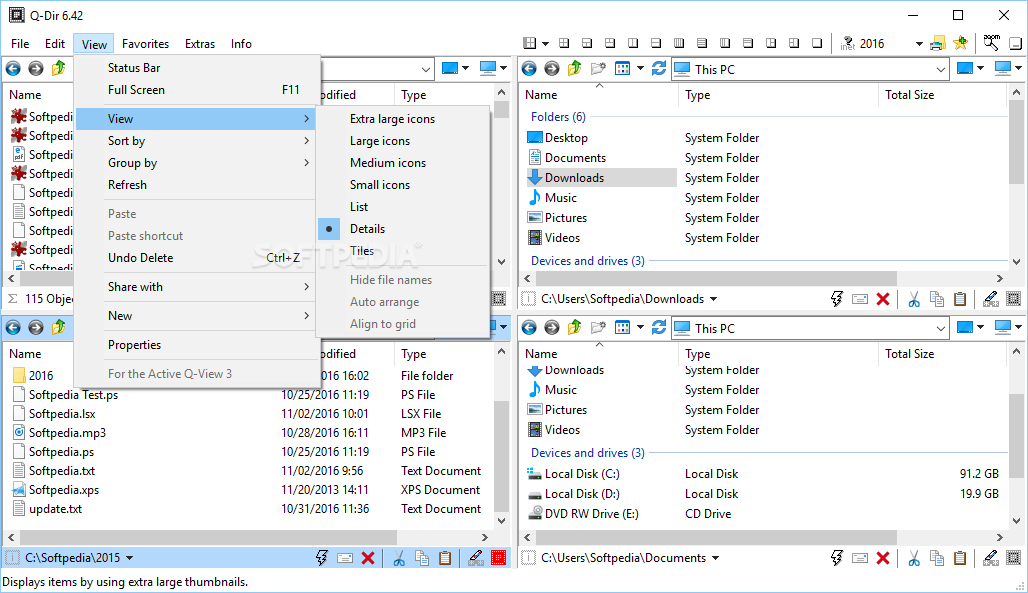
Q-Dir provides a unique and customizable approach to file and folder management that you may find more intuitive or feature-rich than the default Windows File Explorer.
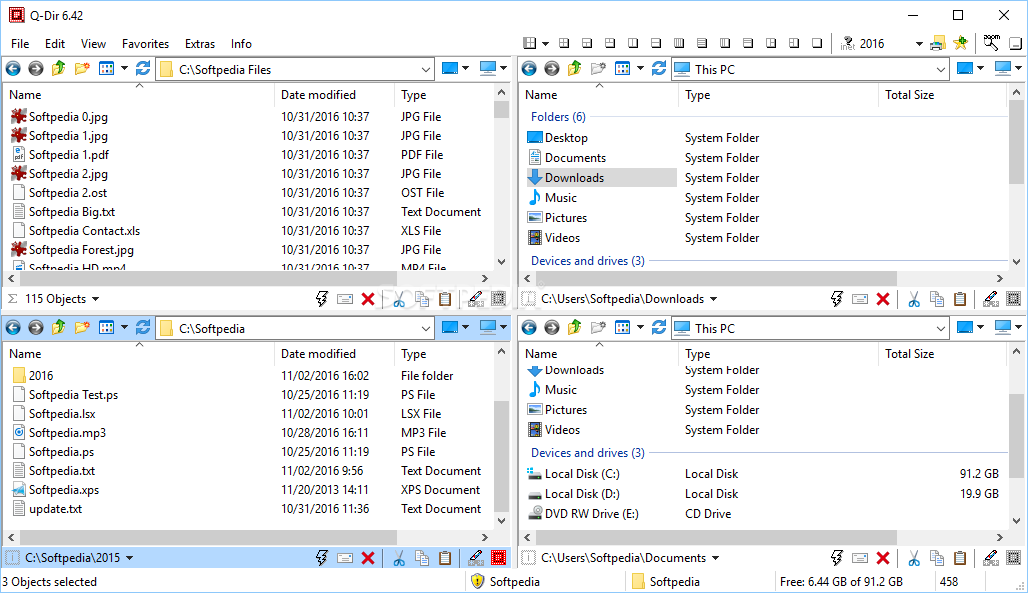
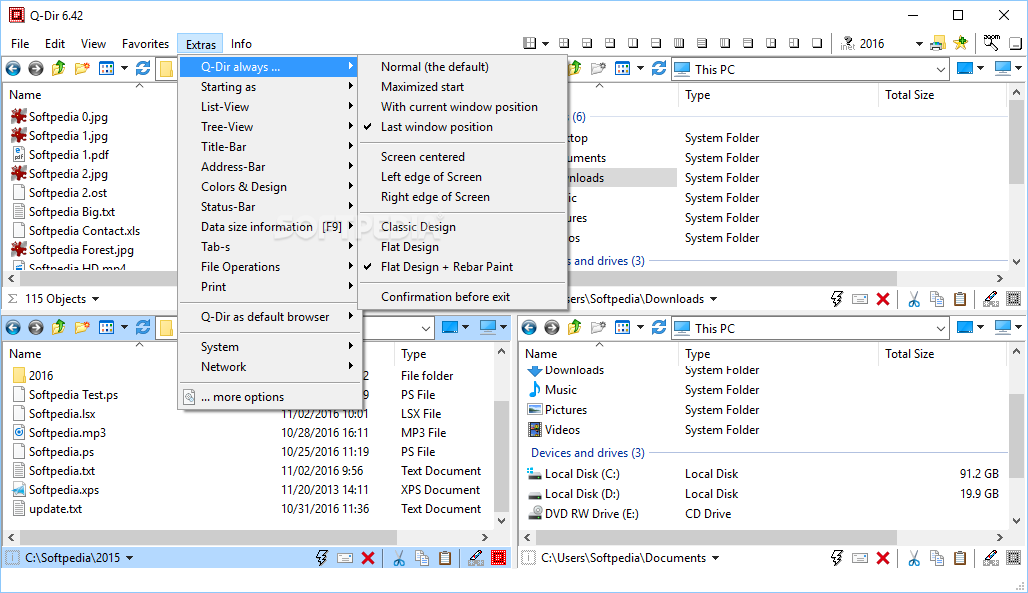
Perhaps the most noticeable distinction from File Explorer is the quad-view layout that enable you to deal with your data in four windows simultaneously. While the two-panel layout is usually the norm, the quad-view can bring some advantages if you are into multitasking, as you can get a more comprehensive overview of the directory structure.
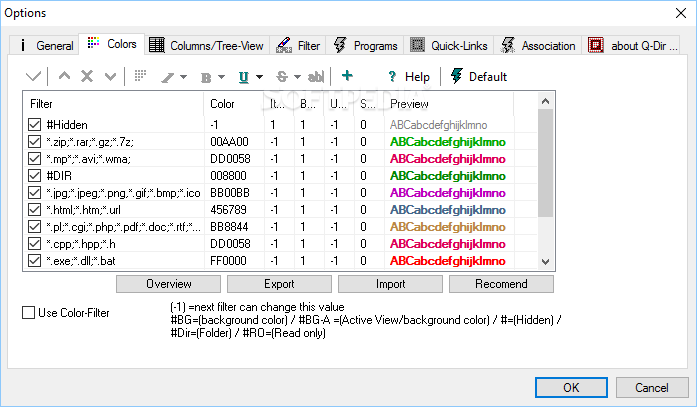
At the same time, the program relies on color filters to help you easily differentiate between numerous files and folders. To put it simply, you can identify various files for managing faster and organize them easier due to this small visual gimmick.
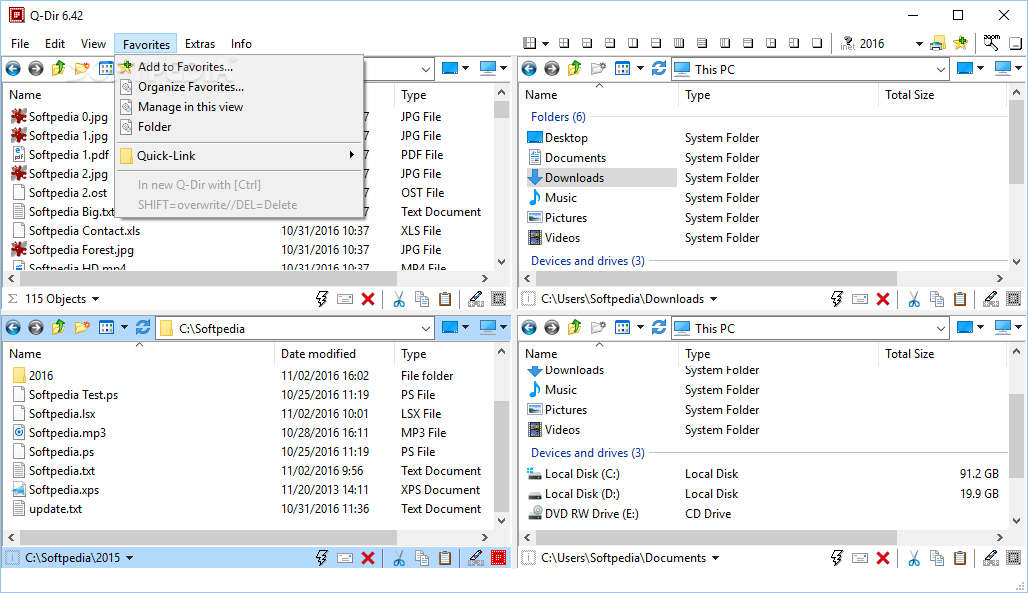
As expected, the app supports advanced operations, a noteworthy one being that you can save frequently used folder combinations as favorites. This can be especially useful if you are regularly using a subdirectory that is buried deep within other folders.
You can create and store up to 64 folder combinations, each equipped with tabs and customizable settings, including distinct colors for various file types. Simply put, you can customize your workspace in a way that enhances your workflow.
The program provides a comprehensive analysis of folder sizes, accompanied by extra information. Not only can you gain insight about storage usage, but you can also make better-informed decisions on file organization and management.
Q-Dir stands out as a versatile and user-friendly file management solution that not only redefines the conventional approach to organizing files but also offers advanced features such as detailed folder size analysis.
Download Hubs
Q-Dir is part of these download collections: File Managers
What's new in Q-Dir 11.63.0:
- This version fixes a bug where the auto-update had to be started multiple times before it worked correctly.
- Further improvements and optimizations have also been made to the address bar and directory structure.
Q-Dir 11.63.0
add to watchlist add to download basket send us an update REPORT- portable version
- Q-Dir Portable
- runs on:
-
Windows 11
Windows Server 2022
Windows Server 2019
Windows Server 2016
Windows 10 32/64 bit
Windows Server 2012
Windows 8 32/64 bit
Windows 7 32/64 bit - file size:
- 815 KB
- filename:
- Q-Dir_Installer.zip
- main category:
- File managers
- developer:
- visit homepage
Windows Sandbox Launcher

7-Zip

Context Menu Manager

Bitdefender Antivirus Free

ShareX

Microsoft Teams

Zoom Client

calibre

IrfanView

4k Video Downloader

- calibre
- IrfanView
- 4k Video Downloader
- Windows Sandbox Launcher
- 7-Zip
- Context Menu Manager
- Bitdefender Antivirus Free
- ShareX
- Microsoft Teams
- Zoom Client