
Optimize your computer's performance, clean the Windows registry and defragment it with this straightforward program, with just a few clicks #Registry cleaner #Registry fixer #Fix registry #Registry #Clean #Fixer

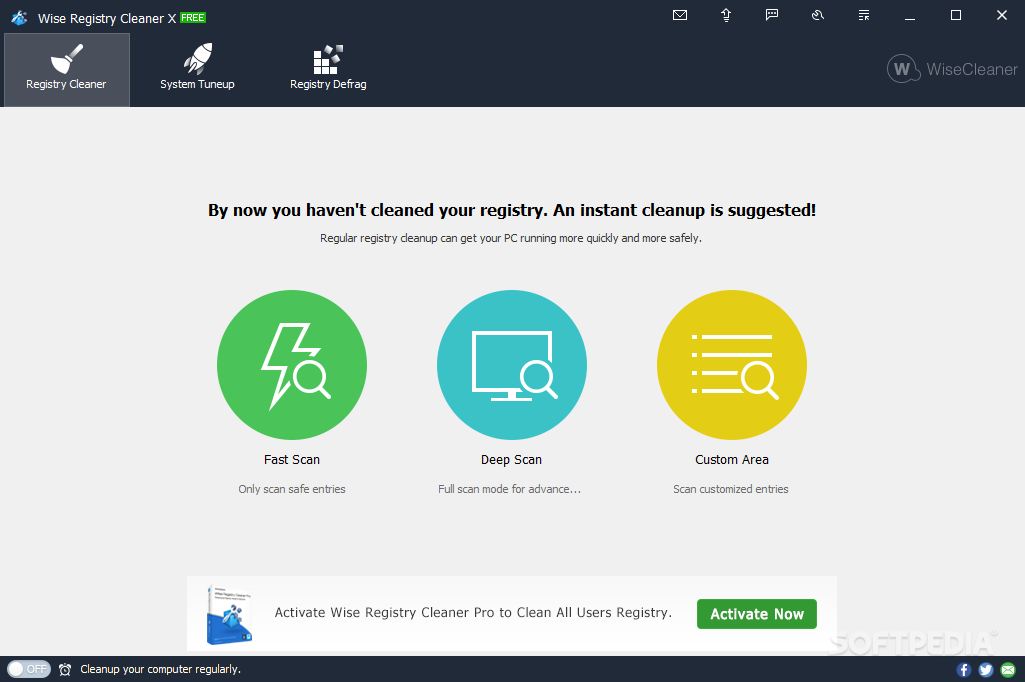
The registry is the backbone of the Windows operating system, storing settings and configurations for the OS, its components, drivers, services, user interfaces and installed applications.
Even when uninstalled, applications might still have leftovers in the system’s registry, which could, in time, affect the overall performance of the computer. A registry cleanup is not just recommended periodically, but necessary to keep the PC in top shape.
Luckily, you don’t have to clean up the registry manually, as there are dedicated applications that can scan it and remove redundant and unnecessary items. Wise Registry Cleaner is one of the must-have tools, ready to optimize the performance of your PC and make it run smoothly.
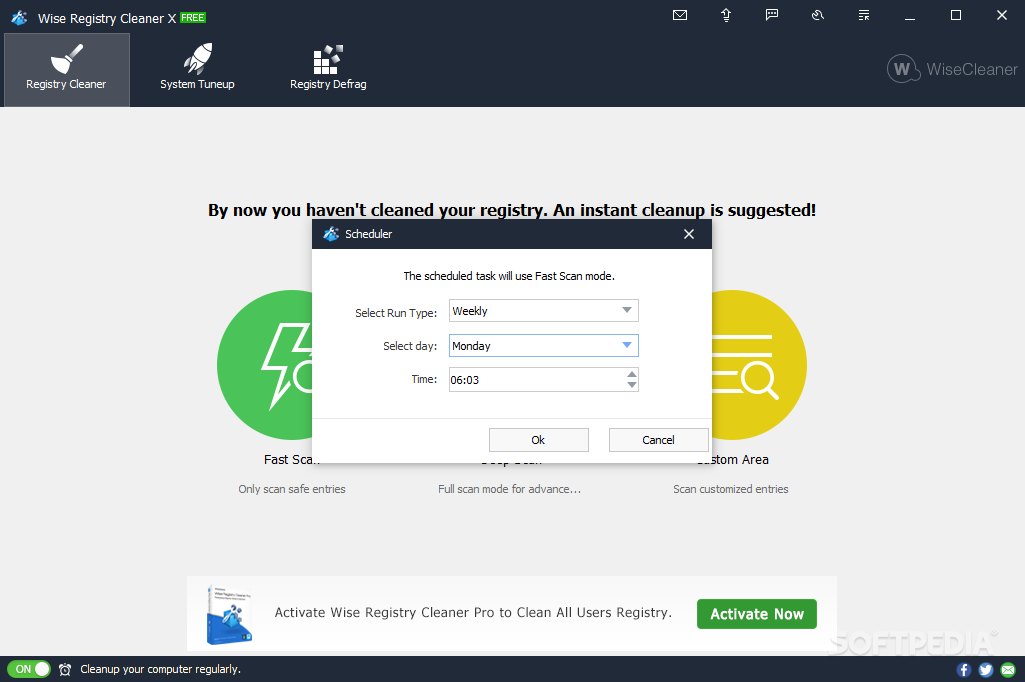
With Wise Registry Cleaner, you can run regular registry cleanup, either on demand or using the integrated scheduler. Cleanup tasks can be scheduled daily, weekly, monthly, on idle, at user log on, at a specific date and time.
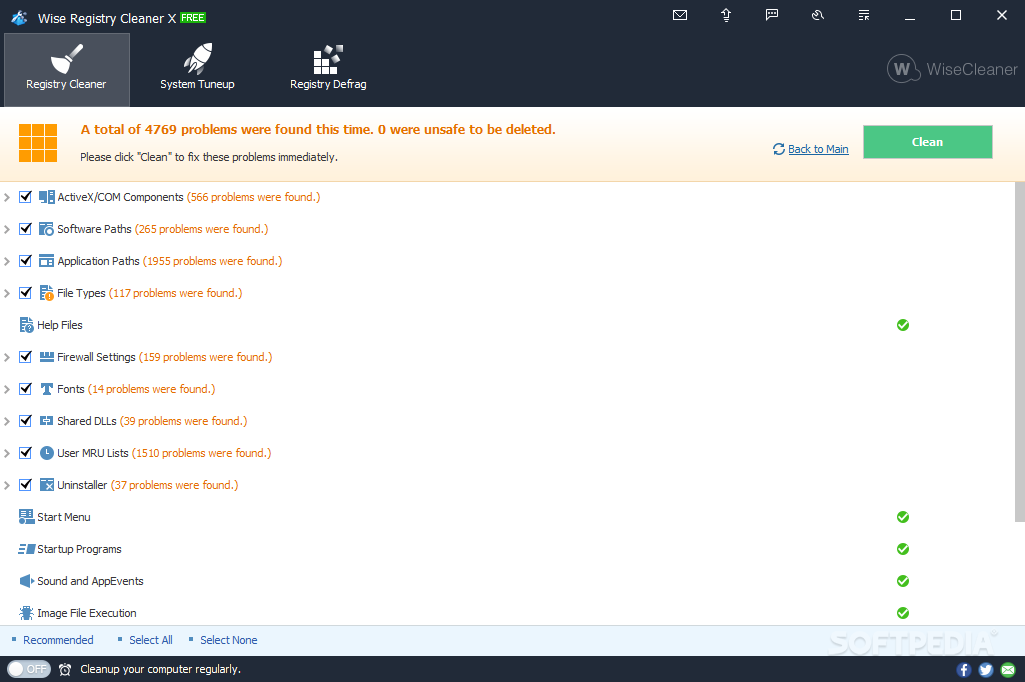
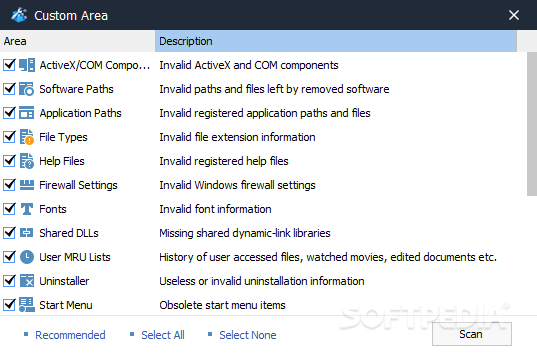
The system’s registry is carefully analyzed by Wise Registry Cleaner. The application has a look at ActiveX and COM components, software and application paths, firewall settings, file types, shared DLLs, MRU lists, help files, fonts, Windows services, invalid context menu items, and more. The uninstaller, the start menu, startup programs and application events are also placed under the magnifying glass of Wise Registry Cleaner.
The number of issues to look into is displayed and, with the click of a mouse, you can check out all the keys and components that have been included in the analysis. Autocleaning is also possible with Wise Registry Cleaner if you end up trusting enough that it is no longer needed to see all the found issues.
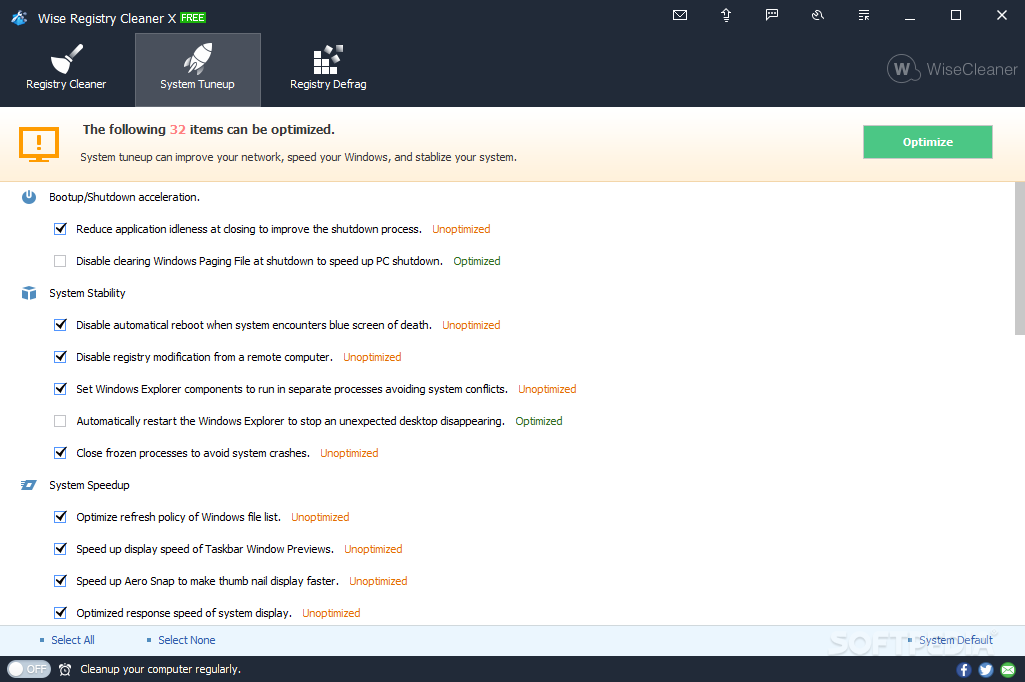
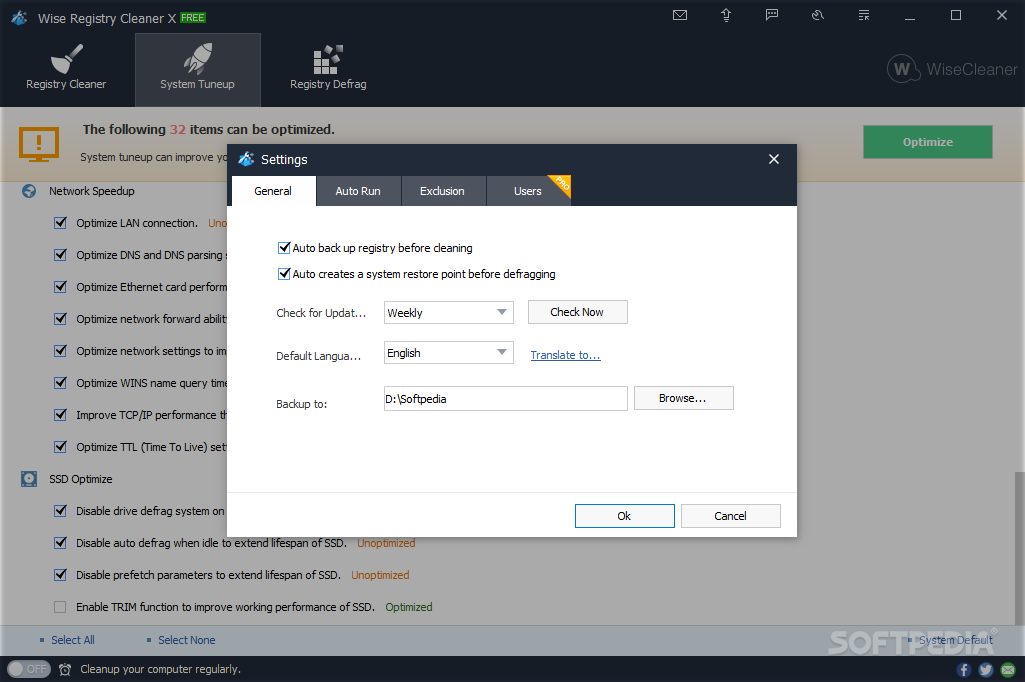
Despite its name, Wise Registry Cleaner is not just a registry cleanup and optimization tool. It also comes with additional system tune-up options to speed up the PC while maintaining stability. It features bootup and shutdown acceleration, system speedup options and options to increase system stability.
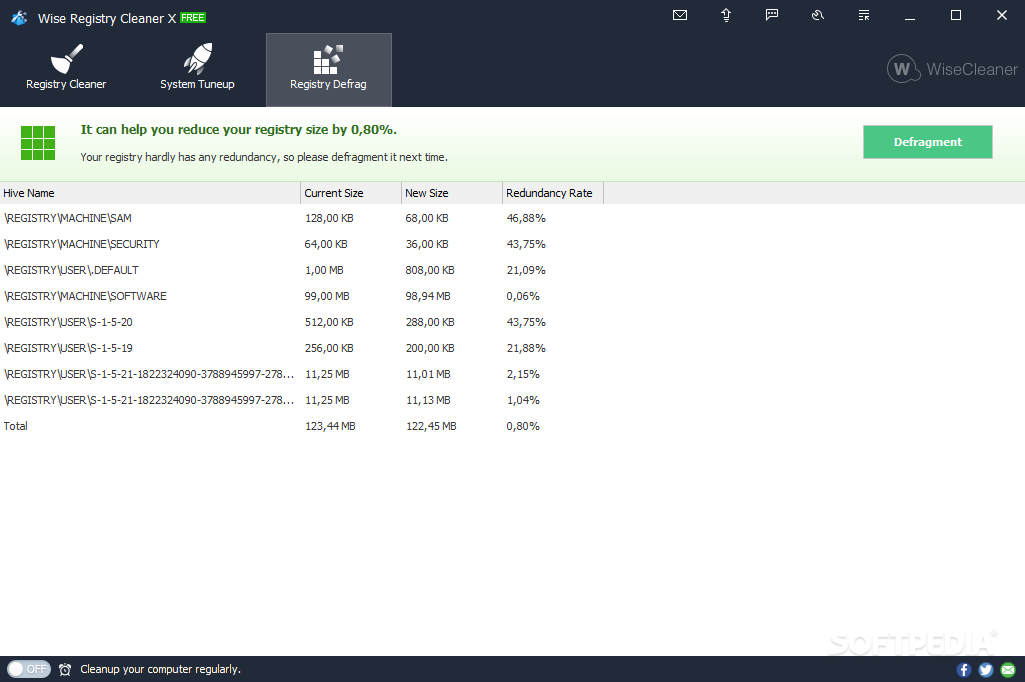
Used together with the registry cleaner, the registry defragmentation tool can also enhance stability while improving the computer’s responsiveness. However, keep in mind that this operation might take more time and requires you to have all running applications closed to get the optimum results.
Wise Registry Cleaner is more than you need for registry maintenance, to keep your computer running at top performance. Not only that it identifies registry issues that might affect the PC’s responsiveness, but it also allows you to accelerate bootup or run registry defragmentation.
Download Hubs
Wise Registry Cleaner is part of these download collections: Registry Tweak
What's new in Wise Registry Cleaner 11.1.4 Build 719:
- Improved the rule for cleaning invalid file extensions (File Types).
- Fixed minor bugs in the previous version.
Wise Registry Cleaner 11.1.4 Build 719
add to watchlist add to download basket send us an update REPORT- portable version
- Portable Wise Registry Cleaner
- runs on:
-
Windows 11
Windows 10 32/64 bit
Windows 8 32/64 bit
Windows 7 32/64 bit
Windows Vista 32/64 bit
Windows XP 32/64 bit - file size:
- 5.8 MB
- main category:
- Tweak
- developer:
- visit homepage
Zoom Client

ShareX

7-Zip

Context Menu Manager

Microsoft Teams

IrfanView

Windows Sandbox Launcher

calibre

Bitdefender Antivirus Free

4k Video Downloader

- calibre
- Bitdefender Antivirus Free
- 4k Video Downloader
- Zoom Client
- ShareX
- 7-Zip
- Context Menu Manager
- Microsoft Teams
- IrfanView
- Windows Sandbox Launcher