14 DAY TRIAL //
 Yesterday I was surfing the Internet and I found something that seemed to be interesting. It is called GnomeBaker, an application for burning CDs and DVDs in the GNOME desktop. This is supposed to be the best one for burning CDs and DVDs in GNOME.
Because I can't decide which I like more I sometimes alternate GNOME with KDE. Lately I've been using GNOME and for this reason I try to use the applications designed for GNOME sometimes.
There are some things I liked about GnomeBaker and some that I didn't. I try to combine good stuff with bad stuff and I hope I will not be too harsh, because it's not a bad application.
What's GnomeBaker about?
The first interesting thing is that for basic Data CD functionality it only needs cdrecord. This program seems to be an advanced frontend for cdrecord and I like this thing. The best burning tool in Linux, K3B, needs a lot more but it's the best. For additional functionality regarding Audio CD burning it requires encoders, which is normal, but it's not normal to have to do some extra works to make the program use them.
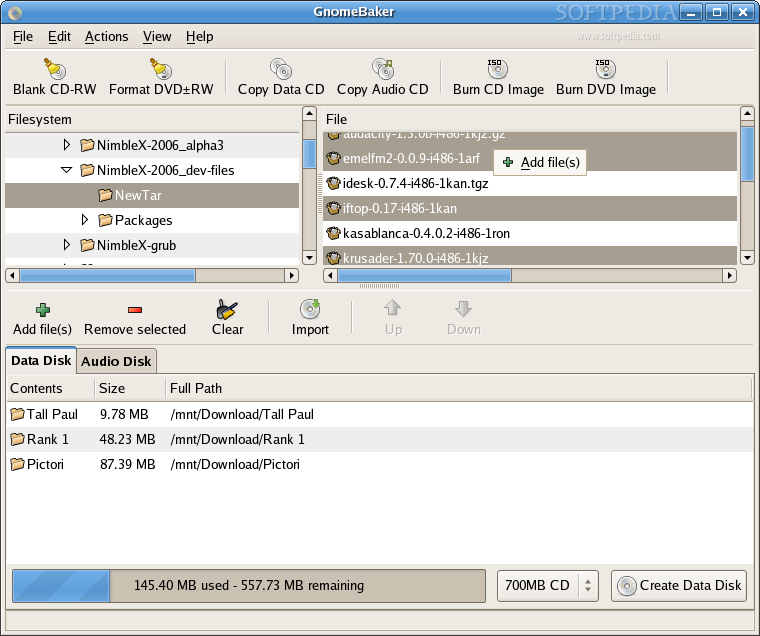
The interface is nice, intuitive and it tries to be easy to use. The first toolbar contains buttons for performing the most common tasks. Available actions for CDs and DVDs regard operations like erasing and copying disks and also burning images.
For creating custom Data and Audio disks we have the rest of the interface. It is split in three panes. In the left is the pane for navigating through directories. If you want to burn a whole directory on a disk you just have to drag and drop it in the bottom pane, in the data disk tab area.
The left pane is for navigating through directories and for selecting fies and dirs to add in the compilation pane. Here I'm used to select several files by dragging the rectangular over them and then just drag and drop them in the compilation pane. This actually doesn't work. I am also used, like many other people to select files by holding the CTRL key and then drop them in the compilation pane also with drag and drop. This also doesn't work. You'll have to right click the selection and then use the "Add file(s)" context menu that appears. At first this can be very frustrating but I guess anyone can get used to it.
The compilation pane is located at the bottom of the program. It has two tabs. One is for data disks and the other is for audio disks. A nice feature is the progress bar that shows how much space is used from the disk. At the right of the progress is a dropdown button for selecting the size of the disk you'll use. When that size is exceeded GnomeBaker will warn you that the file or directory can't be added in the compilation. So I guess overburning is out of discussion. A frustrating thing about this pane is that you can't remove a file from a directory. You also can't create a new dir in the compilation so I guess there isn't a easy way to make it nicely organized. The only way I can think of for making a nicely organized compilation is to put all the files and folders on a directory on the hdd just like you want them on the disk and then burn the contents of that folder.
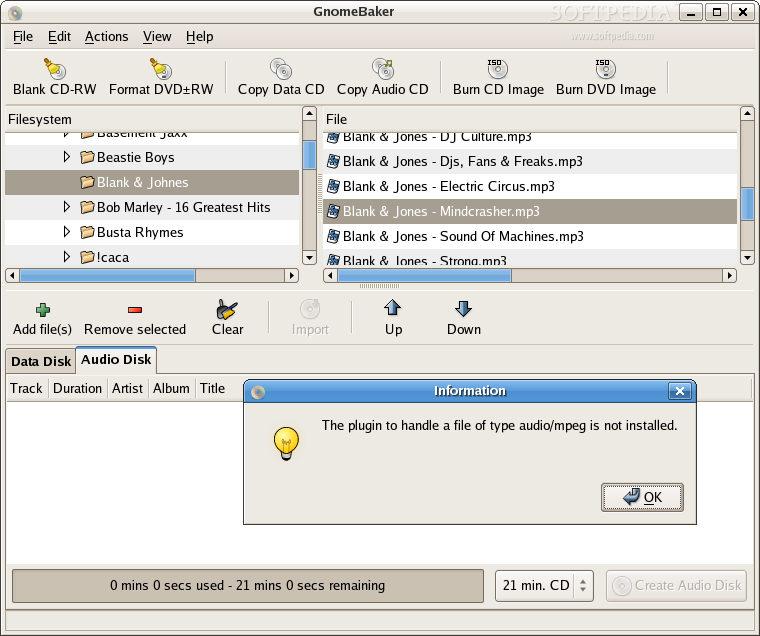
Creating audio CDs at this stage is tricky. This is unfortunate because the program is nice. Every time I try to add an audio file in the compilation pane the program tells me that I don't have the required plugins. As far as I know I have them, but I didn't dig more into this to see what's wrong. I suspect GnomeBaker was built on a different distro than the one I use and the path to the encoders is different.
The Good
GnomeBaker has a lot of potential for a future development. The interface is nice and user friendly. For basic functionality it only requires cdrecord.
The Bad
Organizing a compilation is trivial task. Some functionality is missing and people need it badly. Making audio CDs might not be possible. Fortunately, audio CDs are not that popular these days.
The Truth
Even though GnomeBaker might be the best disk burner for GNOME, it's definitely way behind K3B. Some important things are not working, but I will not say the program is bad. I'll say it has a lot of potential and this is the truth. I hope development will still continue at a high rate and if in the future I'll see something more functional with a bit more features a new review will be published.
Check out the screenshots below: