14 DAY TRIAL //
 These days it's a very common practice to keep the music files stored on the computer. This way you can organize your music files better and they can be easily transferred on the portable audio player or on another computer. But what about the music that is stored on Audio CD? We might want to store it on the hard disk because it is easier to manipulate. For this we should use a ripper and an encoder. A good example of one is Grip.
Grip is both a CD player and also a CD ripper. As a ripping engine it uses cdparanoia by default. This is a good thing because cdparanoia is a very mature program. It?s been around since 1994 but in the last five years no progress was made because the developers focused on the open source ogg vorbis revolution. The audio is extracted with cdparanoia as data and then it is written in a file as WAV, AIFC or raw 16 bit PCM. The next step is to encode the outputted WAV data. Supported formats are OGG, FLAC and MP3, but with some skills other encoders can be used.
The conversion from Audio CD to an encoded file is done seamlessly by just clicking the Rip+Encode button. The program is set to encode in OGG as default and to be honest this satisfies me more than Mp3 since Fraunhofer only cares about royalties.
The interface of the program is not very nice but it is easy to use and gets the job done.
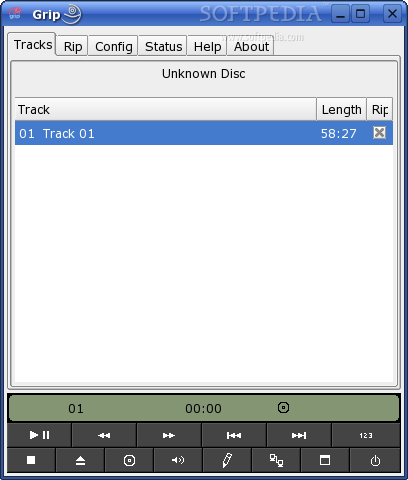
The first tab displays the tracks and the CD player buttons. If only some tracks are to be encoded they can easily be selected from here. In case the program will be used as a CD player you can click a button and hide all the unnecessary stuff. The program will be switched to a condensed mode and all that will be displayed are the CD player controls.
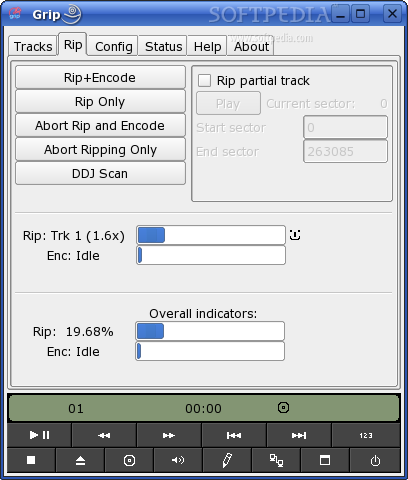
The next tab is about ripping. Most certainly here you will use the Rip+Encode button. An interesting feature is that you can encode partial tracks and before doing that you can preview what is to be encoded so that you won?t have to cut the encoded file later.
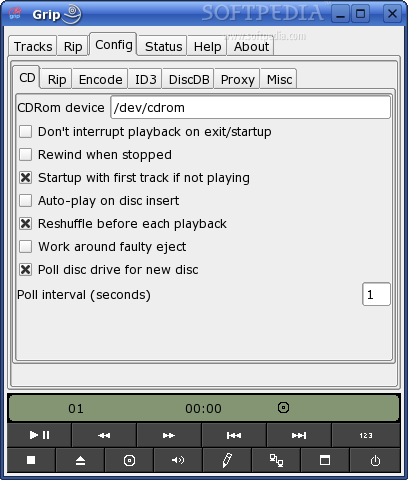
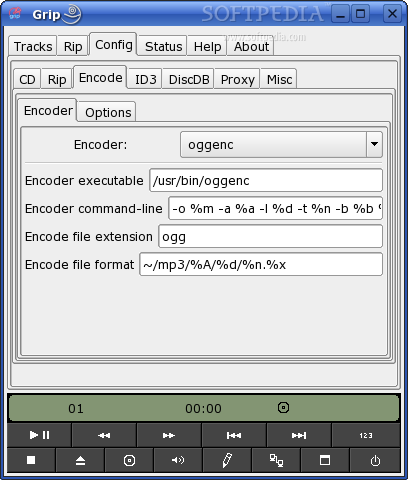
Next is the tab that handles all the configuration options. There are enough configuration options to satisfy even the most advanced user. The most useful here is that you can add custom command line parameters for rippers and for encoders. Because it also allows adding others, you can use virtually any ripper and any encoder. Freedb is supported for DiskDB by default, but you can also add a secondary server.
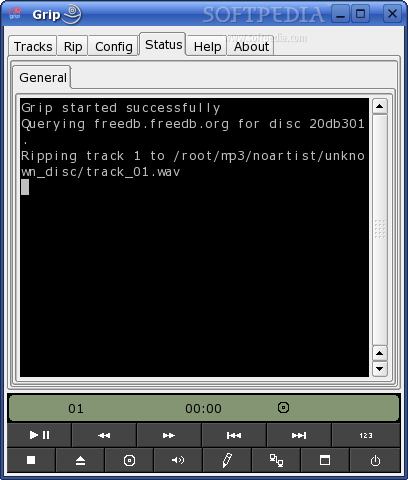
The forth tab is the status and this one shows another tab within, which then shows a terminal output of what grip does. This is good for debugging but a tab in another tab makes no sense in this case, it only turns the interface a little uglier.
Moreover, Grip can do multiple encodings at the same time, in the case of SMP machines. This is cool because it can greatly improve the speed of encoding in this case.
The Good
This program is easy to use and highly customizable. It can use virtually any encoder you are willing to setup. Condensed CD Player mode is nice.
The Bad
The interface doesn't look good enough for the average user. You don't have a button for encoding in the main window.
The Truth
Even though it is not impressive the program does the job. Useful both for average users and also for experienced ones. Features are more than enough for a CD-ripper but are not very well organized. If I'll need it I'll use it again though.
Check out the screenshots: