Search Perform an advanced search query SOFTPEDIA
 
SOFTPEDIA
Updated one minute ago
HomeSubmit a program for being reviewedAdvertise on our websiteGet help on surfing our websitesSend us your feedbackGet information about our XML/RSS backend and how to use itBrowse the news archiveVisit our discussion forumVizitati forumul in limba romana


Program Finder

Skype Review
Category: SOFTPEDIA REVIEWS :: Linux

Quality voice chat software for Linux
By: Marius Nestor, Linux Editor

Skype by Skype Technologies S.A. Add Your Rating   See Editor's Ratings
Version reviewed: 1.2.0.18

Skype uses P2P (peer-to-peer) technology to provide voice-based communication with other Internet users.

The technology is extremely advanced, but easy to use. It features excellent sound quality, end-to-end encryption, and automatic negotiation of firewalls or routers.

Some features:

· Free unlimited worldwide phone calls to other Skype users
· Superior sound quality
· Works with all firewall, NAT and routers - nothing to configure!
· Friends list shows you when your Skype friends are online and ready to talk or chat
· Super-simple and easy to use

DOWNLOAD PROGRAM    REQUEST A REVIEW

The phone is a very useful tool; it helps people communicate one with another. But, every minute on the phone costs money, it's not a free service and, if you call someone that lives in another state or outside the country, expect to pay even more. Isn't there something that allows talking for free for as long as you wish?There is Skype.

Skype and Linux

Depending on your Linux distribution, Skype can run in a few seconds after you finish the download from the official website. RPM packages are available for SuSE 9 and newer versions, for Fedora Core and for Mandriva 10.1 and newer. Debian wasn't forgotten, there is a .deb package for Debian and other distros based on it. Users that have another distro weren't forgotten, there are two packages: a dynamic one that requires QT 3.2 and onethat includes the QT library.

Using Skype on OpenSuSE 10.0 wasn't a complicated thing, you can download it from the official website and then issue a simple console command: rpm -i skype-1.2.0.18-suse.i586.rpm.

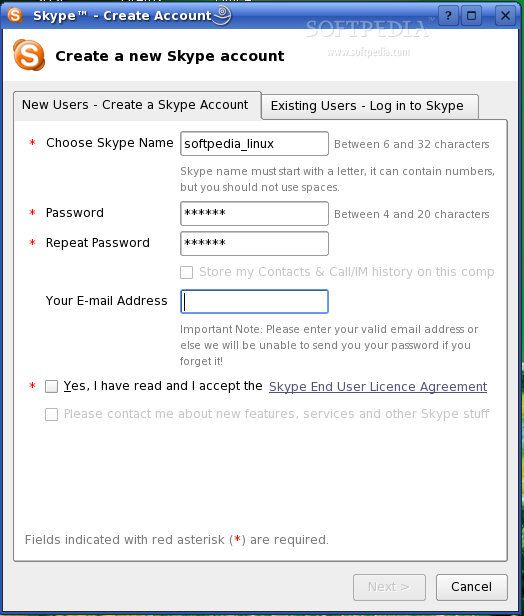
After the installation has been successfully performed, you can immediately start the program; depending on the window manager that you're using, you can find it in the main menu and start it by just clicking its icon. KDE was running on that particular OpenSuSE system and Skype showed up in the "other" sub-category of Internet applications in the K menu. When Skype started, it showed a little two-paged wizard: Create a new account (for new users) and Log into Skype (for existing users). You create a new account if you never used Skype before, or you Log into Skype if you used Skype before and you already have an account. Creating a new account is a very short process, you don't have to wait a lot of time or go through a complex sign up procedure, just choose the account name, a password and tell Skype an email address where your password can be sent in case you forget it and you're ready to talk with other users.

If you were wondering if a friend has a Skype account, you can search for Skype users (the Tools menu, Search for Skype users option) and find out. In case you found that person, you can add your friend to your contact list and wait for the other person to accept your request.

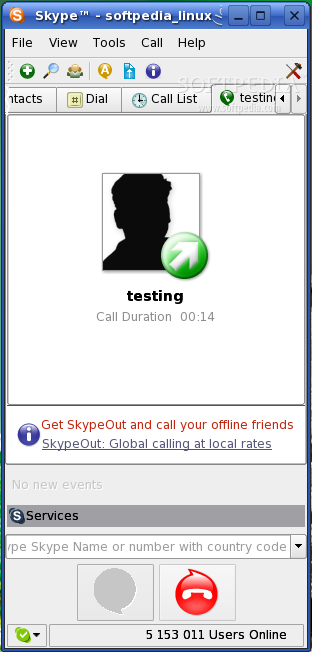
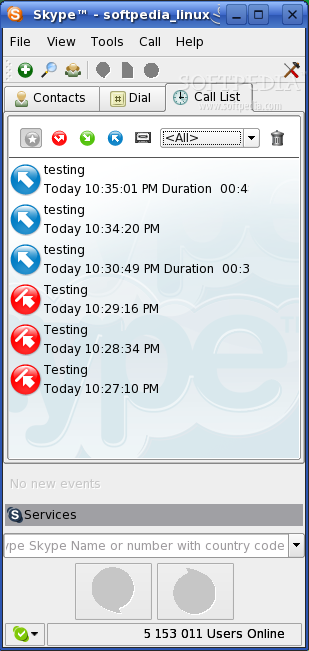
Making a call is very easy, you just have to type into that little box above the green call button the skype name or, in case you bought credits, a phone number that's outside of the Skype network and then press the green call icon.
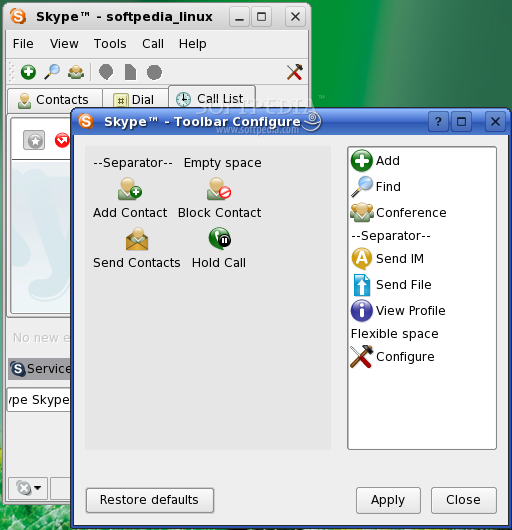
If the person that you want to call is already on your contacts list, things get even easier, you just have to select that contact in your list and press the green call icon. Obviously, the red icon hangs up "the phone". If there's a need for a short period of silence, the hold button from the call menu can be used to temporarily interrupt the voice chat session.

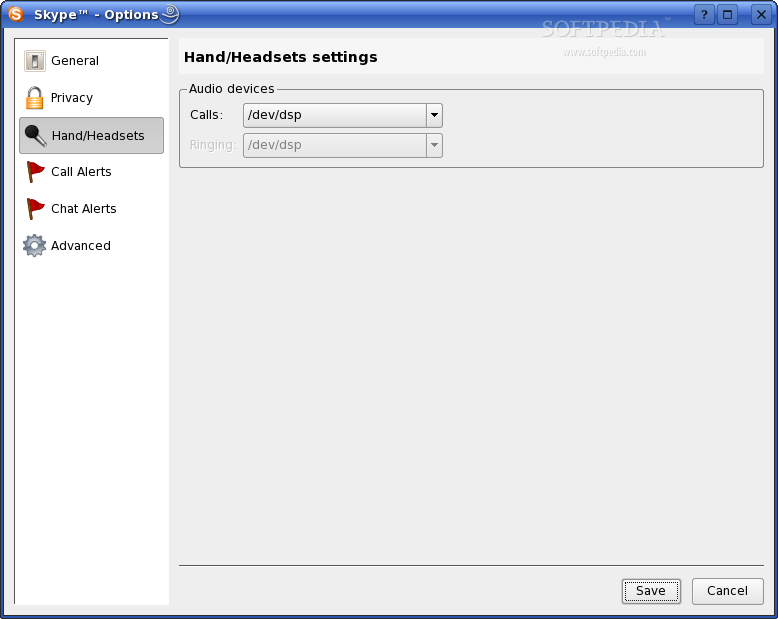
You might have a small surprise when the person that you wanted to talk with says "I can't hear you at all!!", if that's the case, you might want to check if the microphone is muted or if it is at minimum volume. You can do this by using one of the mixer control software that come with KDE, in case you're using OpenSuSE with KDE, or adjust the volume by using a different mixer that you might have on your distro.

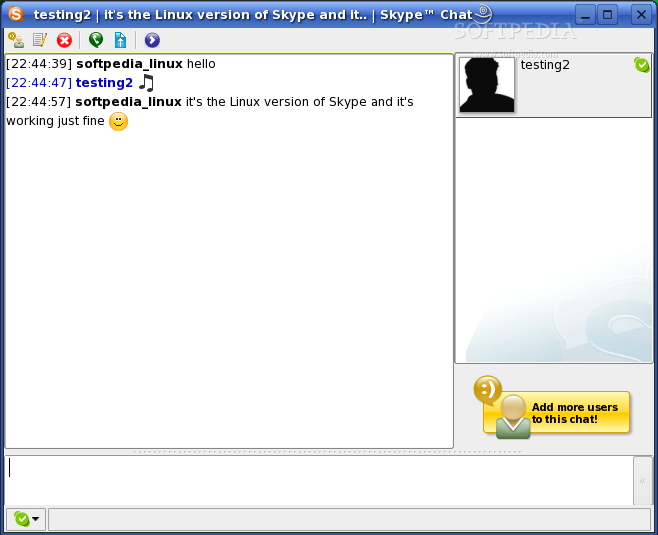
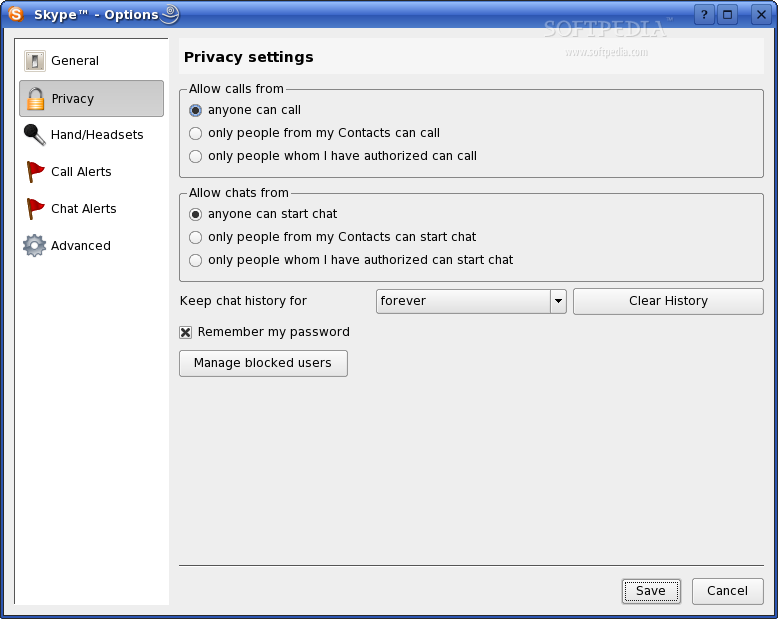
Skype allows more than just talking via voice chat, it also has a classic instant messaging part, the user can send text messages, even smileys are supported and can be used in text chat. Privacy is enforced by options like voice chat calls and text chat filtering which prevents uwanted calls and text messages, either by accepting calls and text chat only from contacts or from authorized users.

The Good:

It's a freeware application which is available for multiple platforms and the fact that you can make cheap phone calls to phone numbers that aren't part of Skype by using the SkypeOut service. Calling to phone numbers outside of Skype is just a half of the story, you can also have a real phone number for your Skype account by using the SkyeIn service.
The interface of the software isn't complicated and it is pretty obvious what each setting does, if it isn't there are the online help and F.A.Q. .

The Bad:

On this tested version of Skype for Linux, the Hold function couldn't be used. Obviously, this is a bug, which should have been fixed. The latest version of Skype for Windows is 2.0, which also allows video chat, while the latest Linux version is still 1.2. The Linux version seems to be less feature rich and lacks certain options that can be found in the Skype for Windows. The graphical interface isn't as polished as the MAC OS version.

The truth:

It is a very useful piece of software that has many features while being easy to install and use. Being able to have many phone numbers for many cities/states/countries when using the SkypeIn service and being able to make very cheap phone calls world wide represent two important advantages. Being able to make free phone calls of any duration and the fact that the users of the most popular operating systems and devices can use this service are two greater advantages.
Review imageReview imageReview imageReview imageReview image

Review imageReview imageReview imageReview imageReview image


Editor's ratings:
User Interface:   Features:   Ease of Use:   Price/Value:   OVERALL:


7th March 2006, 15:38 GMT | Copyright (c) 2006 Softpedia | Contact:

Read by 8,663 user(s) | Add comment | Link to this news
Subscribe to news | Print article | Send to friend
TODAY'S HEADLINES: Camfrog Video Chat Review  Almanah Diary Review  Portable Quicksys RegDefrag Review  Sunbelt Personal Firewall Review  XML Copy Editor Review  GNOME Mplayer Review  GeoAze Review  Checkout Review  Simply Calenders Review  KJClipper Review  JCODER Review  Optimism Review  
Today's News | Yesterday's News | View News Archive
Search:

Skype 2.0.0.68 - OPINIONS AND REVIEWS Pages: 1

Skype 1.2.0.18
Reviewer: SirDash

Email me | PM me
Read all my reviews (1)

Date: 2006-04-02, 18:32 GMT
Version: Skype 1.2.0.18
Overall rating: (Poor)

GUI:    Features:    Ease of use:    Value:    
Skype has been using a buggy OSS implimentation and has, so far, failed to correct the problem. I would use it to great extent if it would work more than once before failing. Having to restart the program every time is more than a pain.

This could be easily worked out if the folks that control the code would open it to the linux community and let the greater numbers of programmers address the issue.

Being as the income made by this program is made by the use of calling long-distance at a minimal charge, there no reason to keep it the code closed from the community that could both help foster a useful program that would be stable and the flagship of the company.

Instead they fail to fix or ignore the problem through at least three releases of the program. When used, I keep getting notices of "Problem with sound device" -- it doesn't release the sound card. C'mon! This would be a Windows 3.0 problem if you would excuse the analogy. (No offense to Windows folks meant.)

Suggestion:

More control on sound, implimentaton of ALSA are two suggestions that the program needs. So far as can be assertained these are known, widely known, problems.

For now? Skype is not quite ready for prime time.

Try another program. Linphone, Wengo and Cornfed come to mind, though I've not used them--- yet. (Kept waiting for skype. Wife uses Win and I loaded skype for her on that with great expectations.)

go to top Pages: 1


SHARE YOUR OPINION ABOUT Skype 2.0.0.68

Since you are not logged on, your comments will have to be approved before being displayed.
Click here to login, or register.
Your Name:
Your Email:
Type in the result:
GUI (Graphical User Interface): Poor   Fair   Good   Very Good   Excellent  
Features: Poor   Fair   Good   Very Good   Excellent  
Ease of use: Poor   Fair   Good   Very Good   Excellent  
Price/Value: Poor   Fair   Good   Very Good   Excellent  
Overall rating: Poor   Fair   Good   Very Good   Excellent  
Your review/opinion:


DO YOU WANT TO CONTACT US?  

If you have some comments or you want to send us some information you can send us an email directly to .
You can use the form below for the same purpose.
Your full name: (at least 3 characters)
Your email address: (at least 5 characters)
Message subject: (at least 5 characters)
Message text:
(at least 10 characters)
Type in the result:


Welcome!
Hello, Guest

Login if you have a Softpedia.com account.

Otherwise, register for one.

Main categories:
  • Antivirus
  • Compression tools
  • CD/DVD Tools
  • Office tools
  • Programming
  • Authoring tools
  • File managers
  • Desktop Enhancements
  • Internet
  • Network Tools
  • IPOD TOOLS
  • Mobile Phone Tools
  • Multimedia
  • Tweak
  • System
  • Security
  • Others
  • Science / CAD
  • UNIX
  • Windows Widgets
  • PORTABLE SOFTWARE

  • Week's best:
  • Adobe Media Player 1...
  • Registry Mechanic 8....
  • BitSpirit 3.3.2.263
  • AnyDVD 6.4.5.6
  • Firefox 3.0.1 / 2.0....
  • AutoCAD 2009
  • Norton AntiVirus 200...
  • Norton Internet Secu...
  • The Bat! Professiona...
  • WinRAR 3.80 Beta 3 /...
  • GMail Drive shell ex...
  • DAEMON Tools Lite 4....
  • UBCD4WIN 3.2.0
  • Adobe Reader 9.0.0 /...
  • Total Commander Ulti...
  • System Mechanic 8.0....
  • Adobe Acrobat Profes...
  • iPhone PC Suite 1.0....
  • Portable Firefox 3.0...
  • MPlayer for Windows ...
  • Vista Codec Package ...
  • Windows Live Messeng...
  • WinBubble 1.73
  • Kaspersky Anti-Virus...
  • Malware Removal Tool...
  • Royale Noir Theme fo...
  • IBM Lotus Symphony 1...
  • Adobe Dreamweaver 10...
  • Adobe Fireworks 10.0...
  • BitDefender Total Se...
  • © 2001 - 2008 Softpedia. All rights reserved.
    Softpedia™ and Softpedia™ logo are registered trademarks of SoftNews NET SRL.
    Copyright Information | Privacy Policy | Terms of Use | Contact Softpedia | Update your software | Archive