14 DAY TRIAL //
 Multimedia applications available nowadays can collect, organize, store and play digital music files and their number increases every day. Unfortunately, choosing one to use regularly isn't an easy job, considering that most of the players are really good ones. So all you can do is try different ones and see which of them you like best. For what is worth, I've always enjoyed the combination between MPD (Music Player Daemon) and GUI for the simple reason that I can listen to my home music from any PC connected to the Internet. MPD also makes a good desktop media player, particularly if you either don't use X at all or frequently restart it. MPD also has a variety of front-ends which communicate with the server using a custom protocol over a TCP connection. One of these clients (probably the newest) is called Sonata. It's a lightweight GTK+ music client for the Music Player Daemon, which aims to be efficient, user-friendly and clean. It doesn't come bloated with toolbars and, most importantly, it has been released under the GPL license, which means it's free. Sonata has been forked from the Pygmy project (another MPD front-end) in order to fix bugs, add new features and proceed down a different path.
Sonata can be installed in various ways but first, you have to install several dependencies: ? PyGTK 2.6.0 or newer ? GTK+ 2.6.0 or newer ? MPD (optional) ? gnome-python-extras or PyGTK 2.10.x for system tray support (optional) ? taglib and tagpy for editing metadata (optional) ? SOAPpy for lyrics support (optional) ? GCC (building only) ? python-dev (on some distros; building only) Most, if not all dependencies are available in the software repository for each popular Linux distribution and you can install them using your package manager (yum, apt-get etc). However, the packages might be found under different names on each repository; for instance, SOAPpy can be found in Fedora repository as "SOAPpy", while in Ubuntu repository, it's called "python-soappy". After all required packages are installed, you can proceed with Sonata installation. Even if it's possible to find it in the software repository, you might find an outdated version there, so it's recommended to get the latest version of the source code package and install it. You won't have to do much, except open a terminal, extract the source code package, change to the new created directory and type python setup.py install.
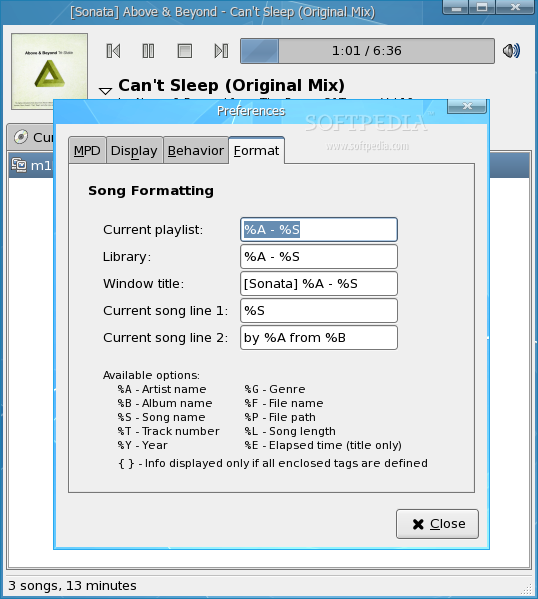
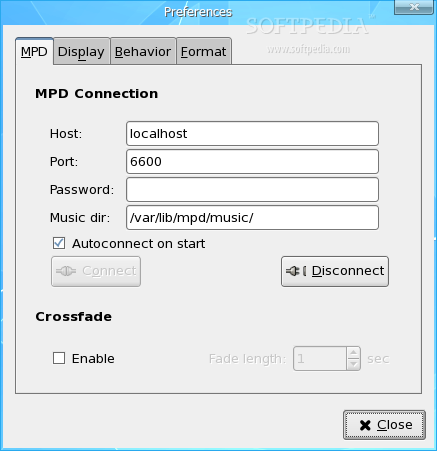
Before starting Sonata for the first time, you must make sure that MPD is installed, configured, running and its playlist consists in music files. Finally, in order to run Sonata, either type the command sonata in a terminal window or look for the Sonata shortcut in the Gnome/KDE menu, under Multimedia. The first time you run it, it will open the Preferences window, where you can configure the MPD IP, port, the eventual password and the music directory. Moreover, you can choose whether to connect on startup and enable crossfade. There are also buttons for Connect and Disconnect to/from the MPD server. From the same Preferences window, but in the second tab called Display, you can toggle several interface options, such as whether to enable playback buttons, volume button, statusbar, system tray icon or album art. There's also the possibility to enable notification on song changes through popups. The next tab, Behaviour, allows you to change window and miscellaneous behavior options, such as whether to show window on all workspaces, keep it always on top, minimize to tray, update MPD library on start, stop playback on exit and play enqueued files on activate. The last tab, format, allows you to customize how the song name appears, using various tags which are listed and explained in the same tab.
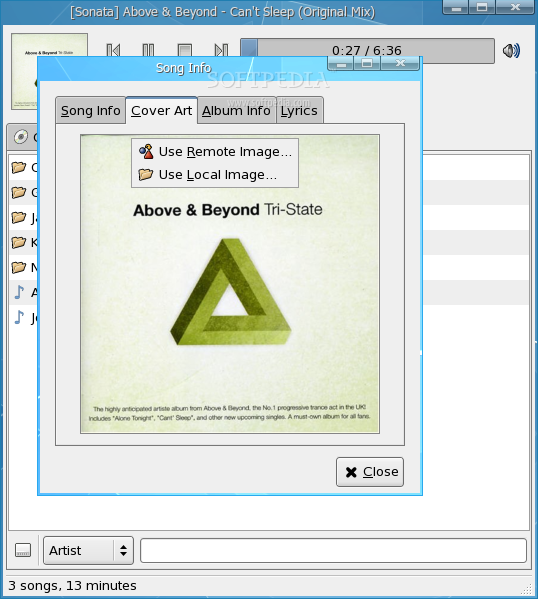
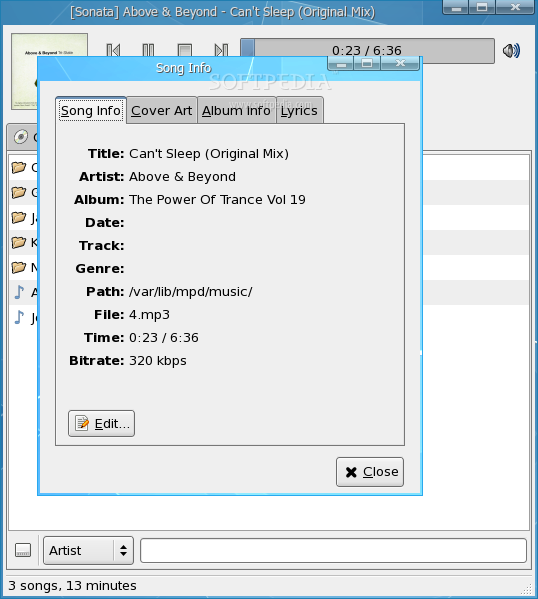
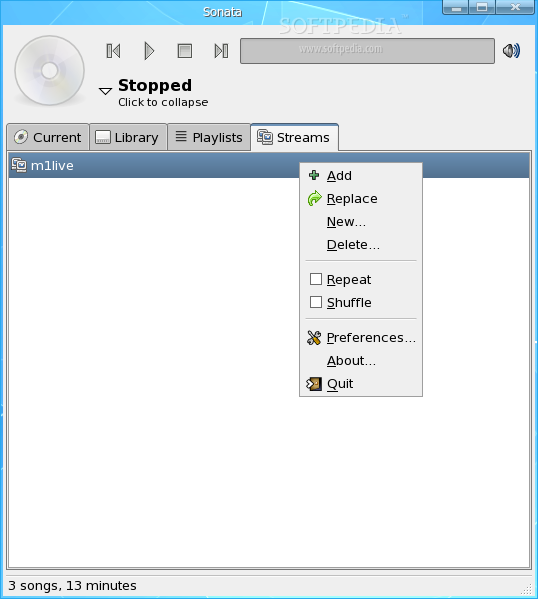
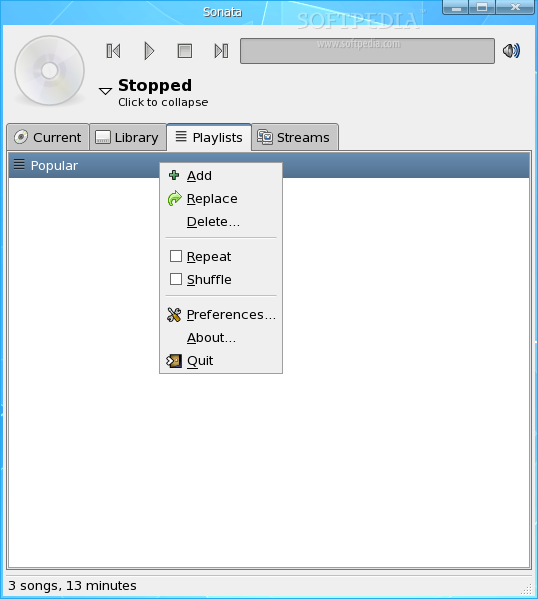
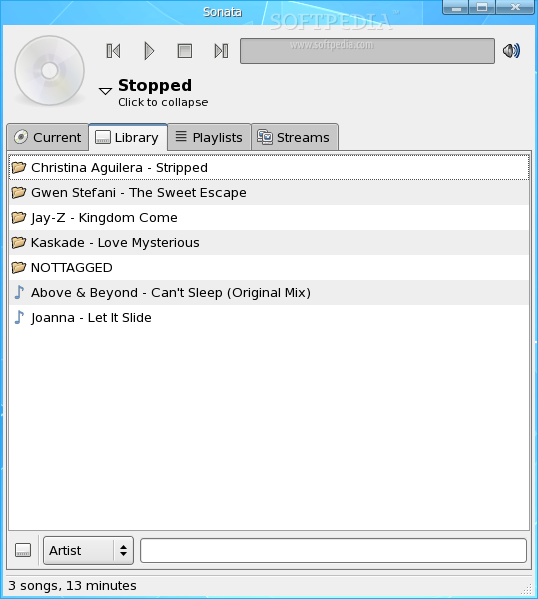
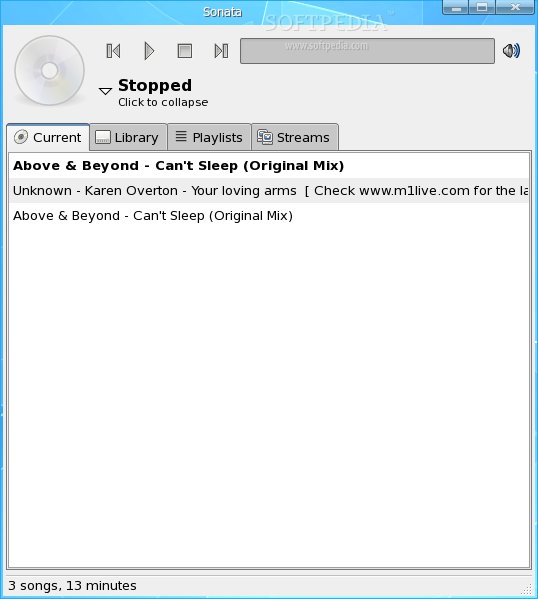
The main window can be collapsed into a mini view or expanded by clicking on the small arrow, next to the current song. Various information like song tags, album info and lyrics are available in a secondary window which can be brought up by clicking on the album image in the top left, or by right-clicking anywhere in the top of the player and choosing "song info". While expanded, Sonata's interface allows you to browse through your current playlist, library, saved playlists and streams. The current playlist tab consists of the current tracks enqueued for playing, the library tab lists all the media files available on the MPD server, while the playlists tab consists of any eventual playlists you would have saved. The streams tab contains all media streams you added. Unfortunately, it doesn't have a function that will fetch all streams from the soutcast website, so you'll need to manually add each one of them. Most actions for these tabs can be accessed through right-click popup menus. In order for Sonata to support system tray, PyGTK or gnome-python-extras are required. Moreover, for the ability to edit song tags, your system needs to have tagpy and tablib installed. Moreover, for automatic lyrics fetching, you'll need to have SOAPpy installed.
Other features you might find while using Sonata: Remote Artwork function allows Sonata to automatically search the amazon website for cover art and display the best match if one is found. You can also browse amazon for alternatives, or specify your own search terms, by right-clicking on the album art/cd cover and choosing "Use remote image". The Local Artwork feature allows you to select an image from the local disk and set it as an album art/cover. Moreover, Sonata can search for a cover.jpg or folder.jpb in the song's directory, or, if there's just an image file in the music directory, that image will be used as the cover art. You can also drag an image from the hard driver and drop it in the art/cover image space.
As for tag editing, Sonata provides a pretty powerful tag editing interface, as long as you have taglib and tagpy installed. You can select several files or even folders to which you want to apply your changes. Searching through files can be done either by pressing Ctrl + F and then typing some keywords, or by starting typing a few letters and your result (if available), will be highlighted.
The Good
Sonata is a nice GUI interface to the Music Player Daemon (MPD) and not actually a music player itself. It can organize music files and streams in playlists. Depending on which requirements you've installed, Sonata can also fetch album covers and lyrics from the web, it supports tag editing and library searches.
The Bad
It can cause problems if the MPD server is firewalled/filtered. Also, I personally don't really enjoy Python applications as there's always a missing module or something not working as it should. It also couldn't hurt to see some added features and functions to that small interface.
The Truth
Sonata is perfectly suited to people that can't listen to music when at certain locations, because of various reasons such as firewalled network or no Internet connection at all. It allows you to both listen to music files stored on the home computer, as well as use Sonata as your desktop music player.
Check out some screenshots below: