Softpedia
 

NEWS CATEGORIES:


NEWS ARCHIVE >>
SOFTPEDIA REVIEWS >>
MEET THE EDITORS >>
TRENDING TODAY
Home > News > Reviews > Linux software reviews

September 27th, 2011, 13:35 GMT · By

Transmission 2.33 Review

SHARE:

Adjust text size:


Transmission by Eric Petit See editor's ratings     Request a review
Version reviewed: Transmission 2.33

An open source, volunteer-based project. Unlike some BitTorrent clients, Transmission doesn't play games with its users to make money. Transmission is designed for easy, powerful use. We've set the defaults to "Just Work" and it only takes a few clicks to configure advanced features like watch directories, bad peer blocklists, and the web interface. When Ubuntu chose Transmission as its default BitTorrent client, one of the most-cited reasons was its easy learning curve.


Download Transmission
Features:

· Low resource usage
· Magnet links support
· Optionally move torrents to a different folder when they finish downloading
· Encrypted peer connections
· Torrent file creation
· A built-in web server so that users can control Transmission remotely via the web
· Automatic port mapping (using UPnP/NAT-PMP)
· Single listening port for all torrents
· Lots more...


Enlarge picture
We live in an era when torrents have become a lot more mainstream. Just a few years back, people viewed trackers and torrent files with mistrust, but with the evolution of broadband Internet and with more an more people logging on every day, torrents have become a necessity.

It’s no wonder there are a lot of torrent clients available for the Linux platform, and a few of them are extremely good. Transmission in particular has become, over the years, the default torrent client in a some high profile distros like Ubuntu, Fedora, openSUSE, Mandriva and Linux Mint.

The reason for this wide adoption is quite simple. Transmission is very light and stable, is updated constantly and has a lot of built-in options, even if they are not visible from the start.

Installation

Being a default client for so many distributions, means that it will come already installed. We have tested it in Ubuntu, but for those of you who want to try it out and don’t have it in their default software repository, the developers provided a source package.

There are extensive instructions on the official page on where to find Transmission, for all major distributions, and how to install it on every one of them. The latest stable version is 2.3.3, but there is also a 2.40 Beta 2 release, which is a development version, for all you daredevils out there.

Usage

Just like most torrent clients, Transmission can be used without any hassle, right from the start. It needs no configuration and there are no complicated options that could make your life difficult.

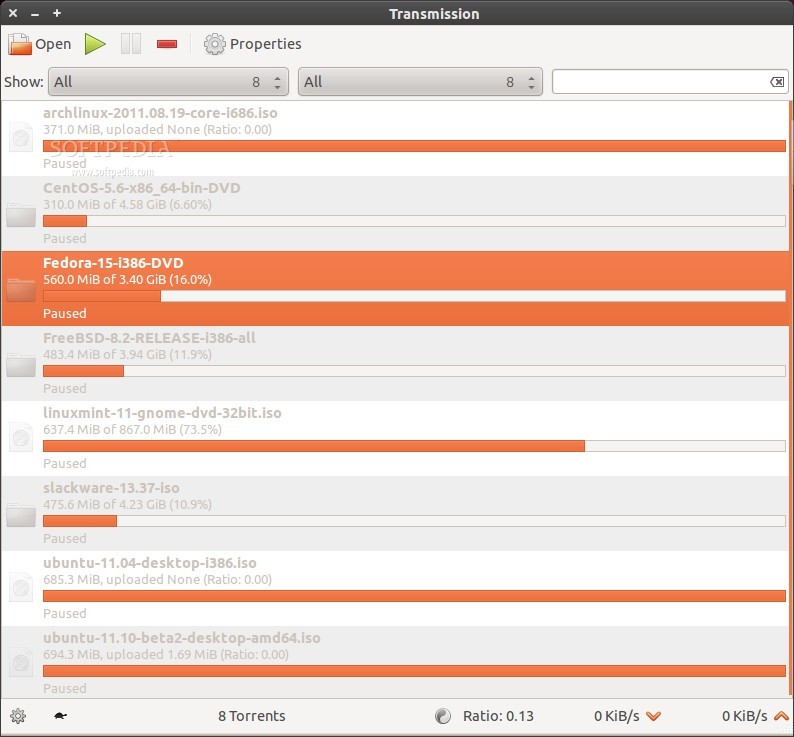
One of the problems of Transmission is that it looks so simple and "idiot proof", mainly because of the large fonts and default pane it uses when started for the first time. Those of us who are used to see a partitioned client window, with torrents on top and description, files, peers and other option in the lower pane, might find this software insufficient, especially if there are many entries.

Transmission is built to be there if you need it from time to time, to download a torrent and not to be used on a daily basis. That being said, we can present some of the available features.

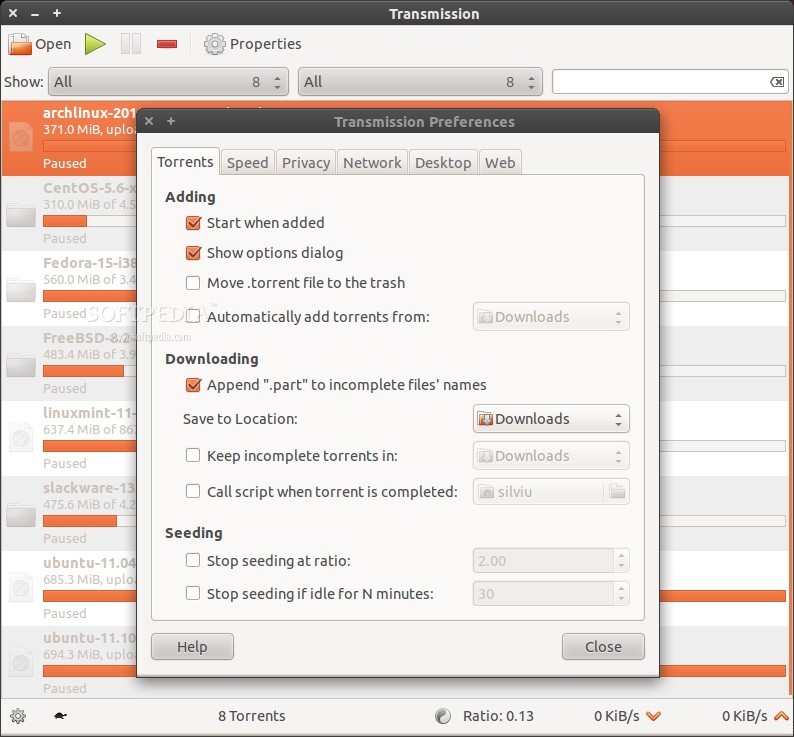
The Preferences entry which can be found under the Edit menu, has six tabs, each of them with several options. Fortunately, the entries are straight forward and it's not hard to understand what each one does.

First tab in preferences is called Torrents. From here users can control how torrent files are handled after being downloaded. This involves appending incomplete file names, automatically adding torrents from a specific folder, choosing the default download folder and a few less important ones.

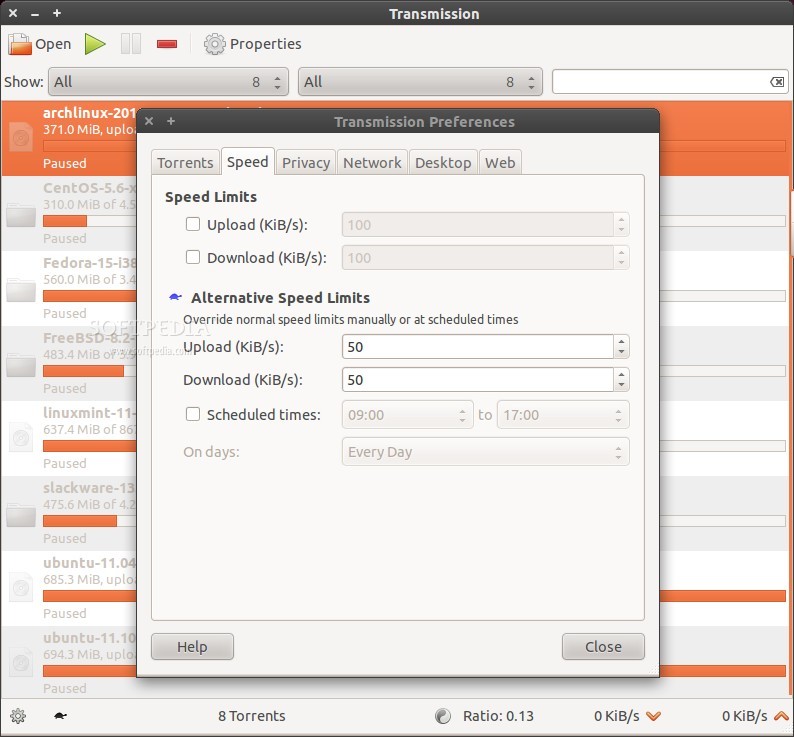
The second tab is called Speed and it’s all about regulating the speed limits, for download and upload slots. There is also an interesting option to apply speed limits just at certain times, which can be defined.

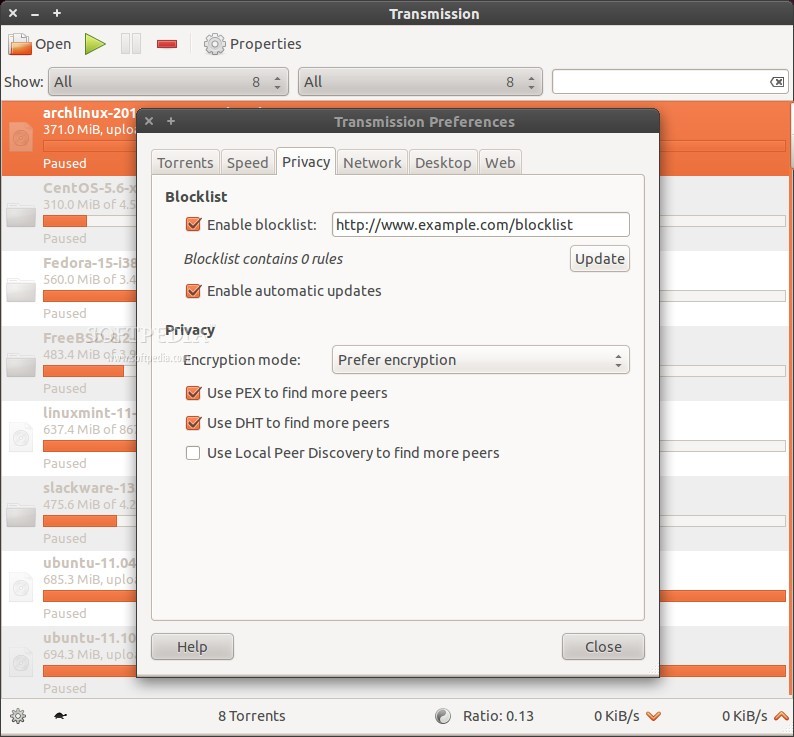
In the third tab, Privacy, allows users to define a blocklist, enable automatic updates for this list, use encryption when available (or none at all), and find other users online using DHT, Pex and Local Peer Discovery.

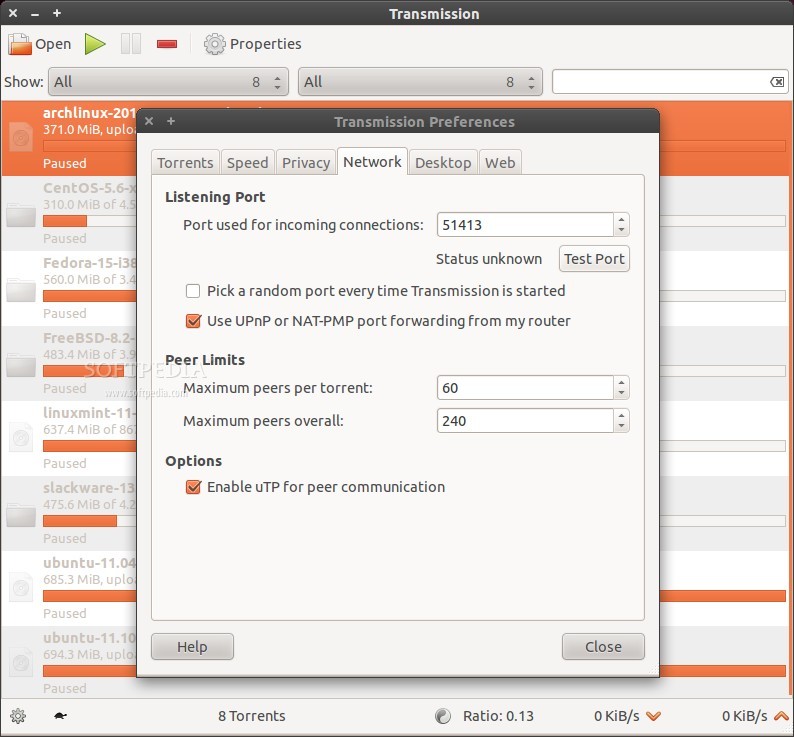
Network is the forth tab in Preferences. From here we can define the port used for incomming connections, UPnP or NAT-PMP port forwarding, we can set pee limits per torrent and for all entries, and enable uTP for peer communication.

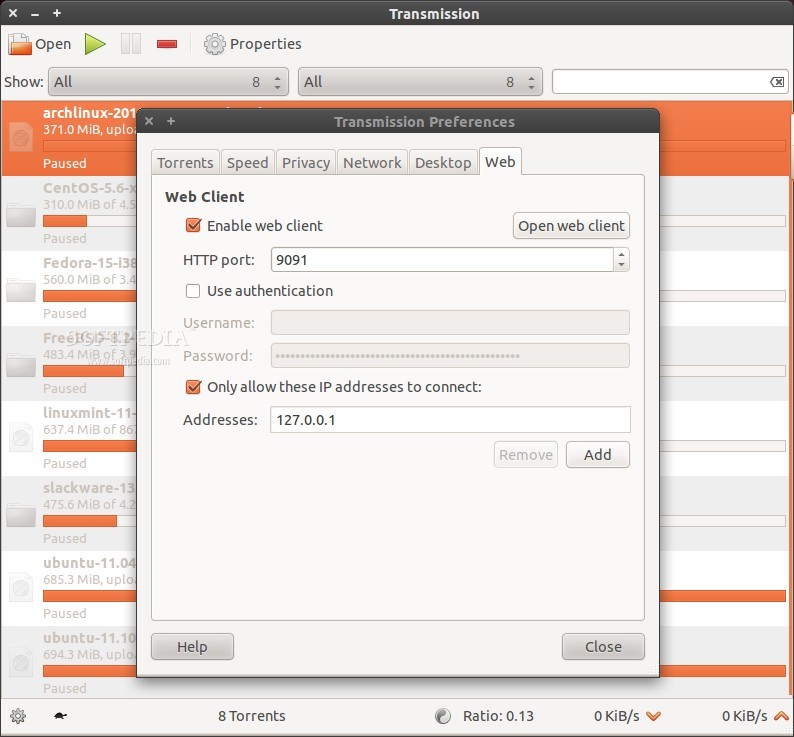
The last two tabs are Desktop and Web. The first one contains only a few options: for PC hibernation, the icon in the notification area, and integration with the notification system. The Web tab is home only for the web client and all of its settings.

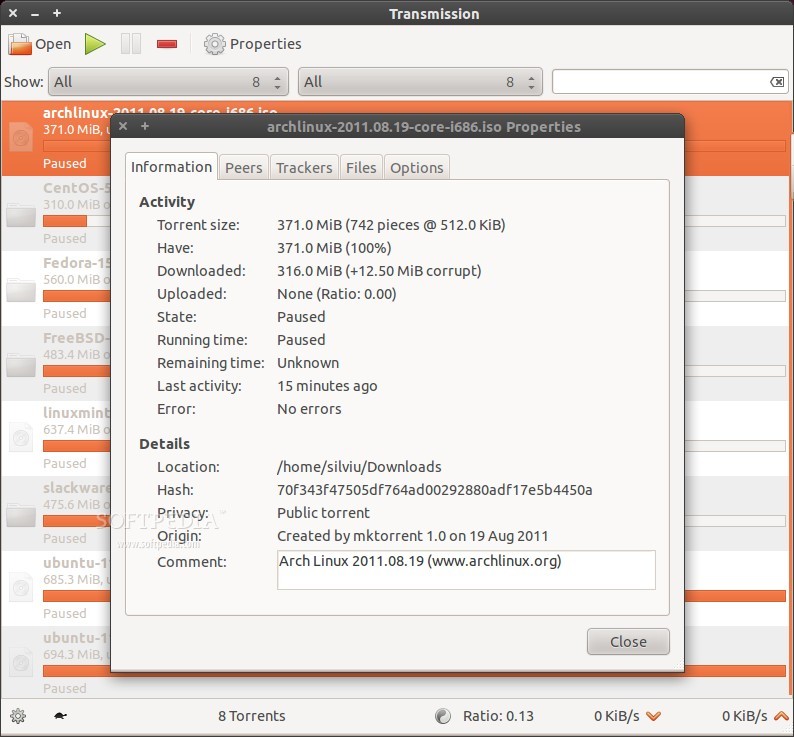
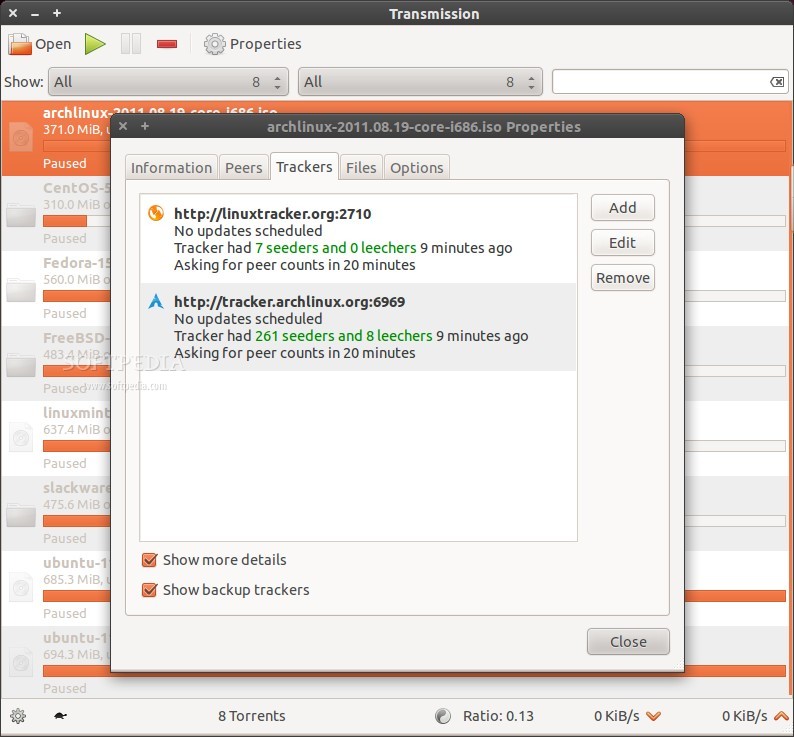
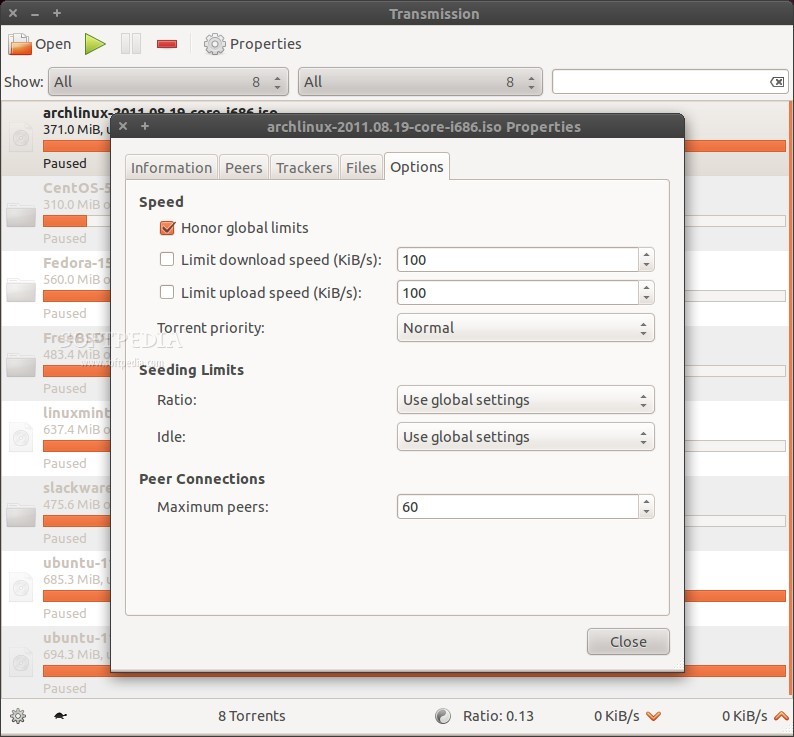
Besides the main Preferences of Transmission, every torrent has its own properties. This is mainly the stuff we can see in other similar clients in the bottom pane, like the seeders and leechers connected, information about the torrent (size, remaining time, download location etc).

For those of you interested, in the Ubuntu repository, there’s also a command-line interface (CLI) version, which comes with an abundance of options.

Transmission can also create torrent files and the process is quite simple. Just define the folder, insert the tracker and voila, you have just made a new torrent.

The Bad

There is only one problem with this software. The main window shows little information for the loaded torrents. It has a compact mode so that more torrents can be displayed in the same time, but other information such as remaining time and connected peers/leechers are no longer showed.

The Good

Transmission is extremely stable and has a lot of options allowing users to configure it in almost anyway they want. It's really easy to use and anyone can get the hang of it in no time.

Conclusion

Even if there are better torrent clients than Transmission, its stability and simplicity recommends it as one of the best. If you’re not a heavy torrent user, then this is the perfect application for you, but if you need a client to use on a daily basis and have dozens of torrents downloading and uploading, you need to skip it.


Enlarge picture

Enlarge picture

Enlarge picture

Enlarge picture


Enlarge picture

Enlarge picture

Enlarge picture

Enlarge picture


EDITOR'S RATINGS:

User Interface: (4/5)
Features: (4/5)
Ease of use: (5/5)
Pricing/Value: (5/5)
Overall: (4/5)
  Final verdict: Very good


9,687 hits · 6 comments
Link to this article · Print article · Send to friend

MUST-READ RELATED ARTICLES:


Warzone 2100 2.3.8 Review

Tab Mix Plus 0.3.8.6 Review

Battle for Wesnoth 1.8.6 Review

Celestia 1.6.0 Review

AssaultCube 1.1.0.4 Review

READER COMMENTS:


Comment #1 by: linuser on 27 Sep 2011, 16:36 UTC reply to this comment

Transmission 2.40b2 (12908) is the one I am waiting to be final. It has support for queue. It was only reason I was using other memory intensive torrent clients. With Transmission 2.4 release transmission should be extremely usable for all


Comment #2 by: Greg on 27 Sep 2011, 20:17 UTC reply to this comment

I like transmission but it's really needs a gui overhaul


Comment #3 by: Ramesh on 28 Sep 2011, 09:11 UTC reply to this comment

Tixati is the best Torrent manager.


Comment #4 by: J G Miller on 13 Oct 2011, 01:36 UTC reply to this comment

Transmission is really good because of its small footprint, stability, and UPnP port forwarding, but the user interface may not appeal. However transmission can be run as a daemon which is good for headless or embedded systems, and there is an excellent GUI called transgui which can be used to provide full control with the more traditional trackers, download progress, and details panes.

Look for transmisson-remote-gui at Google code.


Comment #5 by: gregzeng on 15 Oct 2011, 18:40 UTC reply to this comment

Also on Windows. Agreethat there are better, easier freeware, but not for smartphones, tablets & most tablets.

Retired IT (Car accident; ABI), AUSTRALIAN CAPITAL TERRITORY


Comment #6 by: sjt on 26 Oct 2011, 18:06 UTC reply to this comment

You can't judge a book by its cover. BitTorrent protocol was designed to suit many needs and Transmission follows the same principles. Reviewing the GUI doesn't really touch the more interesting features that sets it apart - I'd say the fun begins when You enter the world of transmission-daemon. As already noted it has found it's way to many low resource / low power embedded systems and many of us don't have much of a problem having NAS on for 24/7 unlike Desktops. (Also as already noted ;) With a little bit of tinkering and adding transmission-remote-gui to the mix, You can leave the daemon doing the "dirty work" behind the scenes and launch remote control only when necessary. I think this is how it should be. It's rare to see such a well-engineered piece of software that hides it's advanced features (to be found) - most of the time we see "look what the latest feature creep resulted, all instantly accessible, even if You don't care".

Copyright © 2001-2013 Softpedia. Contact/Tip us at

WindowsGamesDriversMacLinuxScriptsMobileHandheldNews

SUBMIT PROGRAM   |   ADVERTISE   |   GET HELP   |   SEND US FEEDBACK   |   RSS FEEDS   |   UPDATE YOUR SOFTWARE   |   ROMANIAN FORUM