NEWS CATEGORIES:


NEWS ARCHIVE >>
SOFTPEDIA REVIEWS >>
MEET THE EDITORS >>
Home / News / Reviews / Linux software reviews

Linux software reviews


Ubuntu 9.10 Review

The Karmic Koala is one frendly operating system

By Doru Barbu, Linux Editor & Marius Nestor, Linux Editor

6th of November 2009, 22:01 GMT

Adjust text size:


Ubuntu by Canonical Ltd. See editor's ratings
Version reviewed: Ubuntu 9.10

Ubuntu is a community-developed operating system that is perfect for laptops, desktops and servers. Whether you use it at home, at school or at work, Ubuntu contains all the applications you'll ever need, from word processing and email apps, to web server software and programming tools. Ubuntu is and always will be free of charge. You do not pay any licensing fees. You can download, use and share Ubuntu with your friends, family, school or business absolutely for free.

Features:

· Ubuntu will always be free of charge, including enterprise releases and security updates.
· Ubuntu comes with full commercial support from Canonical and hundreds of companies around the world.
· Ubuntu includes the very best translations and accessibility infrastructure that the free software community has to offer.
· Thousands of software packages available for download
· Easy to install
· Easy to use


Download Ubuntu
Request a review

Ubuntu 9.10 Karmic Koala
Enlarge picture
Right after Ubuntu's fifth birthday it was time to celebrate once more, because a Karmic Koala was released, and it brought with it a lot of reasons to upgrade. If Ubuntu 9.10's smart looks haven't convinced you yet, maybe the fast boot times and overall enhanced performance will. You still don't know what Ubuntu 9.10 (Karmic Koala) is all about? Then read on, we will clue you in.

While writing this review, I tried to put myself in the "shoes" of a new Ubuntu user. This meant that I didn't go on to installing my favorite programs or setting up everything as I like right after installing the operating system, but instead I tried to make do with what Ubuntu provides in the default installation. Also, I tried to stay away from the terminal and, largely, succeeded in doing so. We've tested Ubuntu 9.10 over a period of one week on the following systems:

· AMD K8 nForce 250Gb Motherboard         
· AMD Sempron 2800+ Processor
· Nvdia GeForce FX5500 Video Card
· 512 MB RAM
· IDE HDD 80 GB Maxtor
· LG CD-RW/DVD-ROM Drive
· 17" LG Flatron L1730S LCD
· Intel Gigabyte GA-965P Motherboard
· Intel Pentium 4 3 GHz
· Nvidia Leadtek Geforce 7300GS 256 VRAM
· 1 GB DDR2 RAM
· SATA HDD 80 GB Seagate
· Samsung WriteMaster CD/DVD RW Drive
· 19" DELL LCD

dots

· Notebook HP ProBook 4510s
· Intel Core2 Duo CPU T6570 2.10GHz CPU
· Intel Graphics Media Accelerator X4500 HD
· 4 GB 800 MHz DDR2 SDRAM
· 250GB 7200RPM HDD
· LightScribe DVD+/-RW Optical Drive
· 15.6" WXGA HD LCD
· Notebook Fujitsu-Siemens AMILO M1437G
· Pentium M 760 2.00 GHz CPU
· ATI Mobility Radeon X700
· 768 MB DDR2 533 MHz SDRAM
· 80GB 5400RPM HDD
· DVD+/-RW Optical Drive
· 15.4" WSXGA LCD

dots

· AMD K8 nForce 250Gb Motherboard         
· AMD Sempron 2800+ Processor
· Nvdia GeForce FX5200 Video Card
· 1.5 GB RAM
· IDE HDD 80 GB Hitachi
· LG CD-RW/DVD-ROM Drive
· 19" Samsung SyncMaster 910N LCD
· Intel Gigabyte GA-73PVM-S2 Motherboard
· Intel Core 2 Duo 7500 2.98 GHz Processor
· Nvdia ASUS GeForce 7300GT Video Card
· 4 GB DDR2 RAM Mushkin
· SATA2 HDD 250 GB WesternDigital
· 22" Samsung SyncMaster 2233 LCD
   (tested with Ubuntu 9.10 AMD64)

Installing Ubuntu

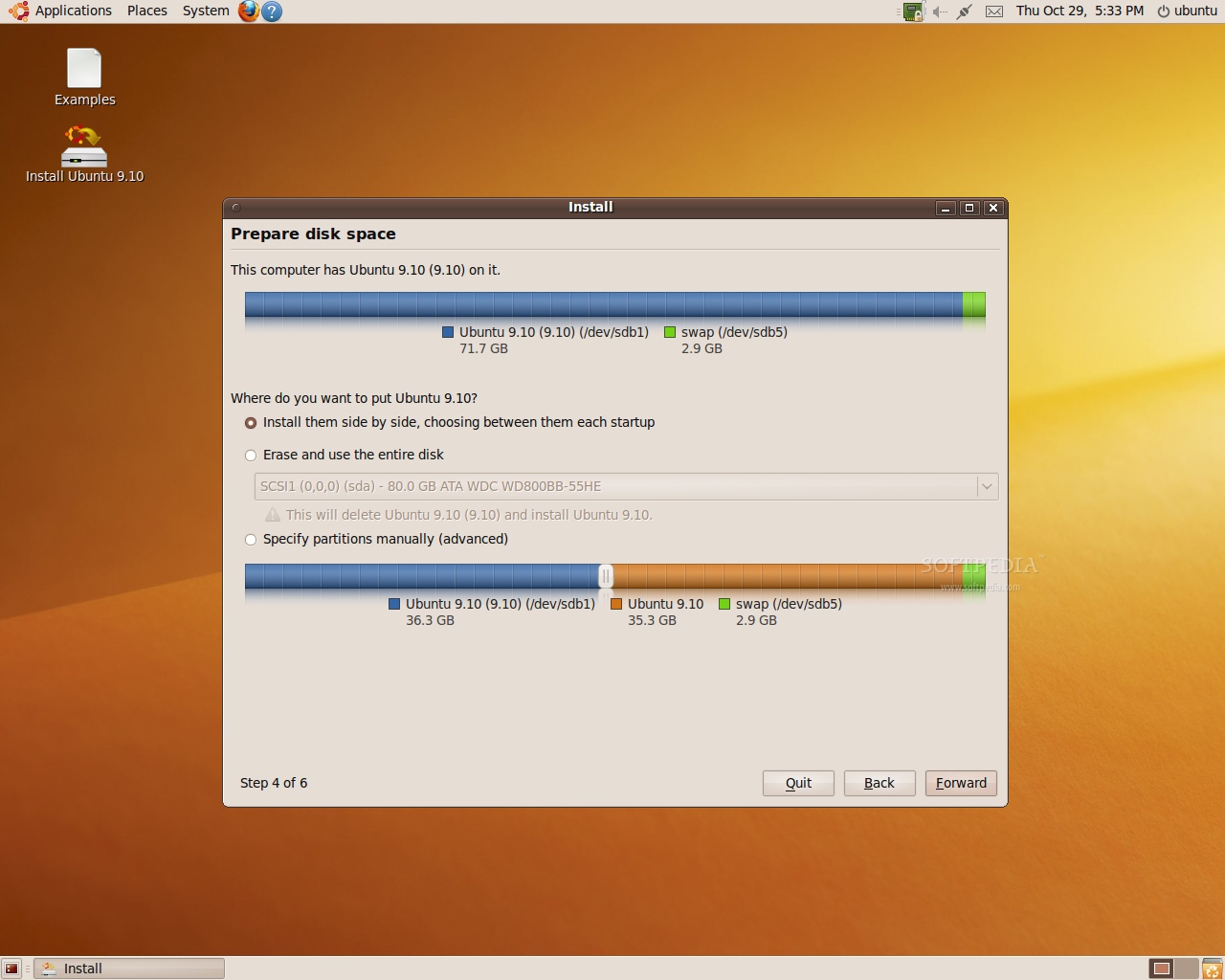
So, you download this freshly-prepared ISO image, write it to a CD, then you pop that back into the disk drive and reboot your computer. Assuming that your BIOS settings are correct, Ubuntu should start loading and, after a while, present you with an almost empty GNOME desktop. If you just want to see what this operating system is all about, you're free to wander around the menus and try out the applications – since this is a live session, the chances of doing something that will alter or destroy valuable data are slim to none. But if you're talking business, the Install icon is right there on the desktop, waiting for you to double click it. The average installation takes about 15 minutes, depending on the language options that you select and whether you have an active Internet connection or not, but you can be done with it in less than 10 minutes if you install from a USB drive. Most of the complicated partitioning schemes, like dual booting setups, are greatly automatized, and if you want to dedicate an entire hard drive to Ubuntu then your installation will be trouble-free for sure.

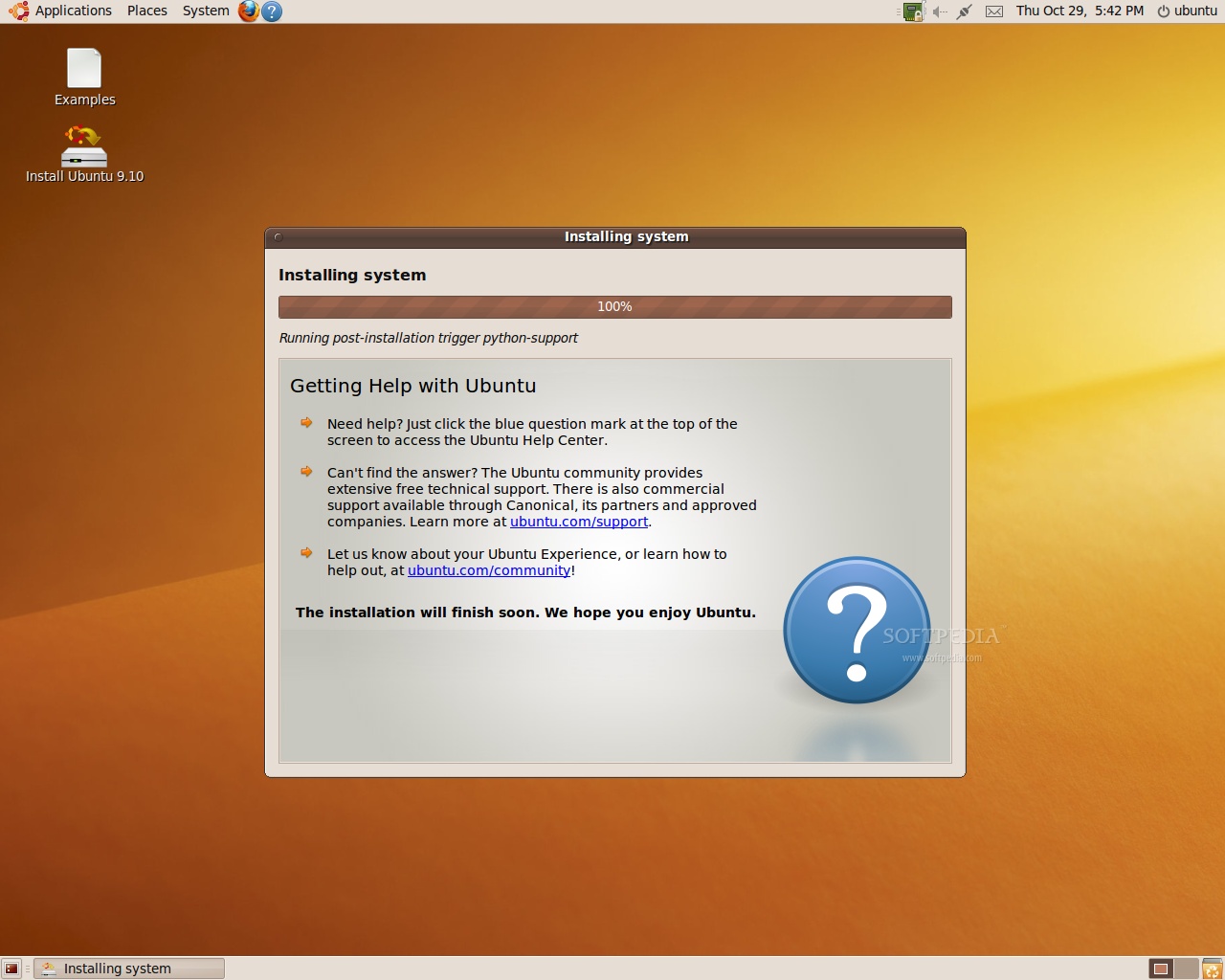
Softpedia has covered the changes that the latest Ubiquity installer incorporates, and I think that the feature slideshow is a great addition that gives a brief but diverse overview of what Ubuntu has to offer, just perfect for new users as it may serve as a quick "which application does what" rundown. If you have installed previous Ubuntu versions, you won't have any problems in getting 9.04 on your machine.
Review imageReview image

First impressions

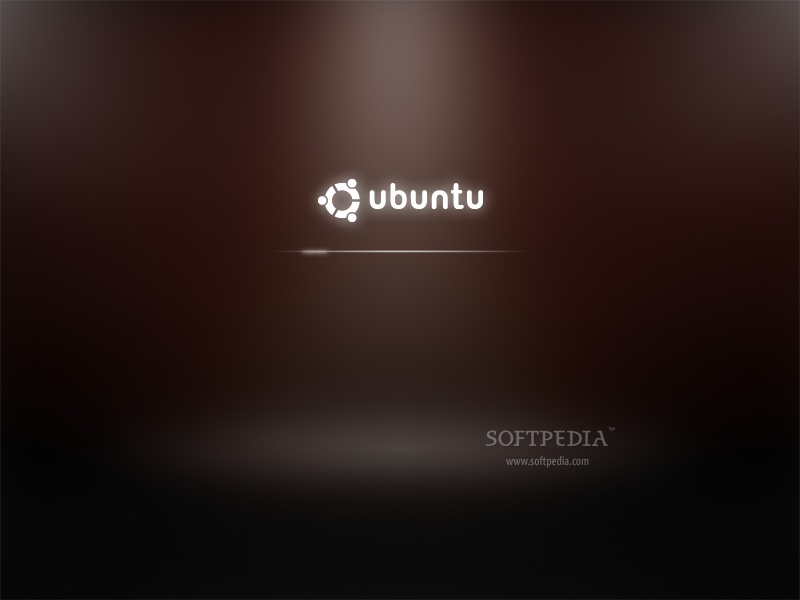
When the (short) installation process is done, restart the machine and get a real feel for the new and very polished boot process. At first you will get a minimalistic-looking splash screen with the Ubuntu logo in solid white on a black background, but after a few seconds the new X-based bootsplash will kick in. The developers were hoping to design a streamlined boot process that would be able to start XSplash very early and they nearly did just that in Alpha 6, but the kernel output was destroying its smooth and professional look so they decided to cover up the text with a (albeit short) USplash session.

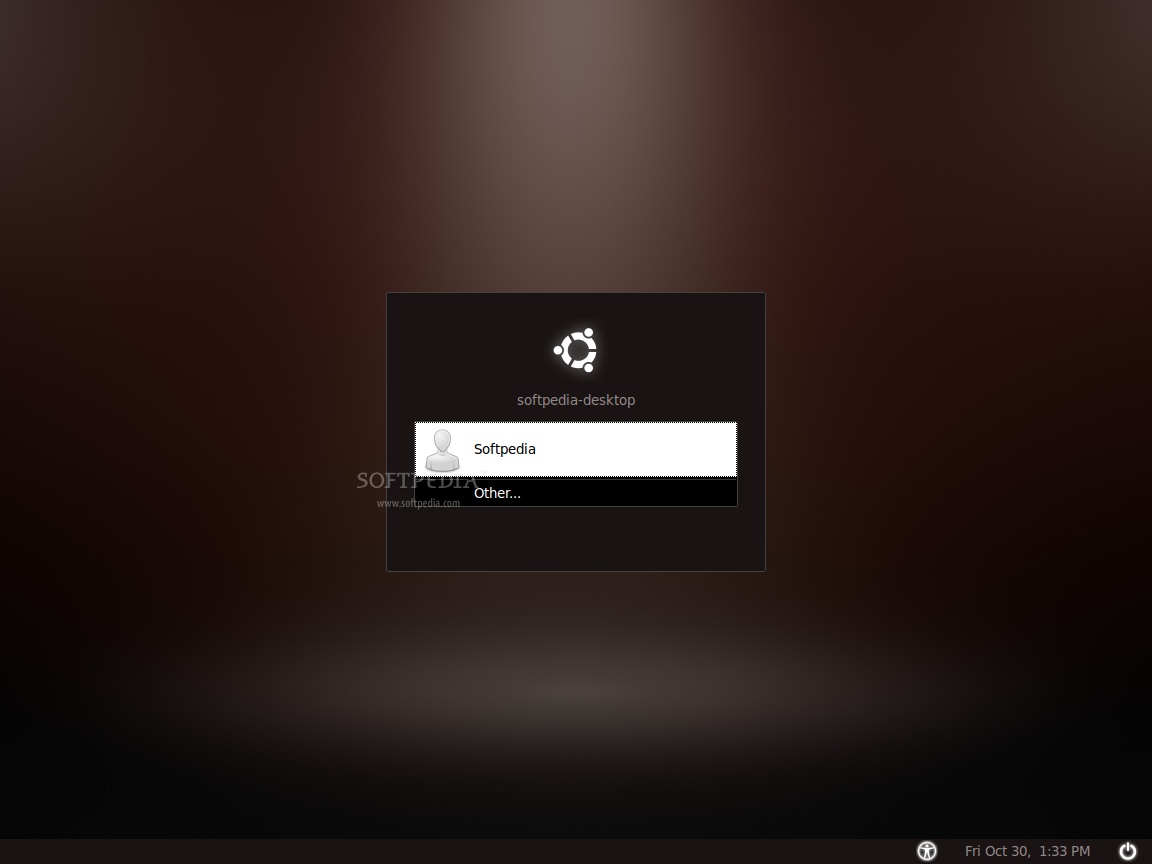
If you didn't enable automatic logins while installing, GDM (GNOME Display Manager) a.k.a. "the login screen" will disrupt the smooth journey to the desktop by asking you to pick a username and provide a password. The overall look is in line with the USplash theme, rendering a minimalistic and unobtrusive appearance, albeit a little too dark for my taste. After the credentials have been supplied, XSplash will return for a little while, which can be quite annoying.
Review imageReview image

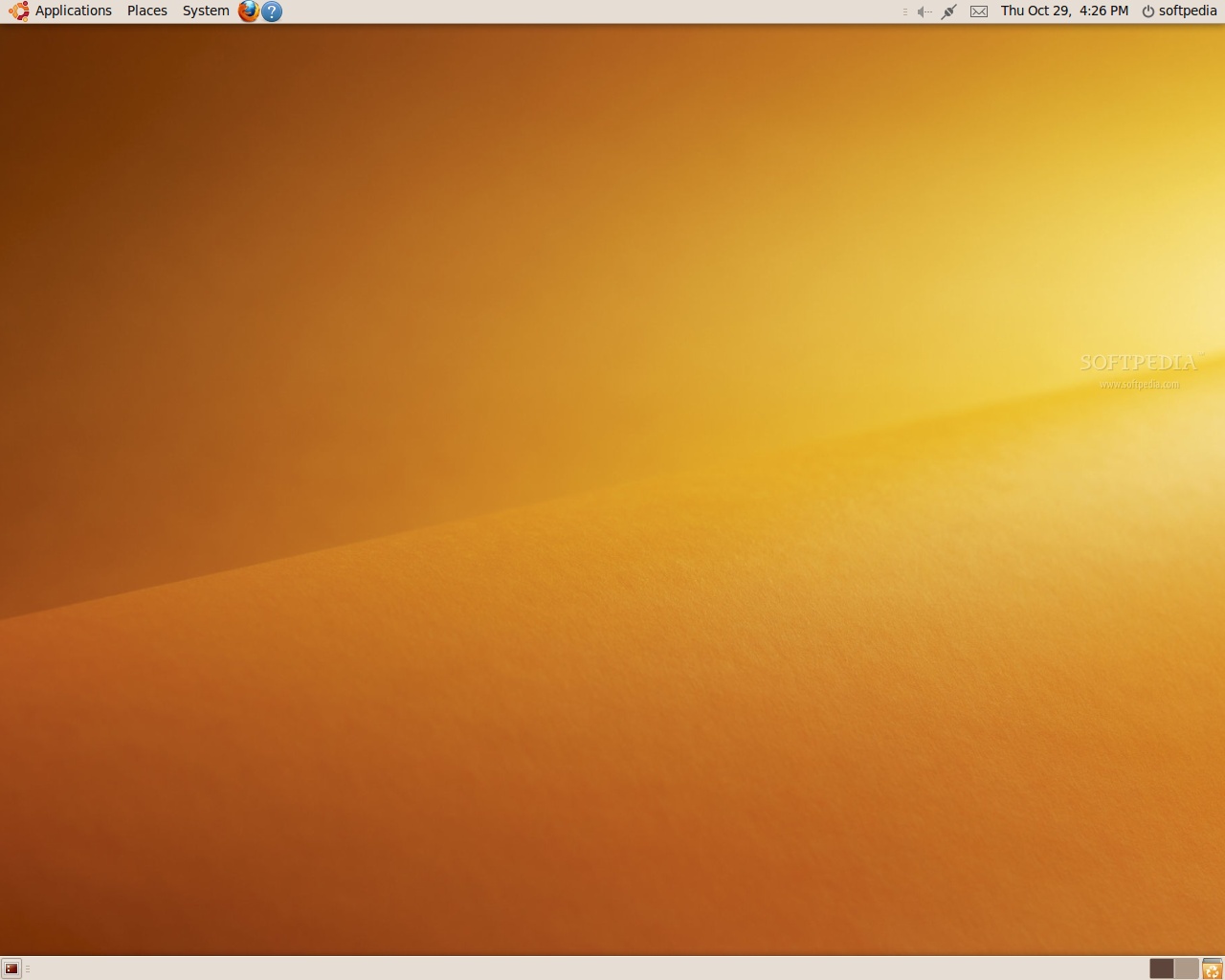
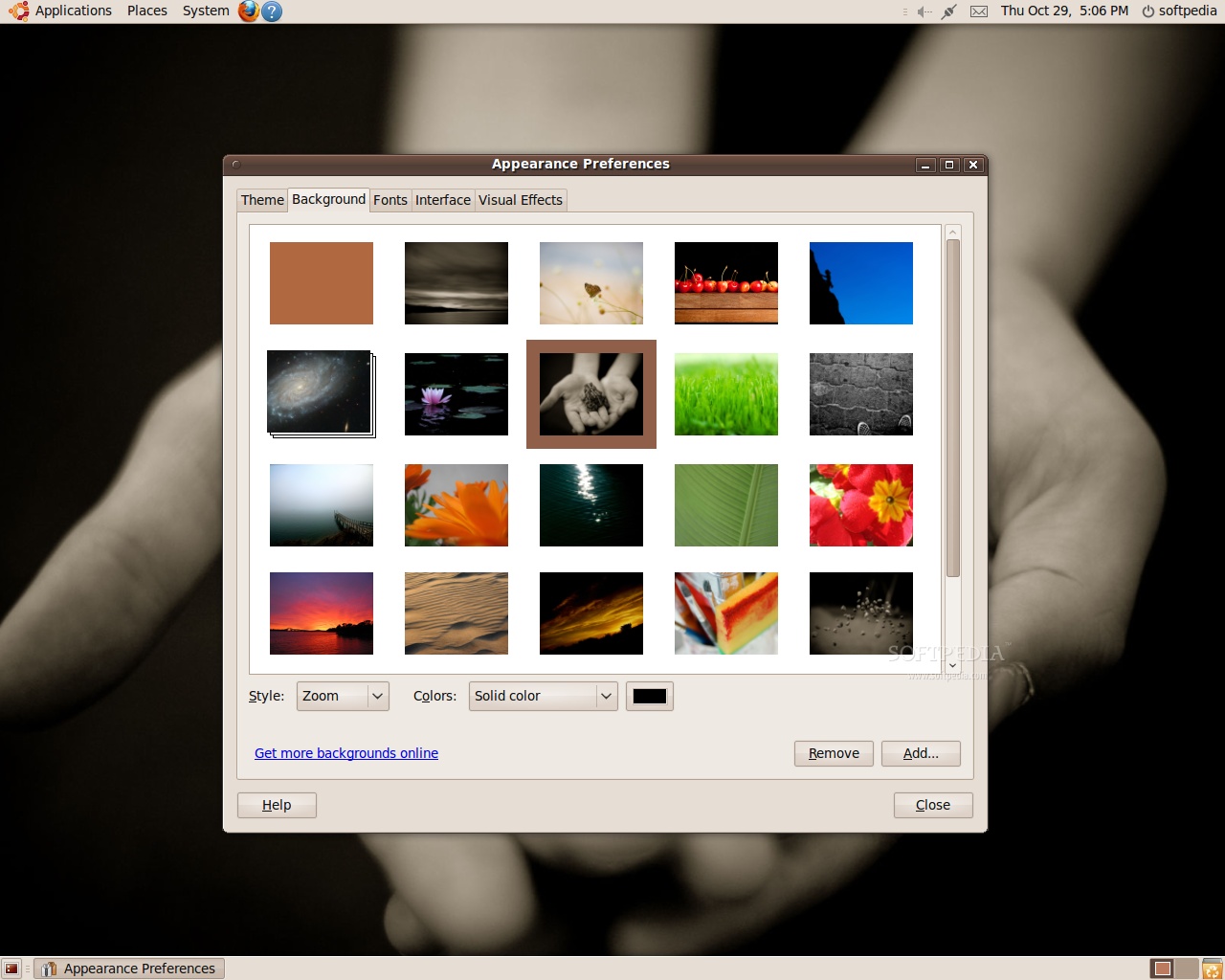
There is a good side to XSplash's extended presence on your screen. By the time GNOME has finished loading in the background, the X-based bootsplash will fade out and you will be given access to a completely ready desktop environment, no hidden load times here. The view to the wallpaper is unobstructed, the graphic itself being quite an improvement over the abstract and brownish ones that were included in previous Ubuntu versions, or the animal themes in the last few releases. At least for me, the golden sand dune can be too bright at times, but that can be mitigated by lowering the Gamma value in your video card control panel or by simply changing the wallpaper altogether, because you have a wide choice of stunning backdrops right from the get-to.

The new icon set complements the minimalistic look that is present throughout various components, and the libnotify popups integrate well with everything else, sporting smooth fades and transparencies.
Review imageReview image

Initial setup

Probably the first thing that you notice and which you are familiar with is the Firefox icon on the top panel, next to the Help launcher. By using it you can quickly access a browser session, provided by Firefox 3.5.3 (version 3.5.4 was made available three-four days after the official release). As you're probably well-accustomed to this web browser, I won't go on about its security features and the customization possibilities. All you need to know is that it's there, and it's ready to be used.

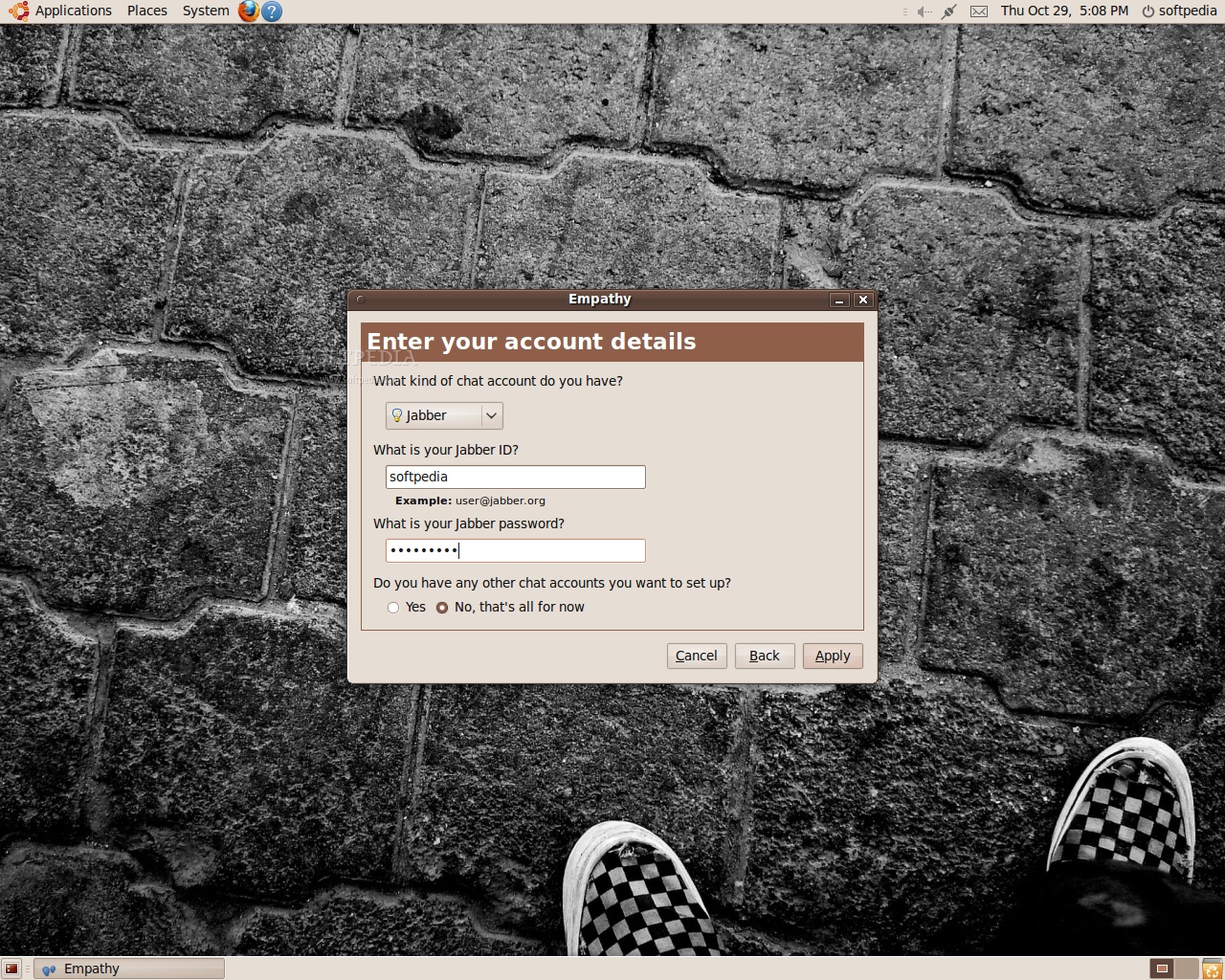
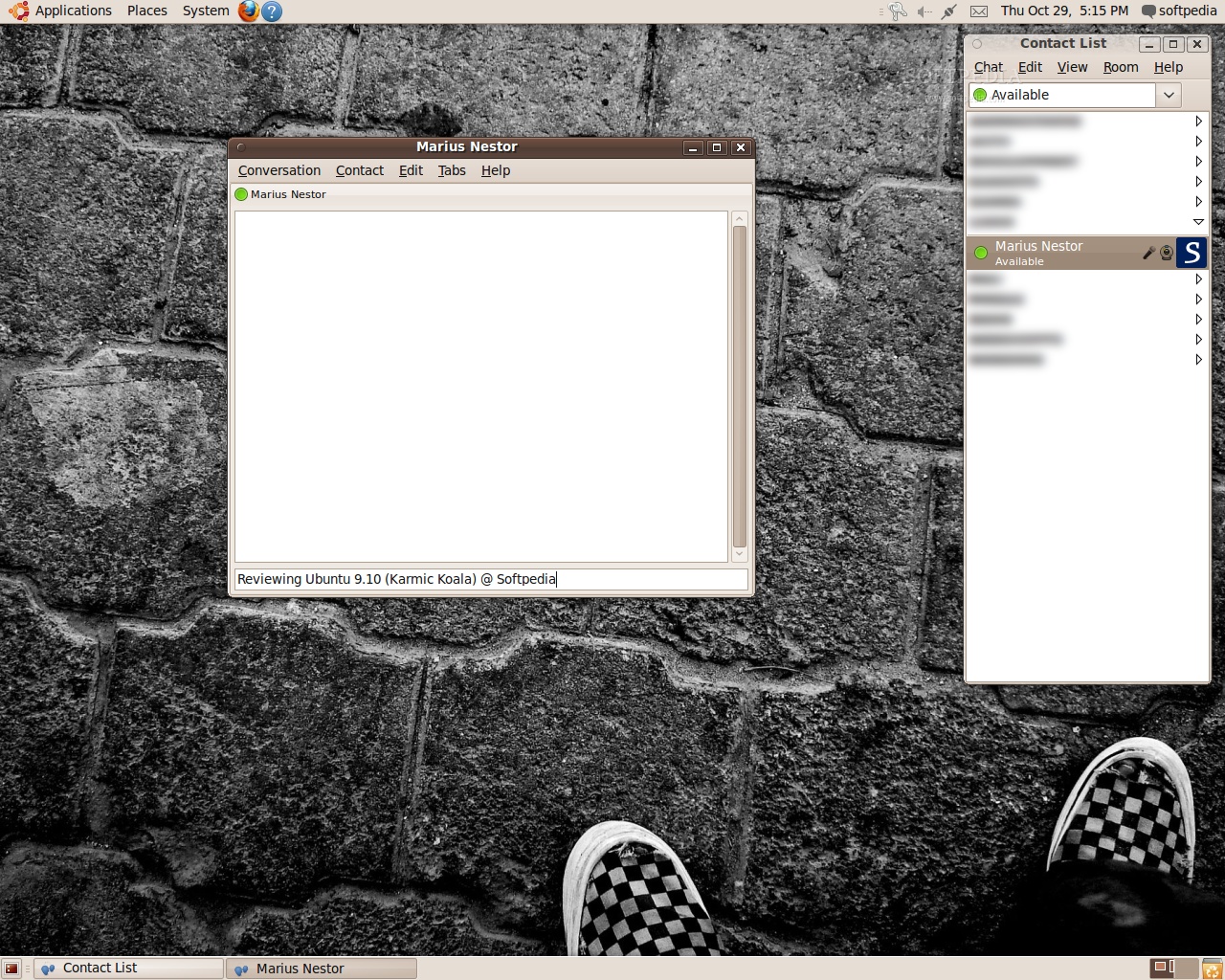
Let's see what the Ubuntu developers included for instant messaging. In the Internet menu is the Empathy IM Client, it can't be more obvious than that. You start it up and a wizard appears. I was expecting to configure my XMPP account in one go, but apparently Empathy's creators thought that everyone would be using Jabber.org's service, so they didn't provide a way to enter an alternative address in the wizard. The good thing was that the Network Error notification that followed suit had a big "Edit Account" button on it, but unfortunately the server setting was hidden under yet another "Advanced" group.

After you've configured Empathy and your Contact List gets filled with your buddies, it's time to drop them a line and, preferably, some emoticons to express your feelings about this operating system that you have installed. Well, calling the chat window simple would be an overstatement; it's stripped down to the bare basics in fact. There are no formatting controls and, well, no buttons in it. If you want to insert an emoticon (not type one), you will either have to right-click the text area or click the "Conversation" menu and go into the "Insert Smiley" list. For me, that is pretty limited and cumbersome.

When you close the Contact List, it simply disappears. You can access it from the Indicator Applet, but it takes a while to get used to not having a dedicated IM icon in the notification area. Aside from the lack of features, chatting in Empathy works as expected, and I didn't encounter any problems.
Review imageReview image

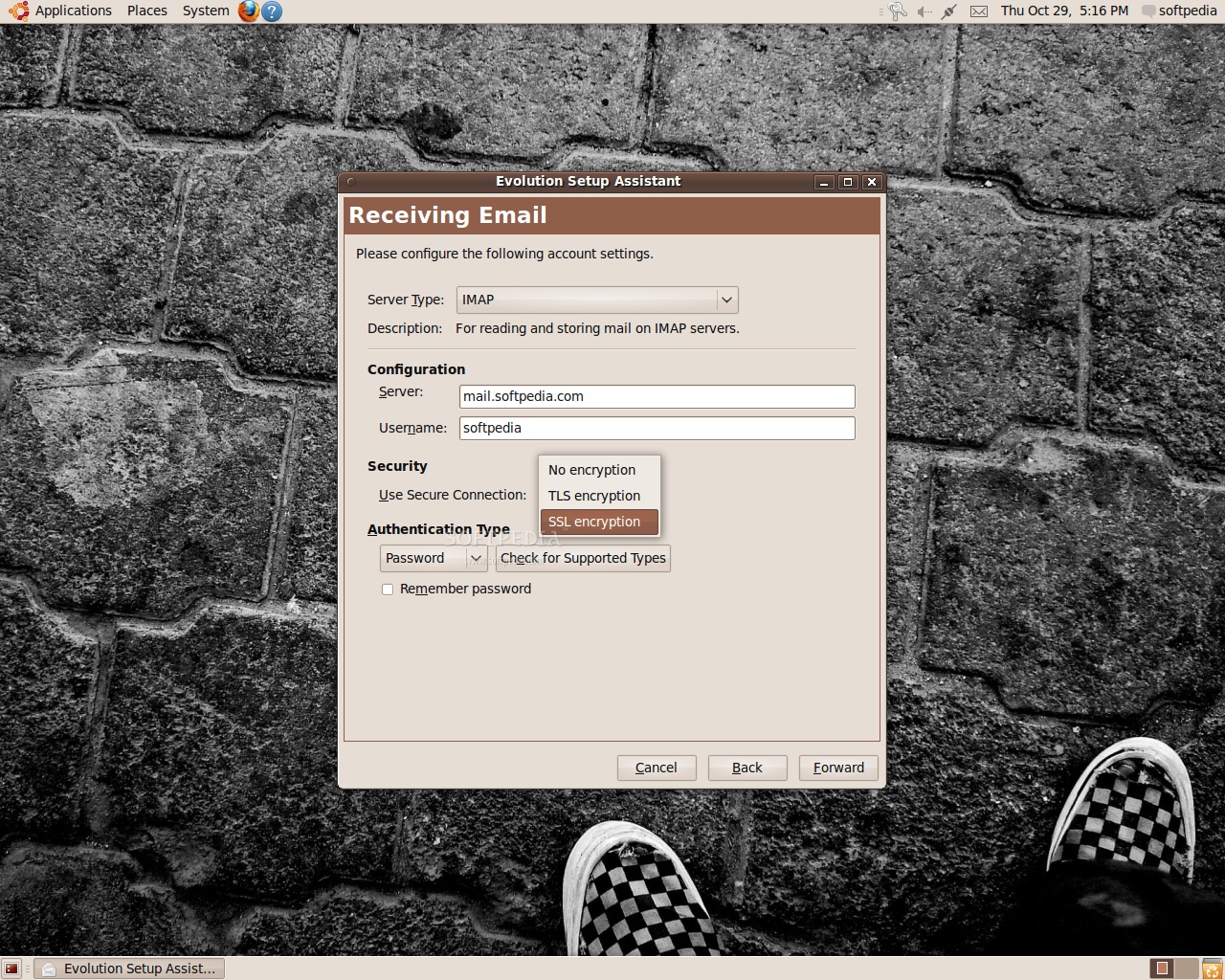
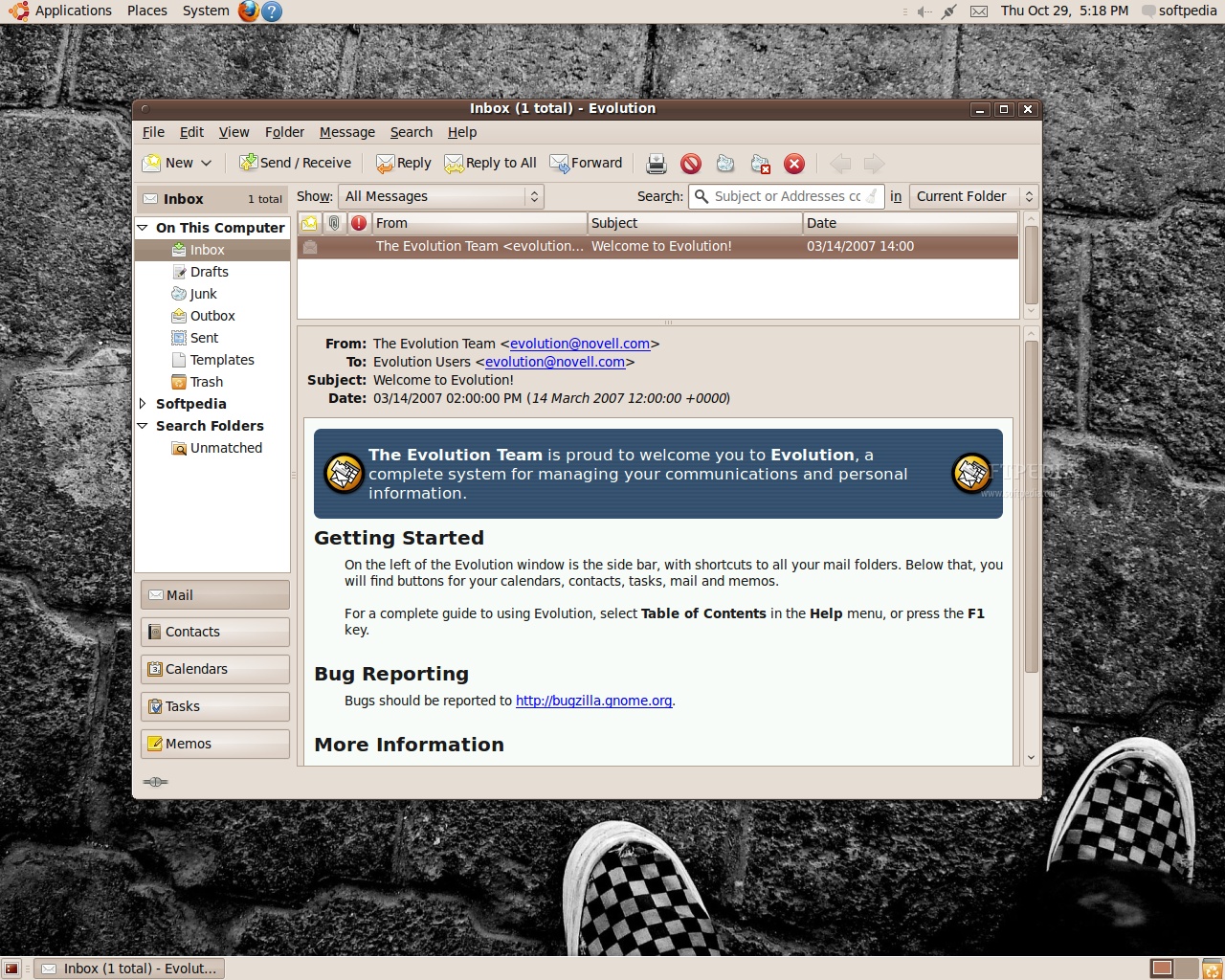
Evolution Mail, on the other hand worked flawlessly. I started it up and I was greeted by a setup wizard through which I configured everything, quickly. My e-mail setup requires SSL, and it was right there, along with all the other relevant options. Upon finishing the wizard, my e-mails loaded up and, surprisingly, even my folders and starred items were correctly set up. However, there was no way I could convince Evolution to import my feed list, or to act as a feed reader. Thunderbird is quite a good aggregator, but Ubuntu's default e-mail client is simply not capable of doing that (there is a plugin, but it's not installed by default).

After noticing Empathy's behavior when closing the Contact List, you would think that Evolution works in the same way. In fact it doesn't; once you close the window it's gone for good, and there appears to be no way you can configure it to remain active in the background. If your e-mail client stays opened all the time, like mine, you're stuck with a big window and with an entry in your taskbar all the time.
Review imageReview image

Productivity applications

With all communication problems sorted, let's figure out how Ubuntu can help us get some work done. In the Office menu you will find a dictionary application, Evolution and the well-known OpenOffice.org software suite.

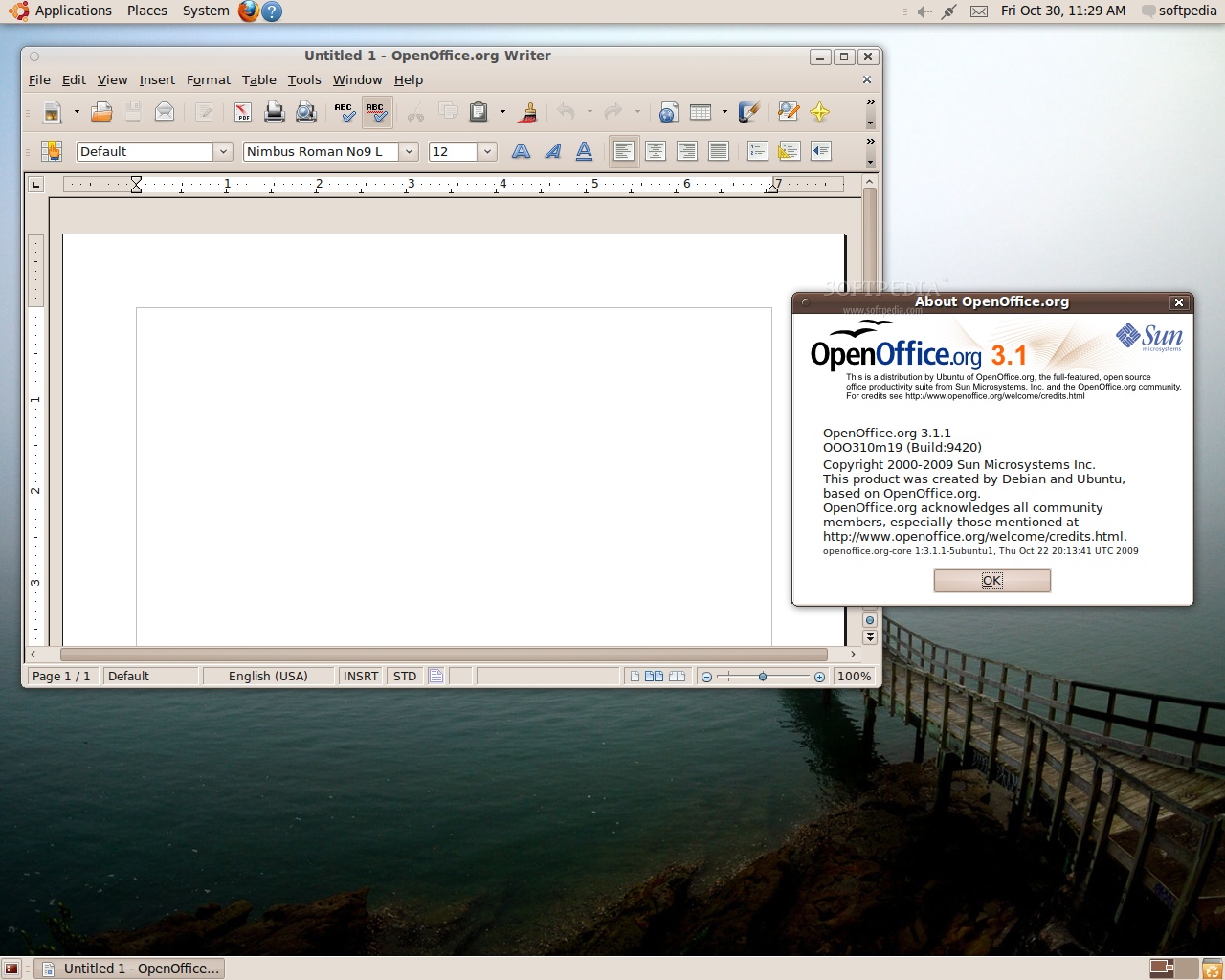
We knew for quite some time that Ubuntu 9.10 (Karmic Koala) would incorporate OpenOffice.org 3.1.1. This office suite will take care of word documents, presentations, and spreadsheets, and after you get used to it you will see that it's as good as any other alternative office suite and in some cases better. Proprietary formats are well supported, and the faster startup times will cut down on the waiting period between clicking a document and actually starting to work on it.

I'm not a big fan of Evolution GroupWare, but it seems that it is preferred in corporate environments to the detriment of other similar solutions or software suites. While it lacks some features that would come in handy, it balances them out with the easy setup, no-surprises interface, great stability and low resource usage. It incorporates a calendar, a task organizer and a memo manager, and users can import vCards, .csv, vCalendar files directly. Evolution works with all versions of Microsoft Exchange Server, with the exception of Exchange 2007. It can be synchronized with Palm Pilot devices with gnome-pilot, and OpenSync enables it to be synchronized with mobile phones and other PDAs.

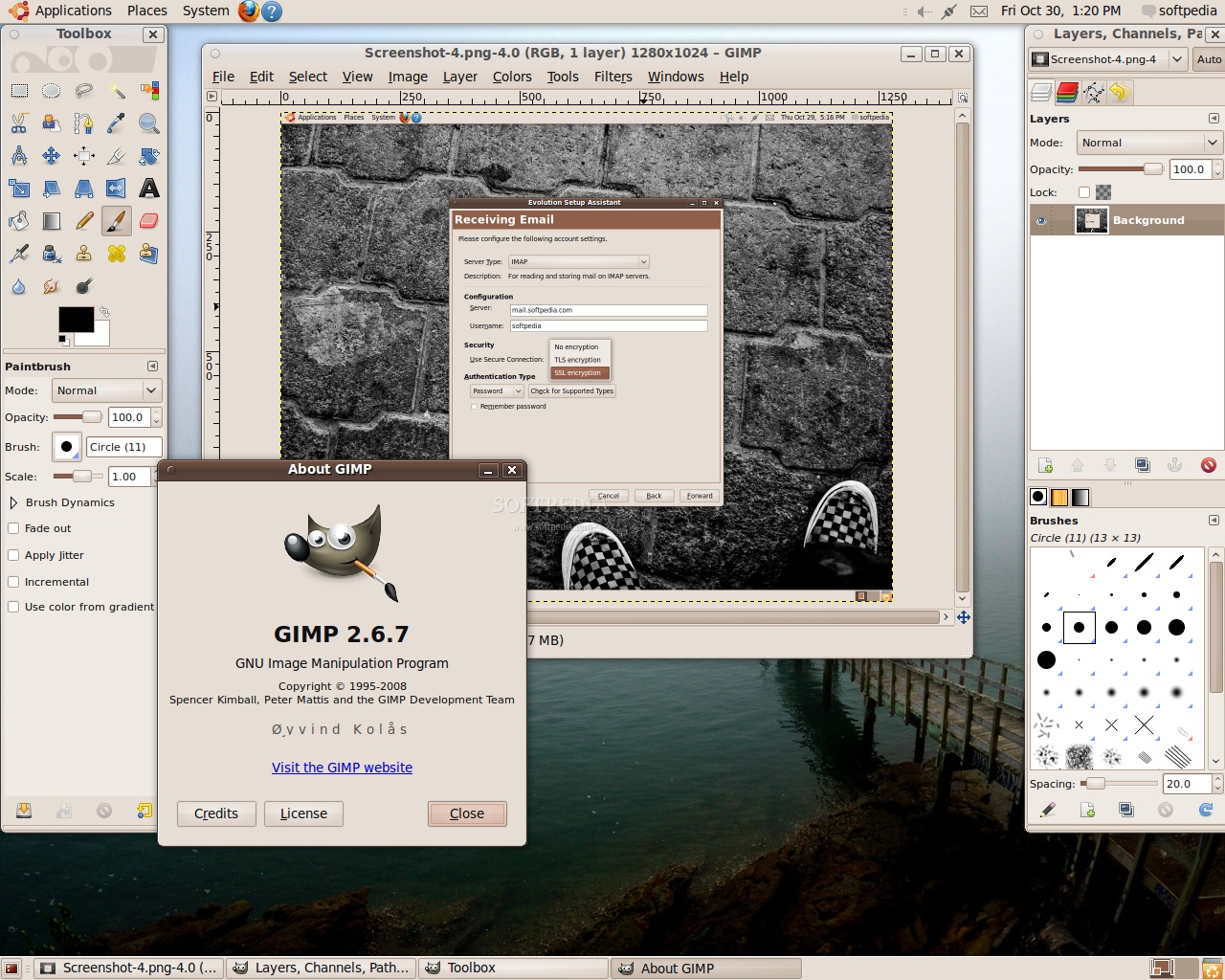
For graphics work we have an old-time classic that has been included in Ubuntu since the get-go. I was hoping that GIMP 2.8 would be ready in time for inclusion into Ubuntu 9.10, but that didn't happen, so instead we have the latest stable version, GIMP 2.6.7, which is about two months old. While it still doesn't feature layer grouping, it is the best free software alternative for graphics and image editing.

Of course, since we are talking about productivity apps, including a good Solitaire card game application is a must. If you're a purist and you want to port your Windows habits to Ubuntu, you will find AisleRiot Solitare to be much more advanced than its proprietary counterpart. It features more than 20 different card games that you can play by yourself, including FreeCell, and if you get bored with it you can choose something else from the collection of logic, puzzle and action games that Ubuntu ships with.
Review imageReview image

Multimedia support and connectivity

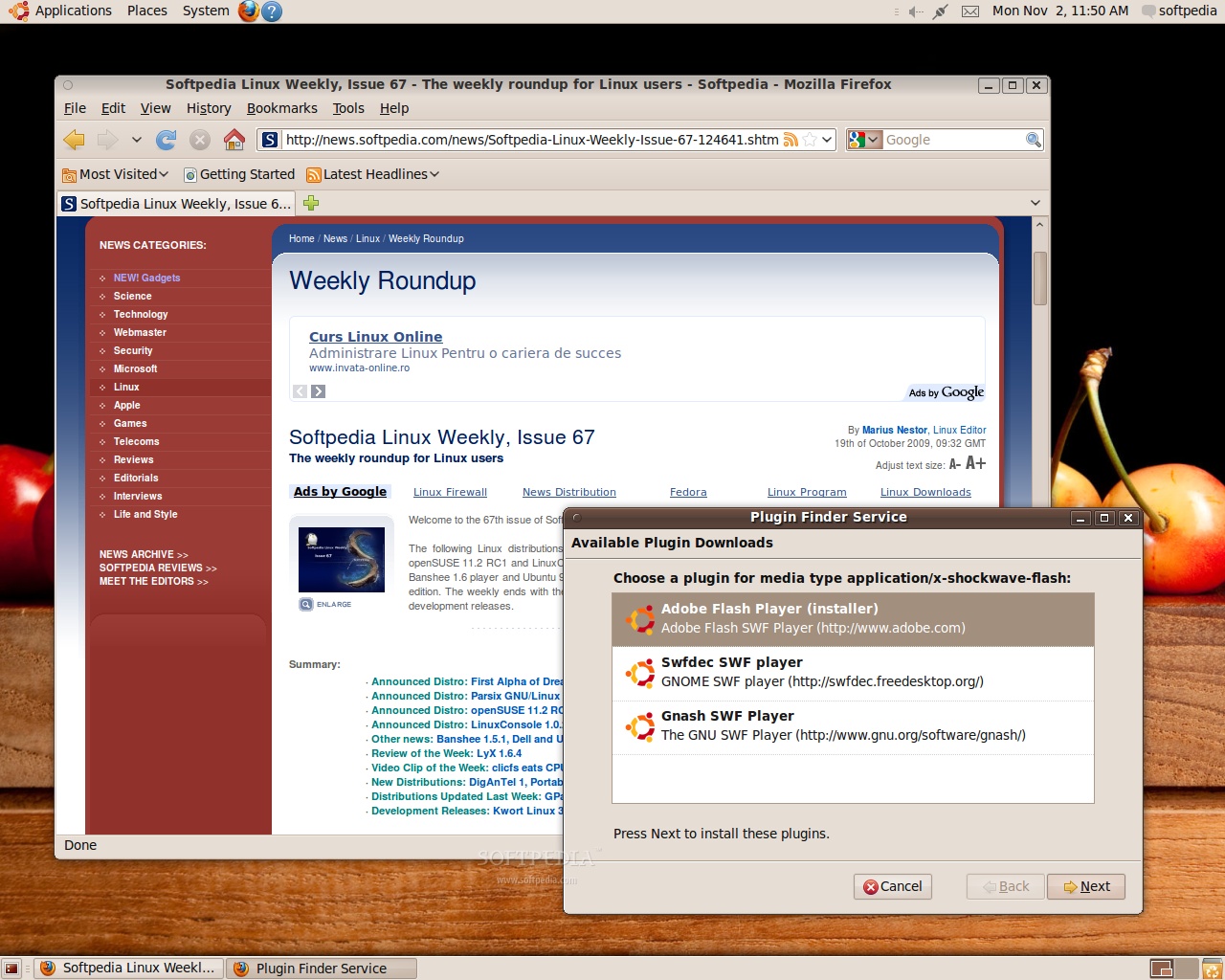
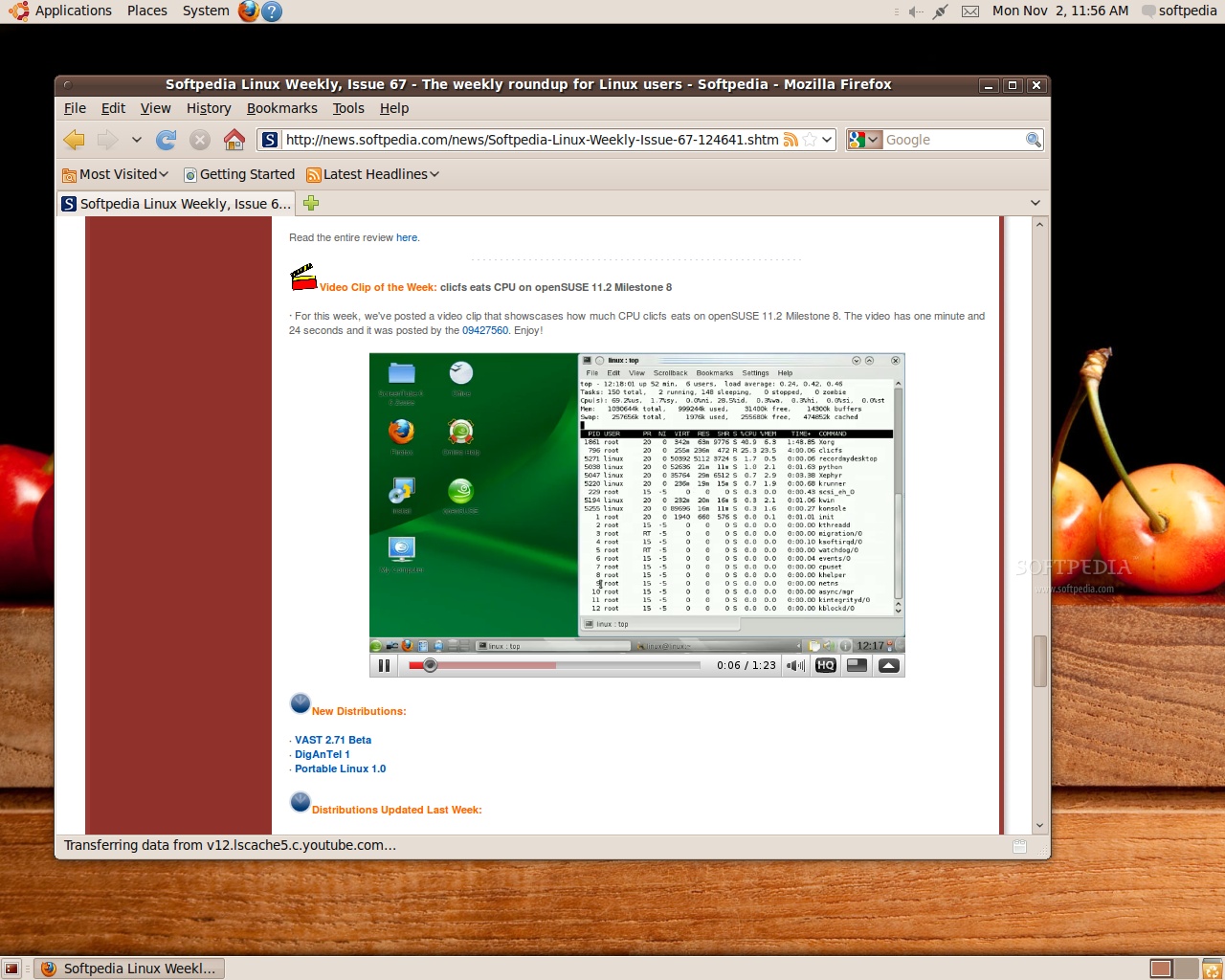
After all this setting up it was time to relax a bit, maybe even watch a video or two on YouTube. So I started up Firefox and I didn't get anywhere fast, because there was no Abobe Flash support. Ubuntu worked on integrating a Firefox plugin that searches and installs the Adobe Flash Player with the package manager, but it appears that YouTube's custom scripts override that function, and instead it will point you to the official Adobe Flash download page. That complicates things a bit, because it misleads a new user into manually installing packages. If the user happens to stumble onto another page that doesn't have any custom scripts, Firefox's Adobe Flash plug-in finder will work correctly and you will be able to choose which Flash support package you want (Adobe's, of course) to install, enter your password and that's it.
Review imageReview image

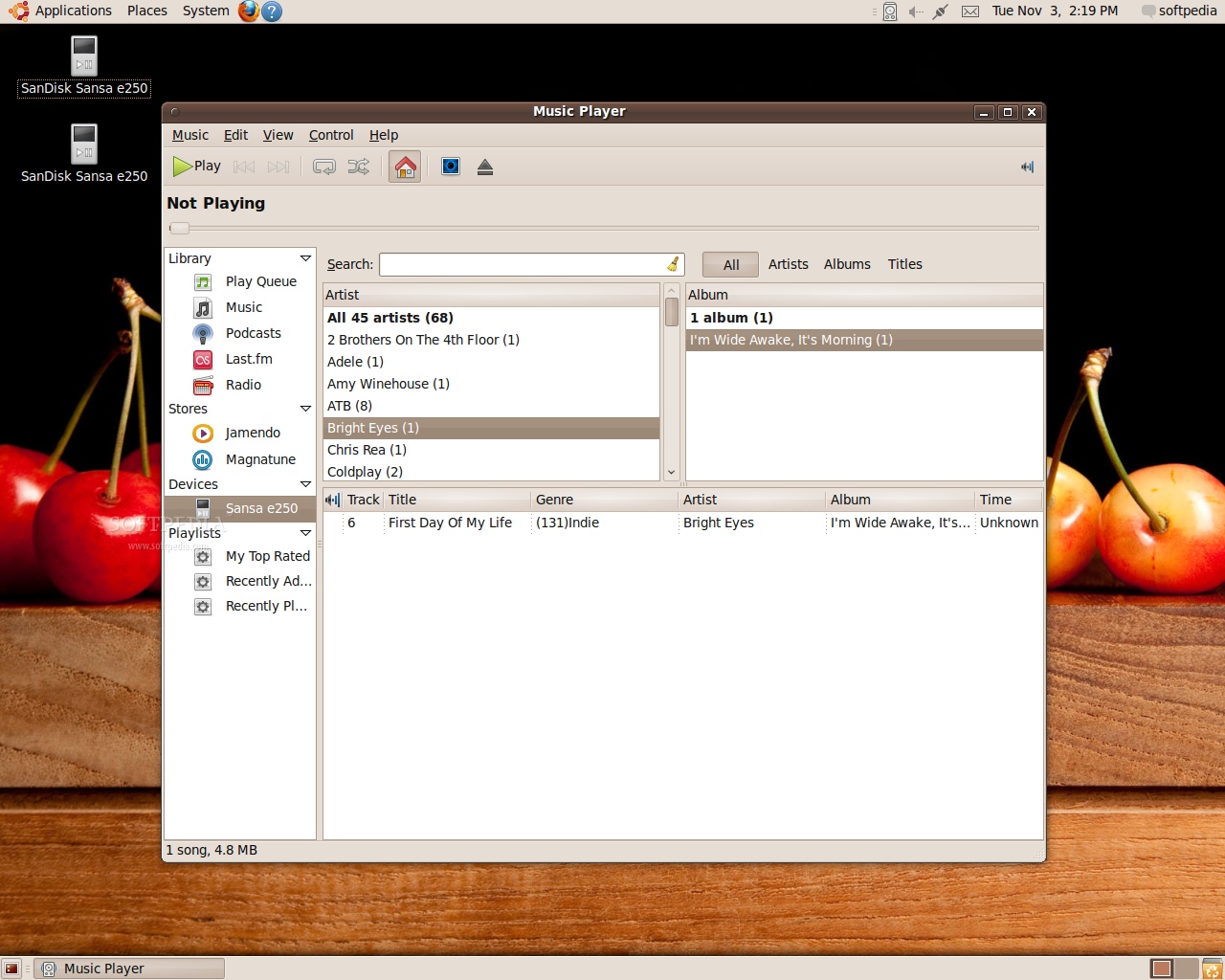
The speculation that Banshee will replace Rhythmbox circulated intensely during the initial development of Karmic Koala, but Rhythmbox remains the default music player and media management application in Ubuntu, for now. It is a fairly capable program that can accommodate both novice and more demanding users, and it features play queue and playlist management, multiple playback modes, Audio CD creation and import, podcast support, Last.fm scrobbling and, last but not least, device sync and management. Since some audio formats are restricted, if you load up an MP3 file you will be prompted to start a search for suitable codecs, then you can install them. However, Rhythmbox refused to play the file even after taking those steps, and it was necessary to quit and then run Rhythmbox again for it to work.

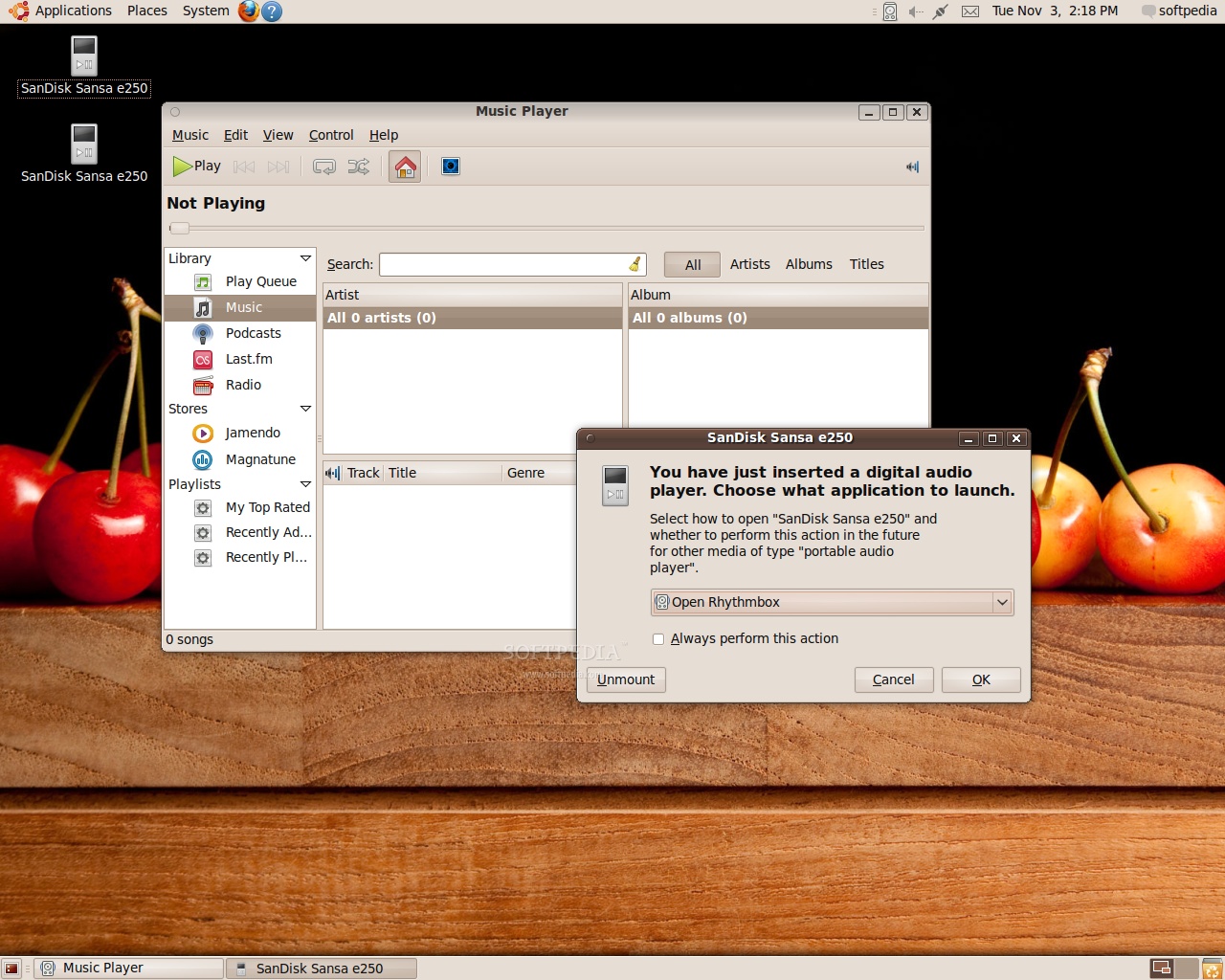
Personal Media Players that use the MTP protocol for connecting to the computer have been a constant source of problems, but getting them to work is quite easy if you know where to look. If you plug one of these players into one of your computer's USB ports, you will see that Ubuntu itself recognizes the device and offers a variety of actions for it, but Rhythmbox doesn't appear to detect it. To get it to work you need to enable "Portable Players - MTP" in Rhythmbox's "Configure Plugins" Window, then your will be able to copy music to your player. MSC devices, those that can be manipulated like a regular USB drive, work without a hitch.
Review imageReview image

One particular problem with Ubuntu's setup is that MP3 files, and possibly others, are set up to open with Totem, the video playback application, instead of Rhythmbox. I think the system is configured this way so that you can preview or listen single files quickly, and if you think they should be part of your collection you will copy them to your music folder. This mode of operation isn't fully configured either, because you will need to configure a music folder in Rhythmbox and eventually enable the new file detection in it. However, you can choose to open a file with another application by tweaking its properties.

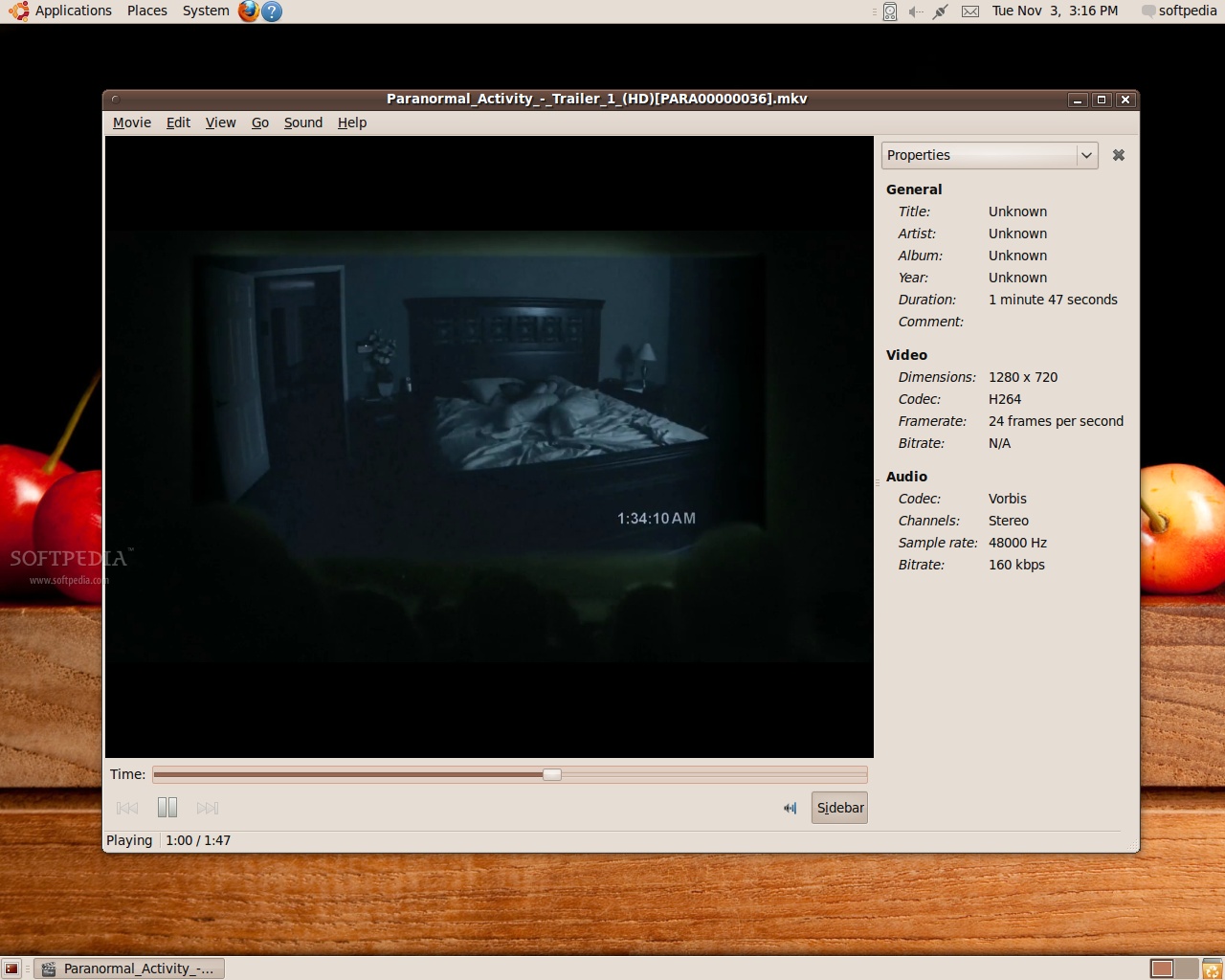
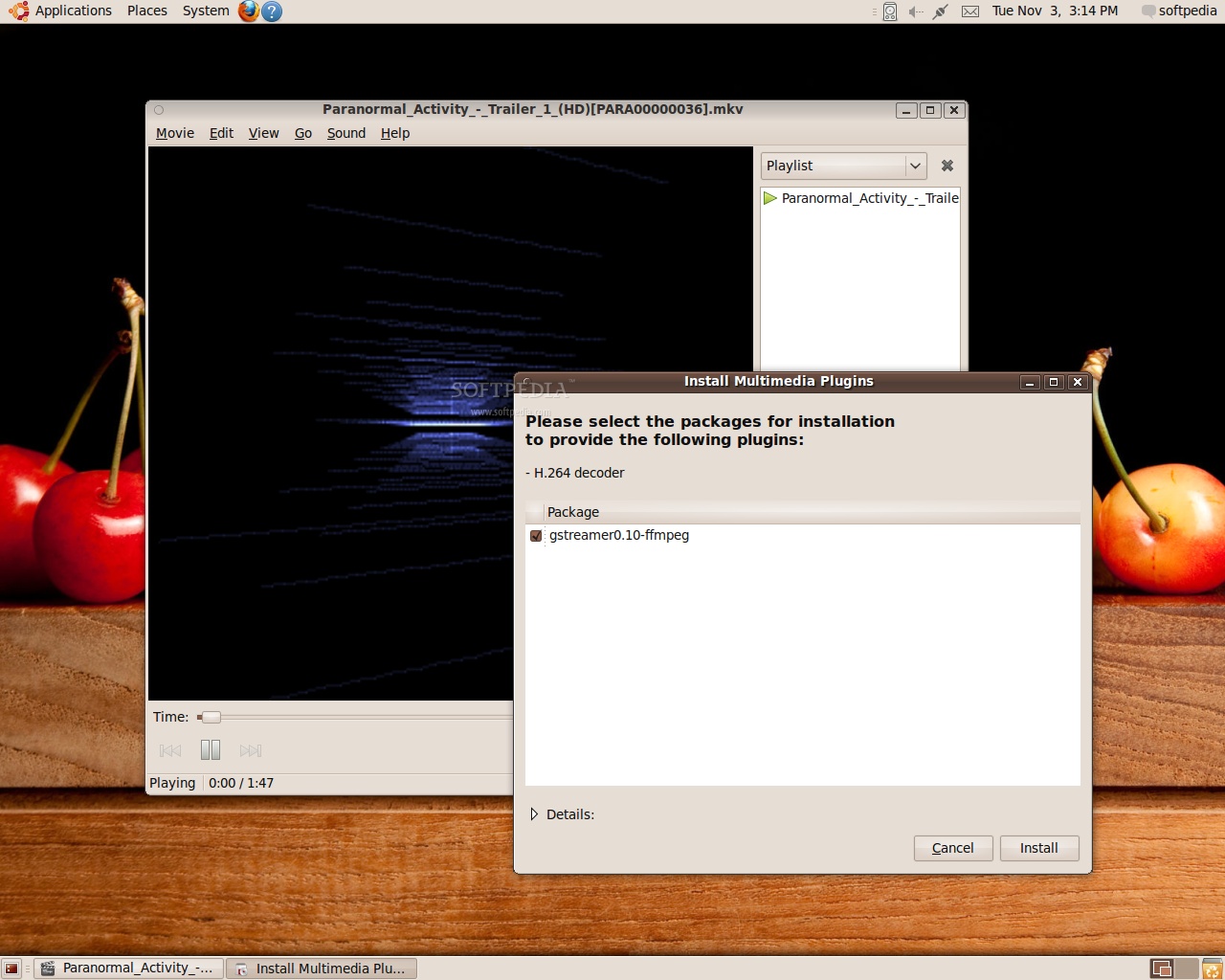
Although Totem has a simple interface, it is a powerful multimedia player. When the codecs required to play a file are missing, you will be prompted to install them in the same way that Rhythmbox does. Although I tend to think of media applications as video and audio players, Totem can do a bit of both. It's not a media management utility, but it supports playlists, subtitles, and when you're listening to music it can even display visualizations. A variety of formats are supported, even High-Defintion videos, such as H.264 encoded ones or the popular MKV container.
Review imageReview image

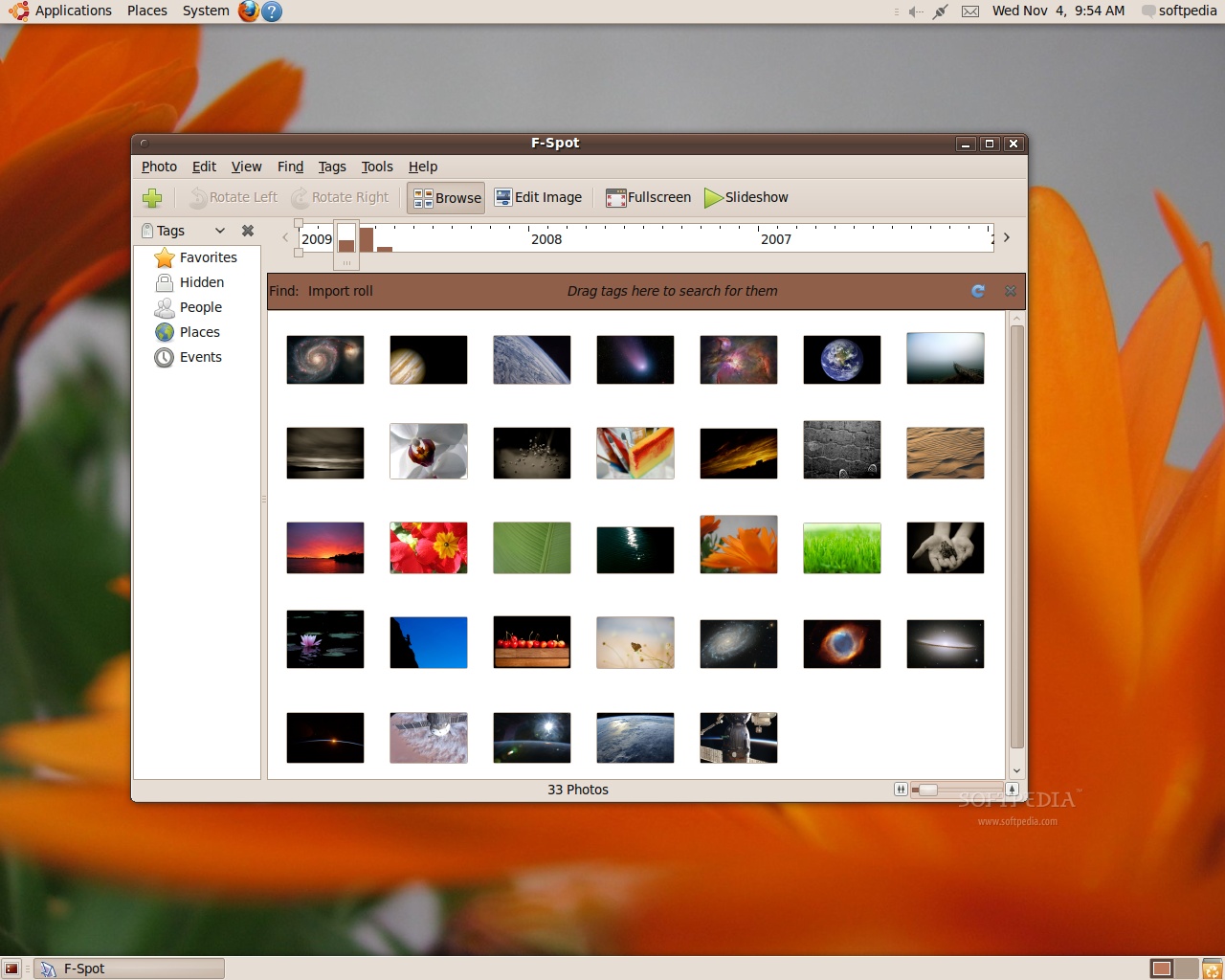
If you plug in a digital camera, Ubuntu will detect its presence and a helper will be displayed, offering to open a Nautilus window to browse the photos on the camera, or to start up a very functional piece of software called F-Spot. This digital photography management application includes a set of very useful features that allow you to organize, tag, correct, export and, of course, view your photos. Although its interface can get quite busy, with the toolbar, sidebar and filmstrip all occupying a section of the screen, the number of functions packed in F-Spot is well worth it. The timeline slider and the extensions that can upload your photos to various online services definitely deserve being mentioned, and if you need extra functionality, the included extension finder may be able to help.

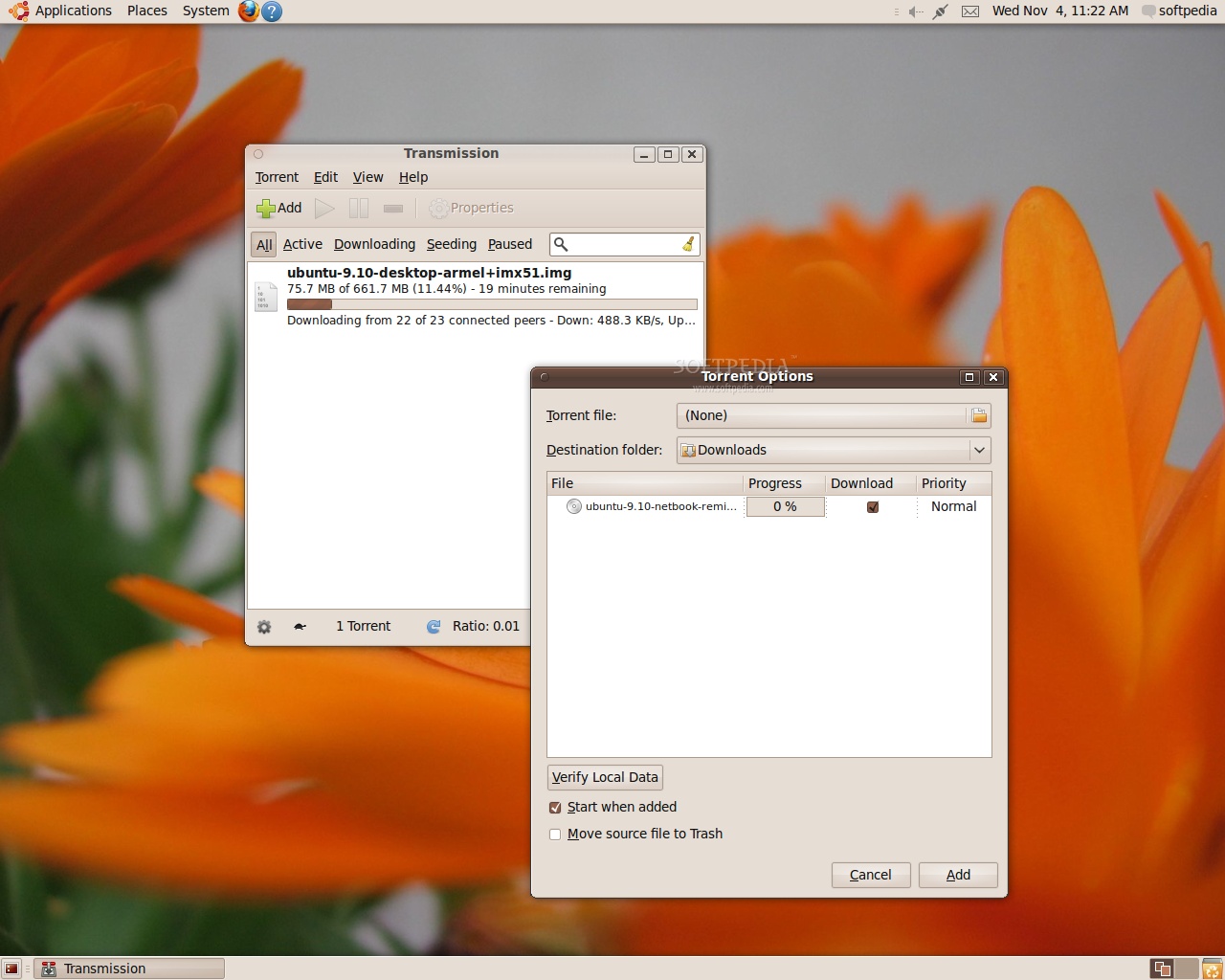
Large file downloads, like ISO images, are being increasingly delivered through peer to peer networks like BitTorrent. Ubuntu bundles the Transmission application for torrent downloads. While it is a neat and simple to use application, Transmission could be enhanced by adding a first run wizard that will help new users set their download and upload limits so that the torrent traffic doesn't interfere with VoIP or web browsing.

Once you downloaded one of those large ISO images, you will probably want to write it to a DVD or some other optical media. Simple disk creation and duplication tasks like image burning or data backup can be handled by Nautilus, which features a context menu entry for ISOs and a "Send To" item that enables you to add files to a data disk. More complicated tasks, like Audio CD or Video DVD mastering, can be done with the Brasero Disk Burner. It has a very intuitive interface and a lot of useful usage indications, but you won't find any multimedia editing features like DVD menu creation. Also, the annoying "Image Checksum" plugin is still enabled by default, initiating an integrity check of the written data immediately after finishing the burn process. Since most of today's computers and optical drives/disks are reliable enough, I think that the checksum plugin could be disabled by default, or even made to display a prompt asking if you want to check the written data.
Review imageReview image

Ubuntu on notebooks

Most of the notebooks on which we tested the new Ubuntu 9.10 (Karmic Koala) had Intel chipsets, but even so, the level of out-of-the-box functionality is impressive. On both the HP ProBook 4510s and the Fujitsu-Siemens AMILO M1475G all the components were correctly recognized, the hotkeys worked, power management was a breeze, and not even using the hardware wireless switches was a problem. The volume wheel and the remote control on AMILO required no additional setup, and I was happy to see that the Bluetooth module on the HP ProBook was already set up and ready to be used.

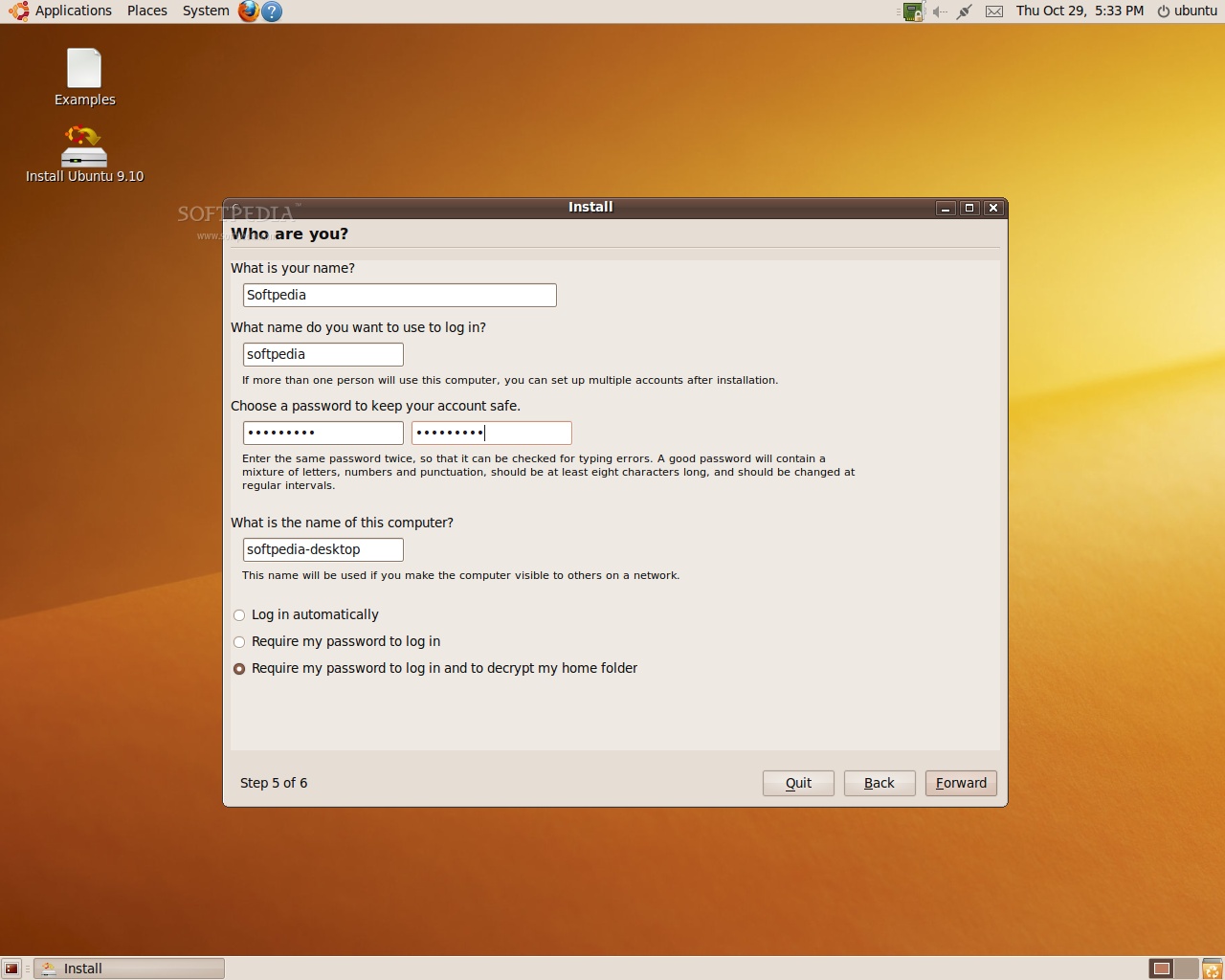
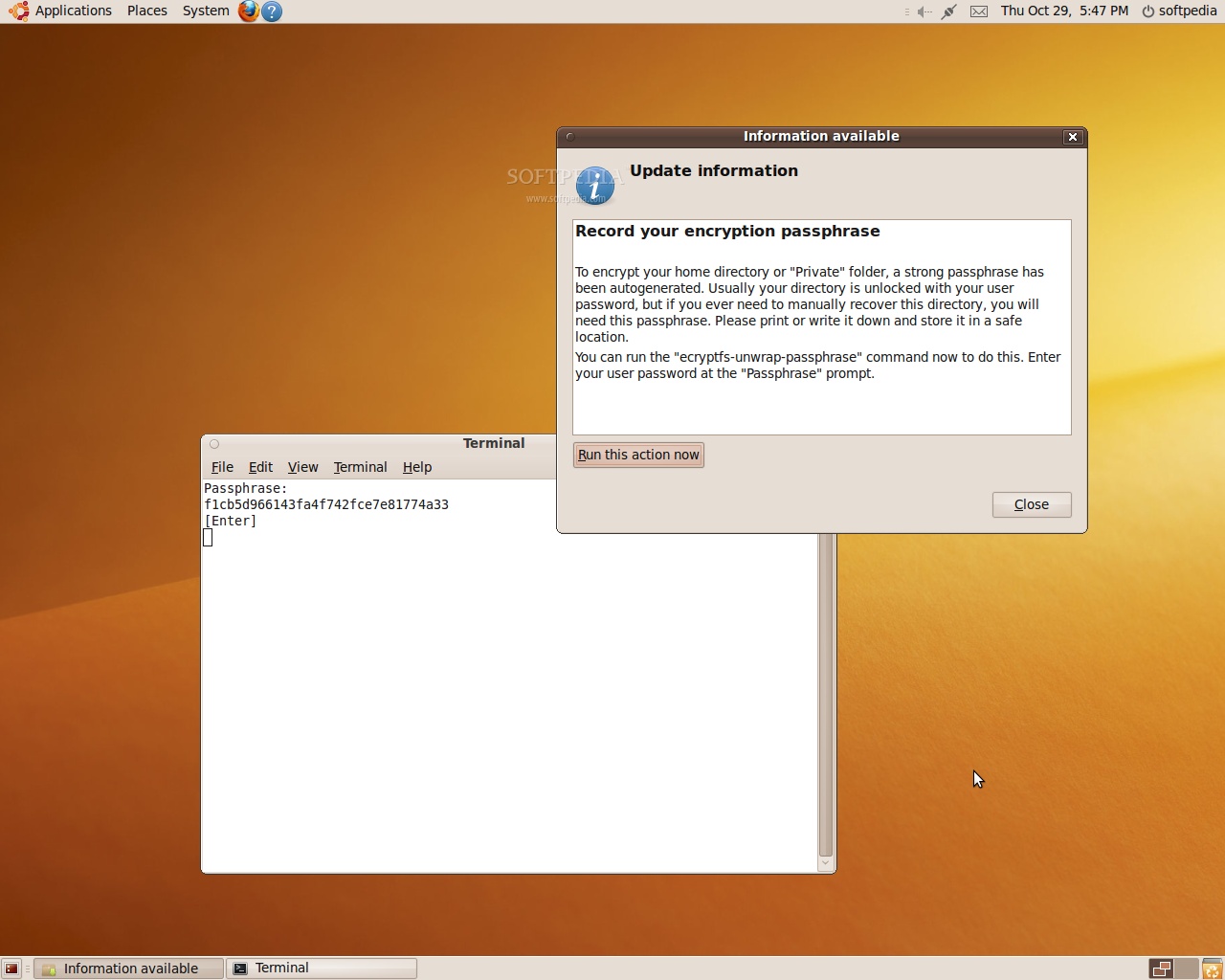
A very useful feature for notebook users is the home folder encryption option that is available when installing the system, since the data stored on laptops is more valuable than the device itself in most cases. Encrypted Private Directories was introduced in Ubuntu 8.10, but it wasn't enabled by default and, to actually secure data, the files had to reside in a special folder if they were to be encrypted. However, this approach relied on the user to store sensitive data in the private folder, and configuration files like Pidgin's logs or account settings were still vulnerable. Ubuntu 9.04 extended the encryption to cover the whole /home folder, but it still had to be set up manually. In Ubuntu 9.10, this feature is available at install time, and I must agree that it's a very efficient way of protecting your data. Instead of wasting precious resources by encrypting or decrypting common system files that are of no particular interest, it only secures the place in which the user stores its files, the /home folder.

You need to take some precautions when you use the Encrypted Home Folder feature, to ensure that your data won't be rendered useless. By enabling it, the password that you set during setup is used to initially decrypt a much stronger passphrase, which in turn is used to decrypt the data. This generated passphrase is presented to you upon first boot, and it's recommended that you write it down or otherwise store it in a secure place, because it is vital to the recovery of the data, should something go wrong. If you forget your password and lose this passphrase, your files will be locked, and the chances of recovering them with a brute force attack are slim.
Review imageReview image

Application management

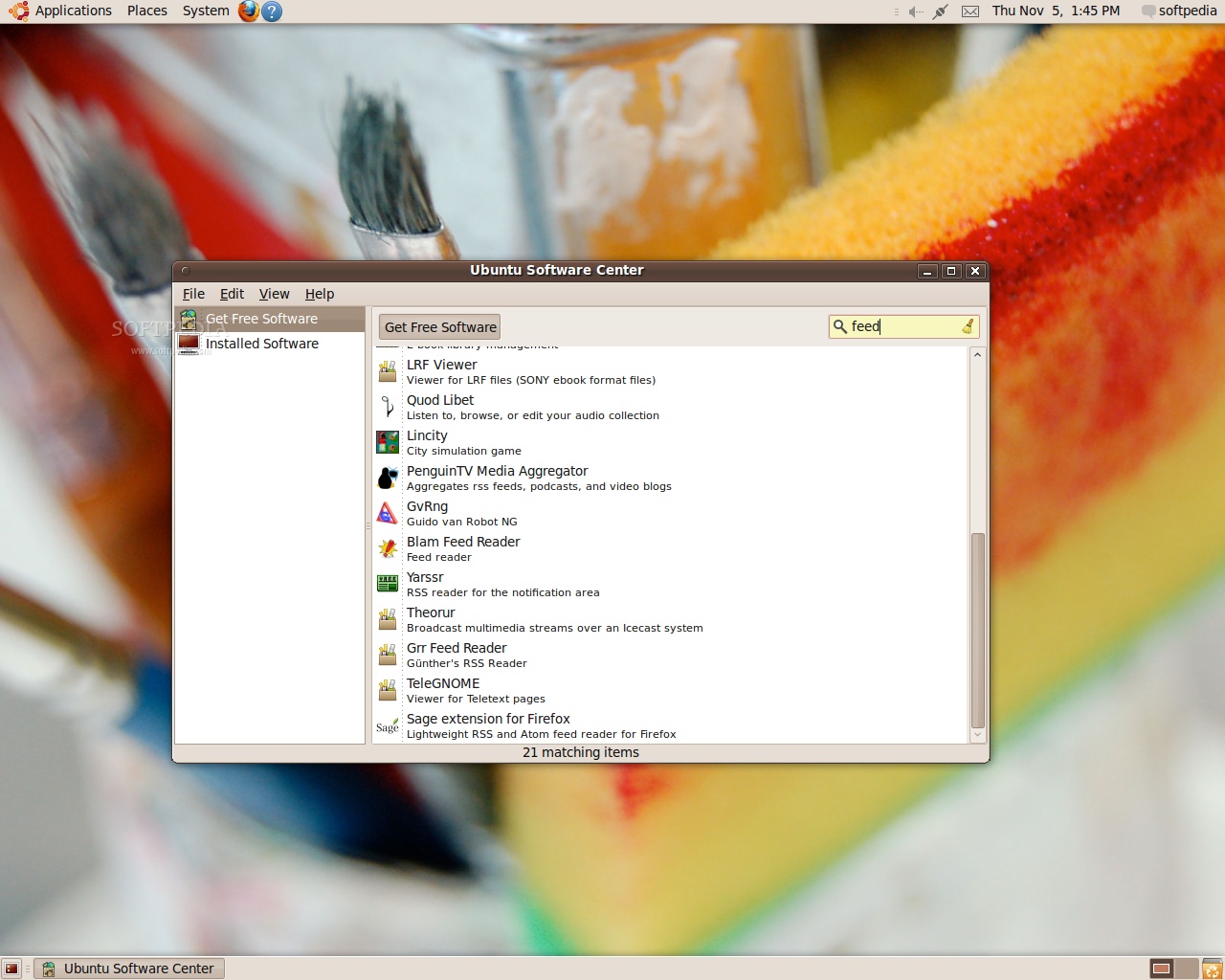
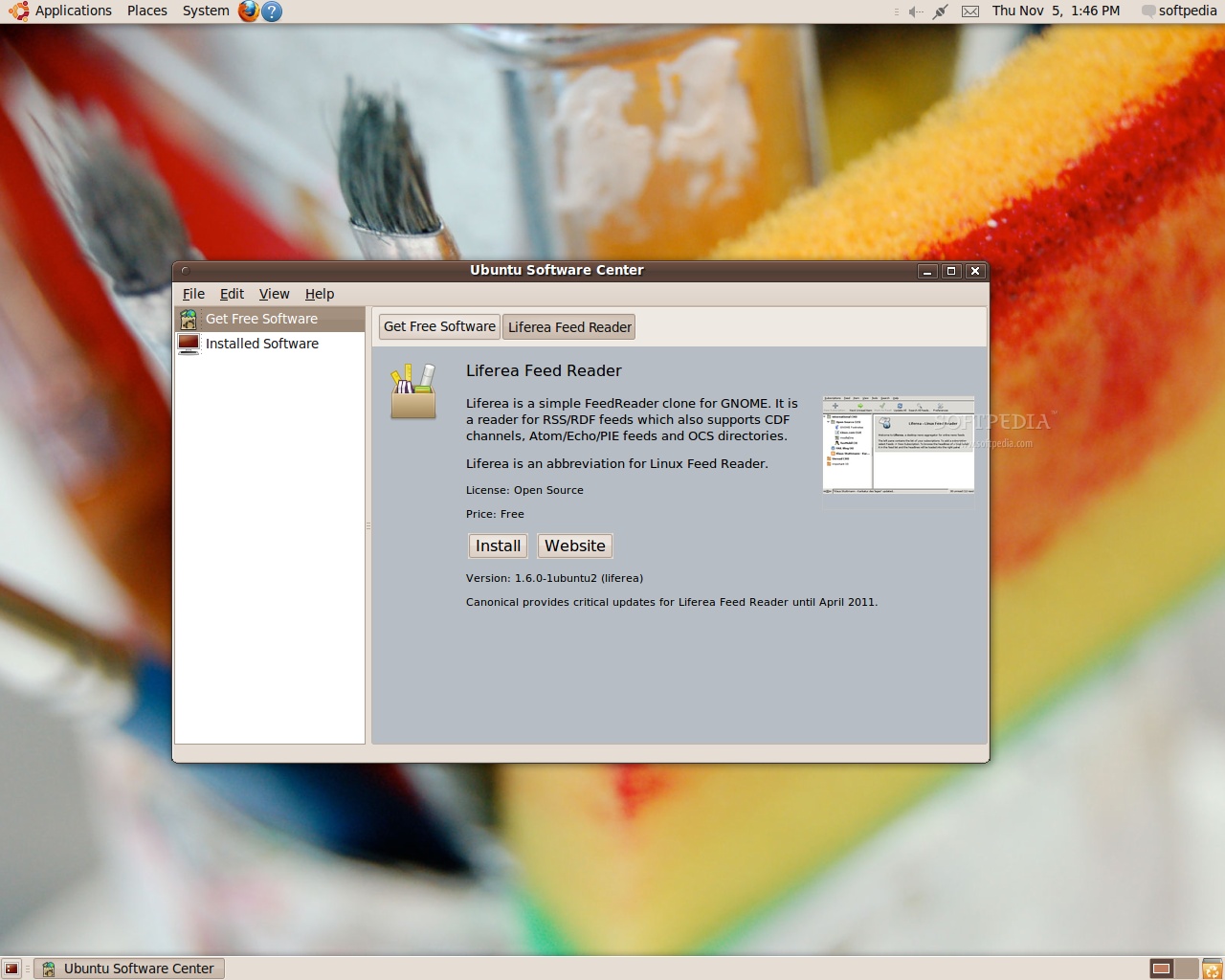
Since there is no feed aggregator preinstalled and Evolution can't do us the favor of fetching the news, the only choice left is to install one. If you have been paying attention to the images on Ubuntu's installer, then you know about Ubuntu Software Center. Add that to the fact that this program is accessible directly from the Applications Menu, and it's not that hard to guess where a new user will go when looking for software to install. So, let's see if Ubuntu Software Center can help us get a feed aggregator. Do a search for "feed," pick one of the listed applications, and in the information page there is an "Install" button that needs to be clicked. After you enter your password the application is installed – it couldn't get much simpler than that.

When the idea of replacing "Add/Remove Applications" first appeared, some voices argued that Ubuntu already had too many different ways to access the repositories and that they should be consolidated. That didn't happen at this time (maybe in later versions), but "Add/Remove Applications" was definitely replaced with a worthy successor. Ubuntu Software Center is a friendly application that has well-defined software categories, built-in search and detailed package information. The Synaptic Package Manager is still included, but its interface and features are aimed at the advanced crowd, so the Ubuntu Software Center is a great resource for new users.
Review imageReview image

Bugs

I must say that I consider Empahty to be a serious "bug." Although its inclusion into this release is probably similar to the way PulseAudio was adopted, Empathy is seriously lacking in some respects. The audio/video chat function is often unstable or unusable, the configuration options are spartan at best and the account manager and creation tool is complicated and often unintuitive. The latest Pidgin developments have initial multimedia chat support, and the available plugins make it an extremely versatile tool that shouldn't have been replaced so easily.

Conclusion

If you read this review from top to bottom, you will see that many of the software installation/customization tasks were related to the lack of support for some technologies, like Adobe Flash or the MP3 audio format. Support for them, along with many other useful things like fonts, a Java virtual machine and DVD playback can be added to the system by simply installing the Ubuntu Restricted Extras package, with the Ubuntu Software Center app. All those separate knick-knacks could be done away with a single move if the Ubuntu developers created an after-installation prompt that would clearly lay out the associated licensing problems and through which the Ubuntu restricted extras package could be installed at the press of a button.

Aside from that, Ubuntu 9.10 (Karmic Koala) is a great operating system. The hardware support is excellent, and the resource requirements are lower than in many commercial operating systems. The bundled software package is quite useful and it perfectly fits the needs of a novice or business-oriented user. If you're familiar with the previous incarnations of this operating system, Ubuntu 9.10 will appear to you as a mere visual overhaul over its predecessors, but there are many more subtle changes under the hood.

Taking a look at the bigger picture, the Ubuntu family of operating systems is expanding. You can now base your distributed server infrastructure on the Ubuntu Enterprise Cloud, and if you own a Dell netbook you can even try out the Ubuntu Moblin Remix. Last but not least, I personally hoped that Lubuntu, the lightweight XFCE-based community-developed distribution, would be accepted among the officially supported editions, but it looks like we will have to wait until Ubuntu 10.04 for that.

EDITOR'S RATINGS:

User Interface:
Features:
Ease of use:
Pricing/Value:
Overall:
  Final verdict: Excellent

TAGS:

Ubuntu 9.10 | Karmic Koala | Canonical | Ubuntu review | Ubuntu 9.10 review
Read by 16,190 user(s) | Add comment | Link to this article TWEET THIS


Article rating:
Excellent (4.7/5) 38 vote(s)    

Subscribe to news | Print article | Send to friend

© Copyright 2001-2009 Softpedia
Contact:


SEARCH THE NEWS ARCHIVE :


Today's News
| Yesterday's News | News Archive


MORE RELATED ARTICLES:


Ubuntu Tweak 0.4.6 Review

BleachBit 0.6.3 Review

Songbird 1.2.0 Review

Fotoxx 7.2 Review

Mandriva One 2009.1 Review

Ubuntu 9.04 Review

AQEMU 0.7.3 Review

Gnote 0.6.2 Review

User opinions:


Comment #1 by: Albert on 07 Nov 2009, 02:21 GMT reply to this comment

I feel that the the set of computers chosen for installation was not comprehensive enough I use a netbook and my understanding is that Ubuntu 9.10 performs poorly on these machines. To the point, where users with certain netbooks were advised not ot upgrade and one netbook distributoin went from being Ubuntu-based to Debian-based. Your review did not cover these points very major points and I judge it to be inadequate.

Comment #1.1 by: Stoyan on 09 Nov 2009, 17:10 GMT

Ha-ha...for netbook use ubuntu remix edition.

Comment #1.2 by: Jim Van Damme on 15 Nov 2009, 01:26 GMT

I put LinuxMint Gloria on a 5 year old laptop with 256M of memory. It doesn't run the eye-candy (installed with it turned off by default) but it sure is faster than XP. It installed my $10 refurbished Netgear wireless dongle and HP wireless printer just fine. The "I'm free of Microsoft" light bulb went on over my head (actually an LED)!


Comment #2 by: rohith on 07 Nov 2009, 05:23 GMT reply to this comment

Ubuntu 9.10 is awsome.. i love it.. and this review is good for beginers's.

I have to tell that there is a serious bug in ubuntu 9.10 its about wireless driver for broadcom its only available after updating synaptic once and installing via hardware drivers peoples who dependent on the internet access through wifi may face prblem regarding this hardware driver issue and its ridiculous that it was working fine in 9.04 !!


Comment #3 by: Mariusss on 07 Nov 2009, 07:35 GMT reply to this comment

Hi can ubuntu 9.10 be seted to auto login insted of login everitime wen u open the pc ?

Comment #3.1 by: Marius Nestor on 09 Nov 2009, 11:18 GMT

Hi,

Yes it can. Go to System -> Administration -> Login Screen, unlock the application, and set it to "Log in automatically".

Comment #3.2 by: eggdeng on 11 Nov 2009, 23:03 GMT

You get offered that option during installation. After install, you can set it up in System -> Administration -> Login Screen . Just check log in as username automatically.


Comment #4 by: scott on 07 Nov 2009, 17:38 GMT reply to this comment

Am I the only one who hates kk? I am ready to give up and buy 7. I have tried, tried, tried my best since 8.04 to use ubuntu exclusively. If my time were worth minimum wage then I would have several thousand dollars invested in ubuntu. With each new distro it' seems like the same old problems. Skype won't work right. Or google earth, or evolution. Wine won't do anything right.
Boot time is ridiculous. Apps just disappear. I tried google gears and it just shows up when it wants to then disappears for days. I'm no tech genius but I can read and follow instructions. I started this with joy in my heart for finding a way to stop giving my money to Bill Gates. Today I am ready to send him a check and an apology.

Comment #4.1 by: jay jay on 09 Nov 2009, 15:26 GMT

yes you are the only one. kk has been great for me i updated from 9.04 and everything worked after the update. i have no problems with skype or google earth.


Comment #5 by: Xtyn on 08 Nov 2009, 10:27 GMT reply to this comment

Lubuntu has LXDE, not XFCE.


Comment #6 by: Linux-user on 09 Nov 2009, 01:24 GMT reply to this comment

Empathy isn't the only bug. There are still some bugs which were present in the first release of Ubuntu, but still aren't fixed in this eleventh release of Ubuntu. Some examples:
- There still isn't a complete copy / paste functionality. Gnome has some clipboard, but this only works with several Gnome applications. It's still impossible to copy some text or a picture from Firefox, close Firefox and then paste the text in Gedit or paste the picture in The GIMP. Don't say Glipper or Parcellite is the solution, because they aren't the solution. They're only a half working workaround. This bug just needs to be fixed in X.
- List View in Nautilus still doesn't work. When pasting some file or creating a new file or a new directory from the context menu, you can only access these options when you do a secundairy click in white space. When there are a lot of files in a directory (so a scroll bar will appear on the right side of the window) there's no white space left and it's impossible to use the context menu to create a new file, create a new directory or to paste some file you copied earlier.
- The context menu appears when pressing the mouse button, instead of when releasing the mouse button. Because of this behavior it will happen you invoke an item of the context menu, while you didn't want to. This is what happens: You perform a secundairy click by pressing the right mouse button (or the left mouse button for those who are left handed), the context menu appears, but if you accidentally move your mouse a few pixels towards the bottom of the screen, the first item of the context menu will be active. Now, when releasing the mouse button, the activated item of the context menu is invoked. Some examples of what can happen:
- - Performing a secundairy click on a hyperlink in Firefox often causes Firefox to open the page in new tab.
- - Performing a secundairy click on the desktop often creates a new directory.
- - Performing a secundairy click on a picture in Nautilus often opens the picture in Eye of Gnome.
This happens to me several times a day. This weekend I was at a friends and he's also using Ubuntu. In the few hours I was at his place, he encountered the right click bug at least five times.

Those annoying bugs really need to be fixed, but I wonder if this will ever happen. I don't expect bugs number one and three to be fixed, because (in the eyes of the developers) they are no bugs, but it's just the desgin of Linux and thus it works as expected. You just have to keep your application open untill you're ready pasting your text, picture or whatever and being able to select an item from the context menu with only one press and one release of the mouse button (instead of two) is a feature. Well, the design is just simply completely wrong and these features keep on annoying people everyday and the first bug even causes people to loose their work.

I don't have much more confidence in the second bug to be fixed. This bug was first reported in 2002, but the developers still didn't take any action to fix this bug.

These bugs need to be fixed, they're really annoying and keep on bugging me and even keep on people to loose their work.

Comment #6.1 by: Pingvin on 09 Nov 2009, 20:32 GMT

Weird. I been running Ubuntu and Kubuntu etc. for several versions now and I have never encountered those bugs or problems. I have also never encountered any of the users I help with ubuntu of any version with those bugs or problems. You sure the problem and bugs lies within ubuntu and not something in your hardware setup etc? Some very exotic keyboard or faulty one or faulty mouse.

Weird

Comment #6.2 by: Linux-user on 10 Nov 2009, 20:10 GMT

@Pingvin:
No, this has nothing to do with my hardware. The first two bugs I was talking about can be reproduced by everyone who runs Ubuntu.

How to reproduce the first bug:
- Open Firefox;
- Select some text and select "Copy" from the context menu;
- Now close Firefox (not only one tab of one window, but just close all tabs and windows);
- Start gedit;
- Try to paste the text you copied before;
- It's impossible, because the clipboard is empty.

Or:
- Start Evolution;
- Select some text (like a password from an "I forgot my password" e-mail that was sent to you) and select "Copy" from the context menu;
- Close Evolution;
- Start firefox;
- Try to paste the password in the password field of a logon form on a website;
- The clipboard is empty, so you can't paste the password in the logon form.

Or:
- Start Firefox;
- Copy an image, like the Softpedia logo at the top of this website, using item "Copy image" from the context menu;
- Close all tabs and windows of Firefox;
- Start the GIMP;
- Click on File, select Create and click From Clipboard;
- You'll get an error stating the clipboard is empty.

I think that are enough ways to reproduce this bug.

Now let's reproduce the second bug:
- Start Nautilus;
- Copy a file or sirectory using the item Copy from the context menu;
- Browse to a directory which contains a lot of files and subdirectories (I'd recommend to browse to /etc);
- When you're using Icon View, press the right mouse button (or the left one when left handed);
- You'll notice you can do a secundairy click on a directory and on some white space;
- Calling the context menu from white space results in another context menu as when calling the context menu when the cursor is on an icon;
- This is the way it should work, because you can do a secundairy click on some white space to call a context menu which includes options like Paste, New Folder and Create File;
- Now change to List View using the drop down menu on the right side of the function to some in and out;
- You'll see a list of icons with no white space;
- Try to get a context menu containing the items Paste, New Folder and Create File;
- It's impossible, because you can only get this context menu when doing a secundairy click on some white space, but there is no white space when using List View in a directory which contains a lot of files.

The only bug which could be somhow related to hardware is the third bug. A mouse with a higher DPI will register even the smallest movement of the mouse, so the bug occurs more often when using a mouse with a high DPI. I've got a Logitech G5, set to second of three available DPI settings. The only people I now in real life who use Ubuntu are my parents and a friend of mine. My parents have got a Logitech mouse which is about 7 years old and they encounter this bug. I don't know which mouse my friend uses, but I think the mouse is about 3 years old and he encounters this bug at 50% of all secundairy clicks. My old mouse was a Logitech G5 (first model) and I encountered this bug using this mouse. Two months ago I bought the newest Logitech G5 and I still encounter this bug. It doesn't occur as much as when using my friends mouse, but I still encounter this bug at about 5% off all my secundairy clicks when using my Logitech G5.

If you want to try to reproduce this bug, just try to do a lot of secundairy clicks after another. Don't keep your mouse at the same place, but just keep on moving your mouse across the screen while performing secundairy clicks.


Comment #7 by: ger mulvey on 09 Nov 2009, 09:59 GMT reply to this comment

I have to agree with linux-user. Some very old bugs are still present.
The whole point of a new release is to provide a newer more complete and less buggy app or os. Sadly for me Ubuntu is not the os I felt was right for me. Very disapointed with this release.
For me grub2 was implemented too soon. Also for many dual booters it is likely to cause headaches if you need to modify your boot for any reason. Some other distros using the legacy grub often don't add 9.10 to the boot menu either.


Comment #8 by: stuart may on 10 Nov 2009, 04:38 GMT reply to this comment

'automatized' - because saying 'automated' sounds so 5 minutes ago


Comment #9 by: John Kohler on 10 Nov 2009, 19:01 GMT reply to this comment

For me, Karmic Koala is awesome in all respects but one.

In addition to wired and wireless ethernet for my laptop, I still
want dialup access as well. The the software driven modem (Winmodem)
in my laptop can use a linux software driven program but I am a little
too dense to install one.

But, with earlier versions of Ubuntu, I could install Gnome-PPP

sudo apt-get install gnome-ppp

And, from www.linuxant.com, I could obtain a debian modem driver

dpkg dgc_1.11.........deb

and it worked on 9.04 and earlier.

It doesn't work with Karmic Koala, though.

John


Comment #10 by: EmptyH on 10 Nov 2009, 19:45 GMT reply to this comment

I agree about the right click mouse problem, this has been bugging me for some time now. I'm glad to see I'm not the only one. I hope the fix it soon. Other than that I love Ubuntu.


Comment #11 by: SREE on 12 Nov 2009, 04:17 GMT reply to this comment

It is very difficult to connect BSNL broadband in ubuntu 9.10. But in version 9.04 it is very easy..
I feel this is a bug in this version. I use ubuntu for last few months.. due to the latest version i have to satisfy with version 9.04.


Comment #12 by: Howie on 12 Nov 2009, 13:10 GMT reply to this comment

Installing Ubuntu is easy and it works very well. However the problem is getting peripherals to work.
E.g. printers. I have a lexmark X1270 all in one. It is detected and I am given the option to select the correct driver from a list. However a lot of Lexmarks use the Z600 driver which needs to be downloaded and installed as per these instructions
https://help.ubuntu.com/community/HardwareSupportComponentsPrinters/LexmarkMultifuncPrinters
Many people have these printers as they are cheap. It would be good if a the information to set up printers etc was available instead of having to search the forums.


Comment #13 by: Neil on 13 Nov 2009, 20:23 GMT reply to this comment

Downloaded ISO desktop 386 from softpedia and burned ISO to a CD. Booted to the installation GUI and click on install. Nothing happens. Tested the MD5 - failed. Downloaded the alternate installation - this worked. Now I will see how the O/S looks to me.


Comment #14 by: nf3 on 14 Nov 2009, 13:57 GMT reply to this comment

ubuntu 9.10 = bug bug bug bug bug bug bug bug bug bug bug bug bug bug bug bug bug bug bug bug bug bug bug bug bug bug bug bug bug bug bug bug bug bug bug bug bug bug bug bug bug bug bug bug bug bug bug bug bug

I like ubuntu but this is the truth about 9.10 .


Comment #15 by: Eeeeean on 14 Nov 2009, 18:12 GMT reply to this comment

I love the Karmic NBR. Did a fresh install on an EeePC 1000h and everything worked without any problems whatsoever. Apart from its looks, Karmic NBR actually feels much more like a grown-up distro instead of a stripped down version of Ubuntu with an unwieldy interface (Intrepid NBR).


Comment #16 by: Mad Scietist on 16 Nov 2009, 08:07 GMT reply to this comment

I totally agree with scott. I have been using linux since the mid nineties, when it was still almost unknown, and ubuntu is one of my least preferred distros. Gone is the clean, beautiful coding of the early days. Ubuntu is going the same way as windows, and looking at windows 7, windows is going the way of linux. The elegance of Ubuntu has been completely destroyed by the last few releases. the coding is bloated and messy. I actually had to rewrite some of 9.04 to get it to work flawlessly. Looking at 9.10, none of those bottlenecks or bulges have been fixed. I much prefer windows 7. People go on about how light and fast it is. No one realizes how much more faster and lighter it could be if someone took time to clean it out. The performance from modified versions is almost twice that of stock versions, but people just want to go on and on about ubuntu, although they know nothing about the deep workings of it.


Comment #17 by: bobm on 18 Nov 2009, 18:54 GMT reply to this comment

I find Ubuntu 9.10 has improved the wireless drivers. Firefox 3.5.4 looks great but it is extremely slow.I tried all online advice but no improvement. I have gone back to 9.04!I hope they get the basics right in next release.

Comment #17.1 by: Vadim P. on 19 Nov 2009, 15:47 GMT

Firefox was always slow for me, so I switched to Google Chrome for Linux. http://dev.chromium.org/getting-involved/dev-channel#TOC-Linux


Comment #18 by: gomez on 20 Nov 2009, 05:44 GMT reply to this comment

I belive Albert is one of those microsoft agents out there to distroy linux and promote windows


Comment #19 by: venky ds on 22 Nov 2009, 11:36 GMT reply to this comment

i liked Ubuntu 9.10 very much,but the problem is internet is not accessing on my pc in Ubuntu 9.10 through ADSL2+ router .i was able connect in XP.please help me i like ubuntu 9.10 .i asked in every but there was no response .i was also able to connect internet in mint 7 Gloria through DSL in network connections .please help me.....

Share your opinion:

Your Name:
Your Email Address:
(will not be used for commercial purposes)
Solve this to prove you're not a bot: =
Your review/opinion:


Windows tabGames tabDrivers tabMac tabLinux tabScripts tabMobile tabHandheld tabGadgets tabNews tab

SUBMIT PROGRAM   |   ADVERTISE   |   GET HELP   |   SEND US FEEDBACK   |   RSS FEEDS   |   ENTER NEWS SITE   |   ENGLISH BOARD   |   ROMANIAN FORUM