14 DAY TRIAL //
 When it comes to 'office' tools, if, for some reason you are not partial towards the de-facto solution from Microsoft, there are quite a number of free programs out there. Other than the widely known OpenOffice suite, which unfortunately does not run natively in OS X and requires X11, there are also several less known, but not lesser, programs. One of these is AbiWord, which comes both as a stand-alone application and as part of the OpenOSX Office suite.
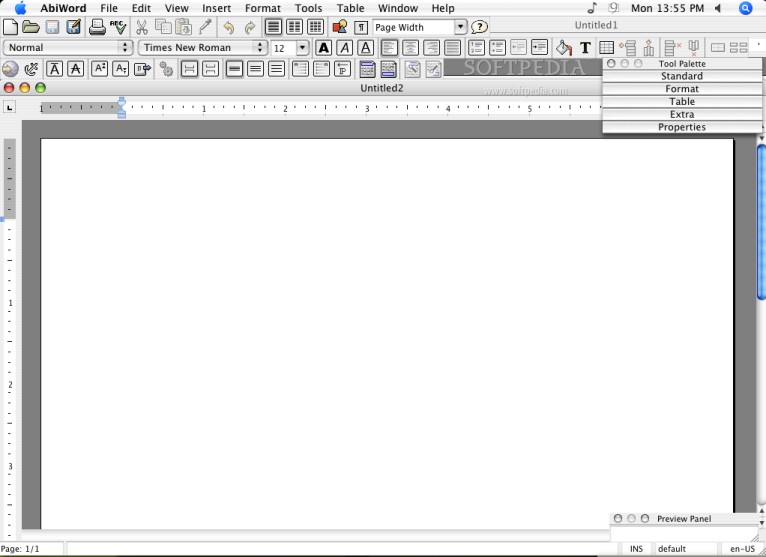
A familiar feeling One of the first things that strike you about AbiWord is how familiar it feels. For one thing it runs as a native Cocoa application, which means you will not have to install or cope with X11 and all those pesky little differences. The command key is used for calling shortcuts instead of control, the menu-bar is where it is supposed to be, and minimized windows go into the Dock where they belong. Refreshing, after spending time in OpenOffice, to say the least.
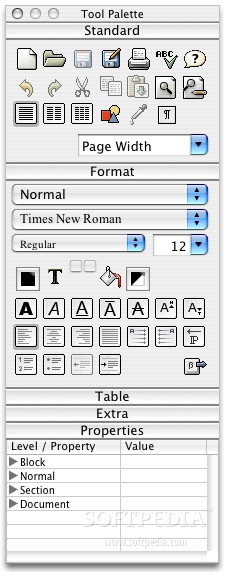
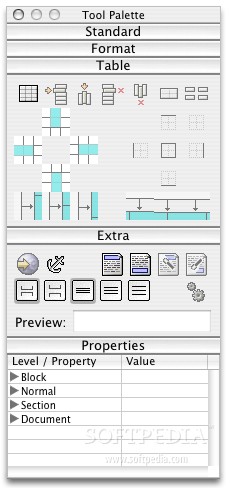
The program itself is also very familiar to Microsoft's Word. From the menus to the toolbars and the tool palette, everything is in the same place, or as close as it can get. Perhaps the most notable difference is that the Bold, Underline and Italic buttons, all have the same letter on them, unlike in other programs where B, U and I are used. Also all the icons in the toolbar are badly dithered, duo-tone and very tightly packed making it hard to find anything in just one glance.
Working with text I am writing this review from inside AbiWord and so far, it feels and works pretty much like other Word Processors. It features a spelling dictionary that supports over thirty languages, has support for different writing directions so it can accommodate a wide variety of languages and styles. Lists are limited to two styles, numbers and bullets; and indents do not have different bullet styles. On the plus side, any sort of auto formating or value assigning done by the program is being clearly indicated by a gray background over the area that is being handled. Furthermore, due to this approach, you can customize the auto formating to some degree, if you delete the number next to a list item, the list will not break, and the numbering will adjust to accommodate the missing line. This lets you differentiate and mix the two list styles with ease, lessening the impact of only having two set styles.
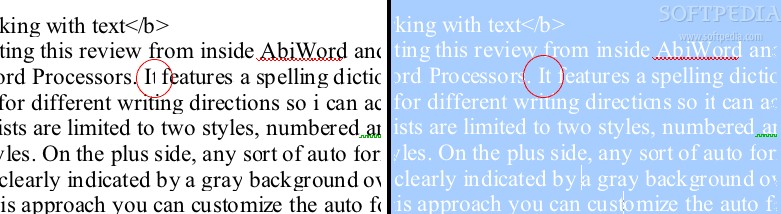
One thing I have noticed, is that the program does something very unnatural and annoying to the text... Characters are sometimes clipped, and the spacing and size of the letters change when you select text. Because of these nasty display artifacts, you will often encounter words with a double letter where that letter looks different. At its worse, you will have letters such as t, f, i and l clipped making it hard to read, and if you select the text it will distort in a way that reminds me of the dock's magnify effect.
One of the features it boasts, that is lacking in many other Word Processors, is a grammar checker. While the presence of this feature is just great, it is worth noting that both the grammar and the spelling dictionaries are less than perfect, the spelling one falling short when it comes to offering spelling solutions for a misspelled word, and the grammar one giving absolutely no indication of what is wrong with that sentence that it has highlighted.
Tables and Images
While tables work well in terms of laying out and merging cells, they fall short in terms of customizing looks. The program does offer some very nice advanced features such as automated conversion to and from a table and text using tabs, comas or spaces as a separator. Resizing tables can be very awkward because, although you can resize tables by dragging on rows and columns, you are given no visual feedback that you are 'in position' to drag. Furthermore, tables have no support for word wrapping.
Images, although having word wrap support, behave erratically when it is enabled. More, like tables, although you can drag to resize them, the visual feedback while dragging is next to nonexistent. If you wish to resize an image while keeping it proportional, you may do so, from its properties, because holding down shift and dragging to resize it will not have any effect.
Other things worth noting AbiWord has quite a number of advanced features such as mail merge, which will allow you to automatically format many similar pages using the information found in a database file. I have not gone into great detail over these advanced features, because they are only useful in very specific circumstances.
The Good This program is native and familiar, easy to use, and very accessible, being both free and minute in download size. If you are looking for a program that is as similar to Word as possible, without actually using word, this could be for you.
The Bad The display artifacts and glitches are very annoying, often apparently merging words together, or clipping the endings of others. Also I have noticed that every once in a while AbiWord would grab all the resources it could get its hands on and kept them for about five to ten seconds. This is strange because the rest of the time it only used about two to three times as many resources as a hidden Safari with no windows open.
The Truth This program has great potential, already it has that familiar feel that many users long for, now all it has to do is beef up on those features and get rid of those horrible display problems. In the state it is at this moment I would not recommend using it, but if those gremlins get sorted out, it gets my thumbs-up.
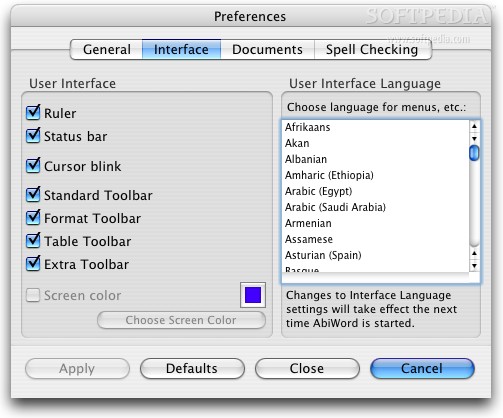
Here are some screenshots, click to enlarge: