14 DAY TRIAL //
 When music first became available to the home user, it only came in the form of records. The downside to them was that they were big and fragile, and could easily scratch or break by accident. The discs were followed by tapes, which, given their small size and compactness, rapidly became the most used form of portable music on the market. Then, along with the computer evolution and due to the fact that the machines could not play back tapes or records, the CDs powered through on the market and became an essential part of our life. Nowadays, digital music is the most used form of music in the world, but CDs continue to be a big part of the music market, still representing a multi-billion dollar industry.
I am pretty sure that any computer user owns at least a couple of audio CDs. Some people have huge collections of them that they value beyond everything – however, no matter if you have a few hundred or just a dozen CDs, you could probably use an application that would easily manage and organize your collection. CDpedia is an amazing utility with tons of features and options that will take care of your CDs for you.
The Looks
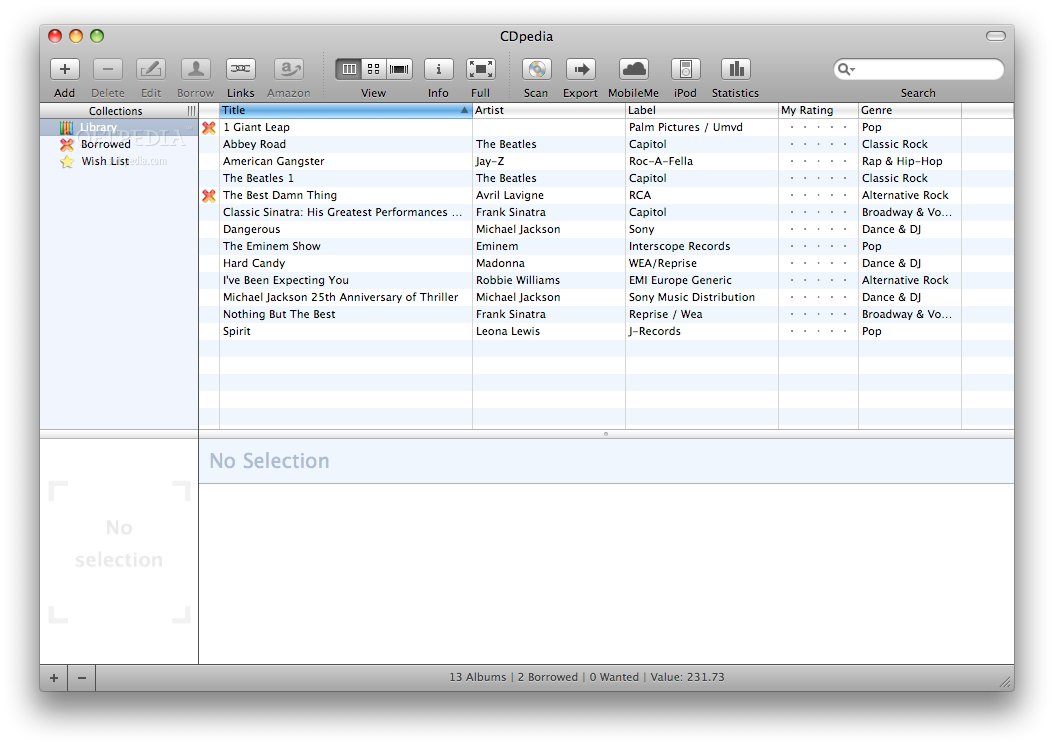
At a first glance, CDpedia looks a little bit crowded with all the buttons and mini-windows inside its main window. Nevertheless, if you look more closely, you will immediately realize that it’s not that complicated and that even a computer beginner can use it without any problems whatsoever. In order to see the full potential of this application, first things first, add your CDs to CDpedia.
The Works
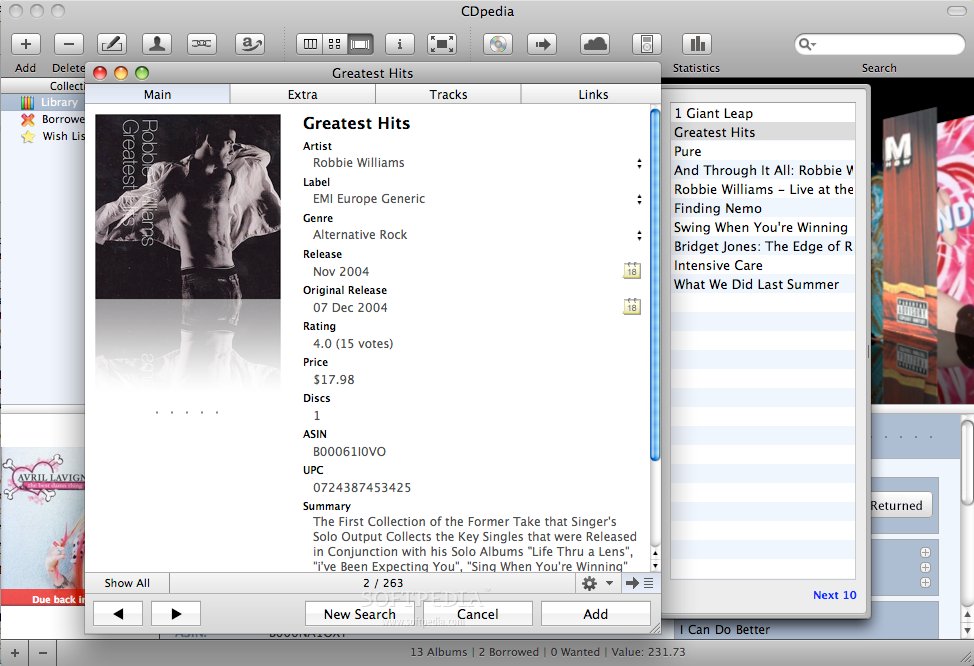
Adding a CD to the collection is easy, and you have two ways of doing so available. The first option consists of opening the CD-ROM and inserting the CD – the application will instantly handle things from there on. CDpedia will import from the Internet all details on that CD that it can find, such as artist, title, genre, album, year, number of tracks, price, label and more. The second way to add a CD consists of hitting the “+” button in the upper left side of the application. A new window will appear, and all you have to do is to insert a search term and hit enter. For a more specific search, you can set the websites it should look on, the sorting order of the results, and the search type (music, classical or wishlist). The search results will appear instantly, leaving you with nothing to do but to choose the right CD, meaning the one that you own, and to add it to your collection with all the details on it.
For the sake of comfort and simplicity, CDpedia offers three ways of displaying the CD collection. First off, you have the list view, where the CDs are presented as a simple list with all the information, then the thumbnail view, where the CD covers are displayed as thumbnails, and last but not least, a special view for those with higher standards as regards the design. Moreover, for an enhanced experience and an overall more focused look at the collection displayed, the main window of CDpedia can also be viewed full screen.
After you have created your database, the next step is to organize all the CDs in it. To do this, you will have to create so-called “smart collections.” Add as many criteria as you want, like alphabetical order, by genre, by year, by artist, and with the information that CDpedia has on that disk, it will automatically place it in the appropriate category. This option is available every time a CD is added. To keep track of your CDs, and so know at all times if you’ve lent some to anyone else and to whom, CDpedia provides a great feature – borrowed. Select a CD from the list, click on “Borrowed,” and a new window will appear where you have to enter information about the person who has it, the date when you lent it and which is the due date to have it returned to you. This way, you’ll always know where your CDs are, who has them and for how long they have them.
Other pretty amazing features that CDpedia provides are Apple remote compatibility, Bluetooth support, Address Book integration, Spotlight integration, database statistics and export collection. With this app, you can exchange CD collections or create backups just in case. You can export your CD collection to your iPod, or keep it synchronized using the MobileMe service. CDpedia is also able to export a collection to HTML, FTP or text. Stating the obvious, it presents you with many choices, and it does so for the sake of your comfort and so that you know at all times that your CDs are “safe.”
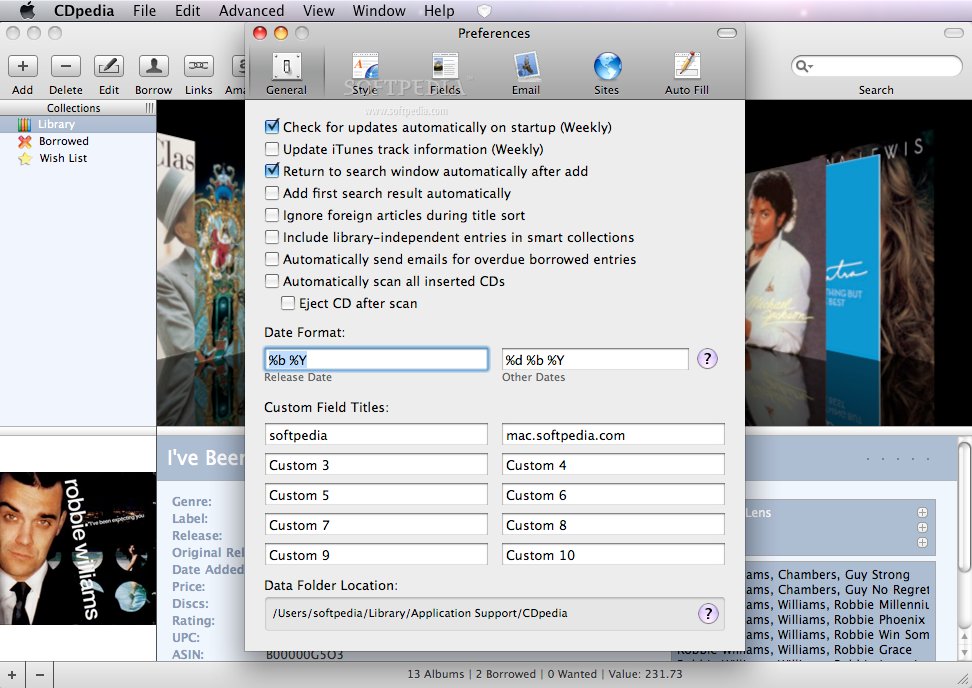
CDpedia allows you to customize a lot of its settings from the Preferences window. For instance, you can create a border outline for the cover, and change its background color, or select which items should be displayed in your status bar, such as CDs, borrowed, wanted, discs, duration, value and paid. From the Fields tab, you can specify the default return date for borrowed discs, and choose the fields to be displayed in the panel, like artist, composer, conductor, label, genre, release, rating, price and a lot more. The Email tab inside the Preferences menu lets you create an email message that will automatically be sent to the persons you have lent CDs to, informing them that they are still to return them to you.
The Good
The Bad
The Truth
Here are some snapshots of the application in action: