14 DAY TRIAL //
 I'm pretty sure that all of you thought, at least once in your life, that it would be great to buy or build an exact replica of the house of your dreams. It might have been difficult in the past, when you had to settle for whatever sketch the architect came up with. Now, you can be your own architect and create the perfect house plan that will exactly fit all your needs and preferences.
There are many interior design software applications available on the market. I'll present one of them to you now. Sweet Home 3D is the perfect tool to help you place furniture in your house. If you want to redecorate an apartment or rearrange the existing furniture in a room, Sweet Home 3D might prove to be the easiest way.
The application provides you with 75 furniture models that you can place in any room. They are organized into categories according to their placement in the house. You can create a custom plan that matches your house, respecting all room measurements and furniture details. And best of all, you can do all that for free! Sweet Home 3D is an open source project and offers many more pieces of furniture and entire house projects on the producer's website.
You can create your custom rooms, specify the room dimensions, the wall thickness and texture, and pretty much any other detail that you might think of. The best feature of Sweet Home 3D, in my opinion, is the fact that you can enjoy a 3D preview of the house at any time.
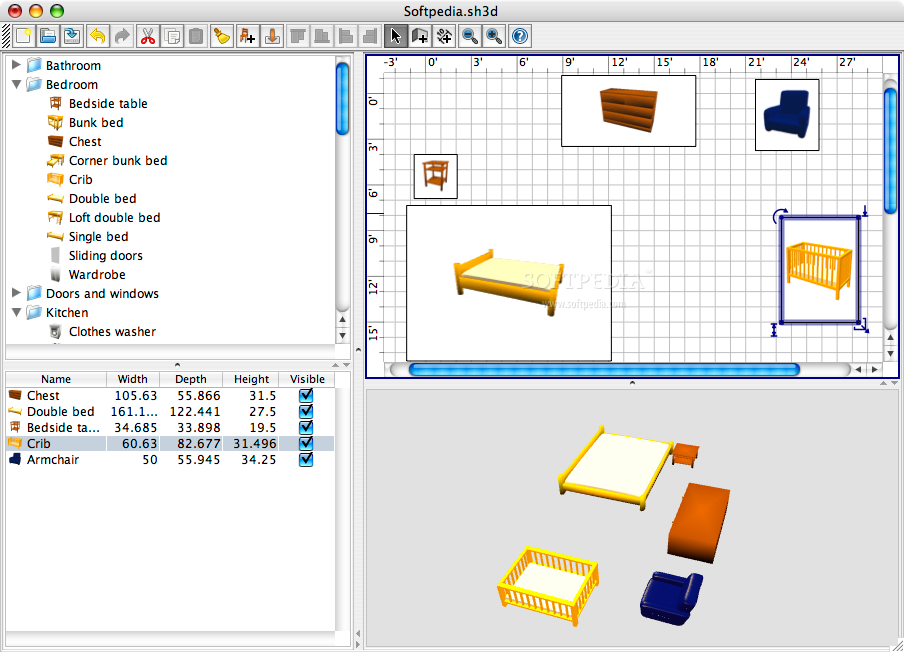
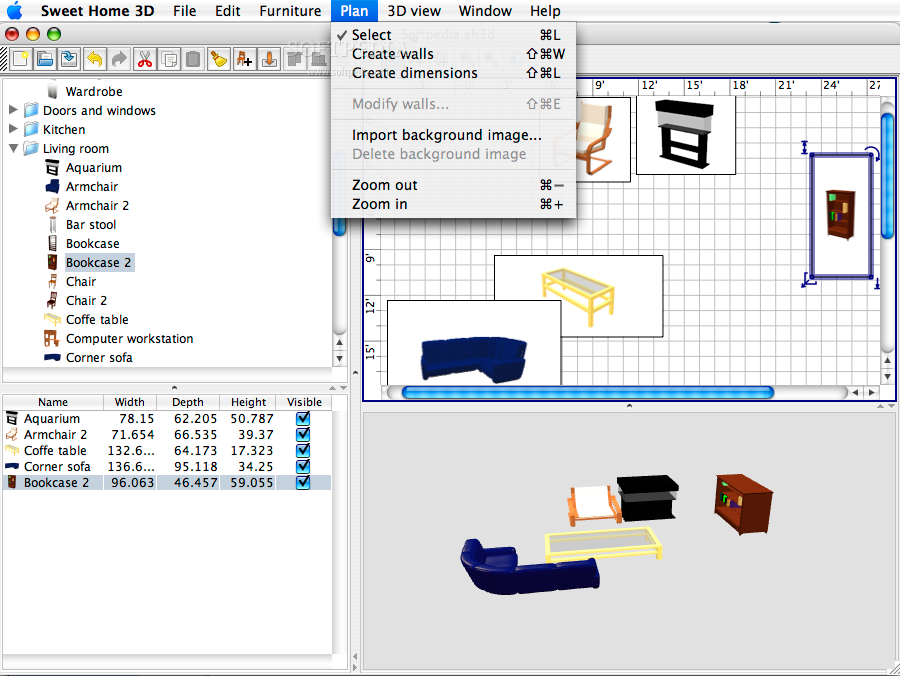
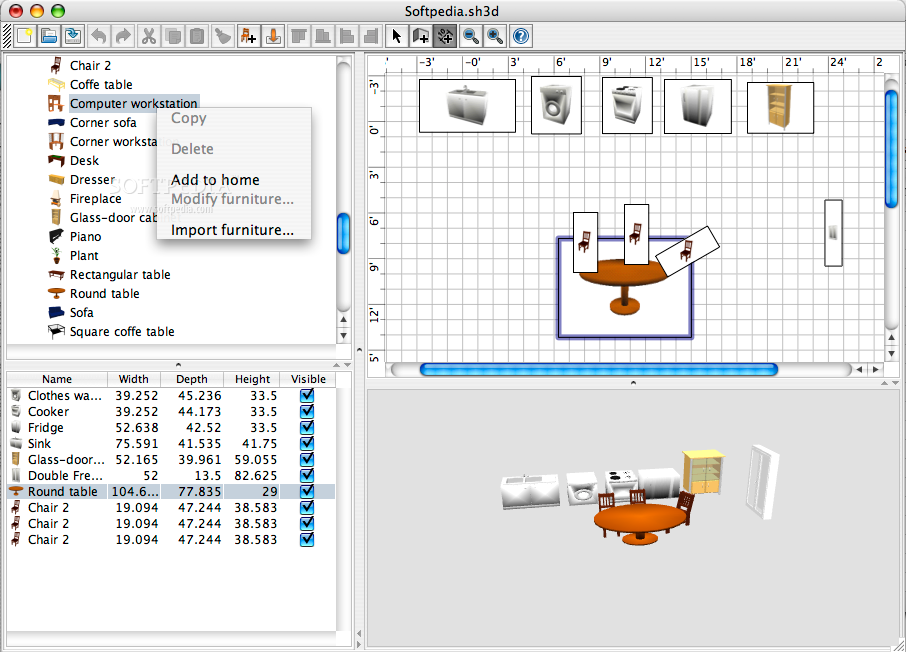
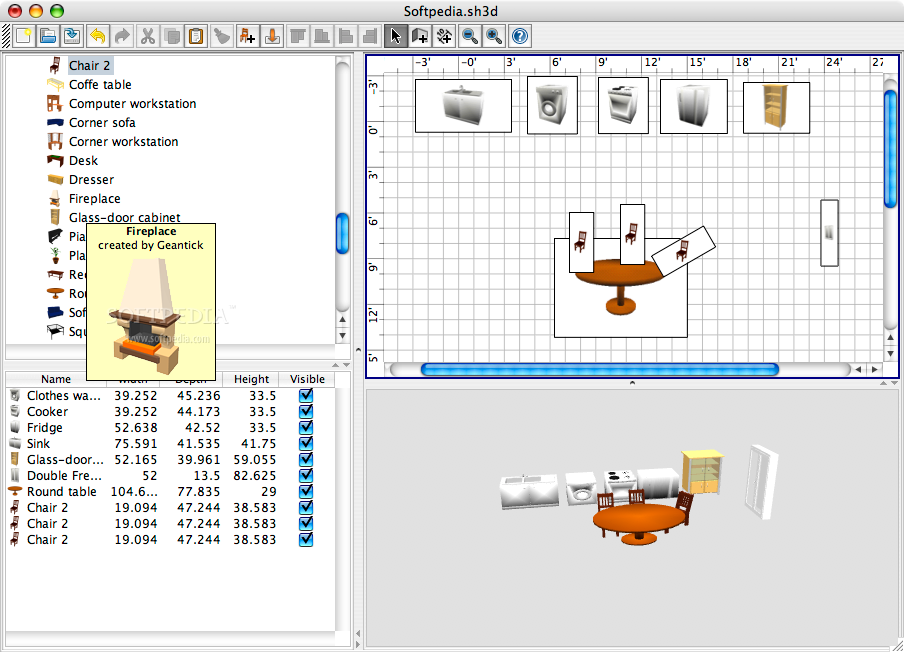
The main window of Sweet Home 3D is divided into 4 panels that help you get a clear and complete view of the house. The first panel shows a list of the available objects grouped into categories: Bathroom, Bedroom, Doors and windows, Kitchen and Living Room, making it easy for you to find the desired furniture object. This list also shows a thumbnail image of the selected piece and information about its designer.
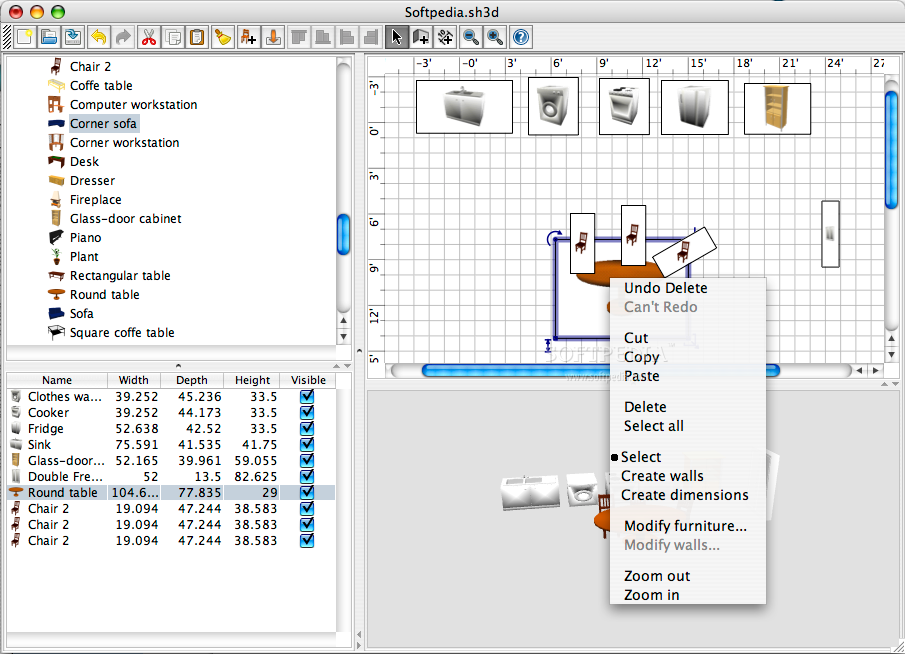
The gridded panel lets you set the position of the furniture in the room and also gives you access to the context menu from where you can choose to modify dimensions, create walls, delete objects, zoom in and out.
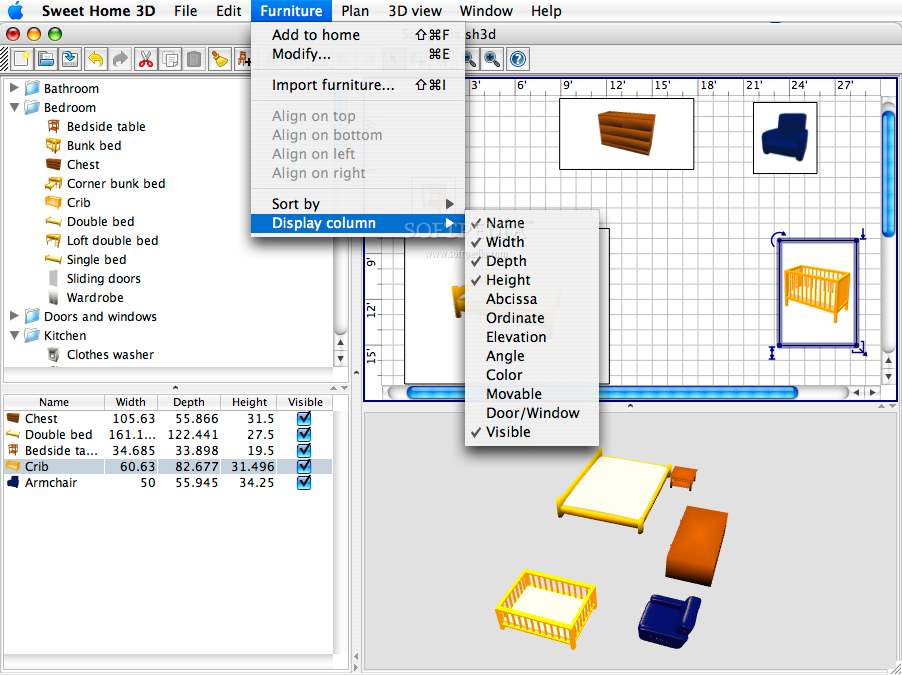
In the left-bottom panel of Sweet Home 3D's main window, you can see a detailed list of the objects that you added to your house. You can choose the furniture attributes that you want to see from the following list: Name, Width, Depth, Height, Abscissa, Ordinate, Elevation, Angle, Color, Movable, Door/Window and Visible. You can modify any of these attributes and configure the objects' dimensions and their position.
Last, but not least, the 3D preview panel gives you a clear idea of the way that your home will look after you redecorate. You can, of course, rotate the view to any angle, zoom in or out and capture all the aspects of the new design of your house.
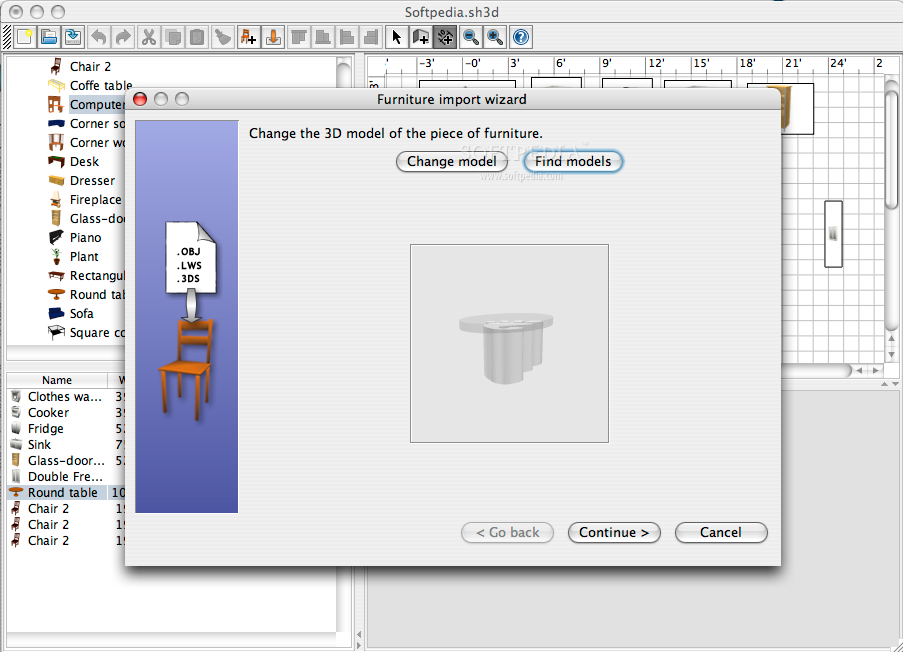
A very important feature included in the Sweet Home 3D is the possibility to import 3D objects from different formats: OBJ, LWS and 3DS. Due to the great number of contributors to the project, you will find more than 100 pieces of furniture on the product's web page alone.
You can create a distinct project for each room of the house, or a single one including the entire plan of the house. Either way, Sweet Home 3D provides you all the needed tools to design your dream home.
The program's interface is intuitive and very easy to use: it includes the main menu of the application, synthesizing its most important functions and also a toolbar with buttons for each relevant action. You can also interact with Sweet Home 3D through its context menu that is available from each panel of the application.
Sweet Home 3D can transform any decoration idea in your imagination into a real plan, a house sketch that you can view and adjust taking into consideration both the functional issues and the aesthetics aspects. What more can you ask from this type of software product? It allows you to customize, scale and reposition each piece of furniture, remove it from the room or just make it invisible.
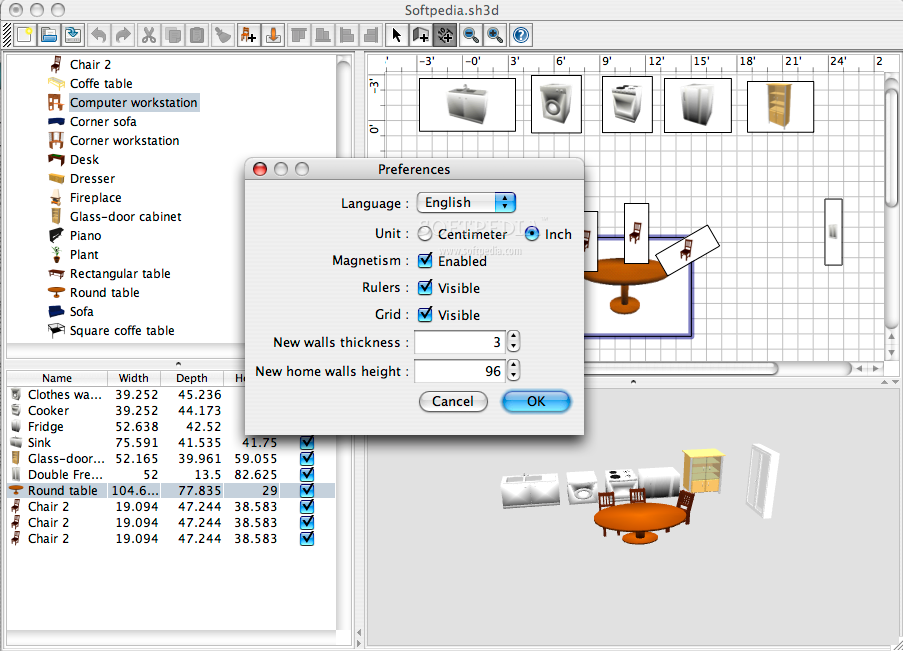
Sweet Home 3D helps you customize some options of the application in the Preferences window. You can change the program's language, the measurement unit, whether the Magnetism should be enabled or not and other elements. You can also set new values for the default wall thickness and height.
The Good
Sweet Home 3D is a very interesting and easy-to-use software application that can help each and every one of us improve our interior design skills. The application offers many 3D models that you can work with. Not to mention, the large number of furniture objects available for download on the contributors' web pages.
Sweet Home 3D is available in 5 languages: English, French, German, Italian and Portuguese and you are welcome to choose any of them.
The Bad
While perfect for the average users, Sweet Home 3D isn't the best choice for professionals, because of its simplicity and lack of advanced features. You can only customize a limited number of features of the furniture models and that will prove insufficient for an architect or an interior designer.
The Truth
Sweet Home 3D is an interior design program that enables you to create a plan of your house, move furniture around to figure out if the new decoration fits your needs and taste. It's so easy to use that even a novice computer user can work with it. The application is free and in continuous development. Don't miss out on the opportunity to redecorate your house without the need of actually moving the furniture around!
Here are some snapshots of the application in action: