14 DAY TRIAL //
 The FTP protocol has been around for ages, and much like http and web browsers, FTP clients have pretty much done it all. Any given feature can be found in most such applications and, while there are some that are not often seen, they are very few. When all is said and done, with FTP clients it is often a matter of finding the program that you agree most with, which is a very personal mix of everything from what it looks like to the exact keyboard shortcuts it has. Some programs take things easy and give you something simple for casual use, while others are laden with options and more options. And then there is the third kind of program, the one that ties to do them both, and hides heaps of features behind a deceptively easy to use core client. This is a rather difficult task for any developer, which few even attempt, let alone pulling off. Yummy FTP is one of the few.
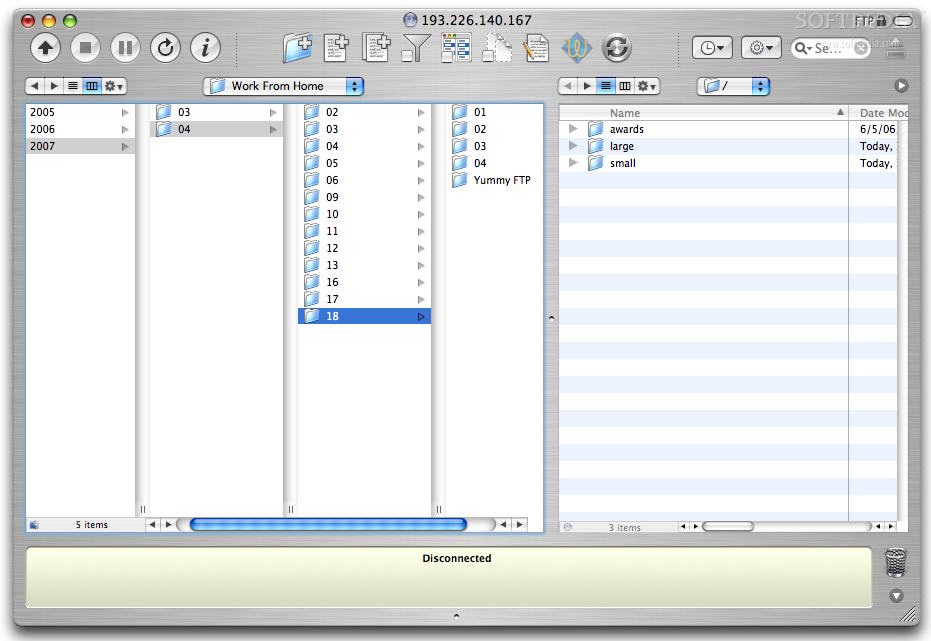
What it does Yummy FTP is a very flexible beast of a FTP browser that manages to maintain a very easy core, for those with simple needs. All of the advanced features manage to be out of sight and one click away at the same time, and cover a wide range of needs. The main window can work both its single and split-view modes and needs nothing more complex than drag and drop.
Working with it At the basic level, Yummy FTP is pretty much all about dragging from your files on the left to their files on the right. Not much to say really so I won't go into details here. In terms of the advanced options, there's quite a lot to go into, however, what needs to be said is that all of these advanced features are incredibly easy to use and well documented. Even if you have never really used anything like it before, you should have no trouble getting it to happen.
In terms of connecting and reconnecting to servers, bookmarks have been around for ages, and even having bookmarks that can be opened directly from the Finder is no big deal. However, Yummy FTP takes things one step further, by combining the functionality of a bookmark with that of an alias. You can set up FTP aliases which are files which you can have anywhere on your hard drive and that you can drop items on to have them uploaded. The best part about this is that such aliases will automatically inherit any connection properties that were in use at the time of their creation. Besides these aliases, you can also create something called a FTP Watcher, which is a file that sits in any folder on your Mac and watches for new or changed files and then uploads them. This can be even configured to also archive as it goes, so you also have an incremental backup.
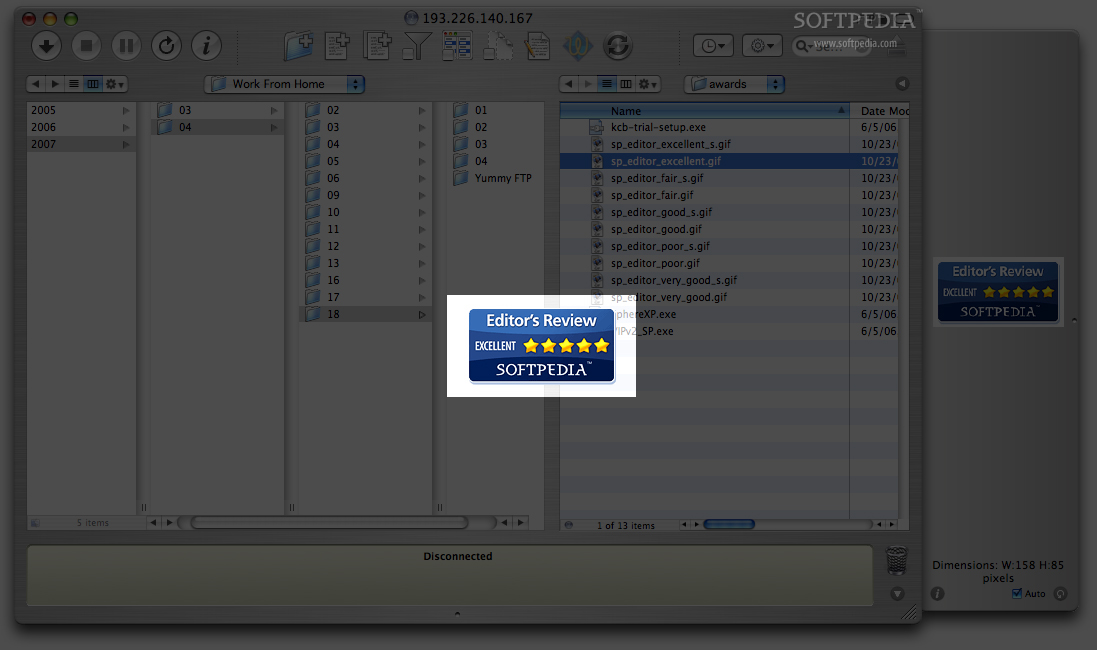
When looking at files, you have a choice between the traditional list view and the columns view that works exactly like in the Finder. Furthermore, while the preview, which will show documents, movies and even play music, is cramped inside a small side drawer, it also has a delicious full screen mode. Just click on the tiny preview and you will be taken to full screen mode and another click will take you back. You can even view things like permissions from the preview drawer, while another option lets you change them on the fly.
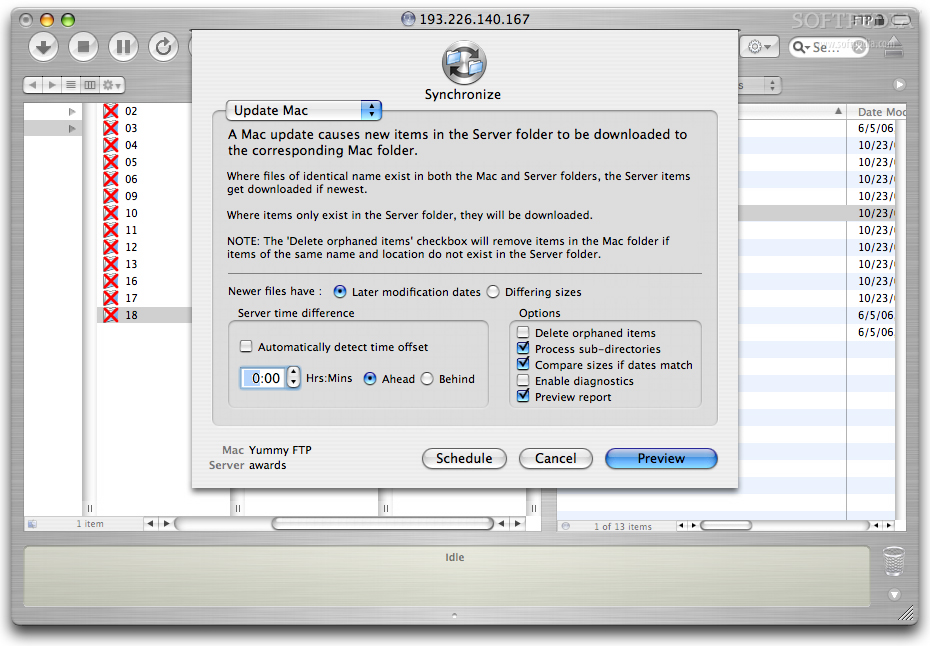
Synchronizing either local or remote folders is quite straight forward and can be done either on the spot or scheduled in case you need to have a constant sync. Those who have not used this before will appreciate the Preview option that will prepare all the files, and show you what everything will look like, without actually going out and deleting or overwriting anything.
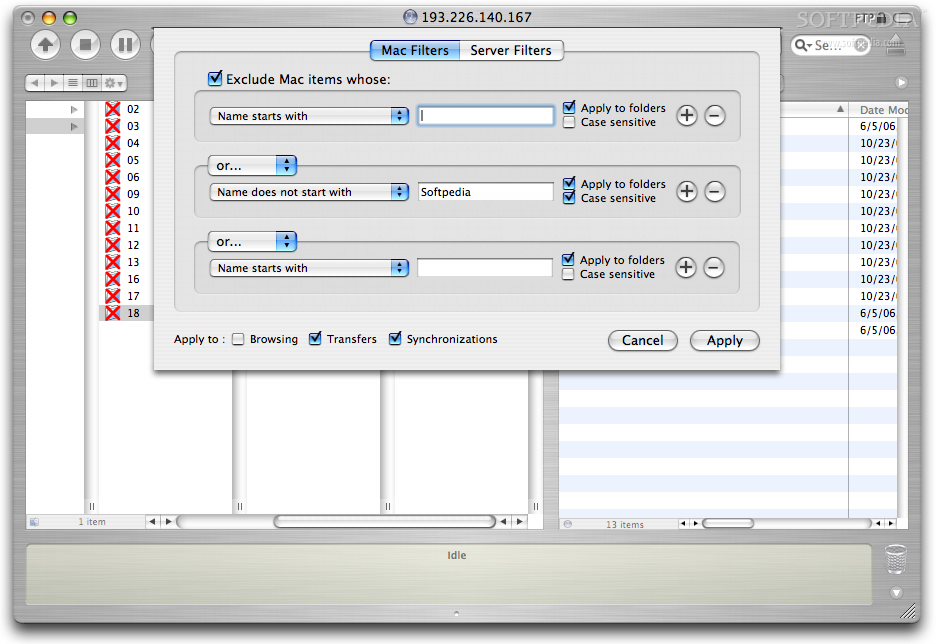
While searches are standard in just about any application these days, Yummy FTP has something a little different called filters. Using filters you can create a list of conditions that must be met in order for files and folders to qualify. Files that qualify can be either included or omitted from transfer to either local or remote transfer. These filters can be applied to everything from browsing, uploading, downloading, synchronizations, aliases and watchers. When the filter is not in effect for browsing, filtered items will be highlighted in red for easy identification and previewing of the filter before it sees action.
The Good
It is great for both casual and everyday FTP users, offering a great mix of simplicity and powerful features.
The Bad
The preview panel is a bit poorly designed with lots of wasted space most of the time and poor reactions to the keyboard shortcuts.
The Truth
As a whole, Yummy FTP is very solid, for all kinds of users. It may not have every feature out there, but it has most of them, and at the same time it is as simple as it gets if you just don't need anything else.
Here are some screenshots, click to enlarge: