Softpedia
 

NEWS CATEGORIES:


NEWS ARCHIVE >>
SOFTPEDIA REVIEWS >>
MEET THE EDITORS >>
Home > News > Reviews > Windows software reviews

August 30th, 2010, 13:31 GMT · By

10GB of Free Online Storage

SHARE:

Adjust text size:


4shared Desktop by New IT Solutions Ltd. See editor's ratings     Request a review
Version reviewed: 4shared Desktop 3.2.3

4shared Desktop lets you manage data in your 4shared online account. It comes with a friendly interface and it is designed to increase productivity of your work and greatly lighten performance of tasks. This easy to use software is designed specifically to help manage multiple file uploads.


Download 4shared Desktop
Features:

Synchronize local folder with remote one
Monitor and manage upload/download activities
Support for "drag and drop"
Comprehensive activity log

Login screen in 4shared Desktop
Enlarge picture
Via 4SharedDesktop you can easily manage the files in your 4shared online account. The application gives you almost instant access to the data you have stored on the 4shared high-speed servers. It allows you to organize your stored items in folders, move them around, download them to your computer or upload new ones to your account.

Creating a free 4shared online storage account lets you backup no less than 10GB of data to their servers and grants you access to it whenever you want. The service keeps up with today’s needs, so sharing data with others is present on its feature list. And so is synchronization of the items across multiple computers with the online account.

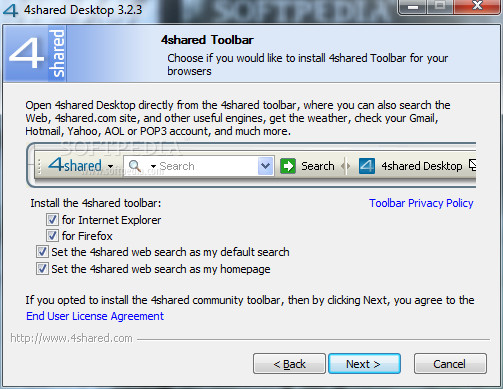
Installing 4sharedDesktop is a cinch, but some attention is required if you do not want 4shared toolbar to be installed automatically in Internet Explorer or Mozilla Firefox and have the homepage changed, as well as your default search engine. If you get over this bump, there is nothing to worry about until the end of the installation process.


If you’re not the proud owner of a 4shared account, there is no problem; you can create one via the login screen of the application. All you need for a free account is a valid email address and to type in a password of your choice.

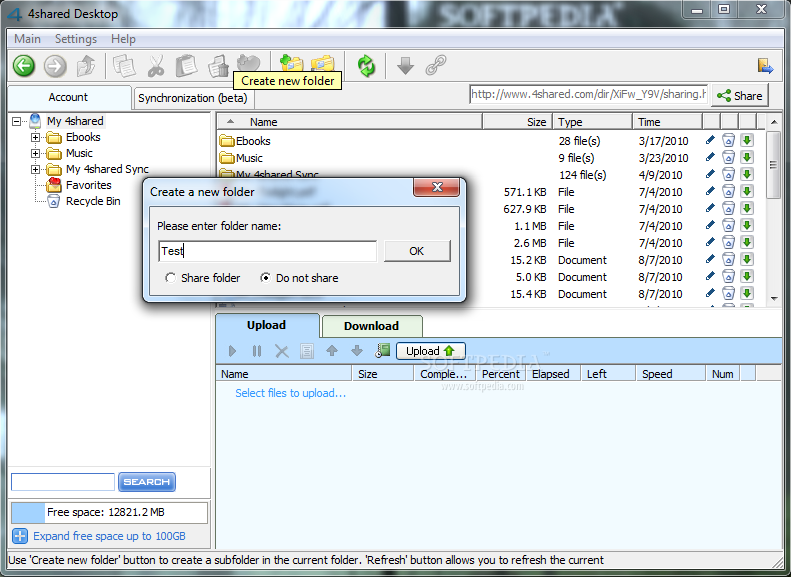
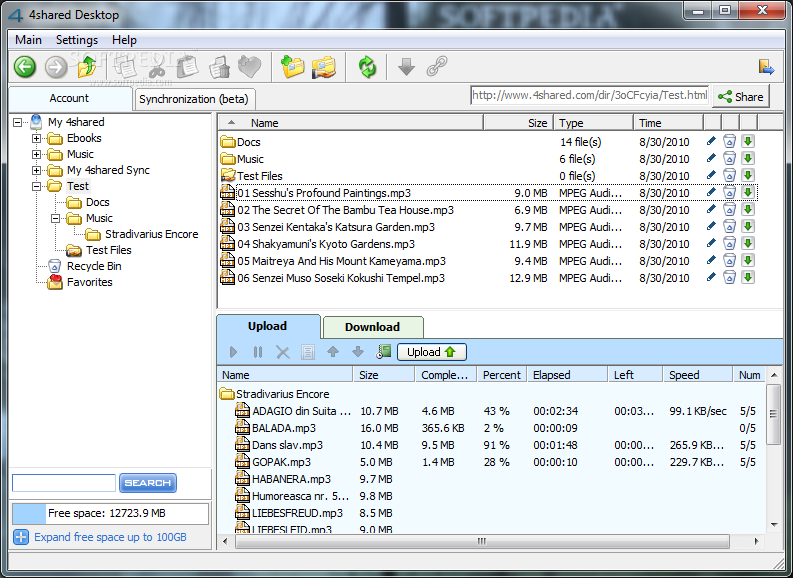
Managing your online data is done through an interface with a striking resemblance to Windows Explorer. It's no coincidence as this pattern ensures that working with it is nothing but an easy job. The folder tree in the left hand part of the application window lets you navigate the directory easily, and upon selecting an item its contents are displayed in the right hand part of the screen.

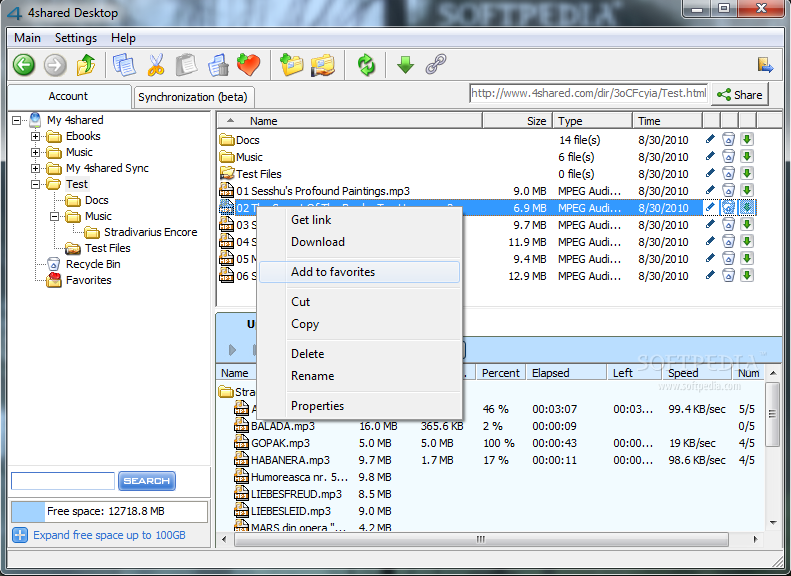
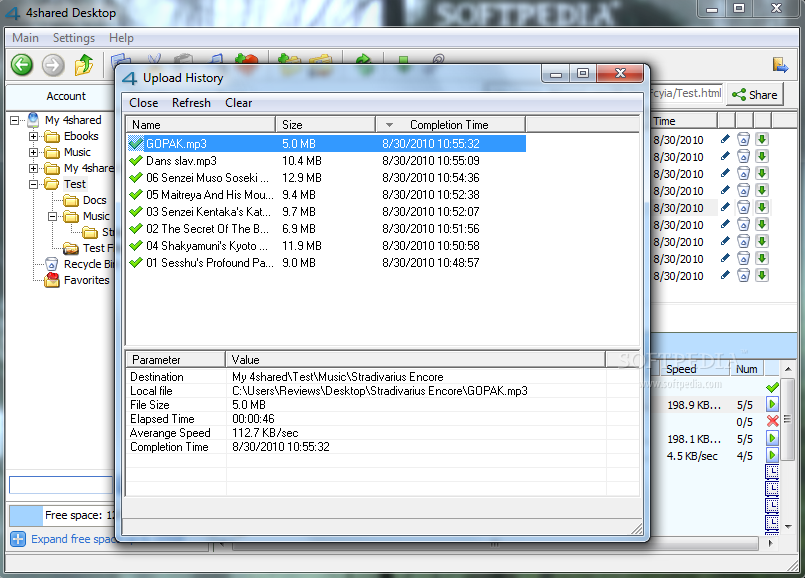
A third window in the interface is reserved for viewing upload or download activities. It comes with information on the job like size of the file, completion progress, time elapsed since job start and upload/download speed. Management of the tasks is ensured by the context menu options which let you start the process, pause it or move it the job up and down in the list.

Filling up the 10GB of online storage can be done by manually by browsing to the file’s location on the computer, or you can choose the easy drag and drop way. This works for files and folders alike. Folders and sub-folders are created automatically.

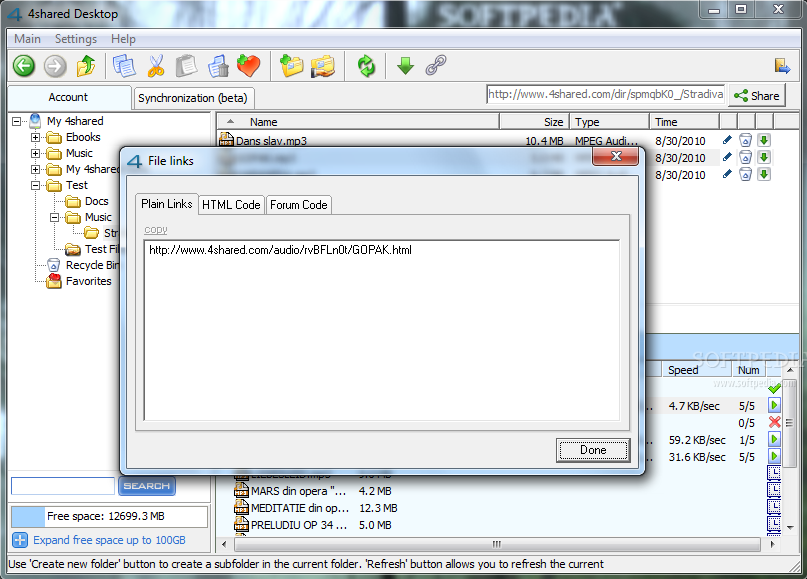
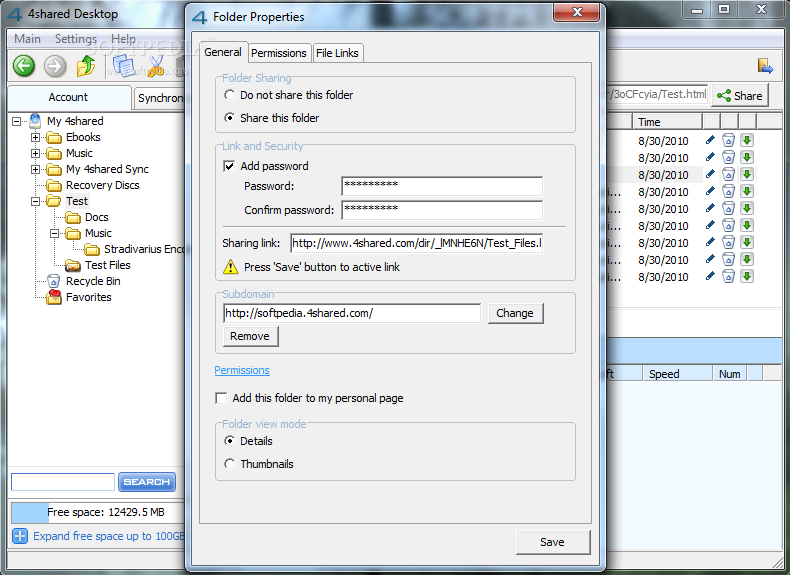
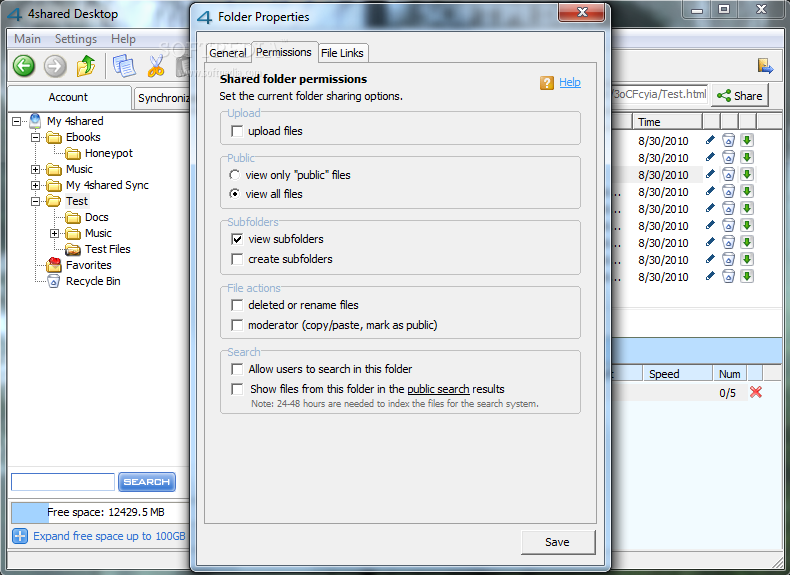
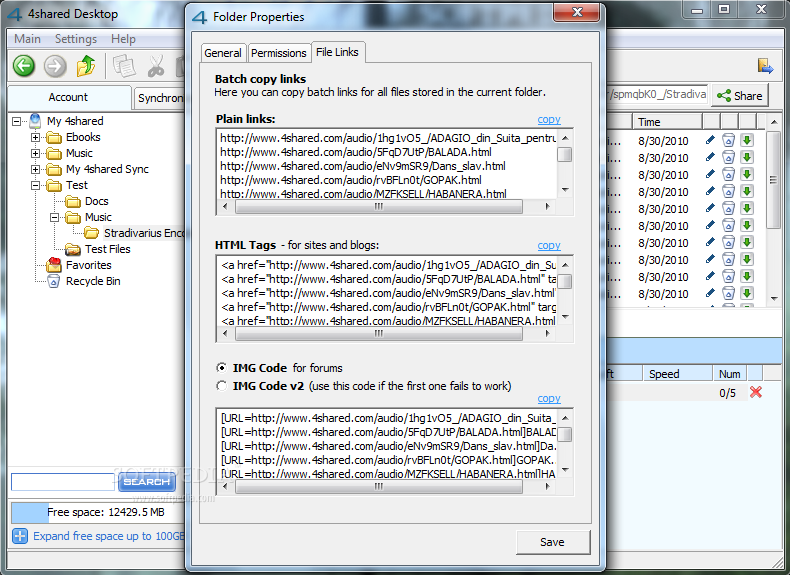
Sharing your files with other is easy-peasy and you can restrict access to them by enforcing password protection. Moreover, you can set permissions for shared items and enable file upload to the shared location, different actions (delete, rename, copy/paste) as well as enable them to pop up in the 4shared public search results (this requires up to 48 hours to happen).

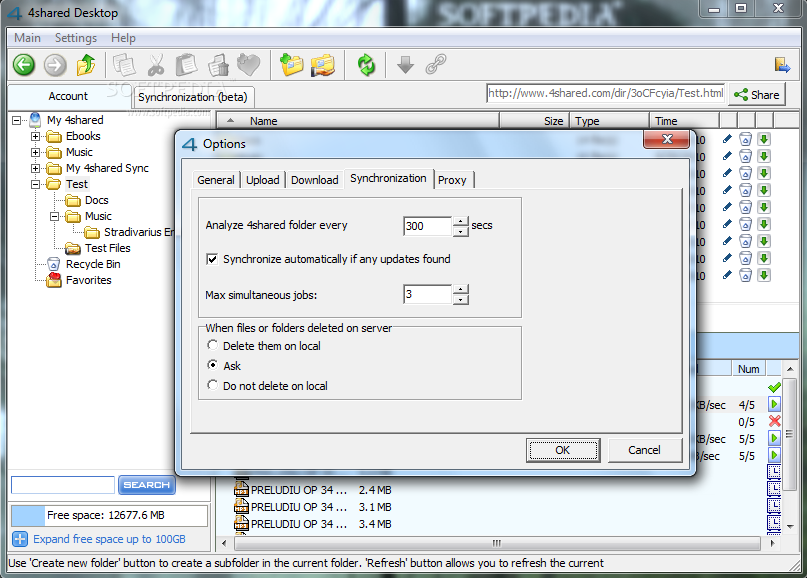
Synchronization of the items online across all the computers equipped with 4shared Desktop is done automatically as soon as the application launches. The duration of the operation depends entirely on the amount of data that needs to be uploaded/downloaded.

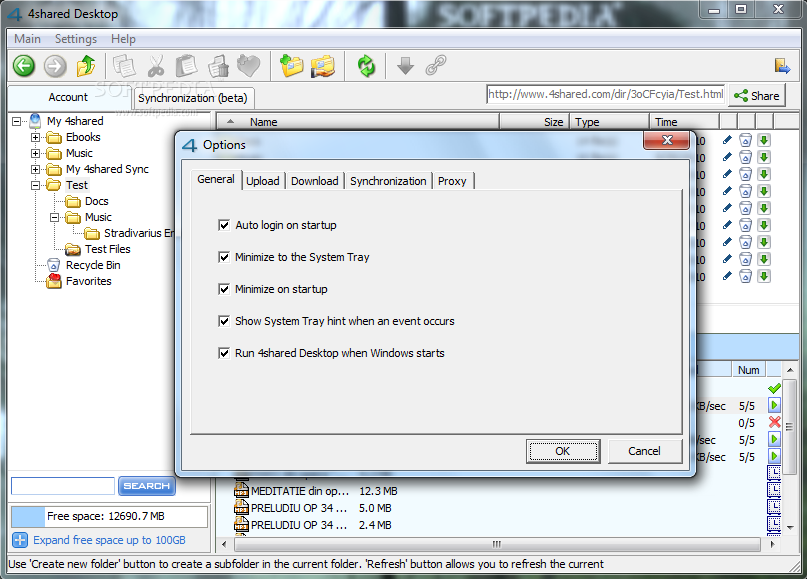
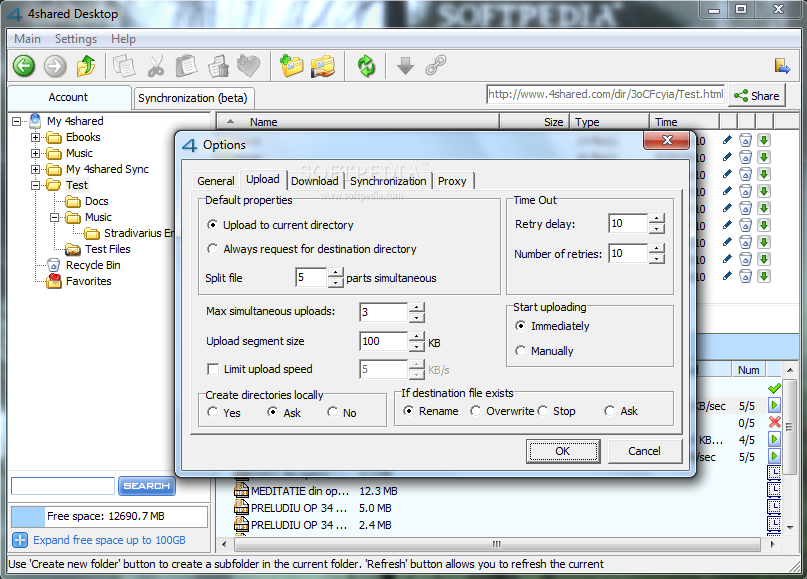
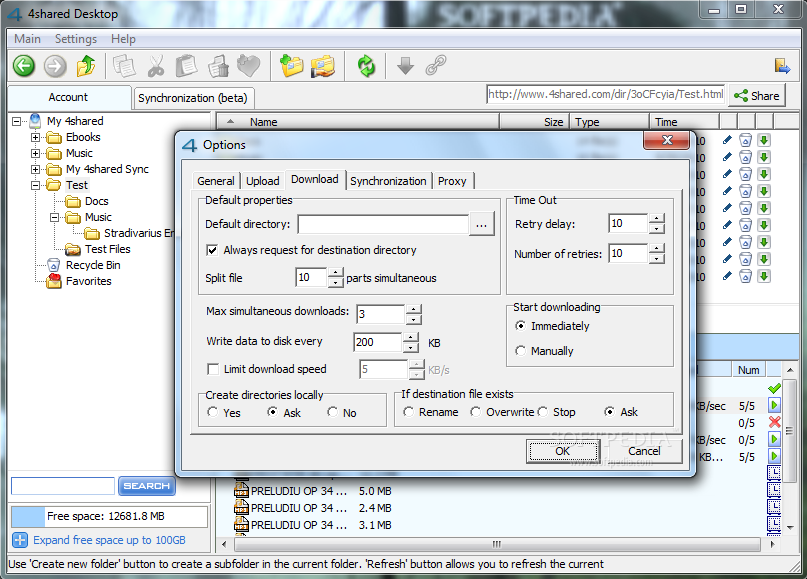
Sync job can be configured in terms of maximum simultaneous jobs that can be executed, the frequency for checking the online account as well as the action to be taken when files or folders are deleted on the server. Settings for regular upload and download are also available in the Options panel of the app. These refer to speed limitations, time outs, file splitting or default download path.

The service, and the desktop application implicitly, has some limitations as to the size of the items you want to upload and it is currently set to 200MB. Any file larger than this is automatically rejected by the application. On the bright side, there is absolutely no restriction with regards to the amount of data that can be transferred.

Also, there are some penalties for inactivity. 30 days of not logging in is sufficient to get your data and your account erased from the server, according to the service’s FAQ page. This period of time is not exactly ideal especially if you are planning a longer vacation. Extending the period to a couple of months would benefit less active users as well.

4shared Desktop is an easy way to manage the data stored online, and it is pretty flexible, but it does not sport all the features available in the web interface. You do not have access to your account’s settings or to your public profile panel. Its purpose is strictly that of giving you a hand with uploading and downloading data as well as sharing it.

The Good

4shared Desktop stands for a comfortable way to manage the data in your online account. You can view download/upload details, move the items from one folder to another as well as make them available for others to download. You can configure upload/download details such as speed or number of simultaneous jobs.

The application also provides folder synchronization options. Shared folders can be protected with a password and you can set permissions for a set of actions (upload, delete or rename data). Full history of upload, download and synchronization tasks is provided.

The Bad

Synchronization is available both in the account folder tree as well as a separate tab in the application. You do not have full control over the online account through 4shared Desktop.

The Truth

4shared Desktop is straightforward, easy to use and handy tool to help you manage data stored online. It does not give you access to all the features of your free 4shared account but for the purpose of managing online data it works great.


Review image Review image Review image Review image

Review image Review image Review image Review image

Review image Review image Review image Review image Review image


This article is also available in SpanishGuarda y comparte 10GB de datos en la web


EDITOR'S RATINGS:

User Interface: (5/5)
Features: (4/5)
Ease of use: (5/5)
Pricing/Value: (5/5)
Overall: (5/5)
  Final verdict: Excellent

TELL US WHAT YOU THINK:

53,163 hits · 10 comments · Link to this article · Print article · Send to friend · Subscribe to news

MUST-READ RELATED ARTICLES:


Remove Tracks of Computer Usage

Lock and Hide Sensitive Information

BitDefender Total Security 2011

Change Windows 7 Logon Screen

Split, Join and Compare Files

READER COMMENTS:


Comment #1 by: Ed on 02 Dec 2010, 11:15 UTC reply to this comment

It would have been of more use if the reviewer had actually said what versions of Windows this program is capable of running on. Can I run it at home on Windows 98? Or on Windows CE?

Please stop assuming that everyone is running Windows 7. The chances of me wasting my money on Windows 7 are nil.

Comment #1.1 by: Ionut Ilascu on 02 Dec 2010, 11:47 GMT

This information is actually available on the download page of the product, which is included in the first paragraph of the article.

As the major Windows operating systems today are XP, Vista and 7, these are the environments we do our testing in. Had 4shared Desktop failed to run on one of them we would have mentioned it in the article.


Comment #2 by: Apple Mania on 22 Jan 2011, 14:12 UTC reply to this comment

who actually uses windows 98 or CE these days...most i think uses XP and Vista at home. I think that new computers or laptops that come out is with Windows 7 and Windows 7 is rly good, so don't say you are wasting money on a great product..:D just saying...


Comment #3 by: Leon on 18 Feb 2011, 18:01 UTC reply to this comment

With a premium membership, what upload/download speeds can realistically be expected with a good broadband connection on my end, and what file formats are allowed to be uploaded?


Comment #4 by: stevemcnamar on 24 May 2011, 15:08 UTC reply to this comment

Actually, it is one of the my favourite services in the web. Second one after google:) once my pc has been crashed and i have been lost all of my photos. 2 weeks before, i had upload all my files to 4shared , and even photos so this pc crash wasn't not so terrifying for me. thanks to 4shared.


Comment #5 by: johnwalltek on 27 May 2011, 21:16 UTC reply to this comment

4shared really deserves such an assessment. I am very glad that i have a bought a premium. simple design+well readable = good usability. Thank you 4shared:)


Comment #6 by: Emrechobin on 31 May 2011, 23:09 UTC reply to this comment

EDITOR'S RATINGS:

User Interface: (5/5)
Features: (4/5)
Ease of use: (5/5)
Pricing/Value: (5/5)

I am absolutely agree with a softpedia. Best tool for file sharing ever!: )


Comment #7 by: barneydurant on 01 Jun 2011, 22:28 UTC reply to this comment

4shared Desktop has a intuitive interface that will be understandable for the most computer users. It's fast, helpful and nice looking :). Lets users to operate their 4shared account even easier. No need to use Internet browser for this purpose.


Comment #8 by: cpusrvc on 04 Jun 2011, 02:20 UTC reply to this comment

As of 6/3/2011, accounts must be logged into every 180 days to avoid being deleted, according to FAQ.


Comment #9 by: Gerhard on 02 Jul 2011, 22:31 UTC reply to this comment

The clumsy, Windows-style file manager is the downfall of 4shared. Trying to navigate through it e.g. to a file on an external disk takes longer than copying the required document with ink on parchment...
Its competitor, Dropbox, doesn't need a separate file manager - the Dropbox just pops up where a remote disk would (in Mac OS and kubuntu at least), and is fully integrated into the Mac Finder - drag & drop, folder structure, searching. Although you only get 2GB for free, it's an excellent tool for sharing documents between computers or between individuals, with the convenience you are used to from your computer.
I suppose if you use Windows with its arcane interface on a daily basis, 4shared just fits in, but Mac users won't want to touch that 4shared file manager!

Copyright © 2001-2012 Softpedia. Contact/Tip us at

WindowsGamesDriversMacLinuxScriptsMobileHandheldNews

SUBMIT PROGRAM   |   ADVERTISE   |   GET HELP   |   SEND US FEEDBACK   |   RSS FEEDS   |   UPDATE YOUR SOFTWARE   |   ROMANIAN FORUM