14 DAY TRIAL //
 Computers are a very useful tool in our life. Everything is automated nowadays. Due to them we are now working faster, better and innovations are streaming. There is an application for every field of activity. Of course, some softwares are better, some are just an obstacle. OK, so the software is actually doing all the hard work, some of you would say. But what about the hardware that keeps the software ?alive?? Have you thought about that?
It is actually the hardware components that make our work easier. If you do not believe me, try working on the latest PhotoShop edition on a 950MHz CPU and you will understand perfectly what I am talking about.
I am sure that most of you are paying attention to the hardware on your computer only when you buy it. That's all right, as long as you are up to date with the latest technology and you choose compatible components.
The software I am going to present in the next lines is an application that displays in-depth information about the goings on and goings on of your machine. CPU-Z is a free of charge program produced by CPUID that will provide you comprehensive info about important components on your computer.
Although the software is called CPU-Z misleading us into thinking that it is strictly processor monitoring tool, the interface is equipped with five tabs, out of which only the first two are CPU related. The rest of them display characteristics of the mainboard and memory.
So, the interface of the software is not too hype and the aesthetics is not one of its strengths. But that's OK, because otherwise you may have missed the data provided. The first tab is called CPU and it will show you information on the processor of your computer. But first of all, here's a list with the supported processors: Intel's latest i486, Pentium, Pentium MMX, Pentium Pro, Pentium II, Celeron (P2/P3/P4/PM), Pentium!!!, Pentium !!!-M, Pentium 4, Pentium 4-M, Pentium M, Xeon (P2/P3/P4), Pentium D, Pentium XE, Core Solo, Core Duo, Core 2 Duo, Core 2 Quad, Core 2 Extreme;
For AMD there are the Am5x86, K5, K6, K6-2, K6-III, K6-2+, K6-III+, Athlon (4, XP, MP), Duron, Sempron (K7/K8), Athlon 64, Athlon 64 X2, Turion, Opteron, Athlon FX.
Transmeta's Cruso? TM3200, TM5400, TM5500, TM5600, TM5800 are also supported by the application, as well as VIA's C3 (Samuel, Samuel2, Ezra, Ezra-T, Nehemiah), C7 and C7-M. If you want to test it on older CPU's, you can try it on Cyrix's M1, M2 (although I do not what would be the purpose).
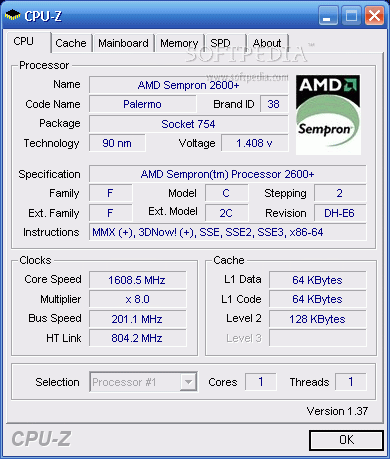
The CPU tab will give you the name of the CPU, brand ID, code name, package, technology, core speed, multiplier, bus speed, HT link and cache (L1 data, L1 code).
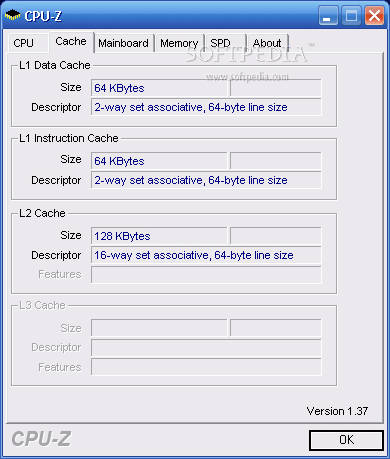
The Cache tab displays the L1 data cache (with size and descriptor), L1 Instruction Cache and L2 Cache.
The supported chipsets are from Intel, VIA, nVidia, ATi, AMD and SiS. The Intel chipsets are i430TX, i440LX, i440FX, i440BX/ZX, i810/E, i815/E/EP/EM, i840, i845, i845E, i845G, i850/E, i845PE/GE, E7205 (Granite Bay), E7500, E7520, i852, i855, i865P/PE/G, i875P, i915P/G, i915PM/GM, i925X/XE, i945P/PL/G/GZ, i945PM/GM/GT, i955X/XE, P965, Q965, G965, i975X. For VIA there are the Apollo VP3, Apollo Pro, Apollo Pro +, Apollo Pro 266, KX133, KT133(&A), KT266(&A), KT400(&A), KT600, P4X266(&A), PT880, PT880 Pro, K8T800, K8T890, K8T900 devices.
nVidia is present with nForce, nForce2, nForce3, nForce4, nForce4 SLI Intel Edition, GeForce 6100/6150 (nForce 410/430), nForce 590. ATi's representatives are RS350, RS400, RS480/RX480, RS482, RD580/RX580, RS600/RD600, RS690, RS700.
AMD and SiS have fewer chipsets supported by the software thus, from the former only the AM-751, AM-761, AM-762 (760MP) while the latter is a bit heftier and the software will provide you support for 645, 645DX, 648, 648FX, 649, 655FX, 655TX, 656, 735, 756, 761GX, 760, 760GX, 755, 755FX, 741, 741GX.
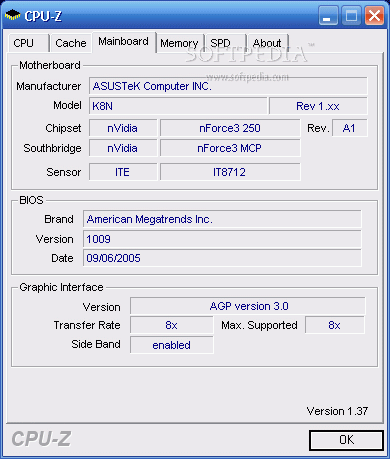
The mainboard info will give you the details about the following: manufacturer, model, chipset, sensor, southbridge, BIOS (brand, version and date), graphic interface (version, transfer rate and side band ? if it is enabled or not).
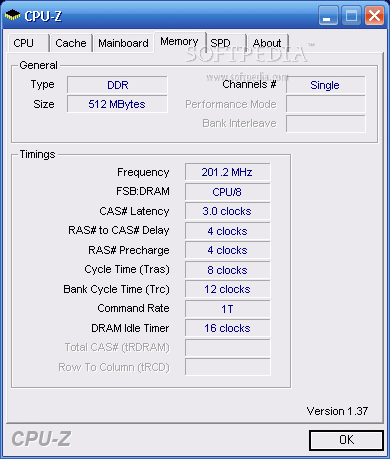
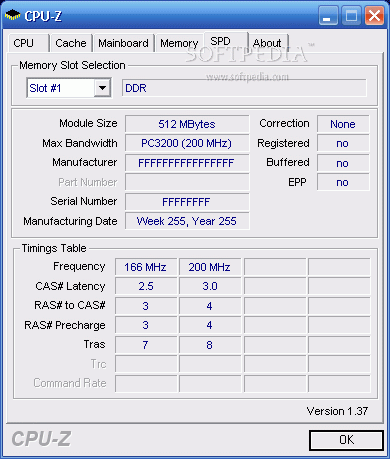
In Memory section, the user will find details about the type, size and channels. The timings give you the frequency, FSB, latency, delay, DRAM idle timer, cycle time, bank cycle time and command rate. SPD (serial presence detect) gives you the module size, maximum bandwidth, manufacturer.
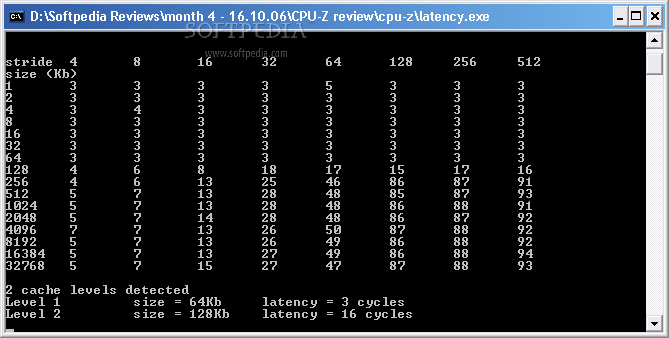
Besides the CPU-Z executable file, you will also get an executable called Latency. Launch the application in order to see the cache latency computation.
The Good
The software supports the major devices on the market, takes very little space on your hard disk and is very easy to use (suffice to click on the tabs to get all the information).
The Bad
No baddies in the software. It worked fine and did not cause any problems.
The Truth
I liked the software and the fact that it is free is more appealing. I think that more users should have it on their computers.
Here are some snapshots of the application in action: