NEWS CATEGORIES:


NEWS ARCHIVE >>
SOFTPEDIA REVIEWS >>
MEET THE EDITORS >>
Home / News / Reviews / Windows software reviews

Windows software reviews


Get a Doctor for Your Computer!

Dr. WEB CureIt! is here

By Codrut Nistor, Editor, Software Reviews

4th of October 2006, 14:52 GMT

Adjust text size:


Dr.WEB CureIt! by Doctor Web Ltd See editor's ratings
Version reviewed: Dr.WEB CureIt! 4.33

This is a FREE anti-virus and anti-spyware scanner based on the Dr.WEB engine which will help you quickly scan and cure, if necessary, a computer operated by MS Windows 95OSR2/98/98SE/Me/NT4/2000/XP/2003/2003R2 without installation of the Dr.WEB Anti-virus.

Features:

Multilanguage support
Heuristic analysis
Daily updates
No installation required


Download Dr.WEB CureIt!
Request a review

If I forget about computer viruses for a day or two, then I get to feel sick or see people who have a flu or another virus and I remember about the virtual threats at once. The same happened to me today, so I decided it's the time for another antiviral tool review.

My choice is called Dr. WEB CureIt! and its latest version is 4.33.2, coming as a free virus and malware scanner. The interesting part is that you don't have anything to install, because there's no setup package for this program. All you have to do is download the executable file, run it and the game is on!

To gain access to the main window of the program, you have to press the Start button from the splash screen and then choose to perform an express scan of your system. Once these are done, you're in! Oh, I forgot something - before entering the main interface you have to face another splash screen that advertises for a commercial Dr. WEB product, but you can click the Close button and you won't see it until the next time you start the program. Now, let's get back to the main window and see what can be done there, but first we have to take a look at the interface!

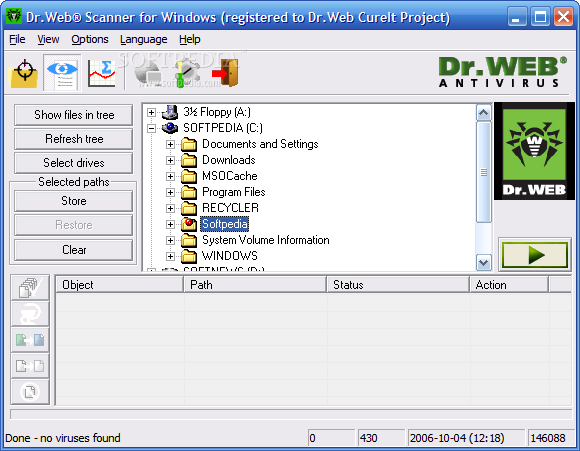
This program makes me think about what I was doing almost ten years ago and the hardware and software I was using at that time, and the reason for this is, of course, the interface. Although it doesn't look really bad, being well organized and easy to use, Dr. WEB CureIt! didn't impress me at all. The six buttons from the toolbar look good, but I can't help thinking about only one word worthy of describing the program's interface, that word being "outdated".
Anyway, let's move on and see what can be detected by this scanner and the options available, shall we?

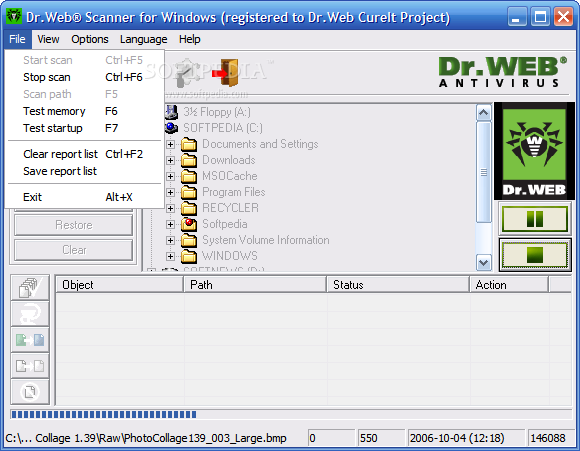
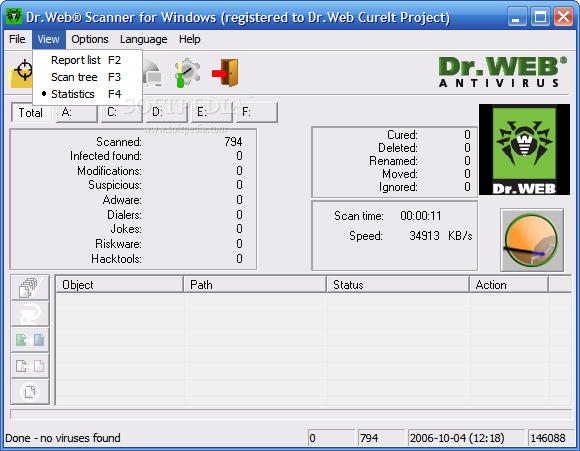
There's not much to see, because there are only three interface areas to find inside the main window - the report list, statistics and the scan tree. The report list is empty unless cleaning operations are performed, the scan tree offers you a quick way to select the folders or drives to scan and start the scan operation. At last, the statistics screen gives you all the information you may need about scanned items and problems found by the program so far.

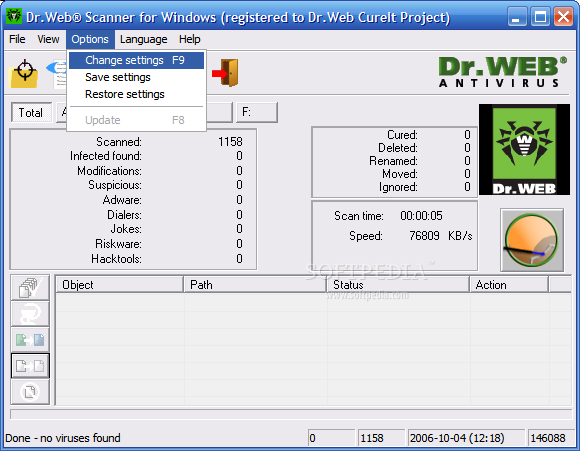
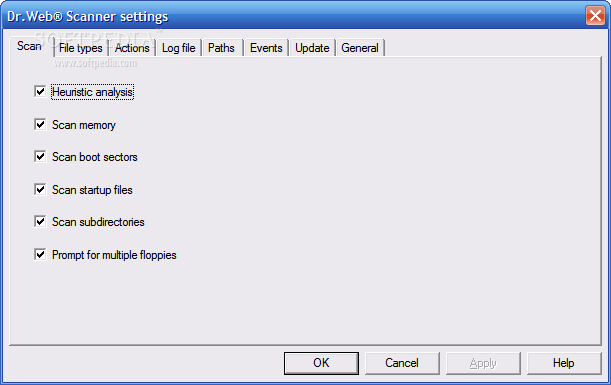
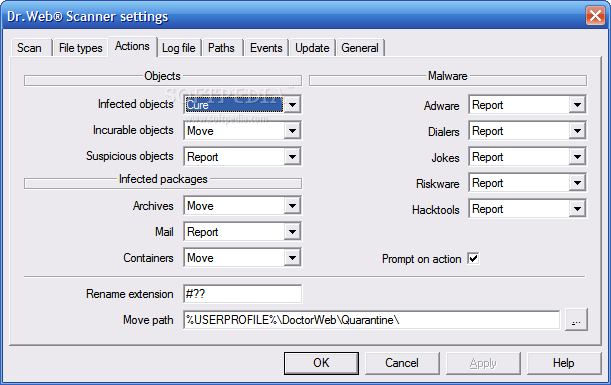
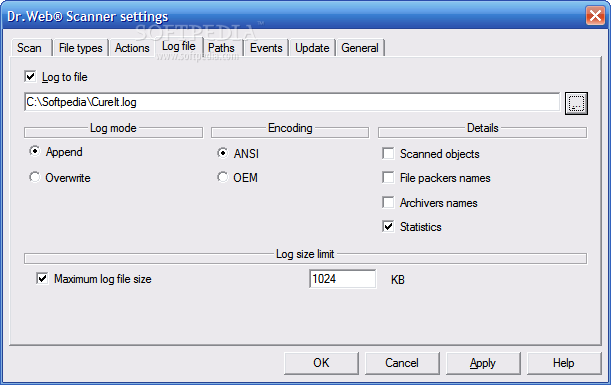
Dr. WEB CureIt! has built in support for fifteen languages, and this is only the cherry on the top. Heuristic analysis can be enabled or disabled at will, memory and startup items can be scanned individually, you can customize events, logging options, actions to be performed when a virus is found and more. All you have to do is call the doctor and let the examination begin!

The Good

Dr. WEB CureIt! is an interesting quick solution for searching and removing unwanted guests from your computer - it doesn't require installation, it's easy to use, fast and, let's not forget this, free to use for as long as you like.

The Bad

Each time you start the program you have to face the splash screens and perform an express system scan to get to the main window, and I don't like this. The interface could have a facelift to bring it into this century, and a real-time virus protection feature would be great to have.

The Truth

This program is an interesting one and I can only recommend you to give it a try, because viruses are not polite, and all you can do is remove them as soon as they are found. Of course that the only thing I wish for you to find using Dr. WEB CureIt! is a 100% clean system. Good luck!

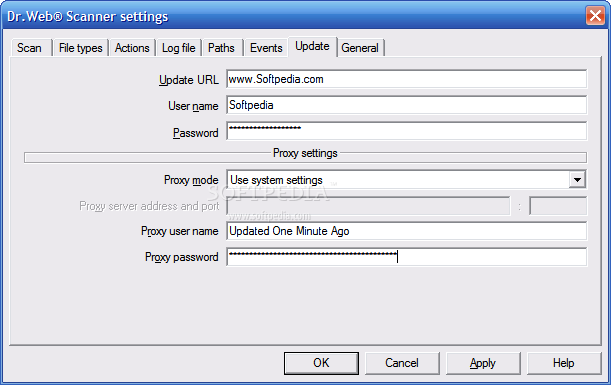
Here are some snapshots of the application in action:
Review image

Review image

Review image

Review image

Review image

Review image

Review image

Review image

EDITOR'S RATINGS:

User Interface:
Features:
Ease of use:
Pricing/Value:
Overall:
  Final verdict: Very good   100% Clean Certified
Read by 15,795 user(s) | Add comment | Link to this article TWEET THIS


Article rating:
Good (3.7/5) 4 vote(s)    

Subscribe to news | Print article | Send to friend

© Copyright 2001-2009 Softpedia
Contact:


SEARCH THE NEWS ARCHIVE :


Today's News
| Yesterday's News | News Archive


MORE RELATED ARTICLES:

User opinions:


Comment #1 by: SomeGuy on 06 Jul 2009, 15:30 GMT reply to this comment

"REALY" Lets all be like this guy and rate a virus scaner on its look and not wether or not the program dus its job and ps its "FREE" = a company guna fix your comp for free free free ps please buy our product but if you dont we still guna fix you up and for the info this program dus do its job very well like malewarbytes and combofix and dr.web scans inside .exe files instead of just blacklisting file names witch ps can be chainges if your guna rate it rate it buy what it dus not how it "LOOKS"


Comment #2 by: Boldy on 14 Aug 2009, 09:02 GMT reply to this comment

after long testing of many protections. i recomend not to use dr.web
many viruses was detected by many other solutions but not dr.web.

uninstaling it is very difficult and i was able to remove it by formatting my pc


Comment #3 by: Ian Foster on 12 Oct 2009, 00:17 GMT reply to this comment

Somehow I managed to get a significant infection of W32 virut. cf on the main home PC. Nortons or Computerr Associates anti virus suites pnly found the virus as it appeared after being activated by an executable. This nasty little SOB is insidious and imbeds itself into most exe files, HTML etc.
Scanning the whole system with the more popular anti virus suites produced no results. Scanning with Dr Web while the PC (VISTA) was in safe mode, produced over 1000 hits of where the W32 Virut had infected files. The virus was reporting as W32 virut56 but in all except 3 cases, was able to repair the damage and the unrtepairable files were able to be replaced by the maintenance facility built into Vista. I made several runs with Dr Web over the last few days and no sign of the pest as yet. I now use Nortons 2008 as the standard anti virus, CA as the software firewall but use the Dr Web scan as a regular check. Of note, I also entered a block on the port used by the W32 Virut.CF. into the software firewall, the router and modem just to make sure the SOB does not get in there again and call home for assistance!!!
Great Job and thanks to Dr Hordware developers - Hey it was free!! Lots of time lost but free and no full re install or BSOD
After all this, cleaned up all temp files and then continued on very happy...

Share your opinion:

Your Name:
Your Email Address:
(will not be used for commercial purposes)
Solve this to prove you're not a bot: =
Your review/opinion:


Windows tabGames tabDrivers tabMac tabLinux tabScripts tabMobile tabHandheld tabGadgets tabNews tab

SUBMIT PROGRAM   |   ADVERTISE   |   GET HELP   |   SEND US FEEDBACK   |   RSS FEEDS   |   ENTER NEWS SITE   |   ENGLISH BOARD   |   ROMANIAN FORUM