14 DAY TRIAL //
 You need to backup your content. That is what I have learned through the years. People may forget that sometimes, and when hazard comes into play, one can only sit and gaze in despair as everything is being washed away. The place that once was filled with very important files is gone. FBackup was designed to protect your vital data by backing it up automatically to any USB / Firewire device, local or network location.
Backing up your data is actually a simple task. Given the possibilities of copying your files to a safe and secure storage, these days you get to choose from a wide array of devices including both your simple USB flash drive and expensive backup sites’ plans.
This is a very important step of the process, because, in the end, that’s where you’ll create, copy and access your data. Automation of backup tasks saves a large number of files from complete annihilation. Don’t worry though, novice users will be able to select one application that does the job, while providing ease-of-use and helpful tips.
FBackup is a free program (for both commercial and personal use) from Softland and its main purpose is providing easy, reliable backup creation and management of your most valuable files and folders. The software will help you backup your data with standard zip compression, perform exact copies of files and run actions before / after these operations. It comes with backup and restore wizards so you can quickly select what, where, how and when to process. FBackup packs sturdy automation features as well as external USB/Firewire drive, or mapped network drive selection capabilities.
The first time you start the program, the main interface will come to life along with the Getting Started window which will provide users with easy access to the backup and restore wizards, How To web-based tutorials (Backup Microsoft Outlook profiles / Backup files without using the zip compression / Backup Outlook Express data / Restore data after a hard disk crash / Configure a scheduled backup or Create a backup job) and some video tutorials on the same topics. This is very handy indeed, given the fact that beginners would need a helping hand.
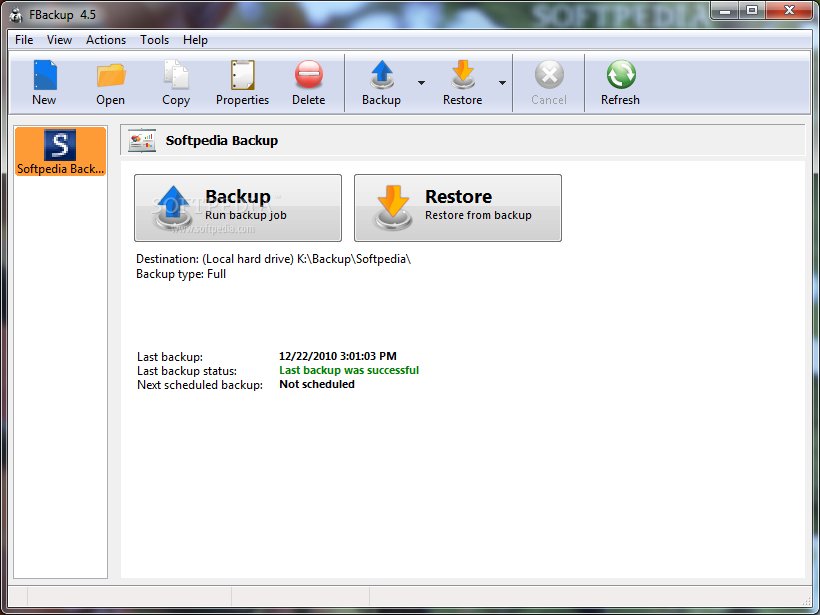
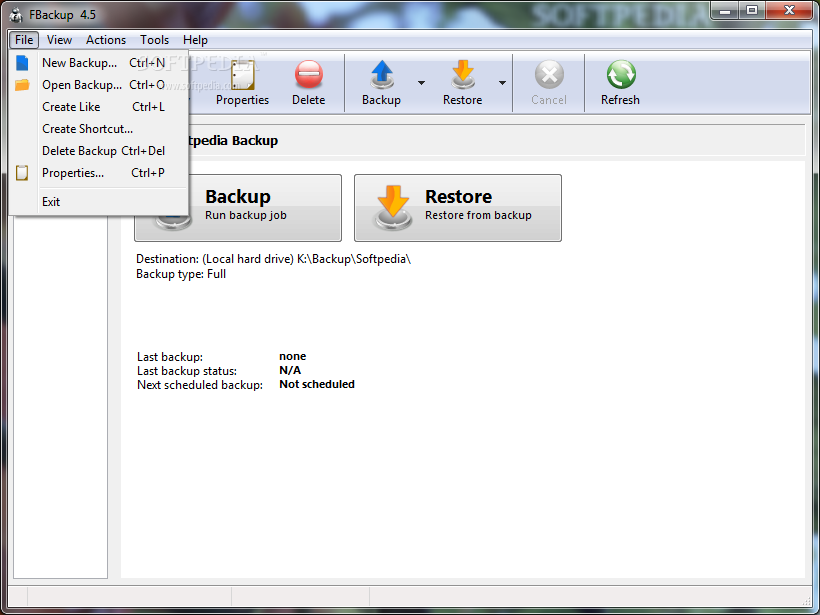
FBackup does not stand out from similar software, still it’s quite good looking and everything seems to be at hand. The Button bar at the top of the window will offer quick access to the most utilized actions (New / Open / Copy / Properties / Delete / Backup / Restore / Cancel or Refresh), while the menus will reveal more complex options such as Open Destination / Catalog / Initialization Folder, Job Logs or Plugins. It features a pretty well-built GUI (graphical user interface) with emphasis on important operations and vital information.
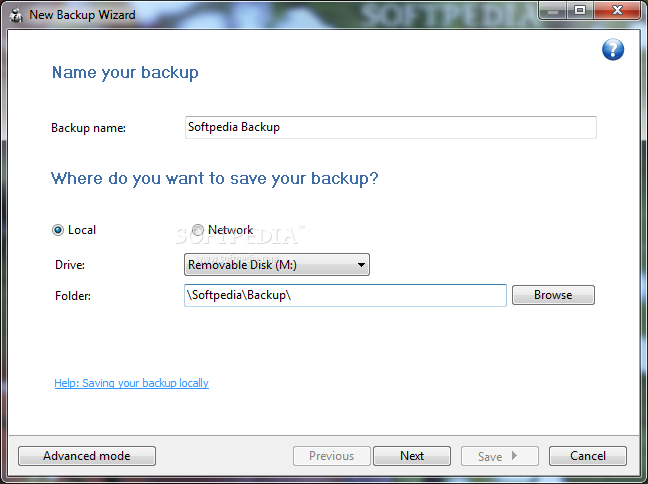
So, you want to start your first backup job now. Simple as counting to four and I really mean it! The first step of the New Backup Wizard will ask users for a name and destination. You can choose between Local, External and Network options as well as Removable Device or fast pointing to the exact folder for the files to-be-stored in. It also has an Advanced mode switch, but we will take a look at later on.
In the second step of the wizard, you will be required to select the files and folders to be included or excluded from the process. Users will find a generous menu at the top of this window that will give the opportunity to pick from plugins like My Documents, My Pictures, Outlook Express or Windows Mail.
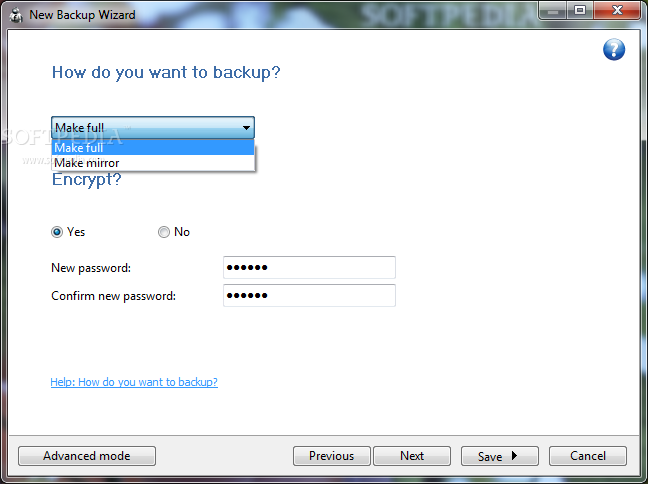
The third step of the wizard provides Full and Mirror backup options and users can choose to set a password for the encryption algorithm. The mirror backup is actually a straight copy of the selected files and folders. Mirror backup is the fastest backup method because it copies contents to the destination without any compression or encryption.
Increased speed is the only advantage of this type of backup. The last, schedule-related, step allows users to create a simple yet efficient timetable for your soon-to-be-made backup. The options will refer to how often (Manually, Daily / Weekly or Monthly), specific day of the week, exact time and password fill in.
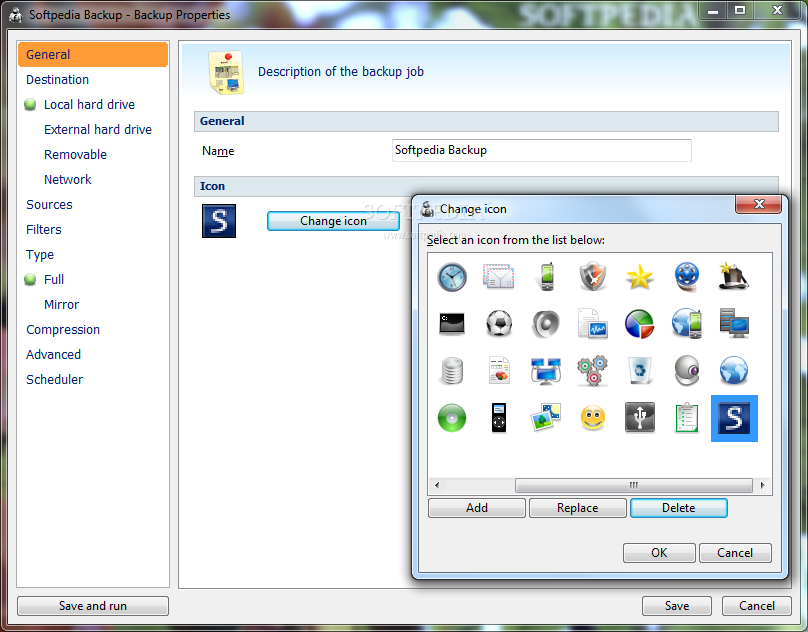
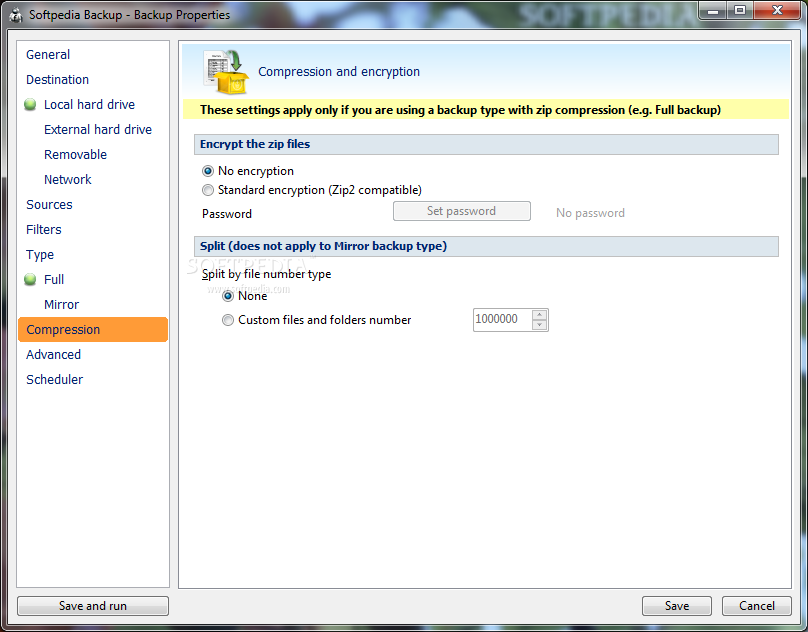
For more experienced users, FBackup features the Backup Properties window providing the advanced features we were mentioning earlier. You can start by renaming your job and choose an icon. The Destination section re-introduces the output device options (Local / External Hard Drive, Removable Media and Network), as well as the Compression section does with Encryption selection (Standard Zip2 compatible encryption) and Split by file number option.
FBackup’s Scheduler Properties window comprises of Execute, Scheduler, Action or Priority sections with Close after run, Windows schedule or Clear backup before run options. The Create Shortcut window offers the possibility of taking your backup and restoration jobs directly to your desktop. To manage the plugins for this application, you will have to get to the homonym option inside the Tools menu.
Given the nature of the program, the only stressed hardware component of your PC (personal computer) is your hard disk, if you choose that as the type of the job. The CPU (central processing unit) will barely move and the system memory will hardly reach 20 megabytes (tested on Intel E5200 @ 2,5 GHz, 4 Gigs of RAM and Western Digital SATA2 hard disk). FBackup will only display two progress bars (overall and current file) of the process in the status bar, thus there is no real information about the remaining time until completion. It works pretty fast, though, with an average of 20 megabytes per second.
Here are some snapshots of the application in action:
The Good
The Bad
The Truth