Softpedia
 

NEWS CATEGORIES:


NEWS ARCHIVE >>
SOFTPEDIA REVIEWS >>
MEET THE EDITORS >>
Home > News > Reviews > Windows software reviews

March 7th, 2011, 15:24 GMT · By

Backup Blu-ray Discs

SHARE:

Adjust text size:


Foxreal Blu-ray Ripper by Foxreal Studio See editor's ratings     Request a review
Version reviewed: Foxreal Blu-ray Ripper 1.0.1.0

Foxreal Blu-ray Ripper is a professional application intended to help you backup Blu-ray/DVD discs on your hard drive and make it possible to rip Blu-ray/DVD disc movies to your desired HD or SD media formats, and edit Blu-ray or DVD files for your reference.


Download Foxreal Blu-ray Ripper
Features:

Make a full Blu-ray or DVD disc copy (1:1) with its original structures
Export various video or audio formats at 5x faster speed
Convert BD/DVD video and audio files in perfect synchronization
Support to choose subtitle and audio track you like, including forced subtitles
Edit Blu-ray and DVD movie files with wonderful editing functions
Customize output settings for good quality

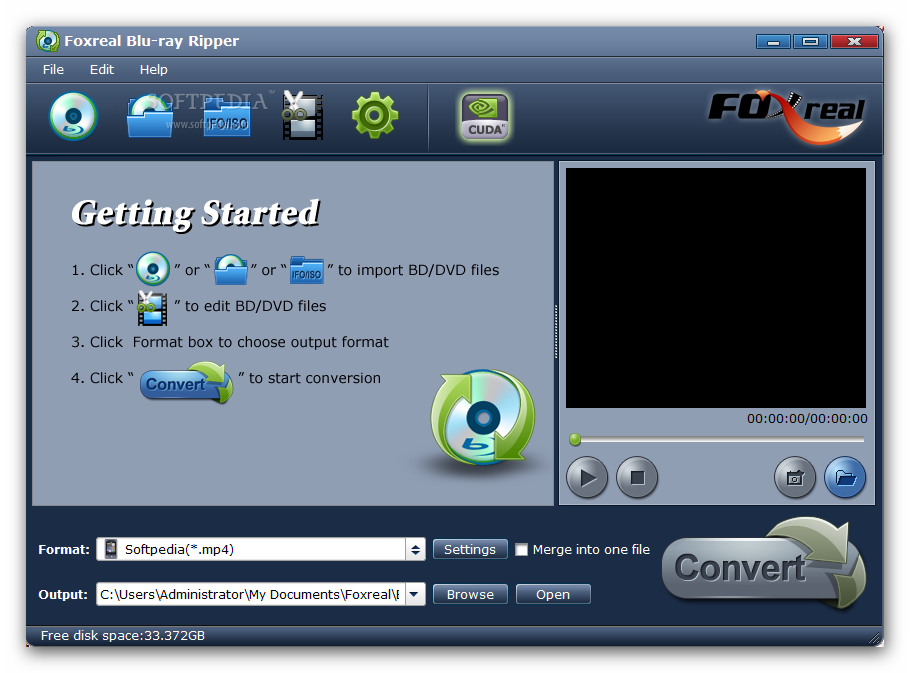
Foxreal Blu-ray Ripper load screen
Enlarge picture
As more and more devices are released these days with HD capabilities, Blu-ray standard spreads around like wildfire. Software designed to unlock content on such discs is a logical consequence of the phenomenon, and Foxreal Blu-ray Ripper can be used to this purpose exactly.


At $49 the application may seem a bit expensive, but this is a one-time fee, so it also includes all future updates. However, before paying up you can take the program for a test drive and see if it fits your needs. The only limitation of the evaluation edition is that the output result will be marked with Foxreal logo right in the middle.

Working with the software should not give you too much trouble as the interface is pretty intuitive and also features a 4-step tutorial on how to get the job done. You’ll notice from the beginning that the program does not support only Blu-rays, but can also be used to convert DVDs to other video formats.

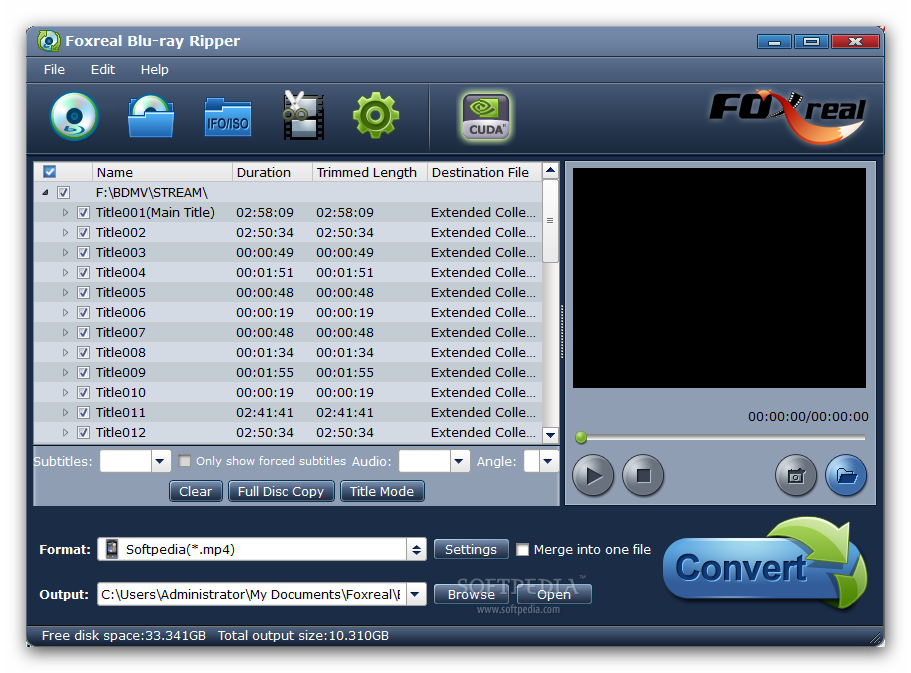
Foxreal Blu-ray Ripper can extract/convert content straight from the physical disc as well as from a folder on your computer or compressed in an ISO. As soon as you load up the content you can start picking the titles and chapters you want to convert.

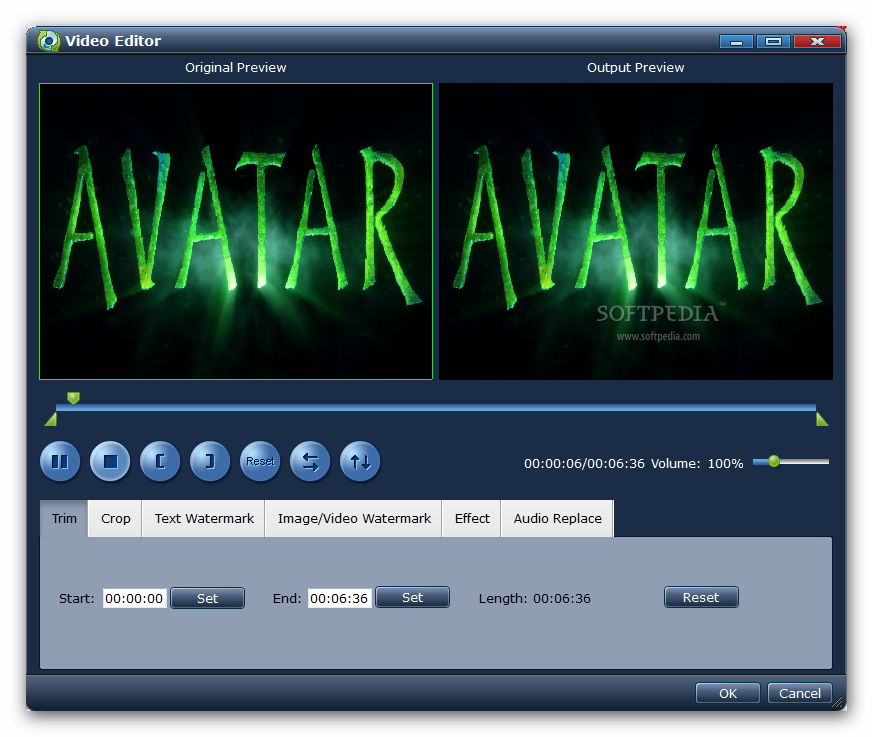
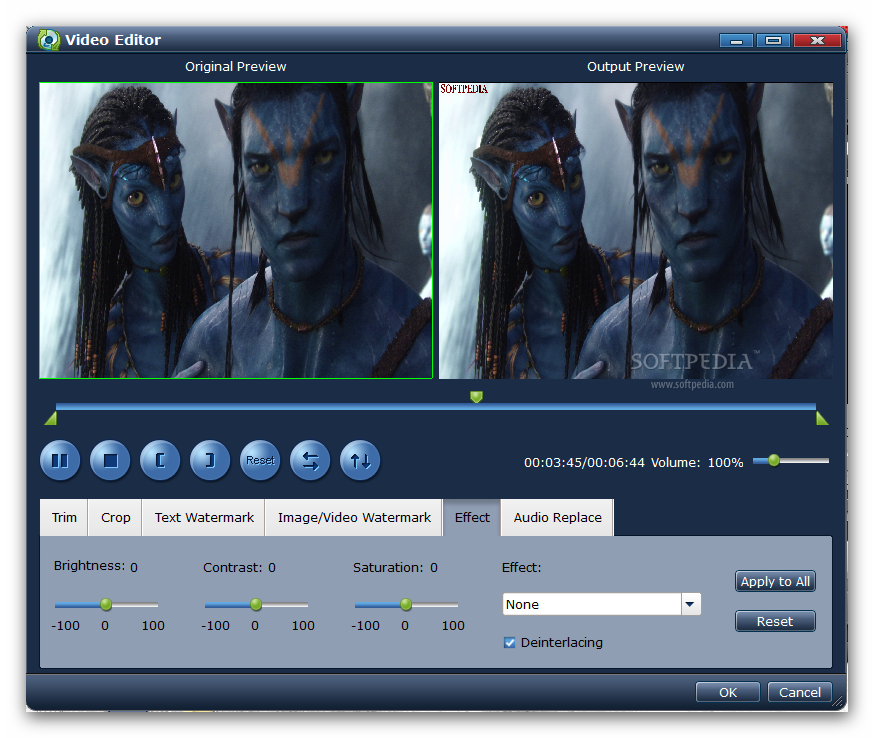
If you wish to convert only part of the movie, the application brings the necessary tools to trim down the chapters so that the result of the conversion is what you deem relevant. Editing function included in Foxreal Blu-ray Ripper extend to cropping, applying a text/image/video watermark or adjusting brightness/contrast/saturation.

A set of six effects are at your disposal if you want to change the look and feel of the clip. These include simple Gaussian blur, simple Laplacian sharpen, turning colors to gray, inverting colors or apply an aged tone.

Defining the beginning and the end of the video clipping is an easy task as the application lets you set the two marks as the video plays. You can further adjust the selection by punching in the exact time for the two values. Unfortunately you cannot navigate through the video frame by frame and this may reduce the accuracy of the clipping.

Thanks to the preview function included in the program you can see all your modifications before starting the conversion process. This feature allows you to view both the original clip and the modified one as they both play at once.

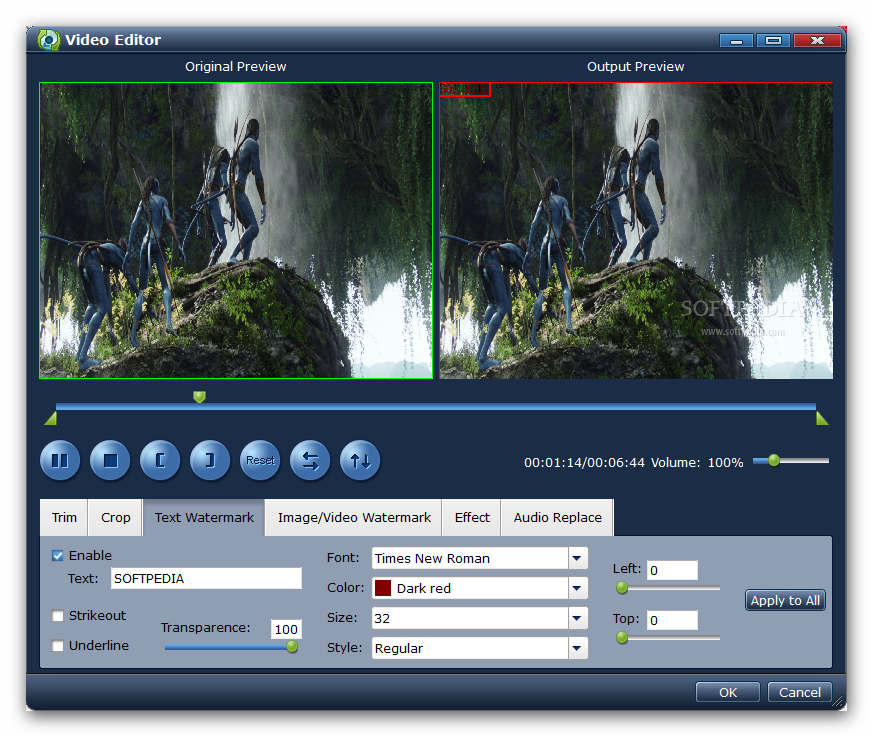
The options for watermarking your video with a text of your own cover font, color, size, style and position on screen. One of the best parts is that you can move the mark with your mouse anywhere in the clip you see fit.

Foxreal Blu-ray Ripper brings to the table a plethora of conversion choices that are mainly bent to ready video for specific devices. These profiles make the task a whole lot easier as your input is reduced to picking up the device. However, if none of the presented alternatives works for you, there is always the possibility to create your own custom profile (although we doubt there isn’t a profile perfectly adjusted to your needs).

The entire procedure is fairly simple. You just need to pick up the desired output format and make the modifications for video (codec, resolution, bitrate, framerate) and audio (codec, sample rate, bitrate and channels). Details about the entire task are offered in the lower part of the “Profile Settings” screen.

The application is perfectly able to prepare Blu-rays and DVDs for a plethora of devices which cover Apple releases (iPod, iPad, iPhone, Apple TV), Sony equipment (PSP and PS3), as well as Blackberry units. Moreover, there are plenty of other profiles available that take care of other mobile devices. Also, you can simply convert the video to play on a computer, in which case “Common Video” bunch of presets should be of help.

Foxreal Blu-ray Ripper automatically detects the various audio tracks and subtitles available on the loaded disc and allows you to make the desired selection.

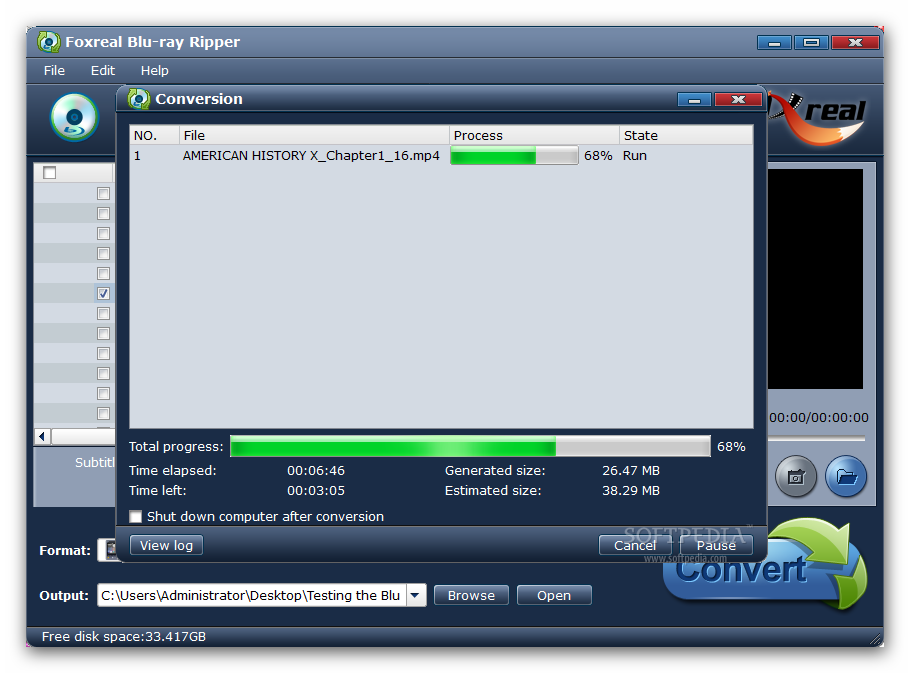
We tested the application on a batch of five Blu-ray discs and in all cases it managed to give us access to content and allowed its conversion to a different format. Also, 1:1 copies were possible with the least effort.

The support for Nvidia’s CUDA technology made things a bit easier for us as the impact on CPU was quite low, requesting only 22% of its total power and only 120MB of RAM. However, our test was done on a quad-core system with 8GB of RAM.

On the downside, when we accessed editing functions to prepare the video just the way we wanted, the clip preview was extremely choppy and made trimming and any other task very difficult.

When we tested the application for DVD ripping, on a less powerful, CUDA-less machine (2GHz Dual Core with 3GB of RAM), the values were not over the top at all. CPU rose to an average of 75% and around 1200MB of RAM was required for the operation. In this case, however, everything went smooth and the review ran as it should, displaying our modifications as we made them, with no impact on video rendering.

The Good

It installs in a jiffy and puts at your disposal a nice, intuitive interface. You can use it for ripping both Blu-ray discs as well as DVDs and extract the desired audio track and subtitle.

Editing functions it comes with allow you to watermark the output result with text, an image or a video clip. Also, you can change the looks of the outcome product by applying one of the six effects available. Original audio track can be replaced with a different one.

It brings to the table a myriad of profiles ready to convert your video for all popular mobile devices; you can also create custom profiles.

The Bad

When we tried to edit the Blu-ray disc video preview was extremely choppy and turned trimming into quite a difficult task. You cannot navigate the clips frame by frame.

The Truth

Foxreal Blu-ray Ripper did a great job on our test computers, with minor glitches here and there in the case of Blu-rays. With DVDs we did not encounter problems and everything went smooth.

The $49 price may label the application as expensive, but it is a one-time fee as future updates of the application come for free.


Review image Review image Review image

Review image Review image Review image


EDITOR'S RATINGS:

User Interface: (5/5)
Features: (4/5)
Ease of use: (4/5)
Pricing/Value: (4/5)
Overall: (4/5)
  Final verdict: Very good   100% Clean Certified

TELL US WHAT YOU THINK:

6,856 hits · 9 comments · Link to this article · Print article · Send to friend · Subscribe to news

MUST-READ RELATED ARTICLES:


Ashampoo Photo Commander 9

Adobe Reader X Alternative

CUDA and Blu-ray Support in Free Video Converter

Ready Images for Various Devices

avast! Free Antivirus 6

READER COMMENTS:


Comment #1 by: Doc on 07 Mar 2011, 20:01 UTC reply to this comment

This is the same converter spam as all the other so called rippers. Who writes this crap? Xilosoft?
What you dont say is that this requires AnyDVDHD. So this is a waste of money.

Comment #1.1 by: Ionut Ilascu on 09 Mar 2011, 09:24 GMT

We were also skeptical about this tool as we encountered plenty of clones out there that could not do the job on their own. This one did not disappoint, though. That is the main reason we published the article.

It does not require AnyDVD or an additional tool installed in order to decrypt the Blu-ray discs and make the content available. If it did, be sure we would have mentioned it in the review (or the article wouldn't have been published in the first place).

You could have tried the app yourself before posting your comment with no solid reasons as the program gives you full access to its features and capabilities. The only limitation is that it will place a watermark on the output result.

And yes, it is a waste of money if you buy it before you try it or if you have no use for it.

Comment #1.2 by: Anon on 15 Oct 2011, 18:35 GMT

I'm trying the trial of 1.6.0.xxx. I'm comparing to ByteCopy which does a generally great job except that audio/video sync is not there sometimes.

I have found that Foxreal BD Ripper uses CUDA faster, and seems to synch better, but I can't find a way to add ALL/ANY English subs & audios into the MKV container (as I do with ByteCopy). If this s/w can't add ANY/ALL subs & audios into an MKV (one of the main reasons for me standarding on the MKV container), whats the point?

Comment #1.3 by: videoguy on 30 Oct 2011, 00:48 GMT

Did softpedia buy the program or download the trial. My trial download worked perfect and then i did buy the full version to find out that it has all sorts of problems. Did you guys do your home work and buy the full version and get it to work problem free. Foxreal support is helping me but so far no luck.


Comment #2 by: melmitts707 on 08 Mar 2011, 14:53 UTC reply to this comment

Free upgrades for life is seems to be the latest scam. After they build a customer base they simply start charging for new versions (RoboForm) or they rename the program and sell you the new version while abandoning the old.


Comment #3 by: Christian on 28 Mar 2011, 01:07 UTC reply to this comment

I tried Foxreal Blu-ray Ripper to convert Avantar to my Xoom. all are OK. And I can enjoy blu-ray movies on my Xoom in full screen without any audio and video sync problem. I also use the CUDA accelerate technology, which help me convert blu-ray movies to my Xoom in a very short period of time.

Thanks Softpedia and Foxreal share so powerful Blu-ray movies converter.

Comment #3.1 by: texxsharkk on 15 Apr 2011, 05:35 GMT

Did Avatar rip and convert properly in ludimg aspect ratio? I've tried 4 blu-rays and not one has converted properly on the Xoom. If you have been successful I'm really interested in how you did it and the settings you used.

Comment #3.2 by: Video Guy on 30 Oct 2011, 00:40 GMT

I bought bluray video converter ultimate and i am having problems with it getting to work. I downloaded trial versions of there products and they all worked while putting a watermark on the converted video. Bought full version and no watermark but it is having problems working like the trail program. Wondering if softpedia used trial or bought full version? When I downloaded to computer Norton 360 popped up and said this file is only 1 week old and suggested that I don't download it. If any body has any idal what is going on here please chime in. Thanks

Comment #3.3 by: Ionut Ilascu on 30 Oct 2011, 10:07 GMT

If limitations prevent us from fully testing an application we use the full version of the product. In this case we worked with the full version of the package.

We suggest you address Foxreal Studio support (http://www.foxreal.com/support/) for limitations in the full version of the program.

Copyright © 2001-2012 Softpedia. Contact/Tip us at

WindowsGamesDriversMacLinuxScriptsMobileHandheldNews

SUBMIT PROGRAM   |   ADVERTISE   |   GET HELP   |   SEND US FEEDBACK   |   RSS FEEDS   |   UPDATE YOUR SOFTWARE   |   ROMANIAN FORUM