14 DAY TRIAL //
 I read a post recently on how to hide your porn deep down your hard disk. Not that I didn't know how to hide sensitive information from prying eyes, but it is refreshing to see how other people deal with this kind of problems. In this case the blogger writing the article was clearly not too savvy with the ways of the computer as he would cover the tracks of his porn movies by storing the files deep down the hard disk (about six or seven directories deep) and each folder had a very non interesting name, save the last one which was called "Unsafe" or something like this.
In order to get to those files he had a long "walk" to make and little did he know that a more experienced computer user would have found them just by searching the computer for promiscuous file names. A more handy solution to this issue (in our case you can replace pornography with whatever files you want) would have been a simple hiding of the shameful files.
There are several programs on the market that do that and most of them will cost you a dime or two, but there are free alternatives as well. One of them is M Hide Folders, a very small application (the executable is less than 300KB and installation is less than 800KB) whose sole purpose is hiding and showing whatever files you feed it.
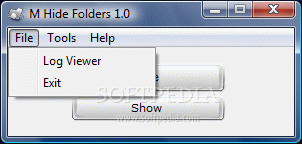
The interface has little options to show and it is extremely easy to use and handle. All the settings you can do is set a master password to hide and show folders as well as for viewing the log file. This is to be set at the first launch of the program. Main application window contains two main options: "Hide" and "Show".
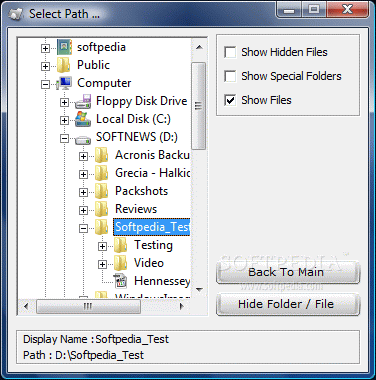
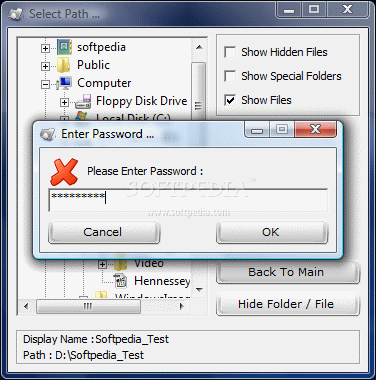
The procedure for hiding your folders is easy and painless. Just initiate the action and a new window will appear on the screen, containing all the drives and folders on your computer. Simply go to the path of the folder to hide, select it and use "Hide Folder/File" option in the lower right hand side of the window.
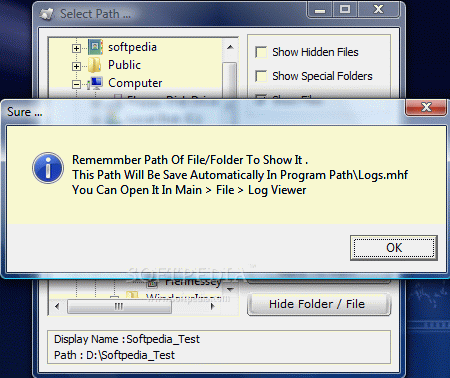
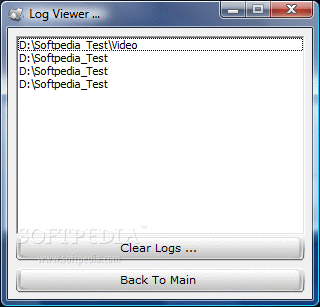
At this stage there is a little trick you have to keep in mind. M Hide Folders asks you to remember the path to the folder you are hiding. The request is pretty imperative, but do not worry, you can obtain the full path to the directory by reading the log file as long as you do not forget the master password.
Now you are asked to input the master password. As you can see the characters are masked by default. But, if you want to check on things, you can reveal the password by pressing Ctr key on your keyboard. Press it once and the password will be unmasked, press it twice and the password will appear masked again.
Revealing hidden folders is fairly easy. "Show" window comes with an option for showing the log file (contains the path to all the folders that have been hidden at one time or another). And one for entering the path of the folder to be shown. Though there isn't much to do, there is a downside. You cannot paste the path from the log file into the folder path.
M Hide Folders is also perfectly capable of hiding files but the same story applies in this case as well. You will have to manually type in the path to the file and the name of the file, including the extension, with no possibility of copying it from log file. The only helpful thing is to keep the log file open and take a peek at the path not to make any errors. If you do not type in the path correctly there is absolutely no clue indicating that there is no such file/folder on your computer.
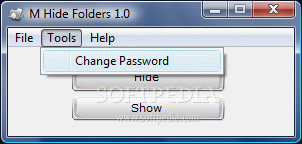
The master password can be changed at any time with absolutely no difficulty (the old password is necessary for the change) by simply going into "Tools" menu.
There is one thing you should know. By hiding your files and folder with M Hide Folders these will become invisible to Windows Explorer, no doubt about it. And even if you enable hidden folder viewing in Windows Explorer, the items ensconced with M Hide Folders will still not be revealed. But if you use Total Commander and configure it to show hidden files and folders these will appear with absolutely no fuss.
During our testing the application performed beautifully and did exactly what it said that it would do. However, it needs a bit of polishing for making your work easier. Also, you should be careful if you have Total Commander installed on your computer as it could give away your secrets quite easily.
The Good
The application is absolutely free and does a relatively good job. If you are a Windows Explorer fan M Hide Folders will protect all your files and folders from prying eyes even with "Show hidden files and folders" option turned on.
The Bad
There are softwares capable of giving your secrets away. It needs a bit more polishing by allowing the user to copy the path to the hidden folder in the required field.
Hidden items are not password protected and you can open them unhindered with Total Commander.
The Truth
The application is simple and does a good job but there are some issues to be attended. I wish log file would also have time stamps for hiding the items so that you know exactly when a certain file/folder was hidden.
Here are some snapshots of the application in action: