Search Perform an advanced search query SOFTPEDIA
 
SOFTPEDIA
Updated one minute ago
HomeSubmit a program for being reviewedAdvertise on our websiteGet help on surfing our websitesSend us your feedbackGet information about our XML/RSS backend and how to use itBrowse the news archiveVisit our discussion forumVizitati forumul in limba romana


Review Finder NormalFreeware onlyShareware only

Tired of “Pro”s
Category: SOFTPEDIA REVIEWS :: Windows

Can it uninstall itself?
By: Ovidiu Covaci, Editor, Software Reviews

PC Optimizer Pro by PC Optimizer Pro Inc Add Your Rating   See Editor's Ratings
Version reviewed: 4.3.3

Keeping a PC clean is not that easy with all of the different types of software and drivers available, so it's hard to say if your PC is clean without first analyzing your system's registry.

Some features:

Clean, repair and optimize the Windows registry
Improve system performance
Built-in PC Optimizer to prevent application crashes.
Startup Manager
Backup

DOWNLOAD PROGRAM    REQUEST A REVIEW

Almost everything we do on our computers leaves behind a series of tracks that can both be followed and can create difficulties in running our usual applications. For instance, not all uninstalling softwares clean up their "mess" during that process. Lately, even some cleaning softwares have this vice. This lack of neatness leads to empty folders, orphaned files, invalid registry entries, startup missing tasks, invalid links that slow down any computer, making it unstable and susceptible of crashing. If it were only a case of software reinstalling this should only be a matter of time. Unfortunately, it isn't just that. Many PC users store much information on their computers, information that can vary taking into account value, size, type and utility. There is one aspect that all information has in common and that is the unpleasant feeling when it is lost.

Tweaking and cleaning software developers do their best to ensure us that their applications are the best of the best. They all say that it cleans the registry (yet some just clear it), that it defragments and optimizes the memory and in the end all they do is adding more and more MB to it and so on and so forth. The safer way to choose a program is either to test it on an unharmable computer or to see what others say about it. Of course, the first option is more accurate for you get to see for yourself what and how good it does its job. There is another way, unfortunately used by most of us and that is hoping that it will prove a good choice.

PC Optimizer Pro is not at all an entire PC optimizer. As even its developer cares to enlighten us, this software is only about Windows Registry and Internet Tracks. But is a computer's OS made only of these two features? I'm sure mine isn't. That is another idea that bothers me. Why do they say it does more than it is actually made for. In my opinion, softwares would have more success in being appreciated if they named things straight. And one other thing. I find it more efficient to let your possible buyer see exactly what he may order, meaning that
the limitations should concern only the time of use and definitely not most of the application's features. But let's get back to over viewing this program.

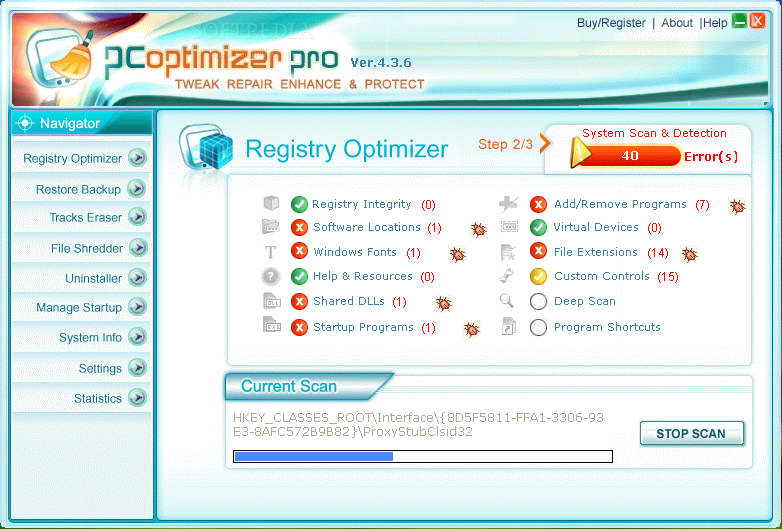
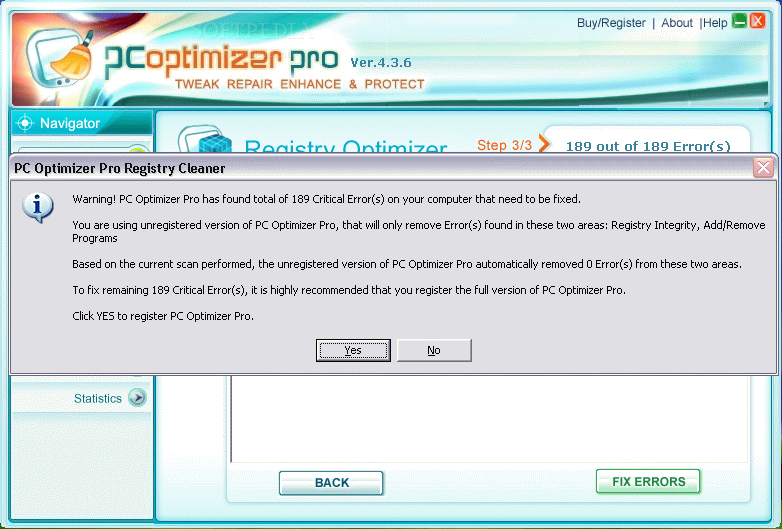
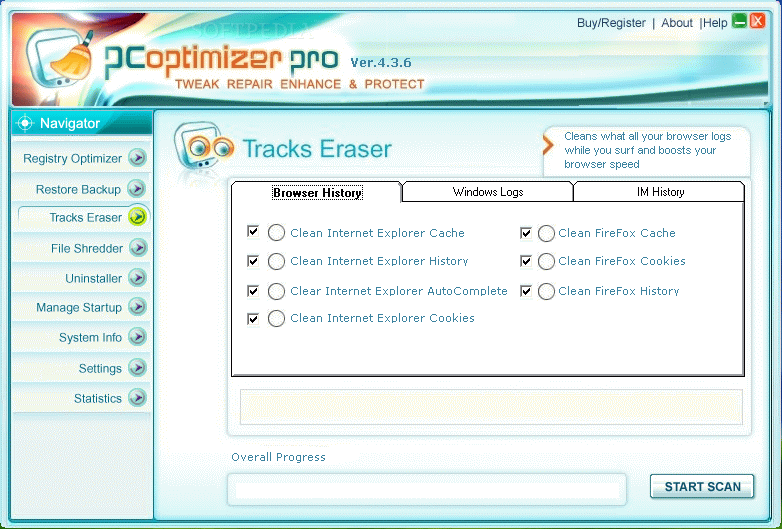
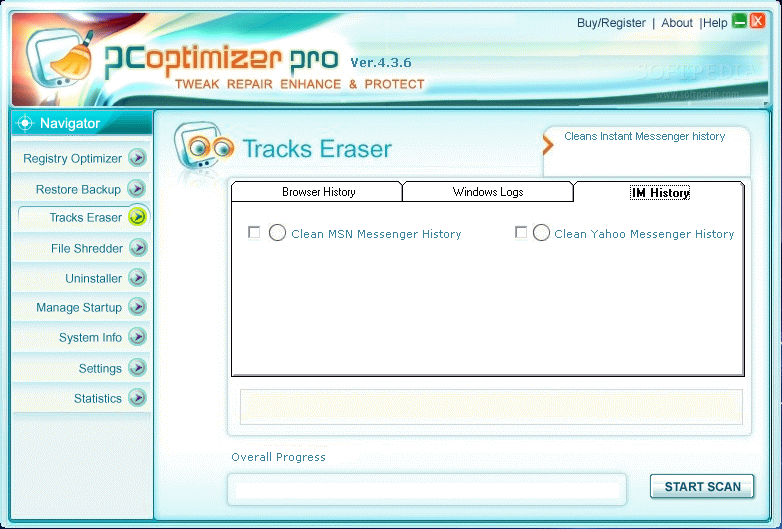
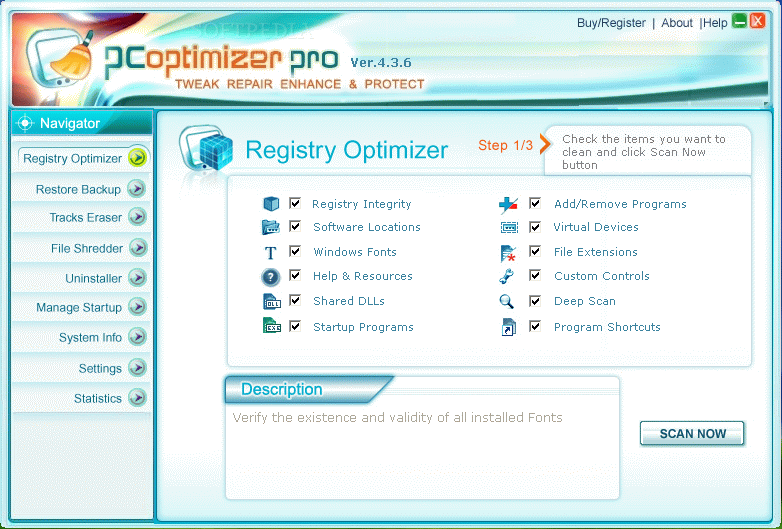
The very first time you open it, a PC scan starts, checking for possible errors concerning Registry Integrity, Software Locations, Windows Fonts, Help & Resources, Shared DLLs, Startup Programs, Add/Remove Programs, Virtual Devices, File Extensions, Custom Controls, Deep Scan and Program Shortcuts. After the results, the software decides that only Registry Integrity and Add/Remove Programs will be cleaned. To be sure a program is fully functional and worthy of buying you have to see at least the common sensed "half+1" locations perfectly clean and bug free. The same thing happens with the Tracks Eraser option where, from all those locations, IE Cache, IE History IE AutoComplete, IE Cookies and the same stuff related to Firefox PC Optimizer Pro asks for registration before showing you its true value.

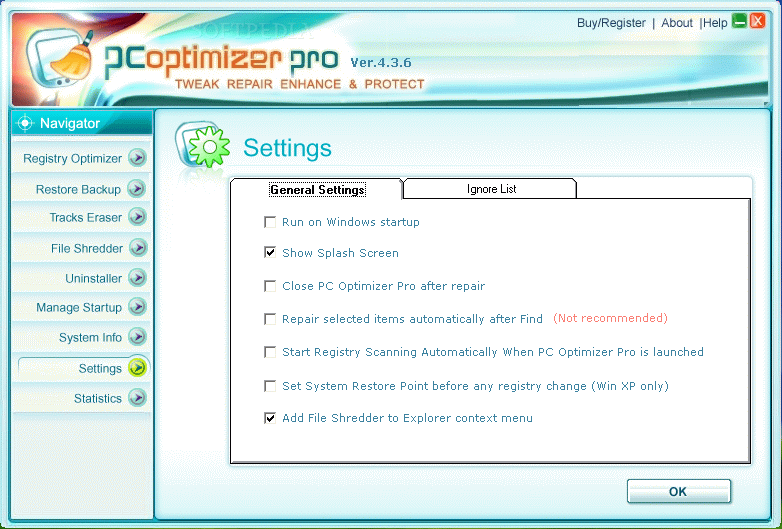
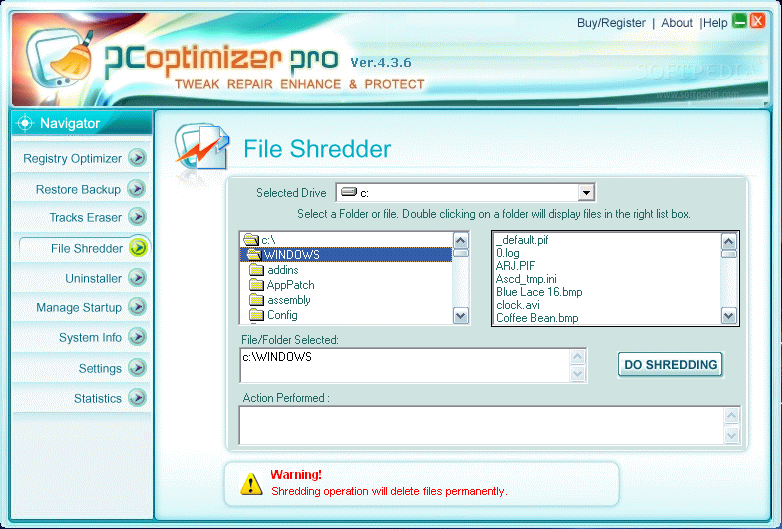
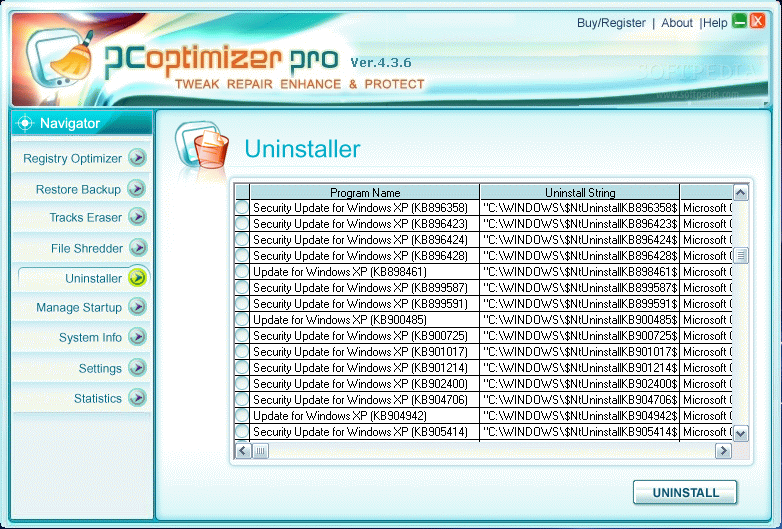
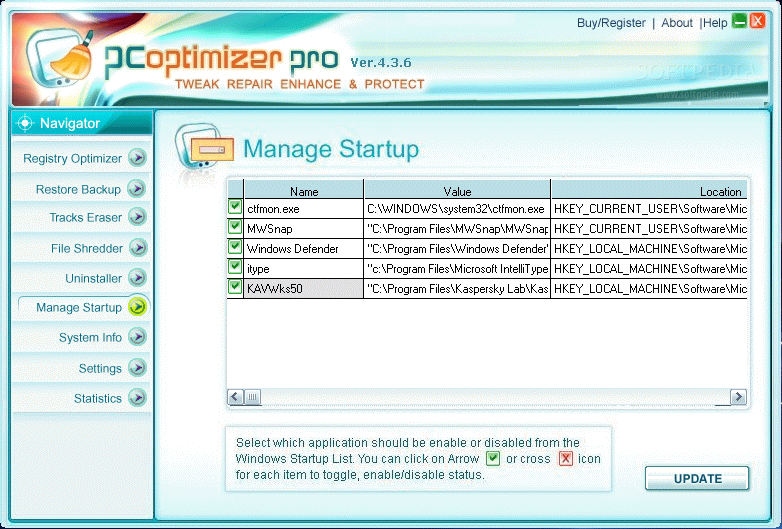
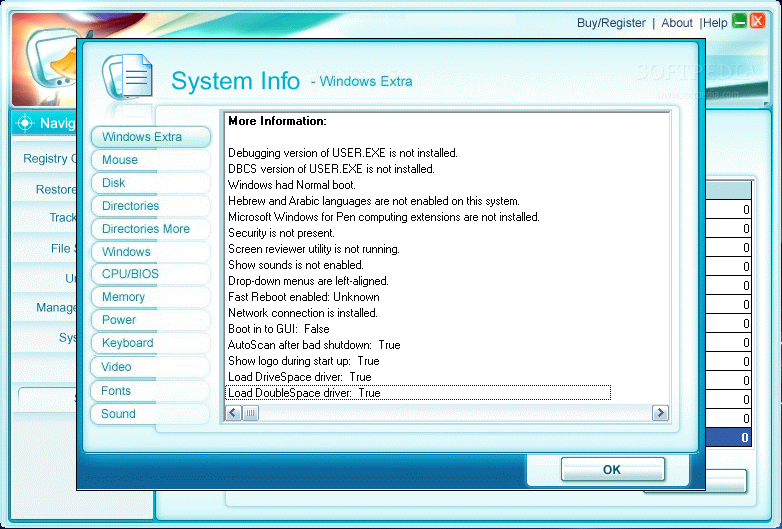
The application has a built-in File Shredder that lets you decide which files to permanently delete, an Uninstaller, that helps you get rid of useless applications and a Startup Manager to select the softwares that you want to show their faces at any of your OS loading. Beside all these "extraordinary" useful tasks, PC Optimizer Pro charms us with a System Info, a shallow Settings window and a Statistics one to show us the good job it has done. I mean, what features contained in this paragraph are difficult enough for a PC user to do it without this application? It is almost senseless for developers to rely on such stuffings to sell their products. And most of all I hate it when, as I could unfortunately see in this software, there is a most enhanced button which gives you the opportunity to see all the same features again but in a different form. I really cannot imagine why this program isn't free because for 5$ less one can upgrade its TuneUp Utilities software which does a lot more and is a real fully PC optimizer, tweaking most computer concerning.


The Good

It looks nice.

The Bad

It does a lot less than one could apparently think judging by its name, it is stuffed with extra not very useful features and it has an unexpectedly high price concerning its worth.

The Truth

It is better to look at and test twice because sometimes things fail to be what they appear. Especially when they call themselves Pro.

Here are some snapshots of the application in action:
Review image
Review image
Review image
Review image
Review image
Review image
Review image
Review image
Review image
Review image

MORE RELATED ARTICLES: Why Use More Than Just One System Optimizer? It's Time For Optimization Again Speed Up Your Computer Right Now! Boost Your Computer Maintain Your Computer in Top Shape Ultimate Tweaking for Your Computer! Optimize Your Computer


Editor's ratings:
User Interface:   Features:   Ease of Use:   Price/Value:   OVERALL:


26th March 2007, 08:12 GMT | Copyright (c) 2007 Softpedia | Contact:

Read by 1,979 user(s) | Add comment | Link to this news
Subscribe to news | Print article | Send to friend
TODAY'S HEADLINES: Camfrog Video Chat Review  Almanah Diary Review  Portable Quicksys RegDefrag Review  Sunbelt Personal Firewall Review  XML Copy Editor Review  GNOME Mplayer Review  GeoAze Review  Checkout Review  Simply Calenders Review  KJClipper Review  JCODER Review  Optimism Review  
Today's News | Yesterday's News | View News Archive
Search:

PC Optimizer Pro 4.5.9 - OPINIONS AND REVIEWS Pages: 1

PC Optimizer Pro 4.5.9
Reviewer: Nisha Shah

Date: 2008-05-18, 23:49 GMT
Version: PC Optimizer Pro 4.5.9
Overall rating: (Excellent)

GUI:    Features:    Ease of use:    Value:    
A great experience of this wonderful software which is a set of utilities like registry cleaning, tracks erasing and many more which really supercharges the PC.
PC Optimizer Pro 4.5.9
Reviewer: pcoptimizerpro

Email me | PM me
Read all my reviews (1)

Date: 2008-03-10, 23:19 GMT
Version: PC Optimizer Pro 4.5.9
Overall rating: (Excellent)

GUI:    Features:    Ease of use:    Value:    
Superb software with excellent features to maintain our computer, remove registry errors, clean internet history and secure our privacy. Number 1 utility.

go to top Pages: 1


SHARE YOUR OPINION ABOUT PC Optimizer Pro 4.5.9

Since you are not logged on, your comments will have to be approved before being displayed.
Click here to login, or register.
Your Name:
Your Email: (will not be published anywhere)
Type in the result:
GUI (Graphical User Interface): Poor   Fair   Good   Very Good   Excellent  
Features: Poor   Fair   Good   Very Good   Excellent  
Ease of use: Poor   Fair   Good   Very Good   Excellent  
Price/Value: Poor   Fair   Good   Very Good   Excellent  
Overall rating: Poor   Fair   Good   Very Good   Excellent  
Your review/opinion:


DO YOU WANT TO CONTACT US?  

If you have some comments or you want to send us some information you can send us an email directly to .
You can use the form below for the same purpose.
Your full name: (at least 3 characters)
Your email address: (at least 5 characters)
Message subject: (at least 5 characters)
Message text:
(at least 10 characters)
Type in the result:


Welcome!
Hello, Guest

Login if you have a Softpedia.com account.

Otherwise, register for one.

Main categories:
  • Antivirus
  • Compression tools
  • CD/DVD Tools
  • Office tools
  • Programming
  • Authoring tools
  • File managers
  • Desktop Enhancements
  • Internet
  • Network Tools
  • IPOD TOOLS
  • Mobile Phone Tools
  • Multimedia
  • Tweak
  • System
  • Security
  • Others
  • Science / CAD
  • UNIX
  • Windows Widgets
  • PORTABLE SOFTWARE

  • Week's best:
  • Adobe Media Player 1...
  • Registry Mechanic 8....
  • BitSpirit 3.3.2.263
  • AnyDVD 6.4.5.6
  • Firefox 3.0.1 / 2.0....
  • AutoCAD 2009
  • Norton AntiVirus 200...
  • Norton Internet Secu...
  • The Bat! Professiona...
  • WinRAR 3.80 Beta 3 /...
  • GMail Drive shell ex...
  • DAEMON Tools Lite 4....
  • UBCD4WIN 3.2.0
  • Adobe Reader 9.0.0 /...
  • Total Commander Ulti...
  • System Mechanic 8.0....
  • Adobe Acrobat Profes...
  • iPhone PC Suite 1.0....
  • Portable Firefox 3.0...
  • MPlayer for Windows ...
  • Vista Codec Package ...
  • Windows Live Messeng...
  • WinBubble 1.73
  • Kaspersky Anti-Virus...
  • Malware Removal Tool...
  • Royale Noir Theme fo...
  • IBM Lotus Symphony 1...
  • Adobe Dreamweaver 10...
  • Adobe Fireworks 10.0...
  • BitDefender Total Se...
  • © 2001 - 2008 Softpedia. All rights reserved.
    Softpedia™ and Softpedia™ logo are registered trademarks of SoftNews NET SRL.
    Copyright Information | Privacy Policy | Terms of Use | Contact Softpedia | Update your software | Archive