Search Perform an advanced search query SOFTPEDIA
 
SOFTPEDIA
Updated one minute ago
HomeSubmit a program for being reviewedAdvertise on our websiteGet help on surfing our websitesSend us your feedbackGet information about our XML/RSS backend and how to use itBrowse the news archiveVisit our discussion forumVizitati forumul in limba romana


Review Finder NormalFreeware onlyShareware only

MS Paint's Heftier Brother
Category: SOFTPEDIA REVIEWS :: Windows

Edit your pictures by yourself
By: Ionut Ilascu, Editor, Software Reviews

Paint.NET by Rick Brewster Add Your Rating   See Editor's Ratings
Version reviewed: 3.01

Paint.NET is a photo editor and manipulation software.

Some features:

Simple, intuitive user interface
Layers
Unlimited History
Support for many popular file formats (PNG, JPEG, BMP, GIF, TGA, and TIFF)
Effects and Adjustments
Full Support for Dual- and Quad-Core CPU's, and 64-bit
Tablet PC Support
Plug-ins support

DOWNLOAD PROGRAM    REQUEST A REVIEW

Image editing is a tough job if you do not have the appropriate tools. However, developers started to create a myriad of softwares that can accomplish most of the Photoshop results. Considering the features CS3 is incorporating (especially the Extended version) I gather one would need about 50 different applications to cover a small part of the Photoshop capabilities.

Anyway, for those that are seeking great results at minimum costs there are plenty of possibilities on the market and Photoshop is not one of them (it has an outrageous price for those that lack the knowledge and imagination to use it). But for home use the solutions are lighter, smaller and more accessible.

Paint Dot Net is one way to edit your pictures with a bit of professional touch. It is nothing like Photoshop but with a little effort the results can be fantastic. The application is a much more improved version of MS Paint and the most of the modern instruments are available. If you think the suite of effects is thin you have not discovered the Paint Dot Net community that provides more effects then you can handle.

The interface is almost as slick as all the other Microsoft products, but there isn't the extravagant graphic features available in the 100% Microsoft developed softwares. But this is not at all a baddie of the application. Although originally it was created as a free replacement for MS Paint delivered in Windows OS package, the program grew into a very easy to handle tool for image editing.

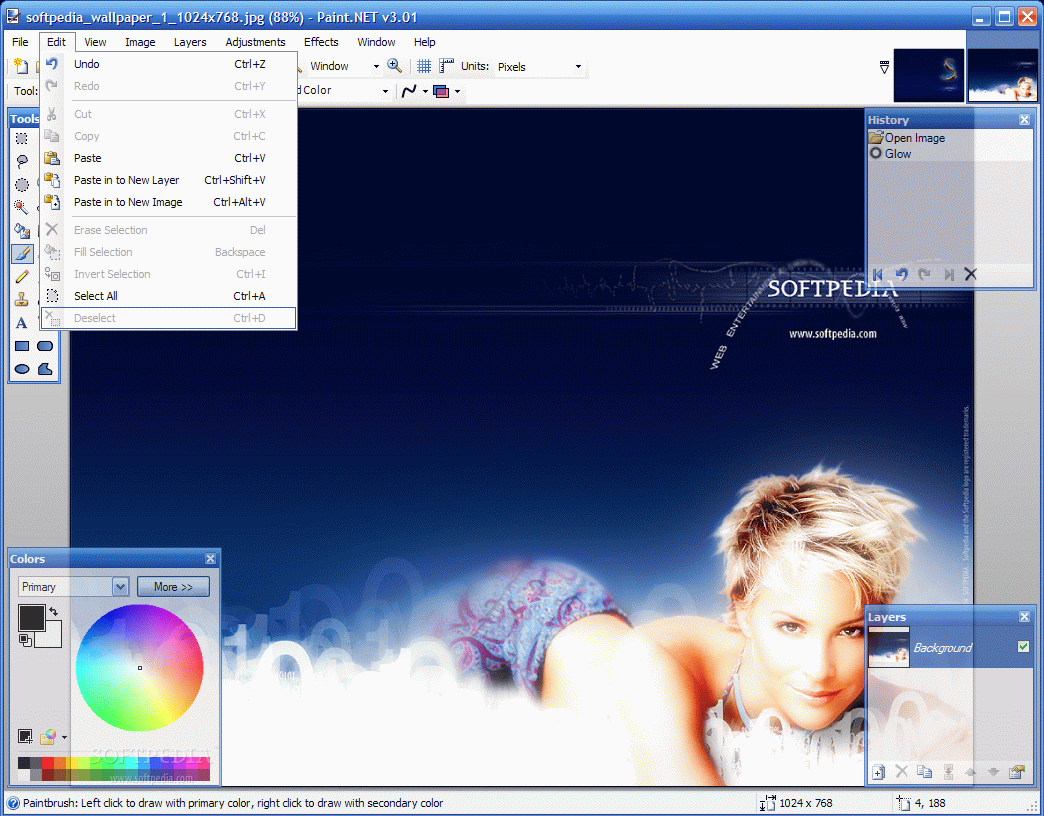
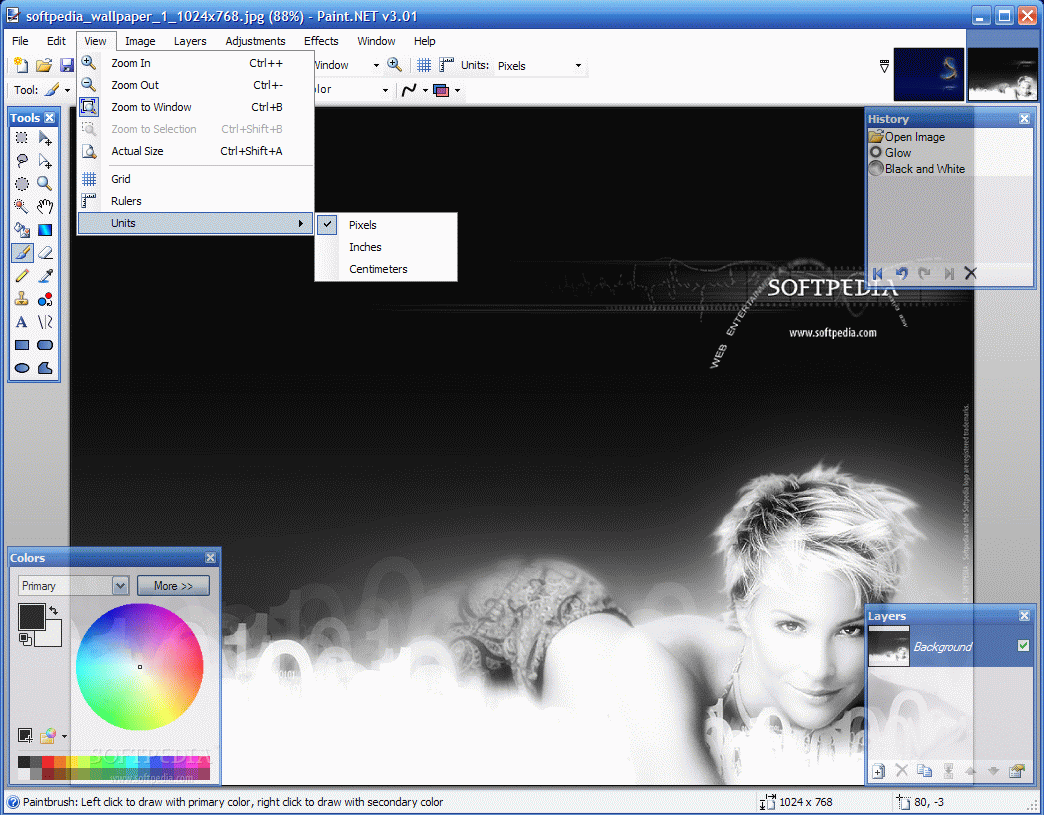
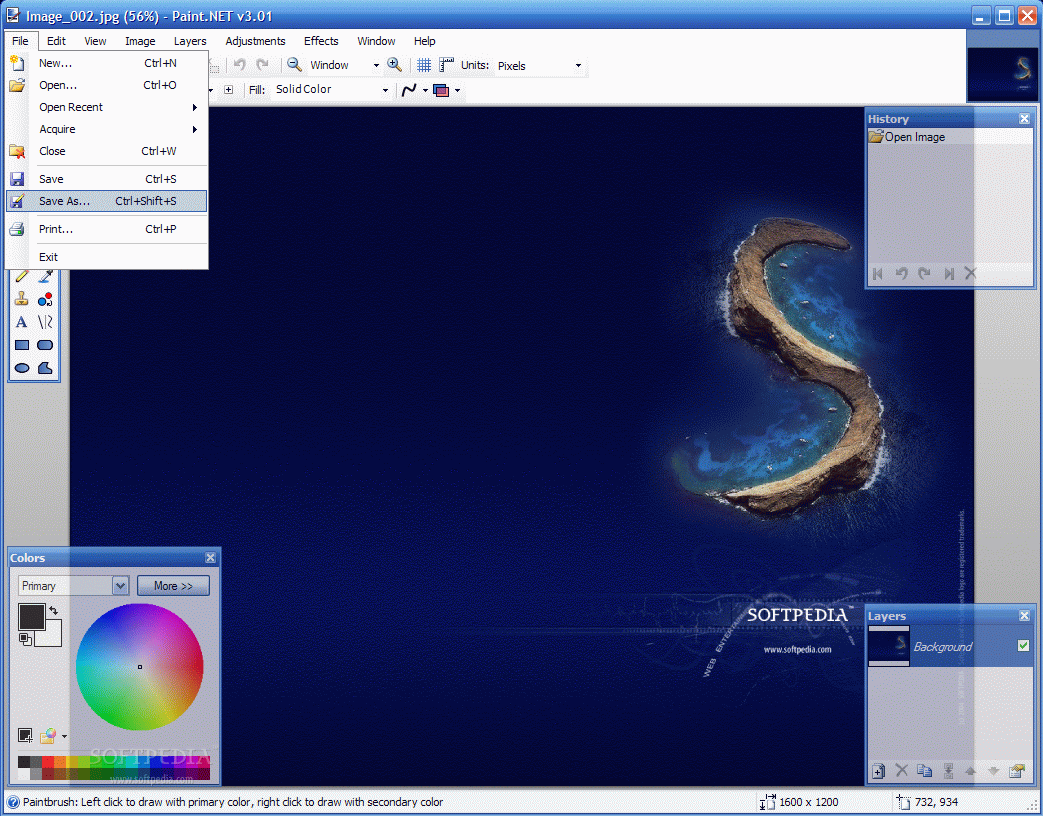
Among the latest features added to the software there is the multiple document interface that allows you open as many pictures as you want and work with all of them at once. A thumbnail for each image is displayed in the top right corner of the application window. Toggling between the pictures from the keyboard can be done by using the Ctrl+TAB or Ctrl+Shift+TAB shortcuts, just like in a web browser.

The gradient tool is also greatly improved and now it provides the means to apply a transparency fade over the image. Very easy to use, you can modify the way the gradient is applied by moving the two nubs present in the image. Thus direction can be modified according to users' wish.

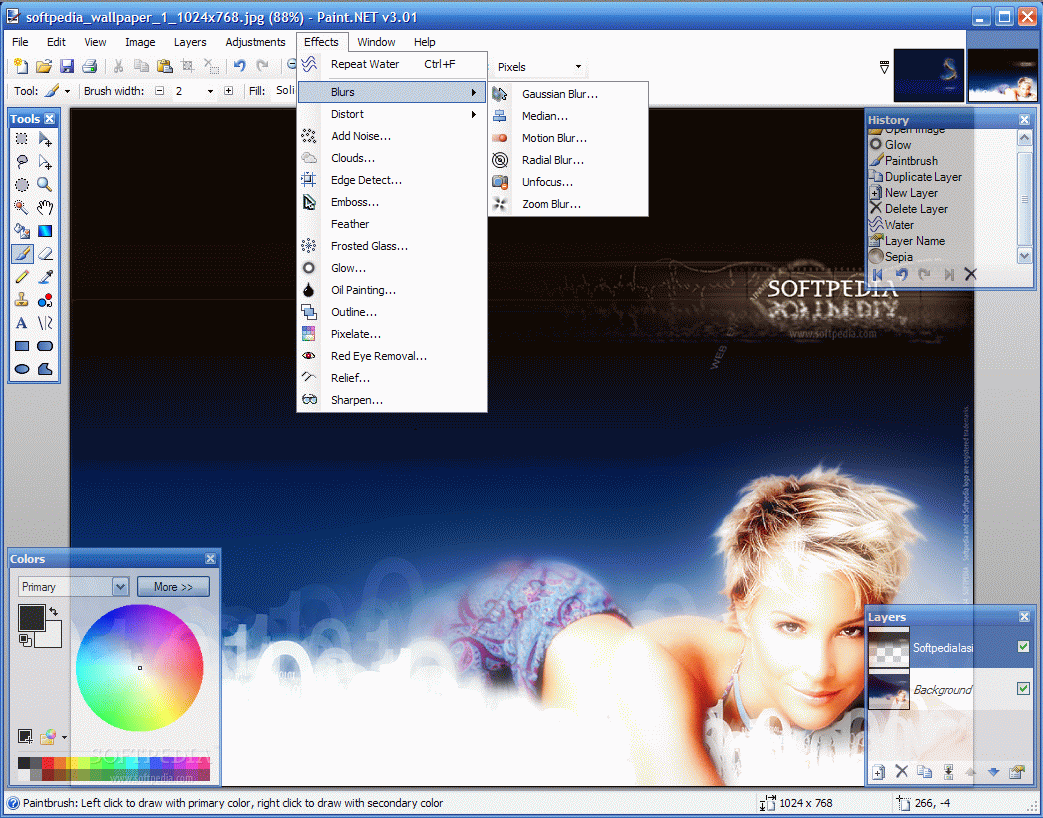
The effects have also grown in number and the latest additions are Clouds, Outline (great effect, it empties the elements of the image of the color and only the contour that defines them remains),
Median and Unfocus. The names give more then a hint on what they do. Additionally, the great number of plugins provided by the Paint.NET community brings you a myriad of effects just waiting to be embedded in the application. Adding them is just a simple matter of copying the DLL file in the Effects directory of the software's installation folder.

Plugins are not limited to adding new effects, but also cover lots of functionality areas, like loading and saving Photoshop files, RAW camera images, DDS files or filters. Some of the plugins are adapted from different other image editing softwares like Photoshop or Corel, but they add a big plus of functionality to the software.

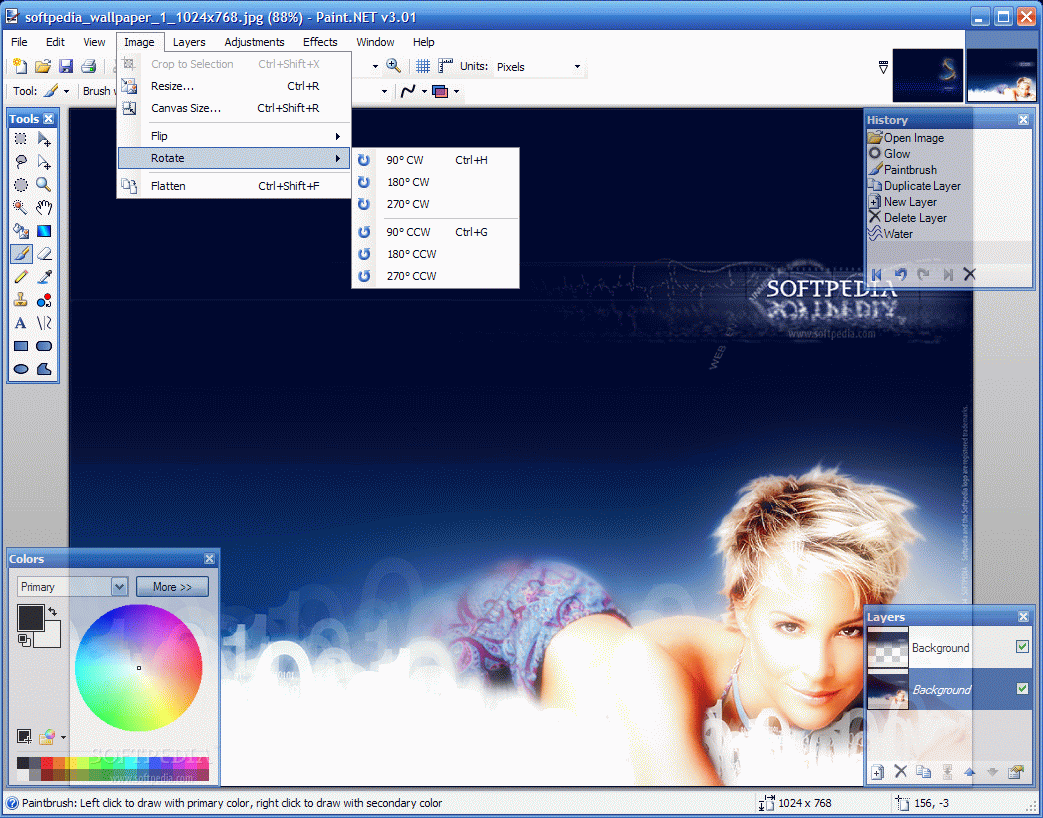
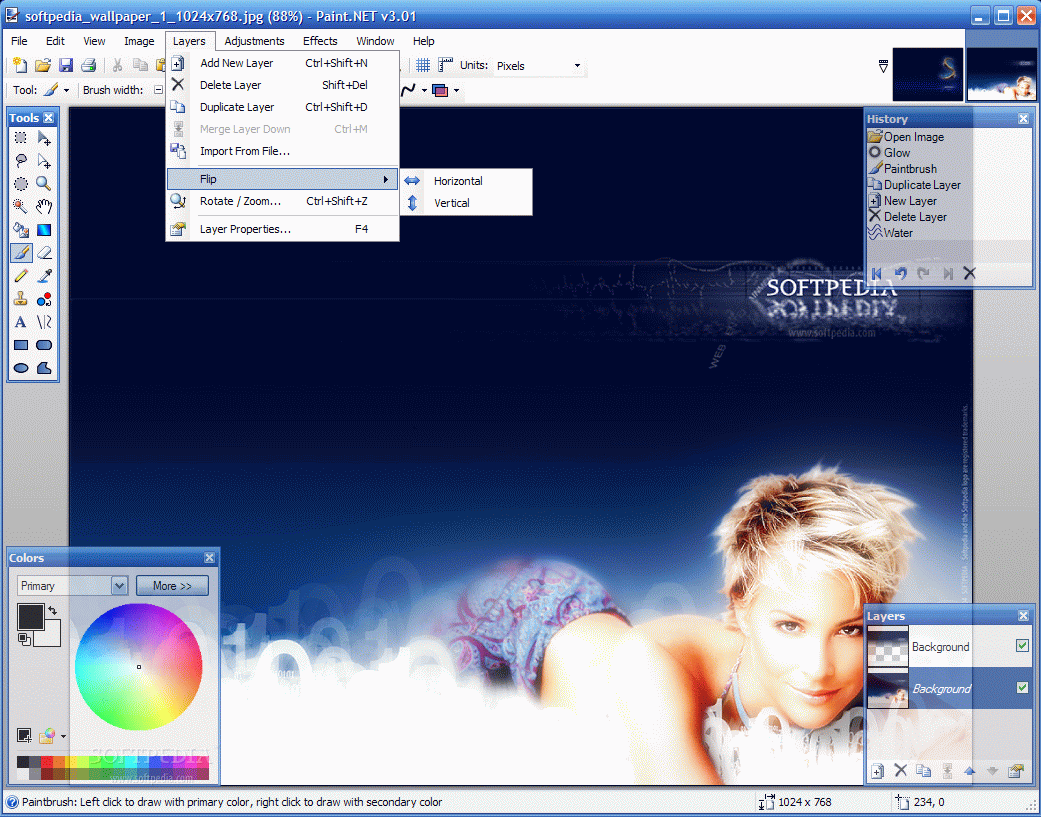
Working with layers permits much more flexibility and the user can duplicate them, add a new one, merge the layers, flip it horizontally/vertically or import from a file. The properties of a layer include name, blending mode (14 available), and opacity adjusting. Each of the layers available in an image can have different properties.

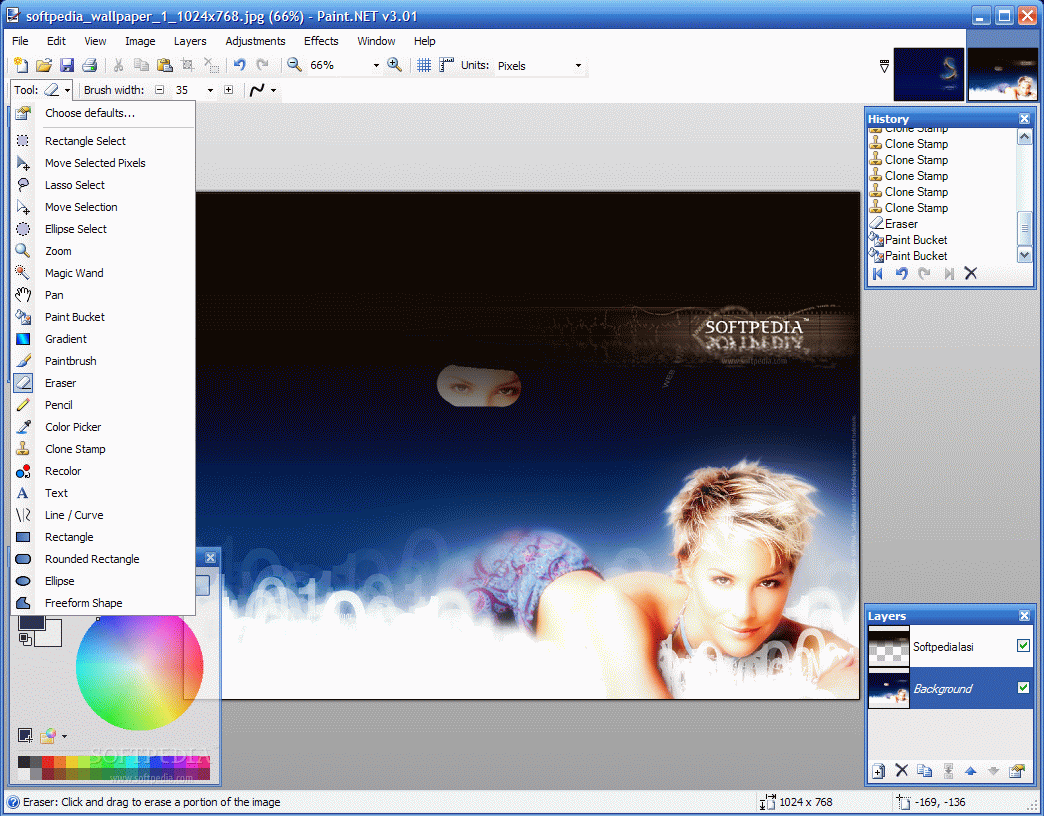
History tool lets you see all the modifications made to the working picture. This tool also has unlimited undo capabilities so no matter how much back you want to rewind it is just a problem of selecting the step back you want to return to.

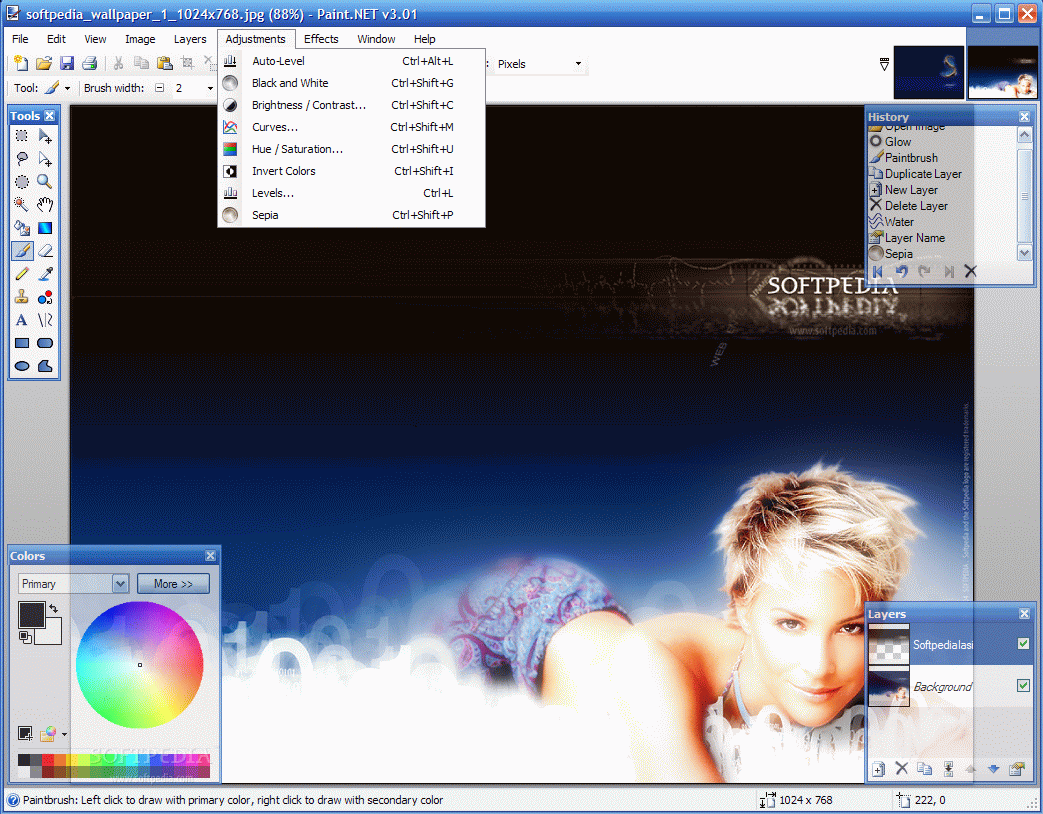
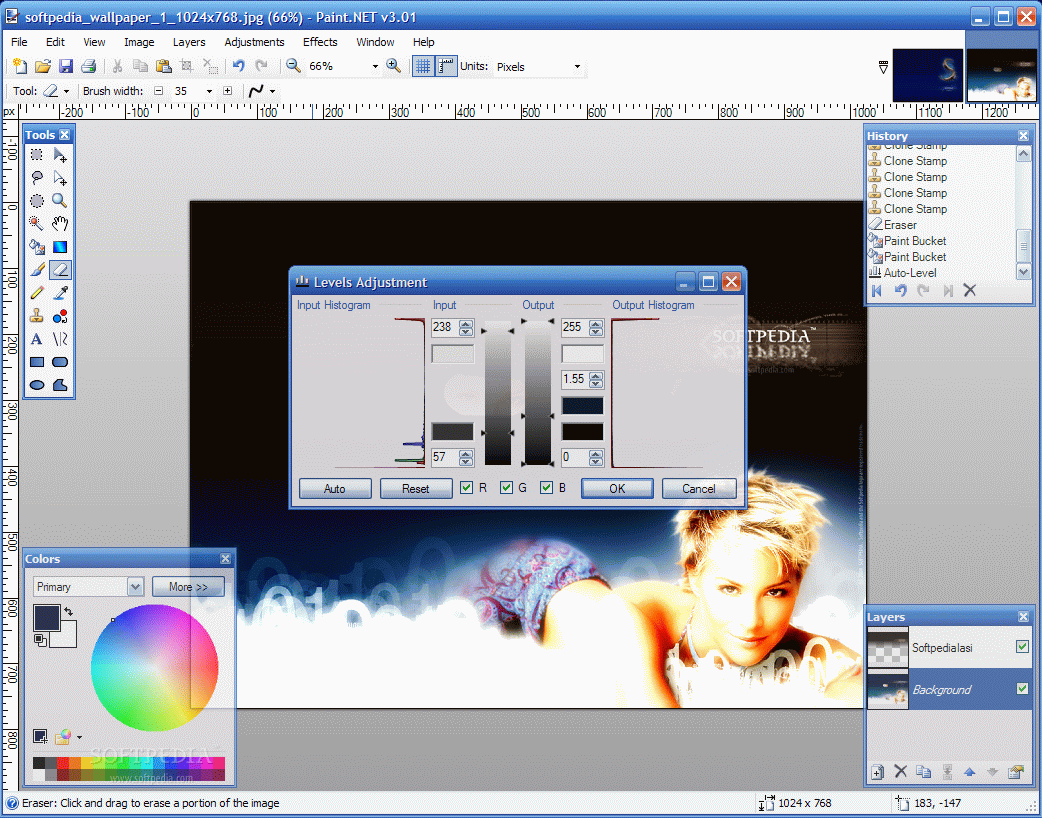
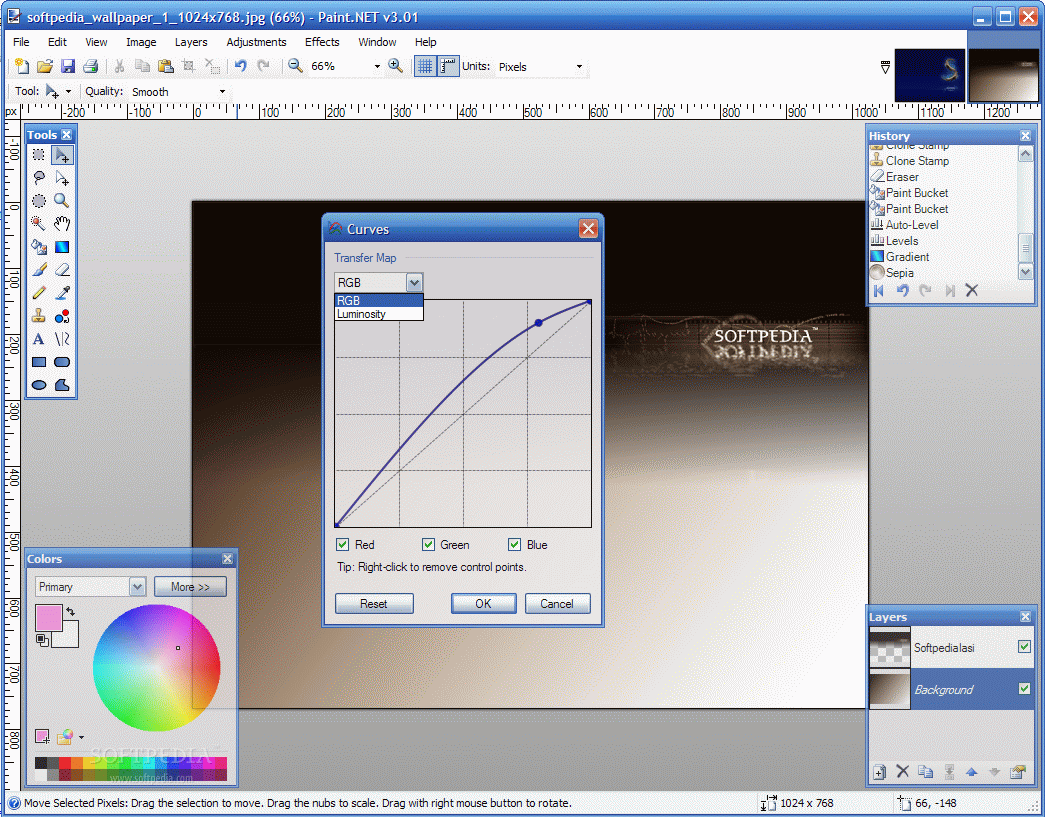
The Adjustments menu of the software lets the user play with the picture by applying auto-level, fiddle with the brightness/contrast, invert the colors of the image, set the hue and saturation of the colors or view the histogram of the image and adjust the levels manually. Curves option displays the transfer map and lets the user set the luminosity or RGB of the picture.

All the modifications can be instantly previewed so that you can adjust the image in real time. The rendering of the picture is made very fast and you will not have to wait too much.

The Good

Very good application for editing your images. For small jobs that do not require professional tools it is excellent. The plugin support and the suite of additional features that can be embedded with the help of the Paint.NET community makes it very flexible.

The Bad

I would like to see more consistent improvements of the software. However, the software's development is made with small steps, but steady.

The Truth

It is a very good application for small image editing jobs like adding effects or adjusting the picture's luminosity and colors. The layering capabilities can provide great results with little effort.

Here are some snapshots of the application in action:
Review image
Review image
Review image
Review image
Review image
Review image
Review image
Review image
Review image
Review image

MORE RELATED ARTICLES: Create Cool Images Photo Zone Digital Painting Buster Images for You Ballooned Images Picture Enhancing


Editor's ratings:
User Interface:   Features:   Ease of Use:   Price/Value:   OVERALL:


8th March 2007, 11:20 GMT | Copyright (c) 2007 Softpedia | Contact:

Read by 15,244 user(s) | Add comment | Link to this news
Subscribe to news | Print article | Send to friend
TODAY'S HEADLINES: MemoriesOnTV Review  Magic Transfer Review  tag2find Review  Teach2000 Review  Rapid Reminder Pro Review  Ping Tester - Professional Review  Photo Batch Watermark Review  AIV Reminder Review  Voluminous Review  Glubble Family Edition Review  MobaPhoto Review  Process Viewer Review  
Today's News | Yesterday's News | View News Archive
Search:

Paint.NET 3.31 - OPINIONS AND REVIEWS Pages: 1

Paint.NET 3.30 Final
Reviewer: jeditone

Email me | PM me
Read all my reviews (9)

Date: 2008-04-22, 13:38 GMT
Version: Paint.NET 3.30 Final
Overall rating: (Excellent)

GUI:    Features:    Ease of use:    Value:    
What can I say, I love this app!
Blows the doors off any other capturing app.
Great interface and ease of use!!
Paint.NET 3.10
Reviewer: rickpowell

Email me | PM me
Read all my reviews (1)

Date: 2007-10-26, 16:32 GMT
Version: Paint.NET 3.10
Overall rating: (Very Good)

GUI:    Features:    Ease of use:    Value:    
Wish List: feature to Rotate the Selection any number of degrees (not just by 90's). Thanks for providing this program for free!
Paint.NET 3.08 Final
Reviewer: UNfairChoice

Email me | PM me
Read all my reviews (11)

Date: 2007-06-13, 11:03 GMT
Version: Paint.NET 3.08 Final
Overall rating: (Excellent)

GUI:    Features:    Ease of use:    Value:    
is exactly what is claims to be: a better replacement for MSpaint

It doesn't claim to be on par with photoshop.. and its certainly not.

Paint.NET 2.6 RC1
Reviewer: dolet

Email me | PM me
Read all my reviews (2)

Date: 2006-02-04, 11:12 GMT
Version: Paint.NET 2.6 RC1
Overall rating: (Very Good)

GUI:    Features:    Ease of use:    Value:    
Nice Paint program especially the multilayer support. However, there are many popular features are missing as a Paint Program, that is why I still use PhotoFiltre as JeRrYFaR does. Be aware PhotoFiltre doesn't support multilayer with its free version. You will have to buy PhotoFiltre Studo for such capability.

Meantime, I would recommend another free .NET application called Photobie, which provides many tools for digital photo finishing. Photobie supports multilayer, and its screen capture tools are by far the most complete and the easiest to use.

Paint.NET 2.6 Alpha 1
Reviewer: JeRrYFaR

Email me | PM me
Read all my reviews (1)

Date: 2005-12-14, 16:34 GMT
Version: Paint.NET 2.6 Alpha 1
Overall rating: (Very Good)

GUI:    Features:    Ease of use:    Value:    
Paint.NET *will* install and run fine w/ the 2.0 Framework, however you need to have the 1.1 Framework installed as well.

I have heard of no issues if that is followed. It's a great program and I rate it highly, however I prefer PhotoFiltre myself, also freeware.
Paint.NET 2.5 beta 5
Reviewer: bobad

Email me | PM me
Read all my reviews (111)

Date: 2005-10-31, 05:10 GMT
Version: Paint.NET 2.5 beta 5
Overall rating: (Poor)

GUI:    Features:    Ease of use:    Value:    
Paint.NET still uses the obsolete .NET 1.1 framework! It will not install with version 2.0 of the .NET framework! Unbelievable!
Paint.NET 2.0
Reviewer: RandySavage

Email me | PM me
Read all my reviews (199)

Date: 2005-01-19, 21:11 GMT
Version: Paint.NET 2.0
Overall rating: (Good)

GUI:    Features:    Ease of use:    Value:    
Seems to be a much more capable "paint" application than a photo manipulation, adjustment, or retouching tool. Photo tools are rudimentary and incomplete. Paint utilizing standard tools found in many applications. Not a bad program, but not spectacular either.

go to top Pages: 1


SHARE YOUR OPINION ABOUT Paint.NET 3.31

Since you are not logged on, your comments will have to be approved before being displayed.
Click here to login, or register.
Your Name:
Your Email: (will not be published anywhere)
Type in the result:
GUI (Graphical User Interface): Poor   Fair   Good   Very Good   Excellent  
Features: Poor   Fair   Good   Very Good   Excellent  
Ease of use: Poor   Fair   Good   Very Good   Excellent  
Price/Value: Poor   Fair   Good   Very Good   Excellent  
Overall rating: Poor   Fair   Good   Very Good   Excellent  
Your review/opinion:


DO YOU WANT TO CONTACT US?  

If you have some comments or you want to send us some information you can send us an email directly to .
You can use the form below for the same purpose.
Your full name: (at least 3 characters)
Your email address: (at least 5 characters)
Message subject: (at least 5 characters)
Message text:
(at least 10 characters)
Type in the result:


Welcome!
Hello, Guest

Login if you have a Softpedia.com account.

Otherwise, register for one.

Main categories:
  • Antivirus
  • Compression tools
  • CD/DVD Tools
  • Office tools
  • Programming
  • Authoring tools
  • File managers
  • Desktop Enhancements
  • Internet
  • Network Tools
  • IPOD TOOLS
  • Mobile Phone Tools
  • Multimedia
  • Tweak
  • System
  • Security
  • Others
  • Science / CAD
  • UNIX
  • Windows Widgets
  • PORTABLE SOFTWARE

  • Week's best:
  • SP3 UxTheme Patcher ...
  • PECompact 2.82
  • Sony Vegas Movie Stu...
  • 3DMark Vantage 1.0
  • Total Commander 7.03
  • VistaMizer 2.5.1.0
  • AVG Free Edition 8.0...
  • Windows XP Service P...
  • Ashampoo Burning Stu...
  • XviD Media Codec 1.1...
  • Blu-ray Disc Ripper ...
  • Blu-ray Region Code ...
  • Adobe Photoshop Ligh...
  • PowerDVD 8.0.1531
  • EF Commander 6.54
  • Microsoft Windows In...
  • Nero 8 Lite 8.3.2.1
  • WebSite-Watcher 4.41...
  • EVEREST Ultimate Edi...
  • Nokia PC Suite 6.86....
  • VMware Workstation 6...
  • AnyDVD HD 6.4.2.0
  • Messenger Plus! Live...
  • The Bat! Voyager 4.0...
  • Windows Vista Servic...
  • Nero 8 8.3.2.1
  • Vipre 3.1.1997 Beta
  • Internet Explorer 8 ...
  • Norton 360 2.0.0.242
  • SmartFTP 3.0.1015.5
  • © 2001 - 2008 Softpedia. All rights reserved.
    Softpedia™ and Softpedia™ logo are registered trademarks of SoftNews NET SRL.
    Copyright Information | Privacy Policy | Terms of Use | Contact Softpedia | Update your software | Archive