14 DAY TRIAL //
 Antivirus developers are constantly in fierce competition, but these days more than ever. That's because of the numerous zero-day threats that have to be dealt with as well as the arch-enemy threat that couldn't be erased completely, and which goes by the names of Conficker, Kido or Downadup. Developing new technologies to improve detection and disinfection rates is also a constant endeavor which, from time to time, pops up seemingly as a new discovery or breakthrough, when in fact behind it hide years of research and hard work.
Panda's been in the malware elimination business for almost 20 years and all that experience combined with the new cloud technology resulted in the making of Panda Cloud Antivirus. The name hints at what it is supposed to do and how it does it. Indeed, it is anti-malware software that draws all its accuracy from Panda's Collective Intelligence. It is the first of its kind on the market and it is in beta stage for now, with the developer planning on releasing it by the end of the summer.
Panda Cloud Antivirus is unlike any other app of its feather available at this moment as it differs in both looks and the way it detects and eliminates malware with very little impact on system resources. The application is not an antivirus itself, but an agent that connects your system to the cloud, thus benefiting from cloud-scanning capabilities and low system resource usage.
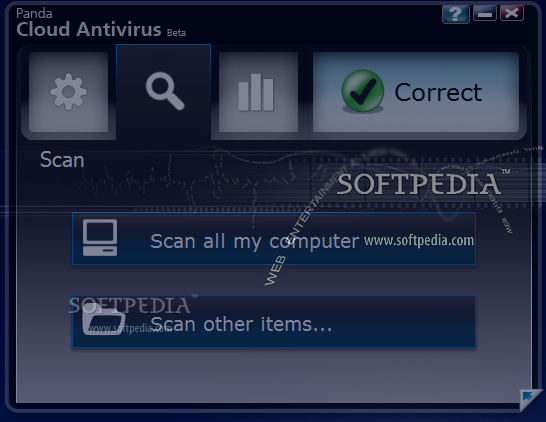
A two-sided interface awaits after installing Panda Cloud Antivirus, with very little to explore because there are no settings or complex options. Besides the nonconformity of the looks with a regular antivirus that resides in both sheer simplicity and colors used, there is also the flipside of the window, which infuses a rarely seen level of ergonomy. Not to mention the click-activated transparency.
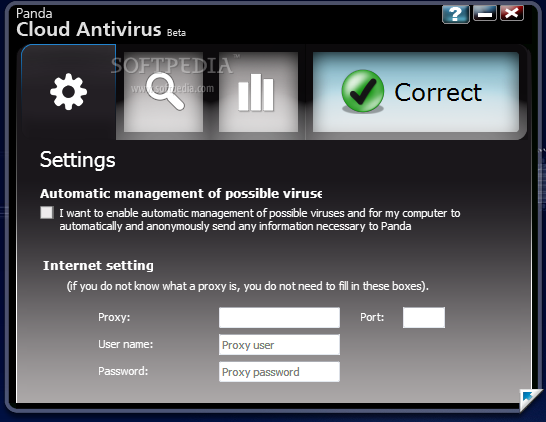
The first piece of information provided by Panda Cloud Antivirus is the current state of the computer (if there are security problems or not). If everything is fine, you can proceed to configuring it. All the settings available in the entire program are enabling/disabling automatic management of possible viruses for your computer and sending any information necessary to Panda and providing the proxy settings (if any).
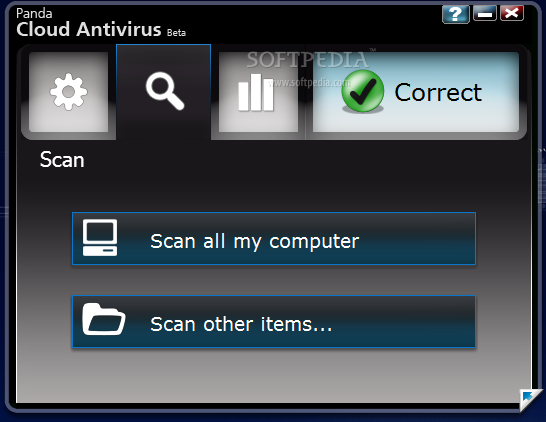
And this completes the configuration of Panda Cloud Antivirus. However, it is perfectly capable of on-demand scan jobs of specific files and folders. It integrates in Windows Explorer context menu allowing you to right click on a file/folder in order to start scanning it. Other than this, there is absolutely nothing else left to configure.
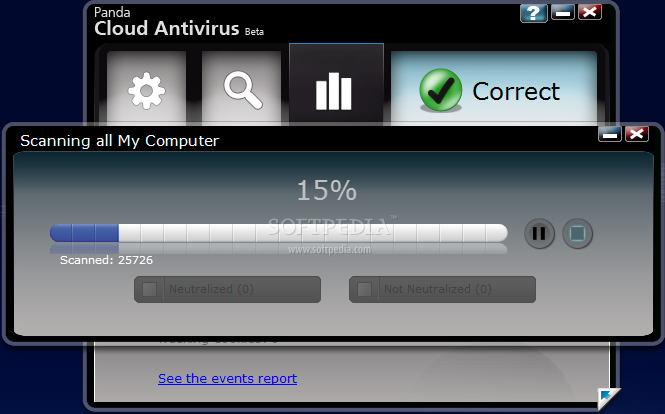
As far as scanning is concerned, Panda Cloud Antivirus offers a complete menu that enables accurate detection and minimum impact on system resources. The maximum protection is ensured by On-Access Scan which evaluates high-risk objects (files that are being executed or in use).
Prefetch Scan deals with elements that can be scanned over a longer period of time. This type of scan will launch asynchronous local and cloud query on the file to be scanned the soonest possible (this is not real-time scan and the engine can take its time a bit before proceeding to action). However, should one of these files be executed the scan is no longer on queue and On-Access Scan takes over immediately checking it for malicious code.
The third type of scan present in the application is Background Scan. This is applied to all the resident files on the computer. Its activity starts the moment the system turns idle for the least effect on system resources.
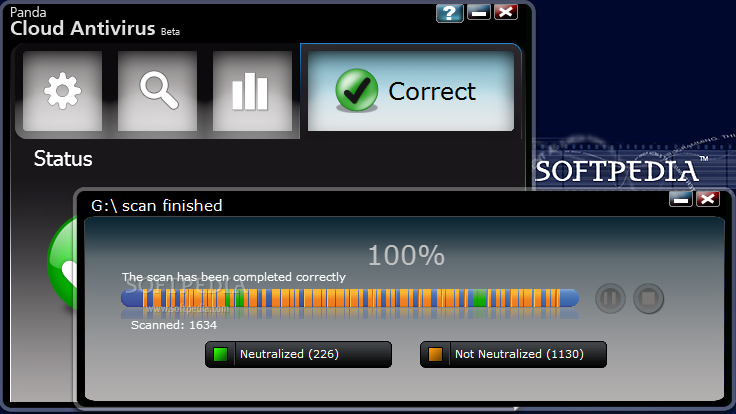
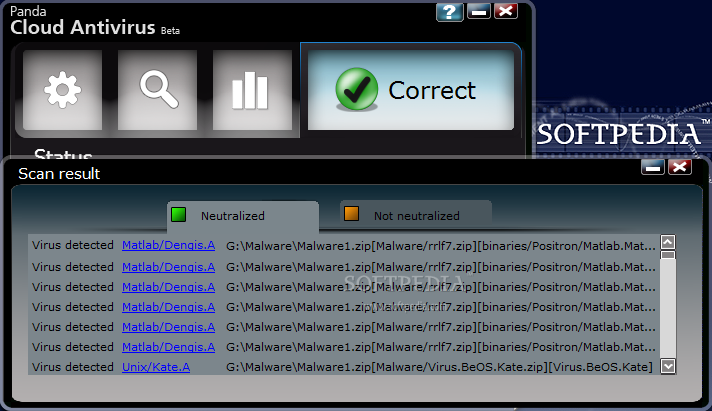
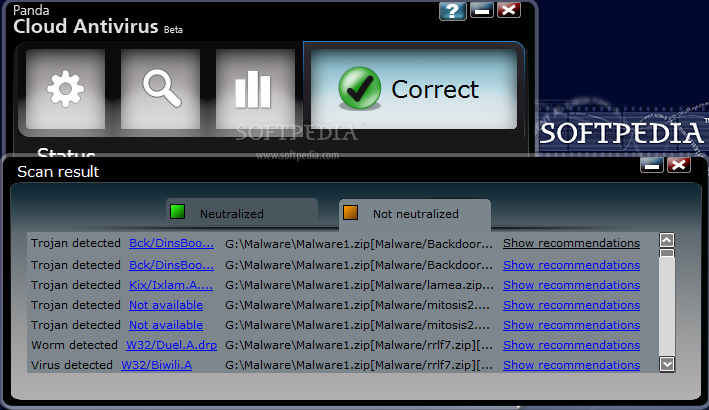
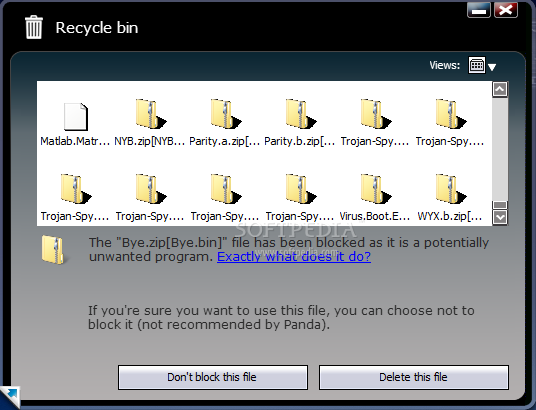
After scanning an area where malware was detected, flipping the interface to the other side you will find the means to restore some of the items if they were falsely accused of subversive activities. All neutralized elements are recoverable from this area with no fuss at all, or deleted in order to keep the computer out of harm's way.
The results of the scans during our testing were pretty amazing while connected to the Internet. On the other hand, lack of Internet connection does not leave you totally unprotected as signatures of the most common threats remain in cache. But to benefit from the utmost protection from Panda Cloud Antivirus the connection to Panda cloud (Collective Intelligence) is required.
Despite the great level of protection offered, the agent is still labeled as beta and in some cases it fully deserves it. Glitches such as stopping the antivirus and its failing to start again have made their presence visible in tests. Solving this problem required uninstalling the application and reinstalling it.
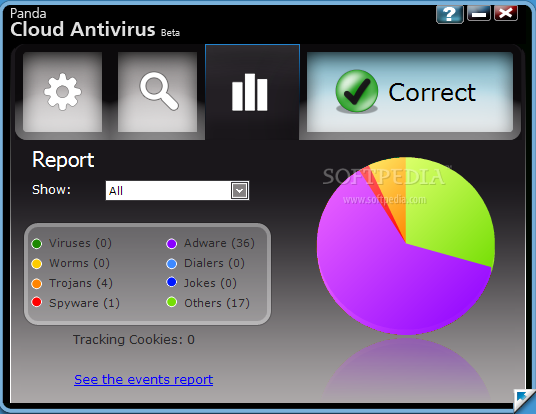
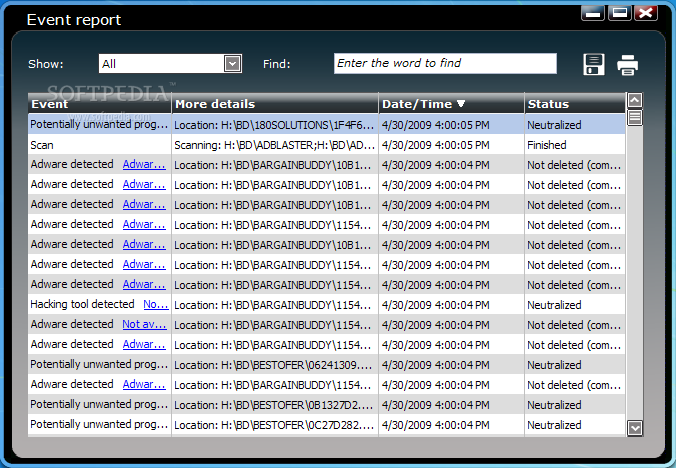
Also, it seems that reporting is not all that straightened up because after a day's work with it scanning and neutralizing malware "Report" part of the application still showed all statistics to zero threats detected on Vista (on XP everything was good with it). Event report was empty all along with no reference to malfunctions or incidents that took place.
Nonetheless, visibility behind the scenes is possible by creating two registry entries designed to turn advanced logging on and off anytime you please. It is all as simple as pasting a few lines in Notepad and saving the documents with .reg extension. Here are the lines:
Enable logging:
Windows Registry Editor Version 5.00
[HKEY_LOCAL_MACHINE\SOFTWARE\Panda Security\Panda Service Host] "tracePath"="C:\Logs_CloudAV" "traceEnabled"="1"
Disable logging:
Windows Registry Editor Version 5.00
[HKEY_LOCAL_MACHINE\SOFTWARE\Panda Security\Panda Service Host] "tracePath"=- "traceEnabled"=- The stability of the program is quite questionable on Windows XP, the environment where we did most of the scan testing, but in the case of reports Vista proved to be the leader as it failed to show the statistics. On XP several re-installs preceded by uninstallation of the app were performed as Panda Cloud Antivirus failed to start and repairing the installation showed no positive results.
On the bright side, when sitting quietly in system tray Panda Cloud Antivirus takes very little RAM, the peak in our tests being of less than 20MB on Vista, but most of the times it needed less than 6MB to function. While scanning the software raised the bar to a little over 40MB.
The Good
Panda Cloud Antivirus is easy on system resources and does not intrude on your work because all the files on the computer are checked in the background, when the system is idle.
Statistics are broken into time periods you can set. Searching for specific words in the reports is possible and the results are shown through elimination of the irrelevant data.
The Bad
The Truth
The three malware interception techniques are extremely simple, but their efficiency was pretty high in our evaluation.
With all the glitches out of the way Panda Cloud Antivirus has great chances of becoming a solution adopted by users ready to skip the hassle of complicated settings, signature update downloads and heavy resource usage. Panda Cloud Antivirus installs and uninstalls quickly and its no-setup structure guarantees the user easy handling.
NOTE: Panda Cloud Antivirus is in beta stage and, as such, Softpedia awarded it a three-star rating, which is the default appraisal for a work in progress.
Here are some snapshots of the application in action: