Search Perform an advanced search query SOFTPEDIA
 
SOFTPEDIA
Updated one minute ago
HomeSubmit a program for being reviewedAdvertise on our websiteGet help on surfing our websitesSend us your feedbackGet information about our XML/RSS backend and how to use itBrowse the news archiveVisit our discussion forumVizitati forumul in limba romana


Review Finder NormalFreeware onlyShareware only

Revolutionary Uninstall Skills
Category: SOFTPEDIA REVIEWS :: Windows

Keep Windows registry squeaky clean
By: Ionut Ilascu, Editor, Software Reviews

Revo Uninstaller by VS Revo Group Add Your Rating   See Editor's Ratings
Version reviewed: 1.30

Revo Uninstaller is not just an uninstall application, but it also includes other utilities and features that will help you clean your Windows based computer system.

Some features:

Revo Uninstaller is completely free - no charge, no adware, no spyware;
You can use an innovative "Hunter mode" to uninstall, kill and delete applications;
You can use a "Drag and Drop" mode to uninstall, kill and delete applications;
You can have fast access to the most useful Windows build-in tools;
You can erase recent document history in Microsoft Office products since version 2000;
You can erase most important traces you had left while you had been working with Windows;

DOWNLOAD PROGRAM    REQUEST A REVIEW

All the crap you install on your computer needs to be eliminated sooner or later. Face it, you like toying around and experiment new software. But 90% of them are absolutely useless and your computer needs to be relieved of the pressure.

A normal uninstall will remove them from Program Files folder, but you know better. Incomplete uninstalls are a habitual issue the registry confronts with. The outcome: slower computer and if not properly maintained it'll come to a halt and re-installing that drive image or the operating system is a must.

The Internet is filled with good uninstallers ready to clean left over files from your computer. But the trouble is that the great majority have overrated prices. You have to agree that a man's work has to be respected and repaid one way or the other. And money is always a good reward. It would be nice to have all such applications free of charge, but all I could find in this category is Revo Uninstaller.

The application is actually a freshman judging by its version (1.30) but when it comes with no price tag you definitely have to see what it is worth. Revo Uninstaller comes with unusual qualities other softwares in its category fail to introduce. Not only does it uninstall your softwares, but it is also able to clean the junk files on your computer, shred files or wipe deleted files from your disks.

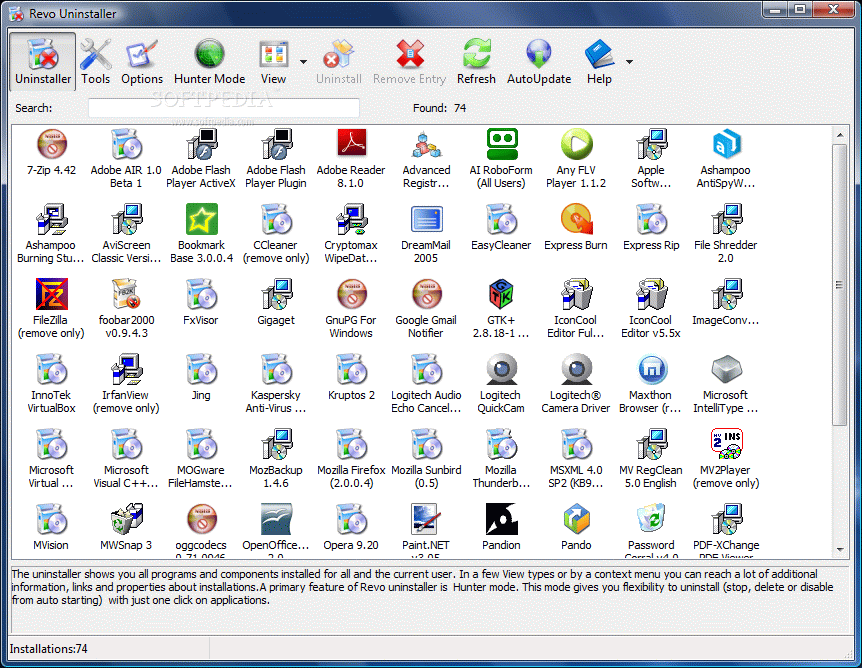
The attributes sound very promising and the fact that it is Vista compatible as well makes it even more appealing. The interface is not much but this is a clear case where functionality has to overcome the looks. From the beginning it'll present all the installed software cramping the good run of your computer.

If you hate that thumbnail view, the application gives the possibility of adjusting the icons to list or detailed view. For the latter option additional information like the size of the file, version number, installation date, company name, website and a brief comment are displayed. All these details have to be made available by the installed program so that Revo can read them. Otherwise the fields will be empty. Apart from this, Revo uninstaller makes available the path to uninstall string as well as the registry key
for each installed application.

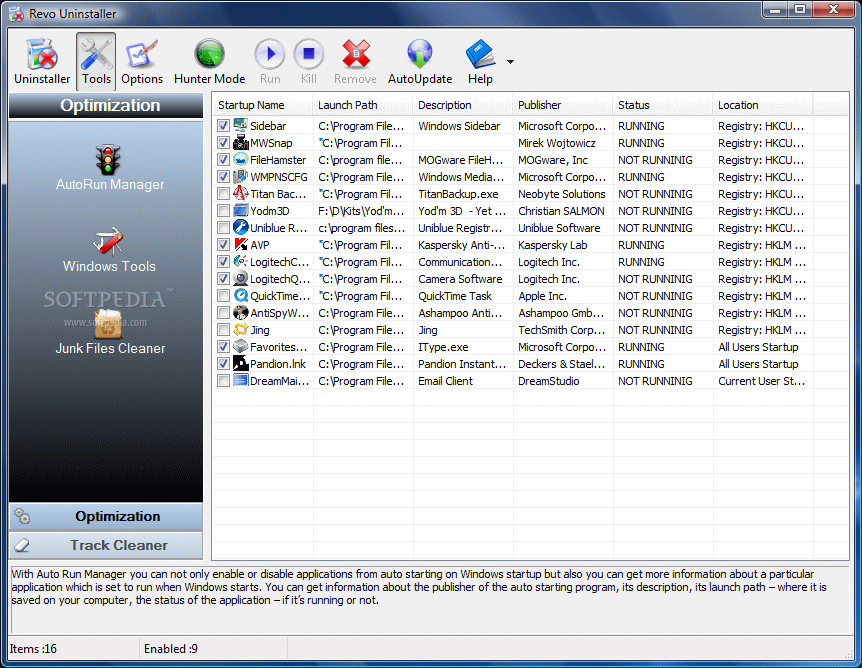
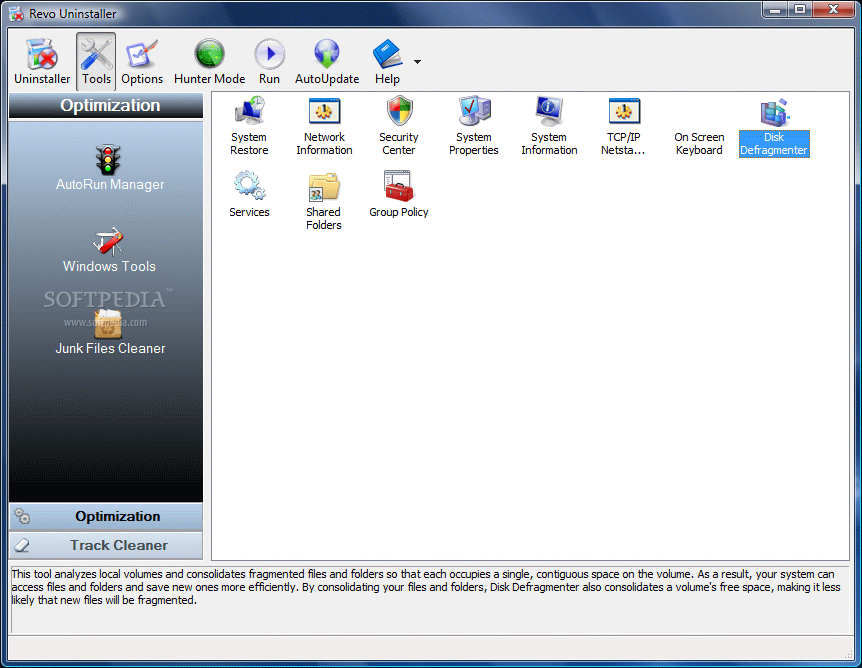
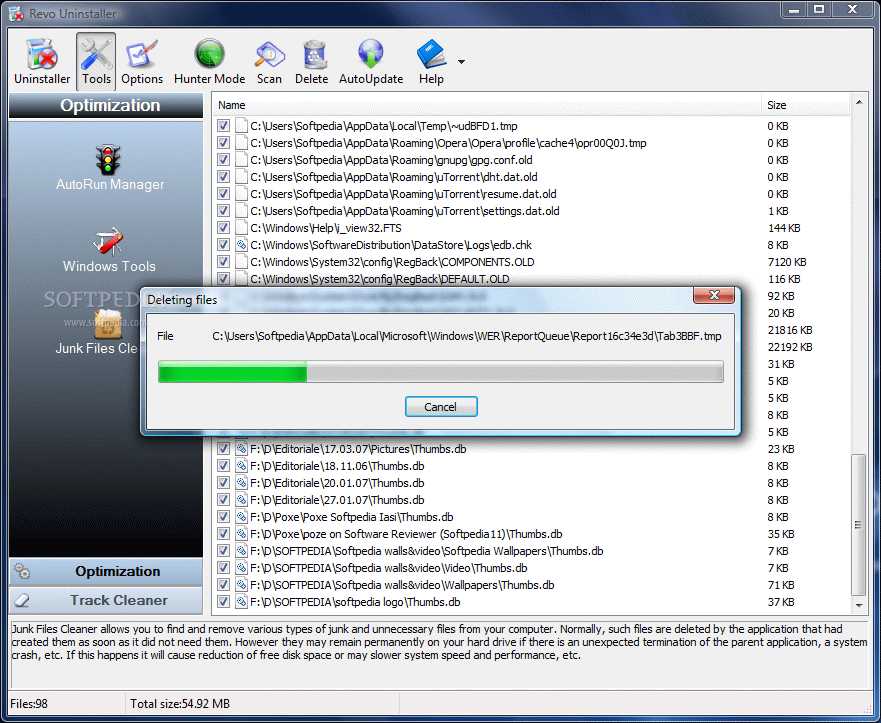
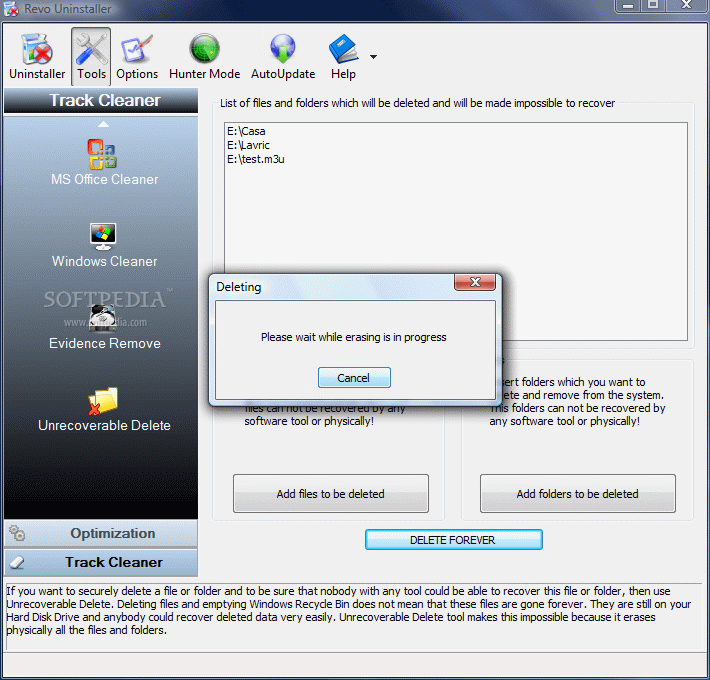
The toolbox the application comes with is split in two sections: Optimization (contains a startup manager, tools from Windows (provides access to Windows utilitaries like System Restore, Security Center for Vista, Disk Defragmenter or Service) and Junk Files Cleaner) and Track Cleaner (cleans browser data in IE, Firefox, Opera and Netscape, Windows traces, wipes drives and shreds files).

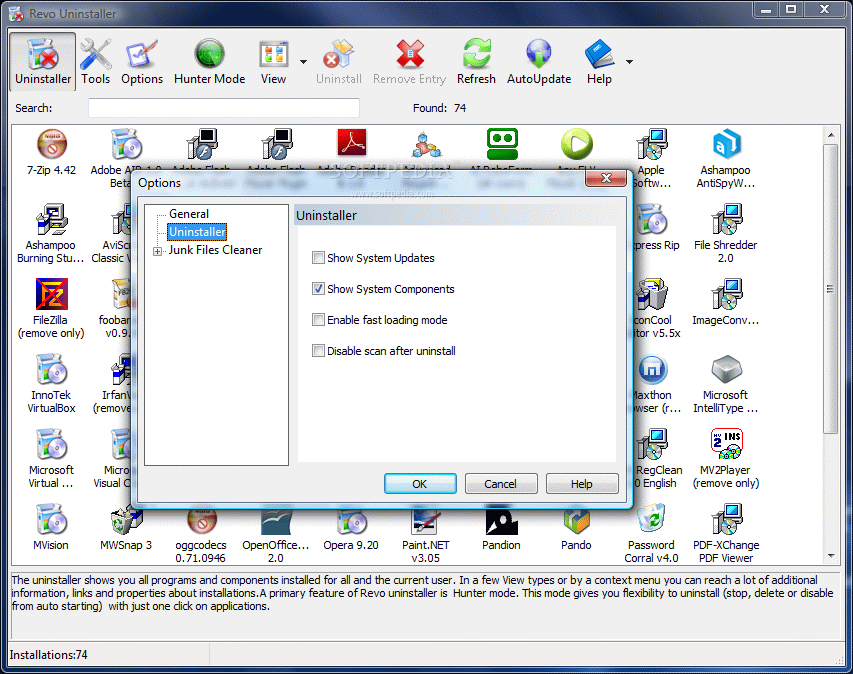
Configuring Revo to suit your needs is not a tough job as the options provided are few and easy to dig. The Uninstaller section contains options for displaying system updates and system components. Unfortunately on Vista the updates are not shown, no matter what. Considering that this is an issue many other uninstallers face, I would say it is not such a biggie.

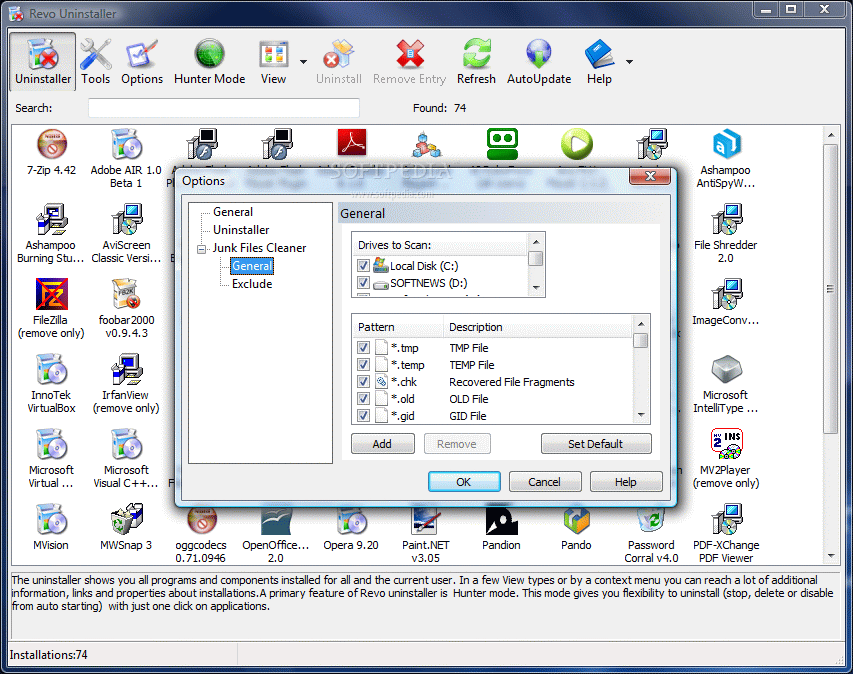
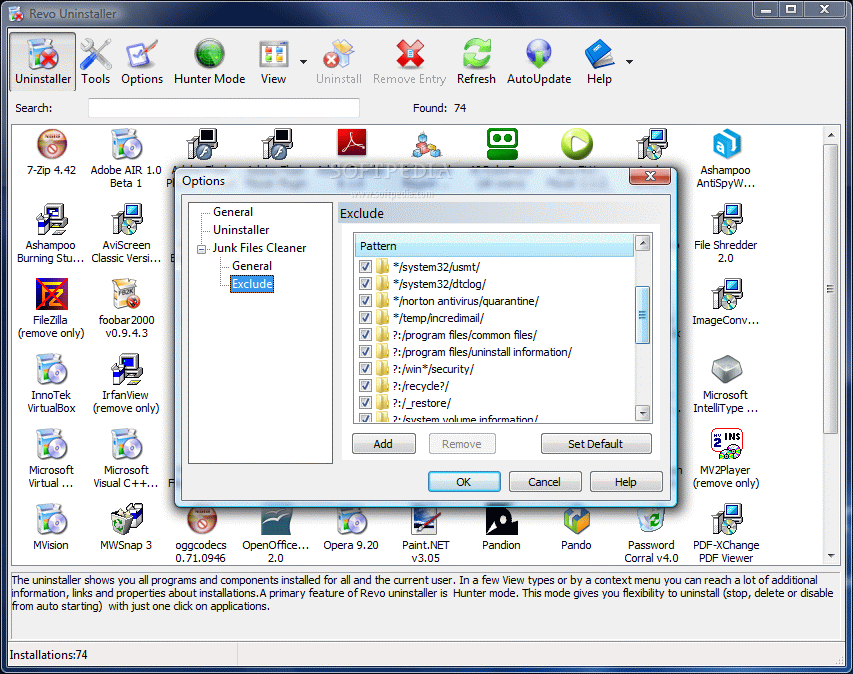
For a better cleaning of your system the software allows adding the extensions Revo has to keep in mind when looking for junk files. The list present in the general options is comprehensive enough, but you can customize it and add or remove elements from it. When it comes to excluding certain patterns Revo Uninstaller is not at all thrifty and makes available the option of adding your own patterns beside the available presets.

The one feature I have not seen in any other uninstaller is the Hunter. In hunter mode the app minimizes to task bar and only a target like sign remains from it on the desktop. It is available in the top right hand part of the screen and its functionality and ease of use are amazing. The tool can be used for uninstalling applications directly from desktop. Simply point it to a desktop icon and choose one of the available options: uninstall, disable process in startup list, kill its process, open the containing folder, google it or take a look at its properties.

The Hunter can be used in two ways: either drag the target over the soon to be victim or turn it to Drag and Drop mode and drag the icons into that pit of fire. A very interesting detail is that no action will be taken without your decision.

Revo Uninstaller had an excellent behavior during our tests and left the registry squeaky clean of left over files. Save for the system updates which are not displayed for Vista, the application holds its flag high proving to be a very good uninstaller, startup manager and track cleaner.

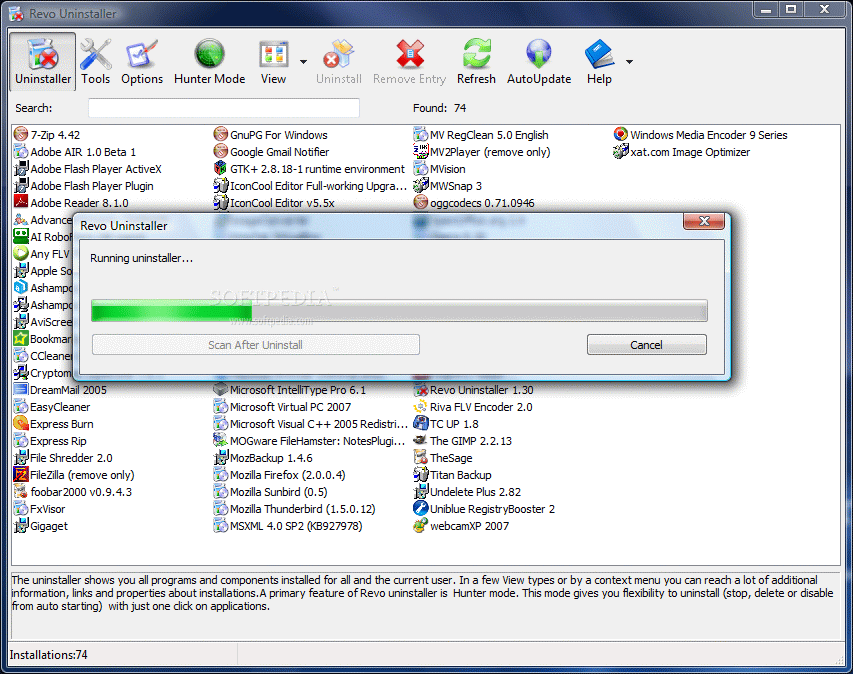
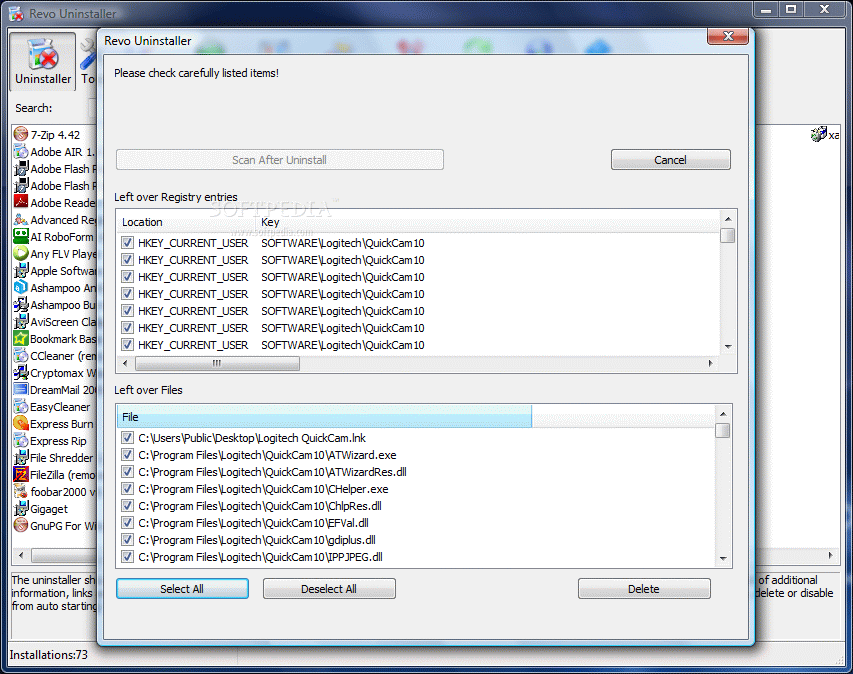
We tested its removal capabilities against a broken installation and the results were spectacular. Revo Uninstaller checked for application's data on disk drives and in Windows Registry and displayed all found files, folders and registry items. The next obvious step was deleting them which went with no objections.

The Good

First off, Revo Uninstaller is freeware. Second, it does an extraordinary job. And last, but not least, comes with a bunch of other useful options like file shredder, free space wiper and a startup manager that allows you to disarm the processes as well as remove them completely from the list.

Hunter mode is quite a contraption designed to ease software uninstalling.

Their answering machine must be out of order as I left them a message using the Contact section on the website and four hours later the inbox folder of my email client showed no new message from them. So I advise you to have a little patiencenull.

The Bad

In Hunter mode the application does not minimize to system tray which is kind of odd as you cannot maximize it from the taskbar, but only from the target like icon on your desktop.

In Vista, the updates are not displayed in the list of installed items.

The Truth

It is a real asset. It does a wonderful job as it uninstalls the program using its uninstaller and then hunts down any registry trace it may have left behind. During our testing, it never happened to miss a registry entry that belonged to the uninstalled application.

Here are some snapshots of the application in action:
Review image
Review image
Review image
Review image
Review image
Review image
Review image
Review image
Review image
Review image

MORE RELATED ARTICLES: Uninstall Everything Uninstall Tool The Smart Way to Uninstall Your Uninstaller Review


Editor's ratings:
User Interface:   Features:   Ease of Use:   Price/Value:   OVERALL:


1st August 2007, 14:43 GMT | Copyright (c) 2007 Softpedia | Contact:

Read by 10,532 user(s) | Add comment | Link to this news
Subscribe to news | Print article | Send to friend
TODAY'S HEADLINES: BetaClock Review  Extreme Tux Racer Review  LameXP Review  TweakNow RegCleaner Review  MemoriesOnTV Review  Magic Transfer Review  tag2find Review  Teach2000 Review  Rapid Reminder Pro Review  Ping Tester - Professional Review  Photo Batch Watermark Review  AIV Reminder Review  
Today's News | Yesterday's News | View News Archive
Search:

Revo Uninstaller 1.60 - OPINIONS AND REVIEWS Pages: 1

Revo Uninstaller 1.50
Reviewer: M a t t L e e

Email me | PM me
Read all my reviews (104)

Date: 2008-04-25, 15:45 GMT
Version: Revo Uninstaller 1.50
Overall rating: (Excellent)

GUI:    Features:    Ease of use:    Value:    
by far the best uninstaller out there. this is the only uninstaller i actually see a true point using over windows add/remove programs. yes some companies want to tell you to use the add/remove that comes with windows but obviously they never had to deal with applications that just never "fully uninstall". well revo fixes that by removing the left over registry files too so you dont have anymore of those partial uninstalls.

note: whenever u install a crappy product then uninstall it. if you cant uninstall it the 1st thing they will ask u is what uninstall program did u use? they do this because 1) they dont want to admit its their product that is the issue and 2) they dont want to pay for a better installer. very few products i have had problems reinstalling and those i do, ive had the same problem regardless if i used windows add/remove or revo uninstaller.
Revo Uninstaller 1.50
Reviewer: Leslie64

Email me | PM me
Read all my reviews (28)

Date: 2008-03-01, 18:48 GMT
Version: Revo Uninstaller 1.50
Overall rating: (Excellent)

GUI:    Features:    Ease of use:    Value:    
Just keeps getting better, version 1.50 I don't think theres a better uninstaller than this one, it runs the programs uninstall (if there is one) then when you get that "program uninstalled" confirmation Revo goes to work & finds the registry keys, & then left over files. You have total control if you want to keep or delete registry keys or anything else, Its never found any registry keys that weren't for uninstalled software. Its awesome, if you download & install a lot of different software, Its what I do. This program will totally take care of your machine when you want to get rid of something, It does it.
Revo Uninstaller 1.4.2.0
Reviewer: anas

Date: 2008-02-16, 13:13 GMT
Version: Revo Uninstaller 1.4.2.0
Overall rating: (Very Good)

GUI:    Features:    Ease of use:    Value:    
It was a very easy to use program with a powerful function. More than five mounts i look for software like this, and i just get what i want in this program
Revo Uninstaller 1.4.2.0
Reviewer: Leslie64

Email me | PM me
Read all my reviews (28)

Date: 2008-02-12, 22:47 GMT
Version: Revo Uninstaller 1.4.2.0
Overall rating: (Excellent)

GUI:    Features:    Ease of use:    Value:    
It really is a five star app. I'm using version 1.4.2.0 it is the best uninstaller I've ever used, after running uninstall it will search registry for for leftover reg keys. Its been right on every time. I download, install and uninstall a lot of applications, If you like to do the same, this is by far the best cleanup tool. I can't rate it high enough. Plus there are excellent clean up tools integrated with Windows system, & has cleanup tools for IE as well as the BEST browser AKA Firefox
Revo Uninstaller 1.40
Reviewer: Diefenbaker

Date: 2007-12-15, 15:44 GMT
Version: Revo Uninstaller 1.40
Overall rating: (Excellent)

GUI:    Features:    Ease of use:    Value:    
A Genuine 5 Star application

Revo Uninstaller has improved greatlt since the above reviews. Never had a single problem with it. Packed with many extra features to keep your computer clean.

Revo now has advanced features for software removal and cleans up many, if not all the left over debris from installation. One of the best uninstallers going.
Revo Uninstaller 1.34
Reviewer: danil.wilson

Email me | PM me
Read all my reviews (1)

Date: 2007-10-15, 02:17 GMT
Version: Revo Uninstaller 1.34
Overall rating: (Fair)

GUI:    Features:    Ease of use:    Value:    
I tried it for a month or two. It's really a non-stable program, often hangs and makes my computer be slow! It tried to remove the Nero program and after it I can't uninstall nero at all! Don't ever use it. Try looking at Uninstall Tool (http://www.crystalidea.com/software/utool), seems to work great.
Revo Uninstaller 1.33
Reviewer: zlmn

Email me | PM me
Read all my reviews (7)

Date: 2007-08-21, 11:35 GMT
Version: Revo Uninstaller 1.33
Overall rating: (Fair)

GUI:    Features:    Ease of use:    Value:    
I installed it, and when it opend up it showed only two of my many many programs. I assume that the scanning to show a list of all programs, is extremely slow.
Couldn't figure out what is "hide mode" when the program minimizes itself , and the right click shows nothing.
Uninstalled after a few tries.
Revo Uninstaller 1.30
Reviewer: billjr75

Email me | PM me
Read all my reviews (1)

Date: 2007-08-01, 22:07 GMT
Version: Revo Uninstaller 1.30
Overall rating: (Excellent)

GUI:    Features:    Ease of use:    Value:    
I used Revo Uninstaller to unstall HardCopy. It was the only program that clean up the file out of Windows Vista. I try three other programs an it did not work. I how use this to unstall all my programs on my laptop.

go to top Pages: 1


SHARE YOUR OPINION ABOUT Revo Uninstaller 1.60

Since you are not logged on, your comments will have to be approved before being displayed.
Click here to login, or register.
Your Name:
Your Email: (will not be published anywhere)
Type in the result:
GUI (Graphical User Interface): Poor   Fair   Good   Very Good   Excellent  
Features: Poor   Fair   Good   Very Good   Excellent  
Ease of use: Poor   Fair   Good   Very Good   Excellent  
Price/Value: Poor   Fair   Good   Very Good   Excellent  
Overall rating: Poor   Fair   Good   Very Good   Excellent  
Your review/opinion:


DO YOU WANT TO CONTACT US?  

If you have some comments or you want to send us some information you can send us an email directly to .
You can use the form below for the same purpose.
Your full name: (at least 3 characters)
Your email address: (at least 5 characters)
Message subject: (at least 5 characters)
Message text:
(at least 10 characters)
Type in the result:


Welcome!
Hello, Guest

Login if you have a Softpedia.com account.

Otherwise, register for one.

Main categories:
  • Antivirus
  • Compression tools
  • CD/DVD Tools
  • Office tools
  • Programming
  • Authoring tools
  • File managers
  • Desktop Enhancements
  • Internet
  • Network Tools
  • IPOD TOOLS
  • Mobile Phone Tools
  • Multimedia
  • Tweak
  • System
  • Security
  • Others
  • Science / CAD
  • UNIX
  • Windows Widgets
  • PORTABLE SOFTWARE

  • Week's best:
  • Adobe Flash Player 1...
  • Intel Chipset Softwa...
  • Uxtheme Multi-patche...
  • SRS Audio Sandbox 1....
  • SP3 UxTheme Patcher ...
  • PECompact 2.82
  • Sony Vegas Movie Stu...
  • 3DMark Vantage 1.0
  • Total Commander 7.03
  • VistaMizer 2.5.1.0
  • AVG Free Edition 8.0...
  • Windows XP Service P...
  • Ashampoo Burning Stu...
  • XviD Media Codec 1.1...
  • Blu-ray Disc Ripper ...
  • Blu-ray Region Code ...
  • Adobe Photoshop Ligh...
  • PowerDVD 8.0.1531
  • EF Commander 6.54
  • Microsoft Windows In...
  • Nero 8 Lite 8.3.2.1
  • WebSite-Watcher 4.41...
  • EVEREST Ultimate Edi...
  • Nokia PC Suite 6.86....
  • VMware Workstation 6...
  • AnyDVD HD 6.4.2.2
  • Messenger Plus! Live...
  • The Bat! Voyager 4.0...
  • Windows Vista Servic...
  • Nero 8 8.3.2.1
  • © 2001 - 2008 Softpedia. All rights reserved.
    Softpedia™ and Softpedia™ logo are registered trademarks of SoftNews NET SRL.
    Copyright Information | Privacy Policy | Terms of Use | Contact Softpedia | Update your software | Archive