
Softpedia
 

NEWS CATEGORIES:


NEWS ARCHIVE >>
SOFTPEDIA REVIEWS >>
MEET THE EDITORS >>
TRENDING TODAY
Home > News > Reviews > Windows software reviews

July 4th, 2012, 16:21 GMT · By

Secunia PSI 3.0 Review

SHARE:

Adjust text size:


Secunia PSI 3 by Secunia See editor's ratings     Request a review
Version reviewed: Secunia PSI 3 3.0

Secunia Personal Software Inspector was designed to keep your software updated to the latest most secure version. It sports automatic updates as well as real-time monitoring.


Download Secunia PSI 3
Features:

Simplified User Interface
Extended automatic patching
Non-intrusive authenticated vulnerability and patch scanning
Covers programs and plug-ins from thousands of vendors
Unprecedented accuracy
Reports security status for each program
Identifies missing patches


Enlarge picture
Keeping programs installed on your system up-to-date not only ensures that you receive the latest set of features and options provided by the developer but, in many cases, also keeps you safe from exploitable vulnerabilities – all the more when popular software is involved.

Secunia PSI is designed to scan and identify outdated applications on the system and deliver the newest version that contains security updates. It does so by automatically pushing silent updates to your computer, straight from the company’s servers.

The entire delivery process is conducted via an encrypted connection to prevent eavesdropping on the data exchange.

Installing Secunia PSI is an easy process that offers localization in five languages (English, Danish, German, Spanish and French).

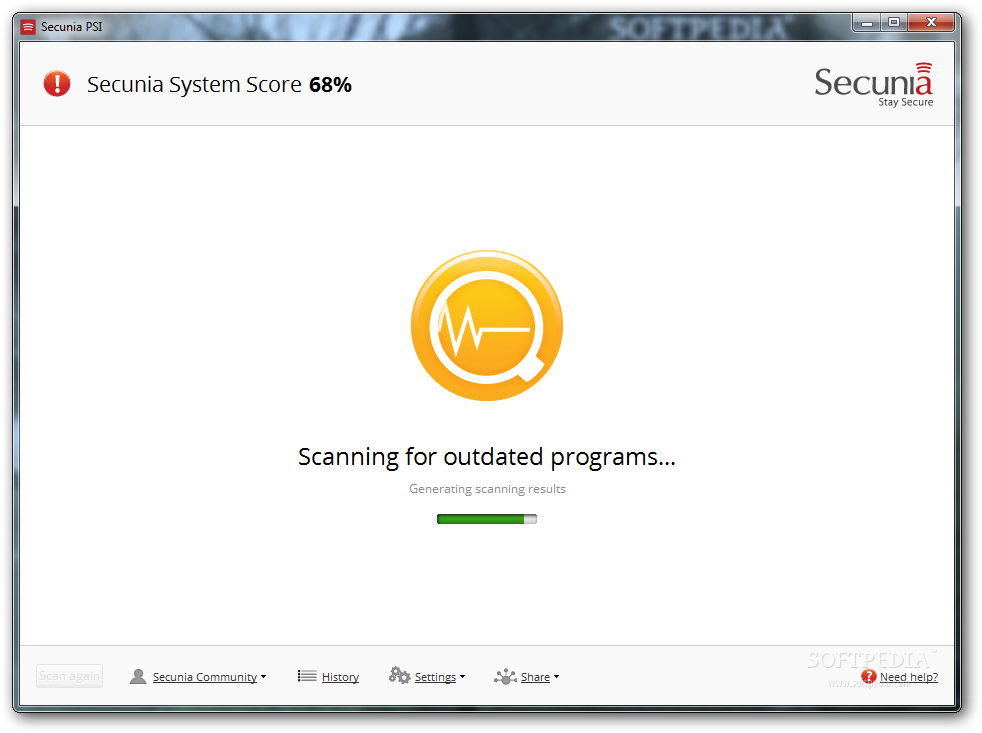
The newest version of the application has been designed to minimize user interaction as much as possible. Consequently, the moment Secunia PSI is started, it begins scanning the system in search of outdated insecure programs. Ulterior verifications occur upon launching the app.

Once this operation completes, updates are pushed to you by default. However, you can configure the program not to carry out with automatic installation of the updates. All security patches for supported software are packaged by Secunia and can thus be delivered automatically, regardless if the third-party developer offers automatic security updates or not.

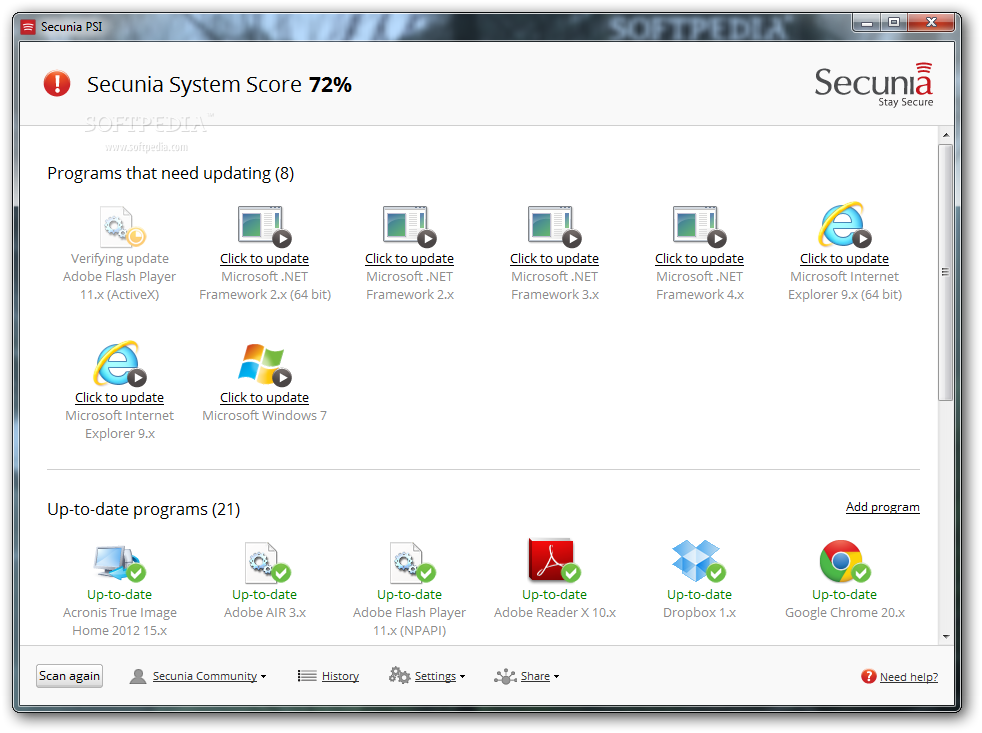
Nonetheless, in some cases, the application is unable to carry out the update job automatically and user intervention is required. Such is the case with updates for Microsoft components, which are streamed in via Windows’ service.
Review image                Review image


Other programs also need user assistance in order to become up-to-date, as the developer may require some steps that cannot be completed automatically, such as accessing a webpage or going through the installation routine.

Bringing supported programs to their least vulnerable version is accomplished by comparing the metadata available in its files (mostly EXE, DLL, and OCX) with the information on Secunia servers. These items contain non-specific details, which are the same for all users. If the data does not match, then the security patching procedure begins.

On the same note, all data retrieved from your computer is treated as confidential and is automatically deleted from their servers one year after you stop using Personal Software Inspector.

Secunia PSI 3.0 brings along a very much simplified interface that is suitable for both non-technical users and more seasoned ones. Beginners should have no trouble with the application because in most cases it works in the background.

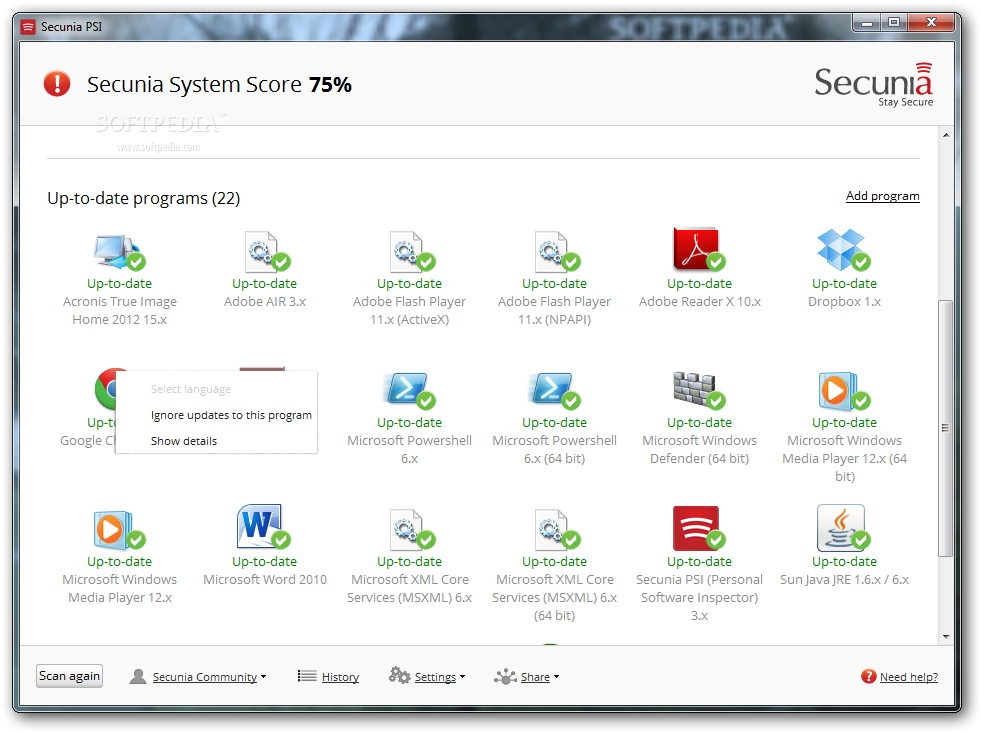
However, it is versatile enough to provide details about the version of the programs installed on the system, and displays information about installed updates and the scans carried out. Also, the main screen shows all the programs that need user interaction to be patched and those that are already up-to-date, clearly marked through color-coded icons: red for outdated software and green for the entries that have been patched.

A “system score” is refreshed after each scan in order to reflect the current state of the computer and to indicate that there are programs that need your attention to be updated, if it is less than 100%.

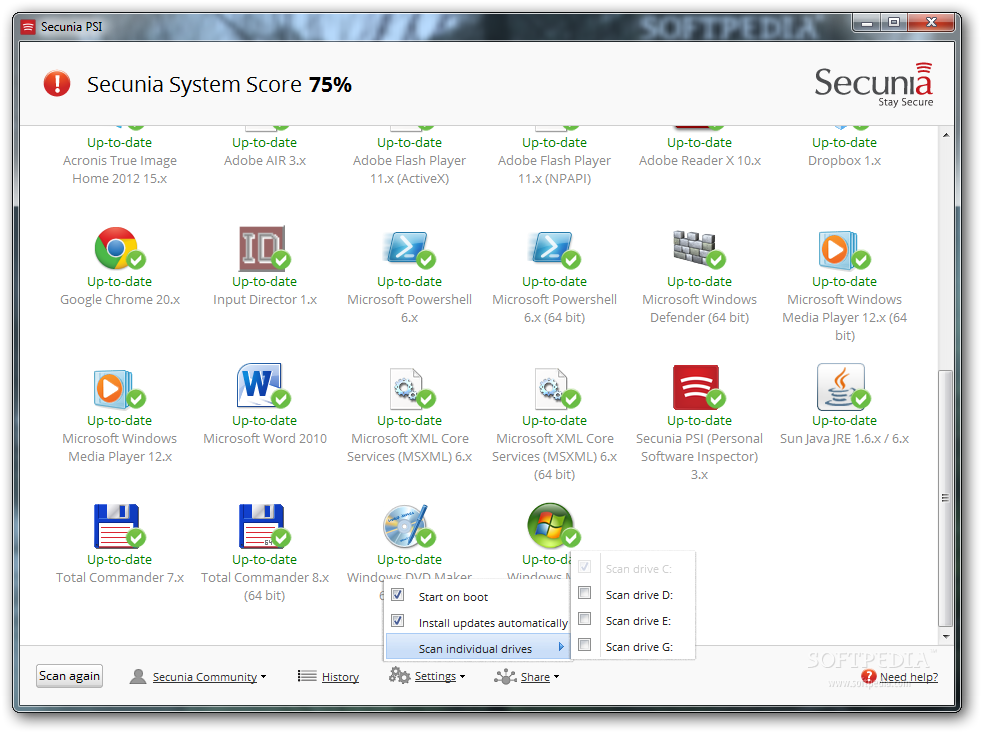
This is a simple application with a simple configuration panel, consisting of a small set of options such as starting it on computer boot, enabling automatic installation of updates and choosing the drives you want to be scanned for outdated apps. The system partition and the one containing the “Program Files” folder are selected by default.

Furthermore, you can select the entries that you do not want to be checked. This comes in handy especially with listings that are no longer maintained by the developer and reached end of life (EOL).

Secunia PSI does not take too long to finish its verification, but the durations are influenced by the amount of data it is dealing with at any given time. As such, selecting drives with lots of files will increase scan duration.

At the moment, Secunia PSI can deliver security updates for more than 3,000 software pieces, which places it at the top of the list of security scanners. It is not designed to replace security solutions like anti-viruses or firewalls, but to complement them as an additional layer of protection against attacks that could be conducted by exploiting software vulnerabilities.
Review image                Review image


The Good

The simplicity of the application is impressive. It offers patches for more than 3,000 programs, and its most powerful feature is silent patching, which absolves the user of the task of manually updating installed software.

You can view version details about each detected program, and choose the drives you want to be checked for outdated programs.

The Bad

The silent update process does not happen for all programs and some of them need to be installed manually, but this is beyond Secunia’s control.

Some uses may be disappointed by the supported software, although the database is pretty large.

The Truth

Secunia PSI is conceived to work in conjunction with a full-fledged security solution, as it ensures protection against exploitable vulnerabilities in software available on the system. The method proposed for patching the security holes is non-intrusive and secure.

Review for Secunia PSI 2.0


EDITOR'S RATINGS:

User Interface: (5/5)
Features: (5/5)
Ease of use: (5/5)
Pricing/Value: (5/5)
Overall: (5/5)
  Final verdict: Excellent   100% Clean Certified


26,344 hits · 15 comments
Link to this article · Print article · Send to friend

MUST-READ RELATED ARTICLES:


Sticky Password Pro 6 Review

Ashampoo Photo Commander 10 Review

Emsisoft Anti-Malware 6.5 Review

WinRAR Review

avast! Free Antivirus 7 Stable

READER COMMENTS:


Comment #1 by: curious on 05 Jul 2012, 20:36 UTC reply to this comment

Does it still rely on Flash and IE control?
Did Secunia guys learn how to use common controls and optimize their application to not freeze PC after 1 month usage?

Comment #1.1 by: Ionut Ilascu on 10 Jul 2012, 12:29 GMT

I've been using it since it came out (almost 3 weeks) and I've had no problems.


Comment #2 by: woody on 08 Jul 2012, 16:39 UTC reply to this comment

Simple you MAY describe it as being... BUT no amount of trying can I get it to OPEN on my system. It just sticks on the first page with the message "loading..." across the bottom. trouble is it never does load.
At the same time the taskbar icon flashes to tell be that an update IS available.
Shame then that I cannot get at said update for love nor money.

Windows 7 with dual 32 and 64 bit partitions.. oodles of ram and plenty of HDD space.. all on Compaq desktop.

Will Woodford
UK


Comment #3 by: Opinion on 10 Jul 2012, 09:35 UTC reply to this comment

This software is good for nothing... The CPU is set to 100% when using this crappy software. The number of programs recognized by PSI is not relevant. And a lot of other problems, i don't see why to use it when is full of bugs.


Comment #4 by: Pockets on 12 Jul 2012, 22:37 UTC reply to this comment

Preferred Psi 2.0 - this version takes quite a while to load without a progress bar and will not reduce to taskbar without opening the task manager and switching programes - can be improved

Comment #4.1 by: Bandit_233 on 21 Jul 2012, 16:26 GMT

Also much prefer the previous version and have uninstalled 3.0 and gone back to 2.0.0.4003. It's much quicker to scan a table of installed programs on the 'Scan Results' page than having to sift through all those huge icons, which tell you nothing.


Comment #5 by: Anu on 17 Jul 2012, 18:02 UTC reply to this comment

Hangs or Takes much time to load. Should be improved with loading the software in background and a small progress bar only

Comment #5.1 by: Ronin on 19 Apr 2013, 02:28 GMT

Older version used to work, this version is practically unusable. Takes forever to load and show results assuming it completes at all. Many times it will never finish. I hope the authors are monitoring feeds like this. I have been a user for more than 2 years and miss the functionality this USED to offer.


Comment #6 by: FatBear on 01 Aug 2012, 23:31 UTC reply to this comment

My system hangs hard and randomly two or three times a day since "upgrading" from the excellent 2.x version to the new 3.x version. I uninstalled it and have been free of hangs. What's the point of updating all of my software so my system will run well and then hang it so hard that I have to hold down the power button for a while to force a reset? I lose work, I lose data, I lose time. This product IS for all intents and purposes, a virus. Don't use it until they actually say that they found the problem and fixed it.


Comment #7 by: Cyteck on 13 Aug 2012, 22:15 UTC reply to this comment

This is a classic classic case of NOT all upgrades are equal. Version 3 of PSI is worse IMO than PSI 2.0. OK! it basically does the same task but the end reporting format has been changed from a list to large unsorted icons which I hated. Version 2 is still a much better program and I would definitely highly recommend version 2 over version 3.

**Plus PSI needs to be used in regular conjunction with a) windows update and b) another software tool such as file hippos software update agent. That way you cover all bases.


Comment #8 by: grelfod on 15 Aug 2012, 16:15 UTC reply to this comment

This app installed 'updates' of software that I did not have BEFORE I ran it and some of those apps had (or were) malware. Very disappointed...


Comment #9 by: hoyt on 25 Sep 2012, 21:32 UTC reply to this comment

Secunia PSI downloaded over 100 MB of something every time I booted my computer, which is at least once a day. By itself it used half of my ISP usage allowance, so I uninstalled it.


Comment #10 by: Tom on 10 Oct 2012, 21:54 UTC reply to this comment

A piece of junk doing nothing useful for me. uninstalled and put Secunia on the list of vendors to avoid.


Comment #11 by: Mr. B on 11 Nov 2012, 20:34 UTC reply to this comment

they have turned an exceptional piece of sotware into a good looking but crappy kit thats buggy, hangs systems and designed for idiots.
Unfortunately they removed the advanced controls so for those of us who want more control, they have ruined it.
having used this software since beta & version 1.0 im gutted by this imporvement and now have to look elsewhere for a decent software update program.
Yet another case of trying to improve for the sake of it, without asking the community what they want.

Comment #11.1 by: zootsuit on 11 Jan 2013, 08:27 GMT

Sounds like I wont be upgrading to 3.x. What else is available in this software segment?

Copyright © 2001-2013 Softpedia. Contact/Tip us at

WindowsGamesDriversMacLinuxScriptsMobileHandheldNews

SUBMIT PROGRAM   |   ADVERTISE   |   GET HELP   |   SEND US FEEDBACK   |   RSS FEEDS   |   UPDATE YOUR SOFTWARE   |   ROMANIAN FORUM
