14 DAY TRIAL //
 Judging by the plethora of results returned in just about any search engine when looking for tips on improving Windows boot times, the subject seems to be a never-ending story. You will find advices from power users that have chosen to disable in BIOS any boot option they do not regularly need or skip the routines of the operating system when loading up, thus ignoring the way of the Windows.
On the other hand, the mild approach involves simply the removal of useless software from loading up with Windows. What may seem like a healthy, unhindered boot, in most cases you can shave off a few seconds of waiting just by checking the startup items and eliminating anything you do not require to start with the operating system.
This sort of approach is proposed by Soluto, a free startup manager that comes wrapped up in an interface that breaks the patterns of the regular look in startup managers. The application is currently in beta stage and free of charge.
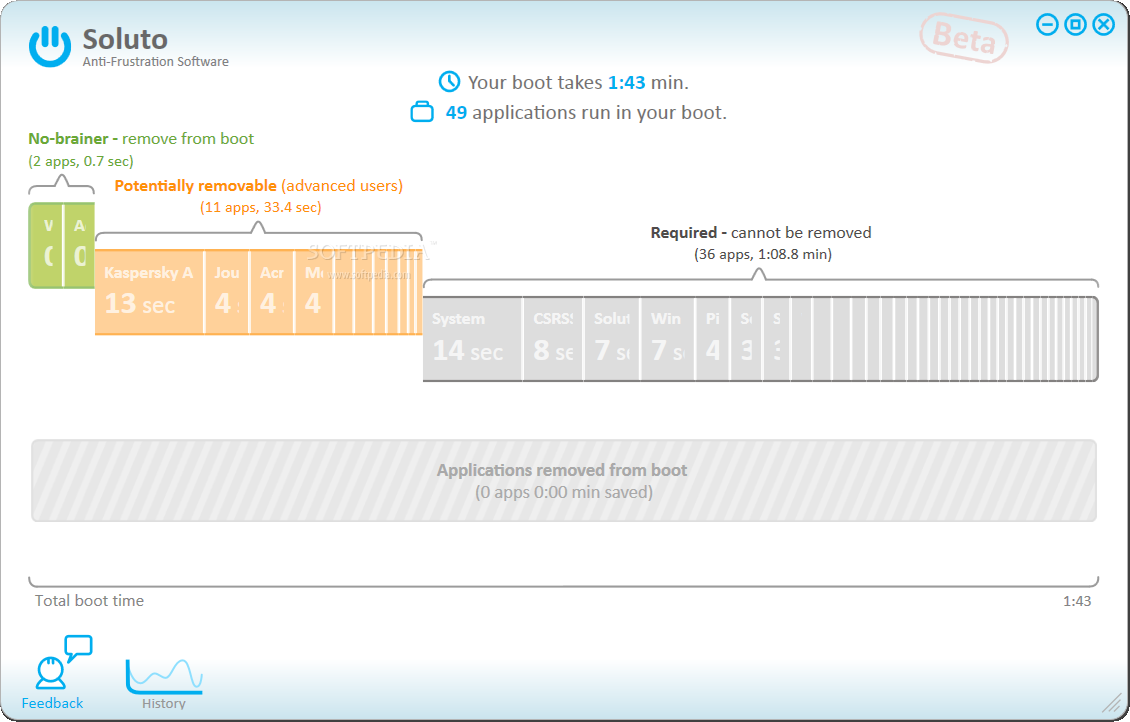
What makes Soluto a breath of fresh air in terms of startup managers is not only the interface which looks very fresh and clean, but also the way it shows all the items crowding for a piece of the system’s boot time. All processes that start with Windows are shown in groups labeled No-brainer, Potentially removable and Required. Of course, these names hint at the danger of messing around with an item in that certain group. Color code is also indicative of the risk of meddling with the items inside.
For each of the startup bundles present on the boot timeline Soluto calculates the time they require when the OS boots up. To give you the heaviest items in a glance the application allots space for each of the startup app depending on how long they need to load up. Thus, the slowest loading items will always be the most visible, while those nibbling under a second will generally not even have the first letter displayed. But fret not, because you can see them all with a simple stroll of the mouse cursor over them. They will immediately expand to the fullest and reveal the entire name and boot time.
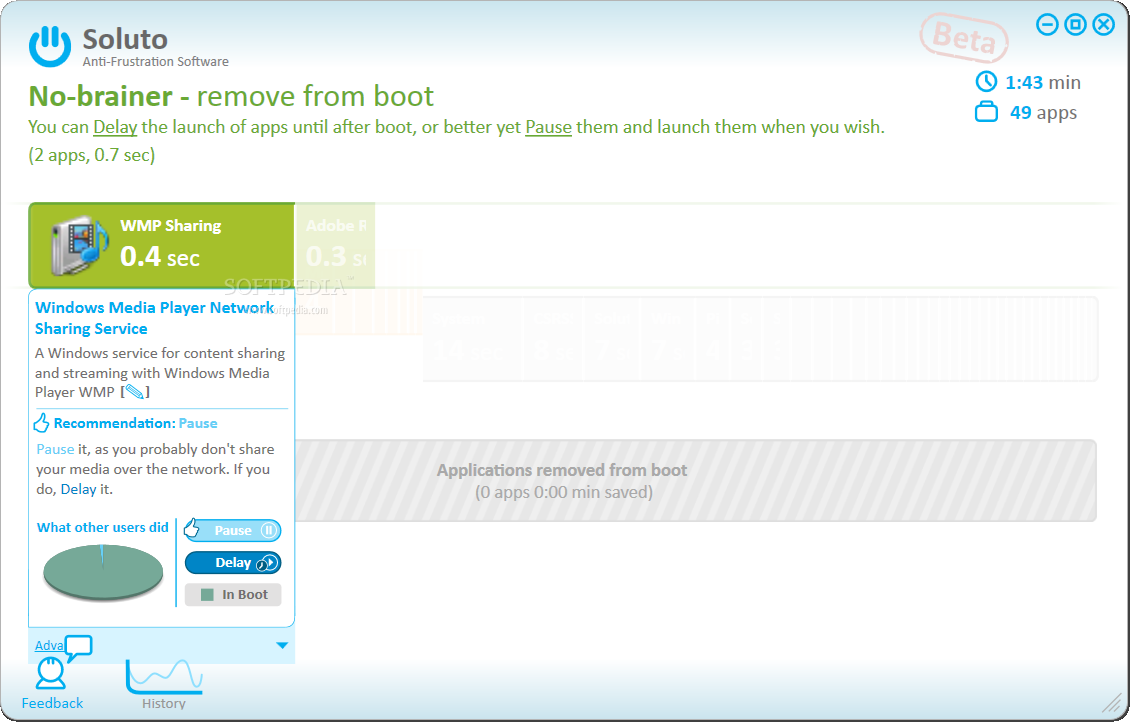
As expected, Soluto is not just presenting the processes preventing Windows from loading faster but it also allows you to get rid of the clutter. The three editing options available in the program permit you to pause an item from loading up, delay its start or, if any of these two had already been enforced, place it back in boot.
The moment you remove items from one of the two bundles (objects in “Required” bunch cannot be removed) a new stack is created. This way you will still have access to removed elements and in case something does not go according to your plan you can undo the operation and add them back to the startup list. Apart from this, the boot time changes are also marked by the Soluto. You will see in the upper part of the main application window that the initial boot time has been struck through and a new time is displayed. Naturally, the effects of thinning down the startup list will occur at the next computer restart.
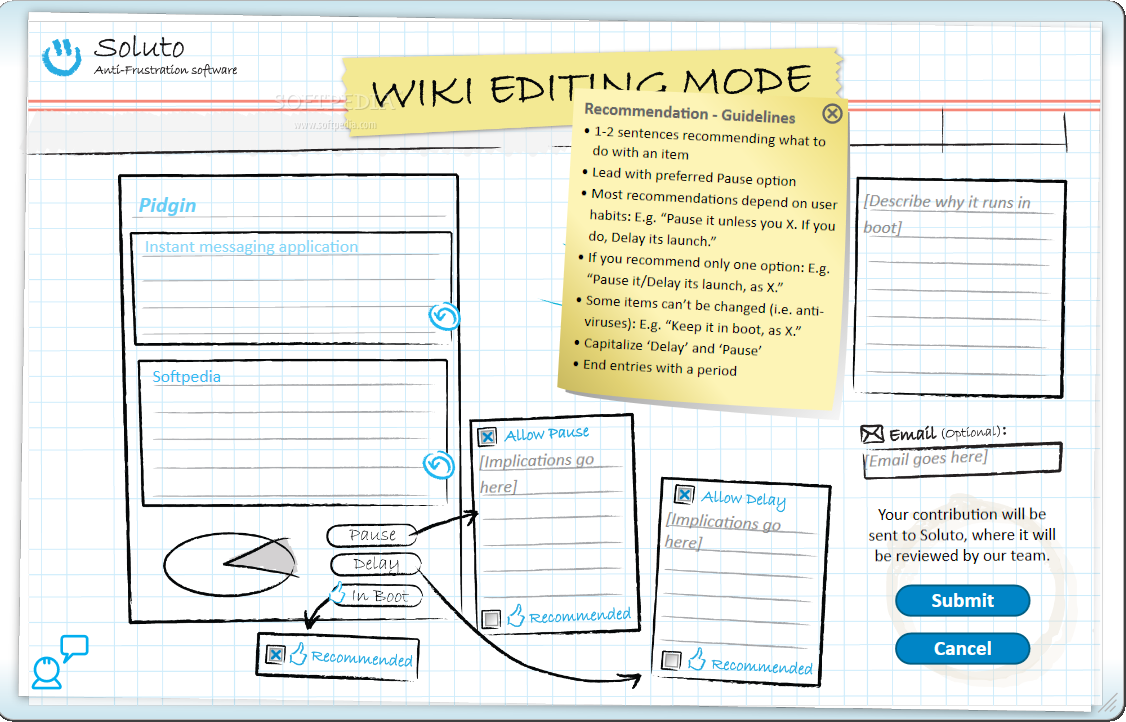
One interesting aspect regarding Soluto is its community approach. When it comes to applying an action to a startup item, the application does not just provide you the options, but also offers a community-based recommendation. This way you will be able to see how the majority of the Soluto users dealt with the item. For known elements you also get a description, otherwise you can enter Wiki mode and fill it up yourself (if you know what the app is about) so that fellow users can benefit from the info after Soluto team analyzes and releases it.
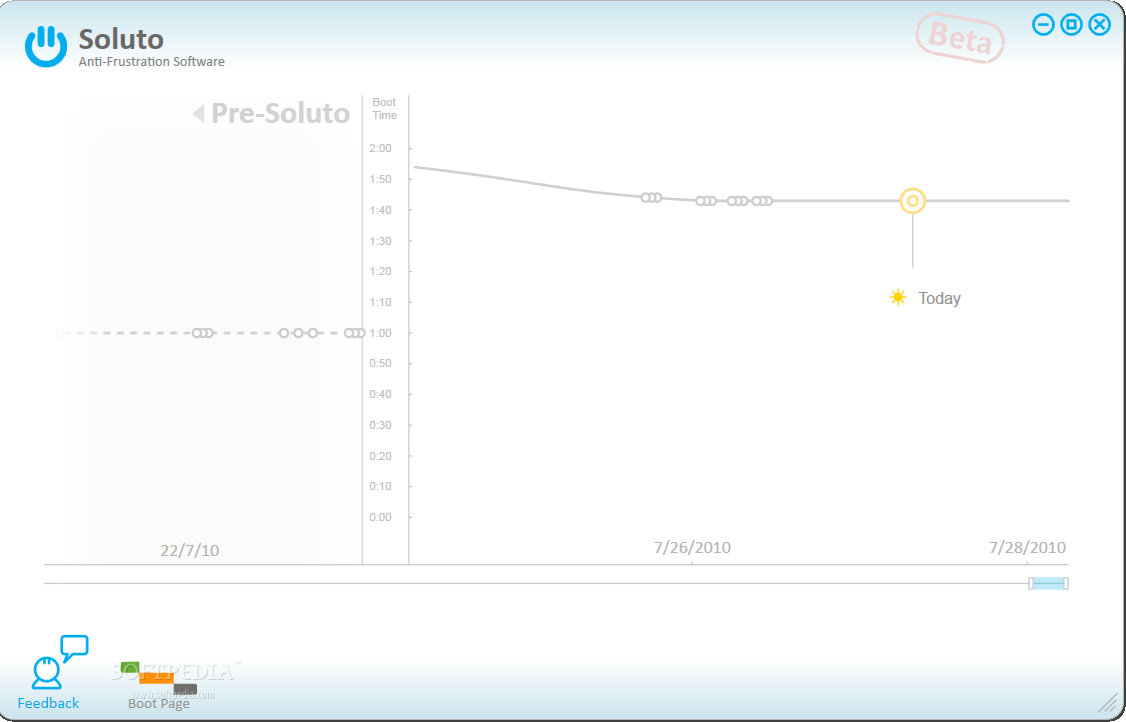
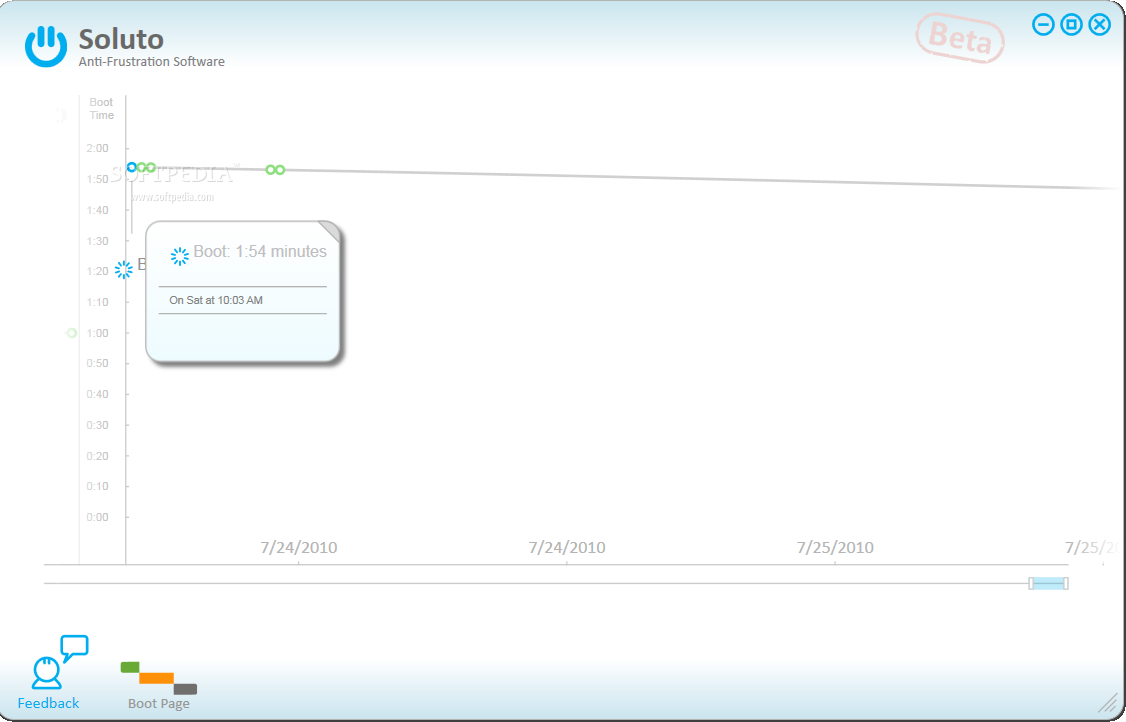
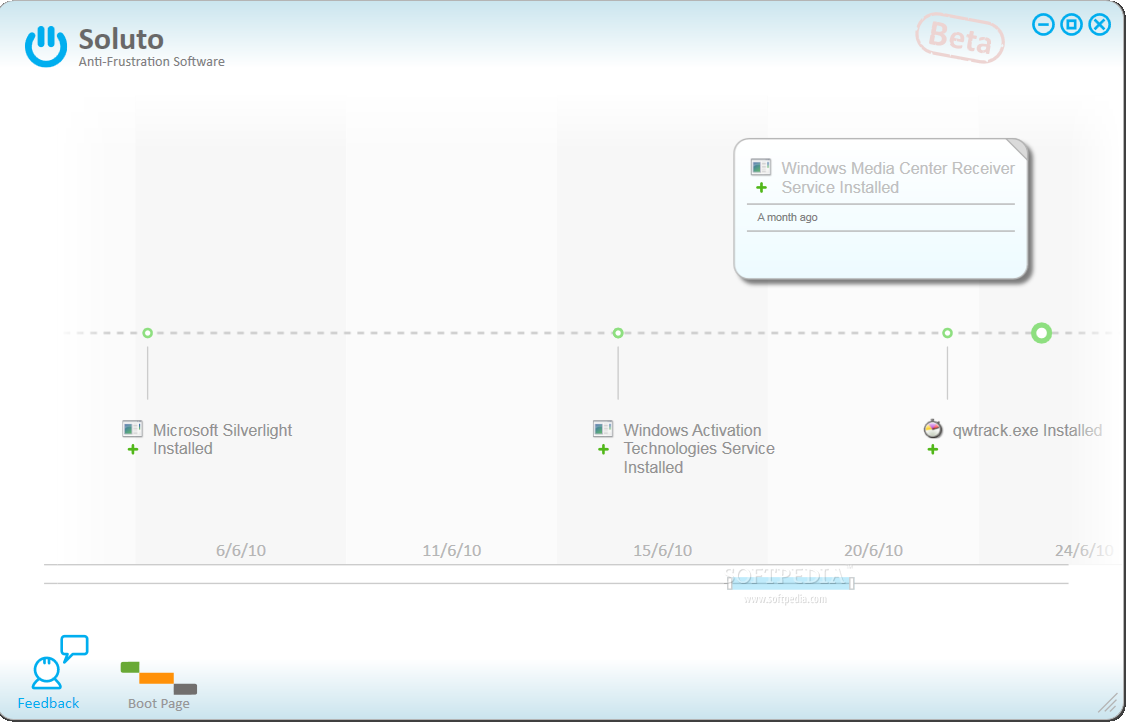
Another aspect that needs to be mentioned about this fresh new startup manager is that it can give you a boot time graph and how each software installation influences Windows loading. If you check out History section of the program you will see the programs that have been added to the system since computer installation. The graph is split into two parts: pre-Soluto and post-Soluto and gives pretty useful insight about the degradation of Windows boot time.
All in all, the program is original both in looks as well as in approach as it is the first startup manager to rely its advice on community response. It should easily gain popularity through its interactive informative design and ease of use.
However, as impressive as it may look, Soluto is still in beta stage and still has some issues to eliminate. In our case it calculated that its process delays boot time by 7 seconds, although we previously caught eye of it being displayed as affecting boot time with just 4 seconds. This occurred after we sent a few items to “Removed applications” section.
The graph with installed software before and after Soluto reached the system is indicative of the evolution of boot time according to the apps added to the system. Also, grouping startup items into sections with different warn level is a good way to prevent users from messing around with the wrong element. NOTE: Soluto is in beta stage, so there is still work to be done. As such, it is awarded with our 3-star default rating. This article is also available in Spanish: Toma control sobre el tiempo de arranque Follow me on Twitter @Ionut_Ilascu
The Good
The Bad
The Truth