
Get a detailed weather forecast right on your desktop for several locations, as chosen by you, as well as the current weather and severe condition alerts. #Weather forecast #Temperature forecast #Check weather #Weather #Forecast #Temperature
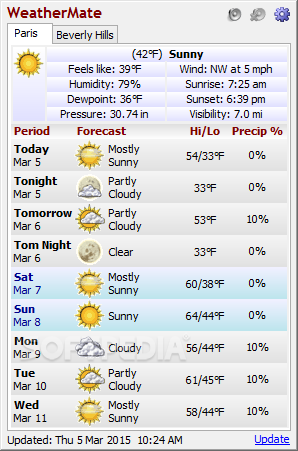
Sticking your head out the window isn't the best way to tell how it's like outside, since weather can change any minute. What's more, you might not have the time to wait for the weather channel to pop on TV to display forecast for upcoming days and this is where applications like WeatherMate come in handy, letting you know whether or not it's safe to go on that weekend road trip you've been planning.
The application presents an advantage even before running it. The installer gives you the possibility to deploy it on a USB Flash drive to use on the go. As such, you can stay up to date with weather conditions by simply plugging it in any computer and accessing your configurations, but you need to make sure the target PC is connected to the Internet.
A moderate amount of system resources are used and it can take a little while for all settings to load. As soon as this is done, a compact window is brought to your desktop and an intuitive icon that displays temperature added to the system tray. The program can also be set to run at Windows startup.
Clever implementation of features makes the application detect your location and adds it as the default area to display info. Details such as humidity, dewpoint, pressure, wind speed, visibility, as well as how it “feels like” are neatly displayed, with options to have even more details at your disposal.
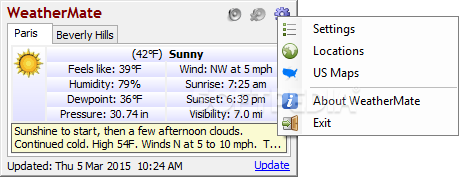
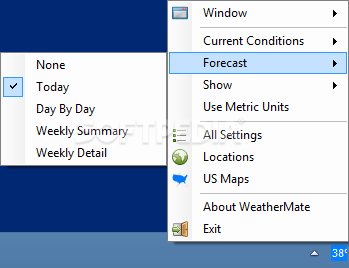
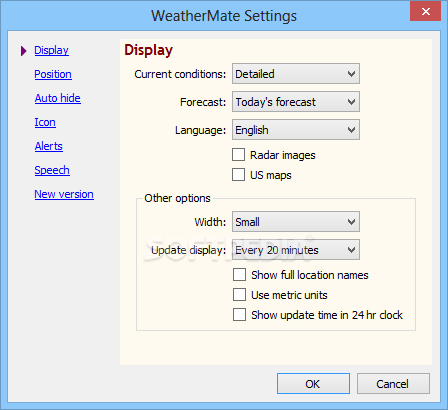
Accessing the settings menu lets you tweak a whole lot of details. From minor visual adjustments, the application can be set to display forecast with thorough descriptions for as much as a week in advance. The level of info given can be set to three depth levels. Checking a box automatically converts units into metric system and you can even enable an animated map, just like it's shown on TV.
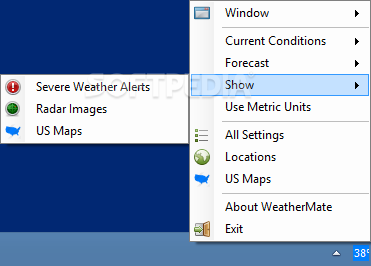
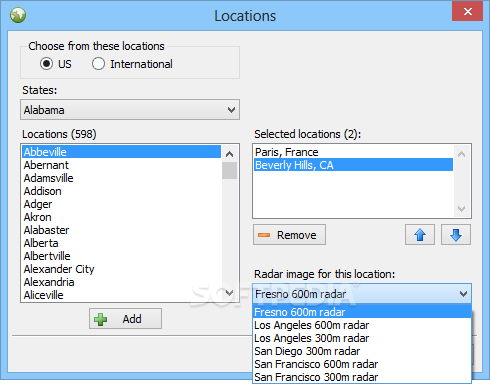
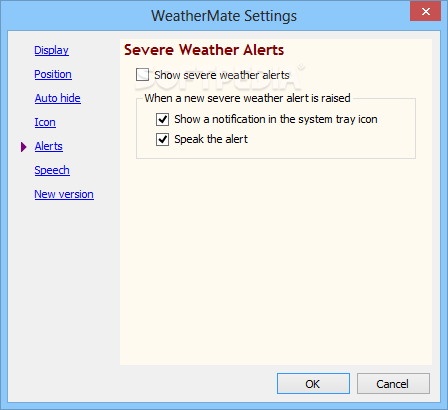
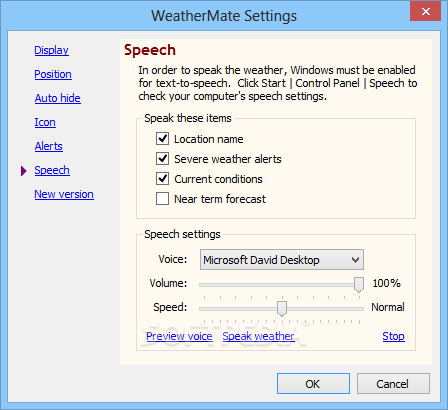
Multiple areas can be tracked, with all of them being cleverly stored in tabs. A neat feature lets you know when severe conditions occur through a small tooltip, for any of the areas put under the scope. There's also the possibility to enable speech alerts for even less effort on your behalf.
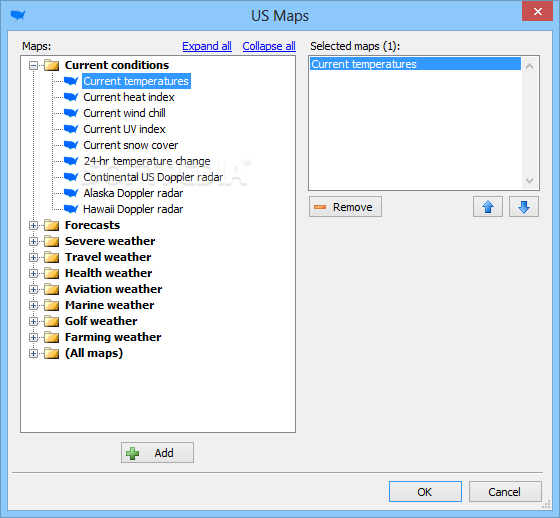
Citizens of the US benefit from an impressive collection of maps. This adds a new panel to the main window, different from the region overview, with options to select only the areas of interest through an intuitive panel.
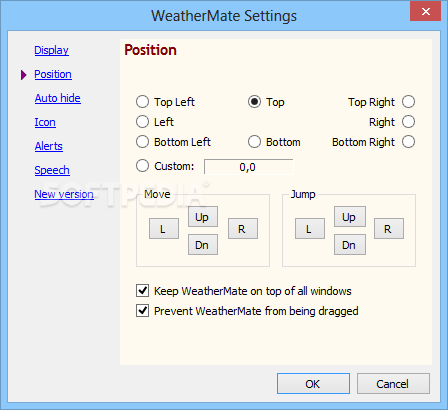
In terms of visuals, the application is pretty simple, but well-organized to blend in with any environment. You can drag the main window anywhere on your desktop and even make it stay on top of everything else. An auto-hide option gives you the possibility to snap it to one of the screen edges and only bring it up when necessary.
Taking everything into consideration, we can say that WeatherMate is definitely worth a try, keeping you up to date with weather conditions regardless of your location. Every aspect is simple, providing enough flexibility and customization to make it suit your style and display only info of interest, but not too many details to overwhelm you. What's more, it can be stored on a USB Flash drive so you can take it anywhere you go.
Download Hubs
WeatherMate is part of these download collections: Weather Notifiers
What's new in WeatherMate 4.21:
- Bug fixes:
- Forecasts were not available.
WeatherMate 4.21
add to watchlist add to download basket send us an update REPORT- PRICE: Free
- runs on:
-
Windows 11
Windows 10 32/64 bit
Windows 8 32/64 bit
Windows 7 32/64 bit
Windows Vista 32/64 bit
Windows XP - file size:
- 383 KB
- filename:
- WeatherMatePortableInstaller.exe


- main category:
- Internet
- developer:
- visit homepage
calibre

4k Video Downloader

ShareX

Microsoft Teams

Context Menu Manager

Windows Sandbox Launcher

7-Zip

Zoom Client

Bitdefender Antivirus Free

IrfanView

- Zoom Client
- Bitdefender Antivirus Free
- IrfanView
- calibre
- 4k Video Downloader
- ShareX
- Microsoft Teams
- Context Menu Manager
- Windows Sandbox Launcher
- 7-Zip