WINDOWS CATEGORIES:


NEWS ARCHIVE >>
SOFTPEDIA REVIEWS >>

WEEKLY HIGHLIGHTS

DVD Cloner45
Spyware Doctor40
1Click DVD Copy40
Apollo DVD Copy40
ABC Amber BlackBer...45
Protected Music Co...40

7-DAY TOP DOWNLOAD

#
Program
Avira AntiVir
Personal - Free
Antivirus 9.0.0.415

154,543
Windows Live
Messenger 2009
14.0.8089.726

129,339
Nexus Radio 4.2.2
115,575
Avira Antivir Virus
Definition File
Update November 30,
2009

113,249
FreeZ Online TV 1.30
85,014
Y! Multi Messenger
8.x and 9.x

70,259
Microsoft Office
2010 14.0.4536.1000
Beta / 2007

66,632
DVD Shrink 3.2.0.15
47,470
Windows Live
Messenger
8.5.1302.1018

46,629
AVG Free Edition 9.0
Build 707a1765

42,592

WEEK'S BEST

  • Kaspersky Password...
  • Daniusoft Video to...
  • VirtualBox 3.1.0 r...
  • SiSoftware Sandra ...
  • Kaspersky Virus Re...
  • Faststone Image Vi...
  • Vuze (formerly Azu...
  • Softpedia Wallpape...
  • Softpedia Wallpape...
  • Softpedia Wallpape...
  • RSSOwl 2.0.1
  • Internet Explorer ...
  • Online Armor ++ 4....
  • cFosSpeed 5.01 Bui...
  • SONY Vegas Pro 9.0...
  • Firefox 3.6 Beta 4...
  • Nokia Photos 1.6.434
  • Windows Server 200...
  • Skype Portable 4.1...
  • Google Chrome Port...
  • PCMark Vantage Bas...
  • Kaspersky Anti-Vir...
  • Microsoft Virtual ...
  • Messenger Plus! Li...
  • WinX DVD Author [F...
  • SoftPerfect Networ...
  • System Mechanic Pr...
  • Ad Muncher 4.81 Bu...
  • Windows 7 Upgrade ...
  • Pidgin 2.6.4
  • Home > Windows > Multimedia > Graphic > Graphic Others
     Report spyware

    Qimage Professional Edition 2010.103

    Download button

    Downloads: 7,782  Add to download basket  Tell us about an update
    User Rating:
    Rated by:
    Good (3.2/5)
    30 user(s)
    Developer:

    License / Price:

    Size / OS:

    Last Updated:

    Category:
    ddisoftware, Inc. | More programs
    Trial / USD 49.95 | BUY the full version
    5.4 MB / Windows All
    November 25th, 2009, 15:38 GMT [view history]
    C: \ Multimedia \ Graphic \ Graphic Others

     Read user reviews (0)  Add a review  Refer to a friend  Subscribe


    Qimage Professional Edition description


    Designed to make image printing easy and optimize images

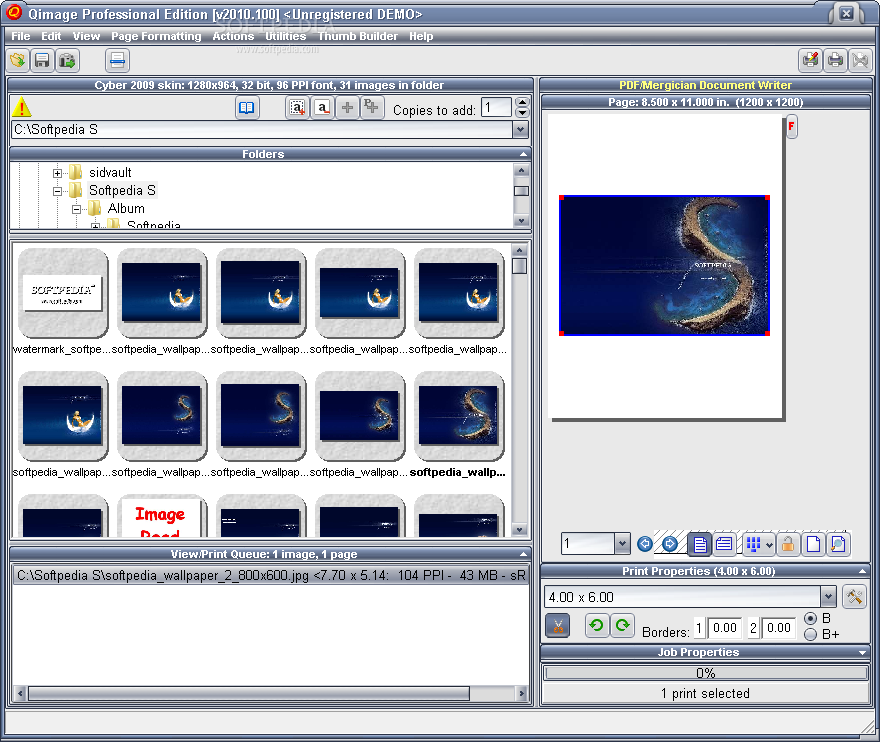
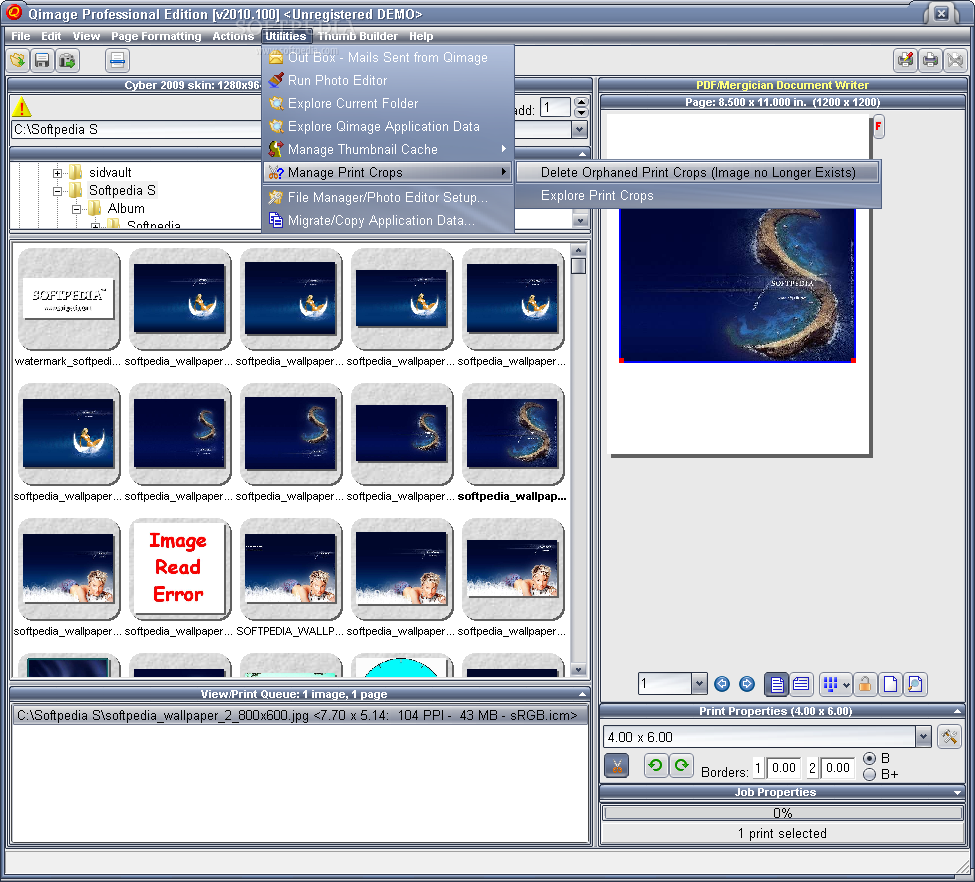
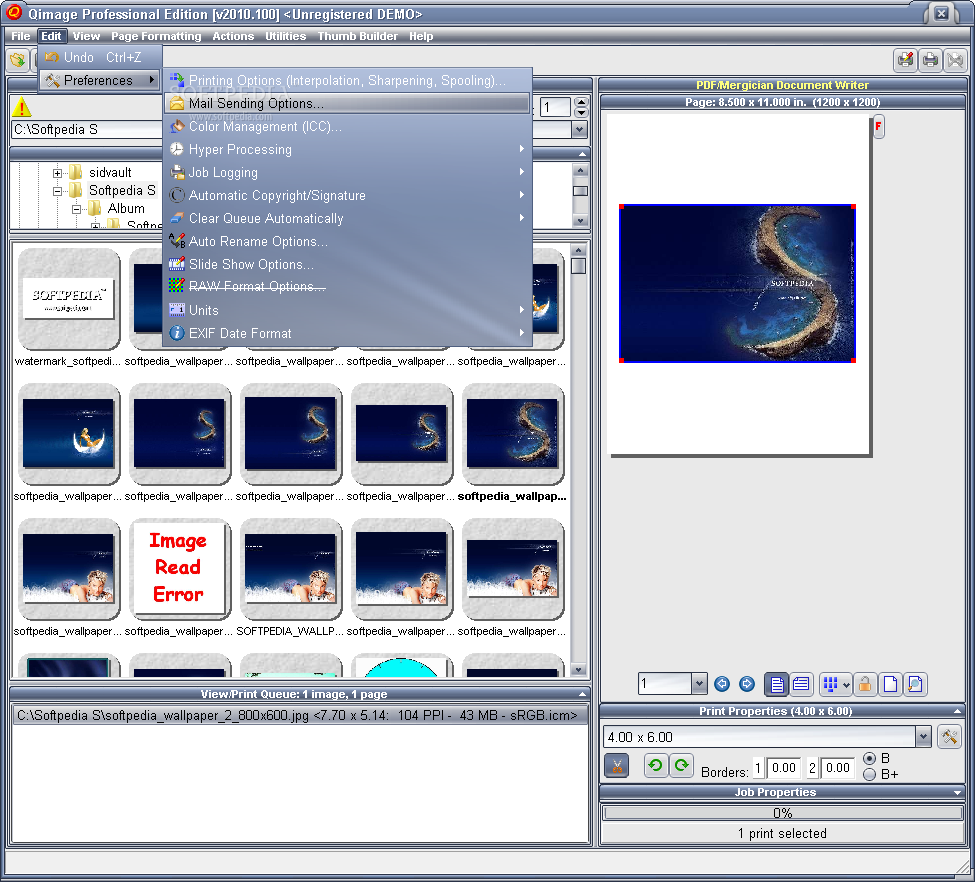
    Qimage is a digital imaging program that has grown from its simple roots of printing multiple images on a single page, to being one of the most frequently referred to and highly recommended digital image software in the world.

    Qimage is designed to make image printing easy and painless by eliminating the need to resample images to higher resolutions, manually place images on printed pages, make touchups and apply filters in separate photo editors, etc.

    For a purchase price that is a mere fraction of the cost of high end photo editors, you get an application that is capable of producing professional quality prints that exceed the quality of nearly all other photo printing applications, even high end (read incredibly expensive) photo editors.

    Although not designed to be (or replace) a full featured photo editor, the majority of the time you will find that Qimage is the only tool you need to enhance and/or print your digital images. With high quality image noise filtering, blemish and redeye removal, rotation, Lanczos, Vector, and Pyramid print interpolation, and many other "on the fly" tools, Qimage may make many of your other digital imaging tools obsolete.


    Here are some key features of "Qimage Professional Edition":

    · Quality: Many professionals and amateurs agree, Qimage simply produces the best quality prints possible, bar none! Qimage is designed to print your original images at maximum quality, no matter what type of printer you are using and no matter what the resolution of your original images. Internal print optimization algorithms use high quality resampling algorithms (much higher quality than traditional bicubic methods) to ensure that you never again have to worry about DPI, print sizes, or resolution numbers.

    · Ease of use: In addition to never again needing to fiddle with resampling, resaving photos to 300 DPI, etc., Qimage offers an efficient and simple means to automatically arrange multiple prints so that they use the least amount of expensive photo paper.

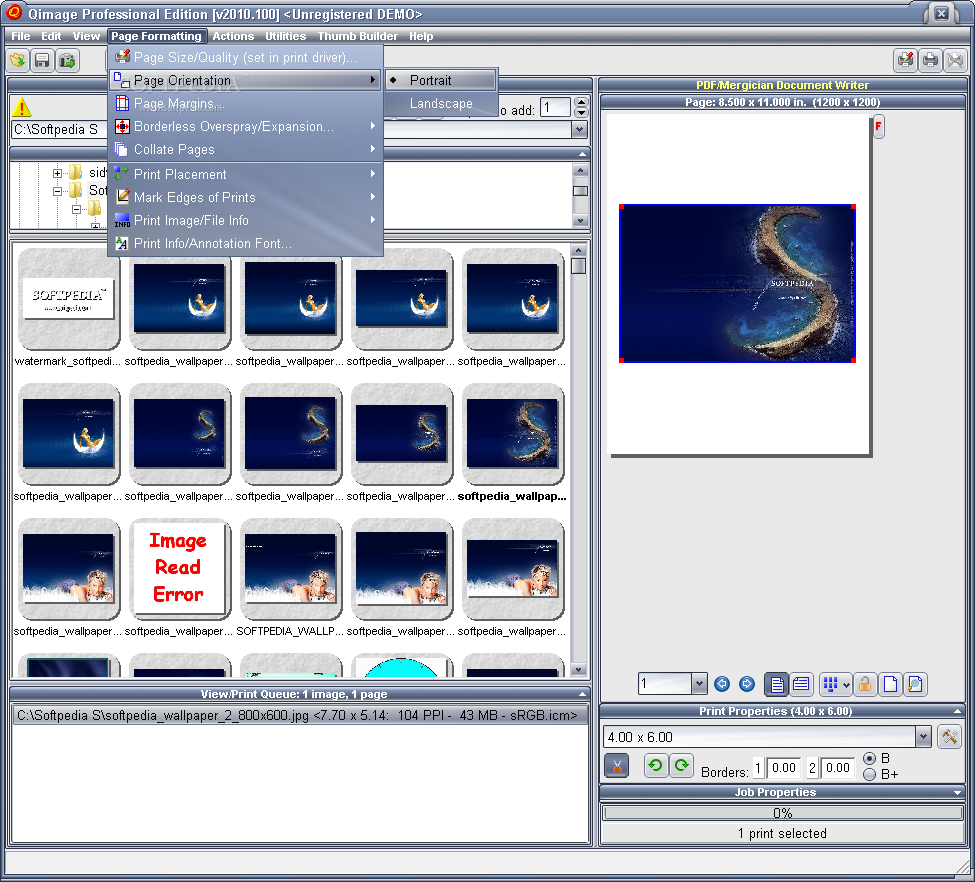
    · Flexibility: Numerous auto placement and full manual placement of images for maximum flexibility. You can print images from different folders and even different drives in the same session, all with different print sizes if you like!

    · Posters: Print 20 images on one page for contact sheets, three 4x6 images per page on an 8x10 page, mixed sizes of different (or the same) images, or a multi-page poster of a single image that covers an entire wall. The possibilities are limitless!

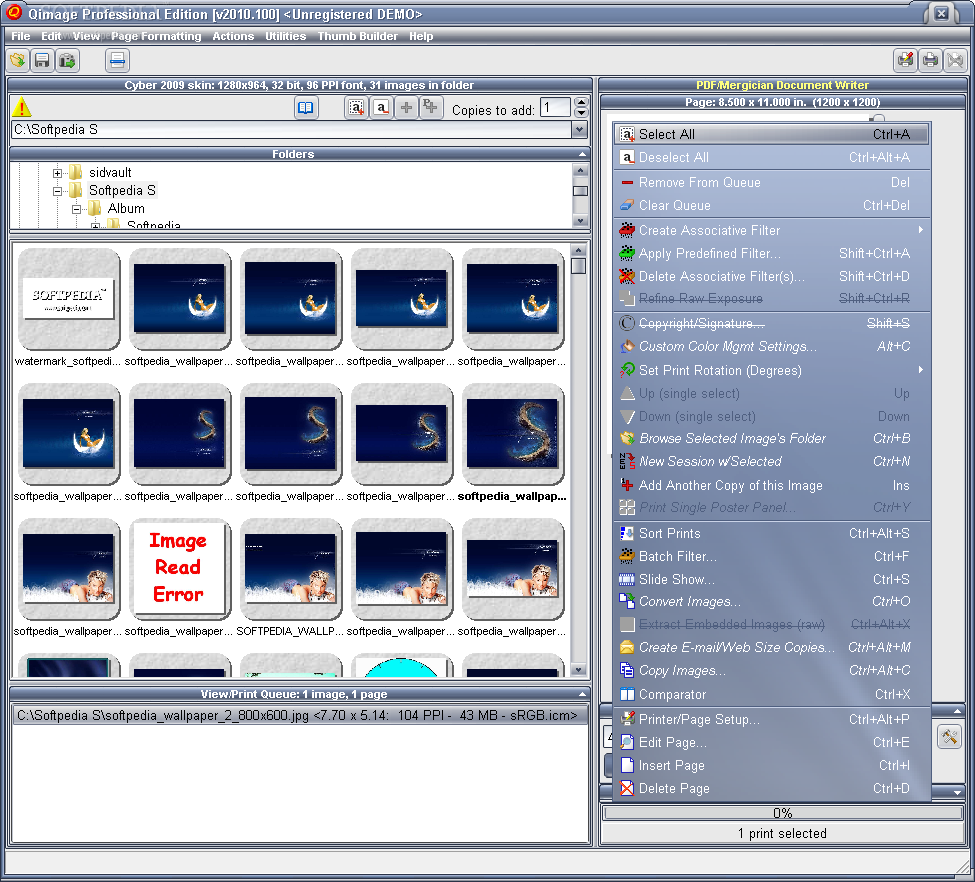
    · Professional quality filters: Cropping, brightness, contrast, sharpening, auto-exposure compensation, levels, curves, CCD noise filters, blemish and redeye removal, image rotation, mirror, image information stamp, and even a luminance-based unsharp mask are just some of the ways that you can enhance your images.

    · Associative and batch filtering: You can apply filters that you design to images as "masks" that get associated with the original, eliminating the need to store separate/modified versions. Simply create your filter and associate that filter with the original and Qimage will apply the filter to the original each time the image is opened for viewing/printing. Of course, you can always save the filtered/modified images separately if you like, so that they may be used in other applications or the web. Filters you design can be applied to a single image or hundreds of different images from different folders in batch. For example, you could apply a dark frame subtraction to remove all the "hot pixels" in long exposure photographs, and apply the "fix" to a dozen different images that you just took.
    · Color management (ICC) support: Full support to actually start managing your images for accurate color. Qimage allows you to link ICC profiles to multiple cameras separately so that you can ensure that you have the most accurate color possible. Also supports profile to profile conversions for images, soft proofing, and more. If you are looking for ICC aware software that can handle all your ICC profiling needs without draining your bank account, Qimage is for you!

    · Many supported image types: Qimage currently supports the following image types: JPEG, TIF, BMP, GIF, PCX, TGA, PCD, PNG, PSD, and NEF (Nikon D1, D1H, D1X, and D100 raw).
    · Image Comparator: Compare any two images side-by-side using the built in "Image Comparator".

    · Fully automated slide shows: Use Qimage at photo events to continuously display images for customers. Ability to auto-advance and stamp each image with information needed for clients to identify photographs.

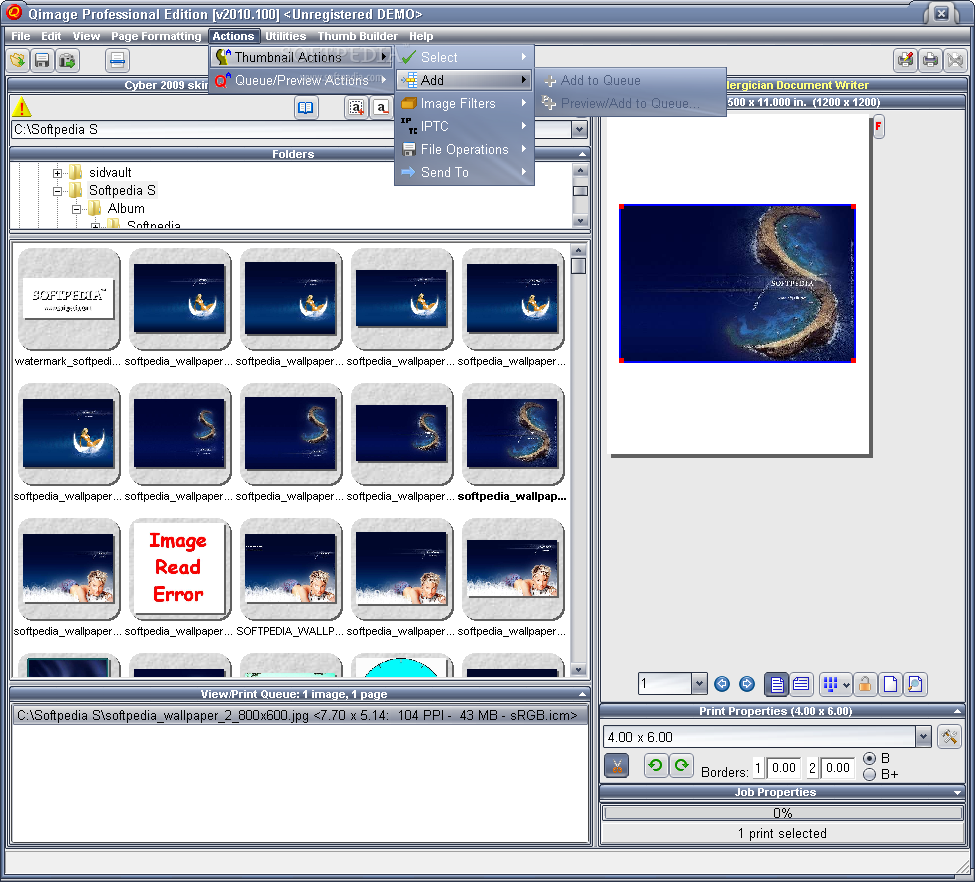
    · Image management: Copy, move, delete, auto-rename based on date, and download images from flash cards. Ability to add, change, and search IPTC fields.

    Limitations:

    · Watermarks will print on all but the first print in the job
    · Lead-in registration reminders
    · 30 day trial period

    What's New in This Release: [ read full changelog ]

    · v2010.102 adds canvas mirror borders/edges to the Studio Edition. See the help under "Qimage Functions", "Borders" for more info.

     Softpedia guarantees that Qimage Professional Edition 2010.103 is 100% CLEAN, which means it does not contain any form of malware, including spyware, viruses, trojans and backdoors. [read more >]


    TAGS:

    image printer | photo editor | print picture | printer | print | editor


    HTML code for linking to this page:


    Go to top

    Windows tabGames tabDrivers tabMac tabLinux tabScripts tabMobile tabHandheld tabGadgets tabNews tab

    SUBMIT PROGRAM   |   ADVERTISE   |   GET HELP   |   SEND US FEEDBACK   |   RSS FEEDS   |   ENTER NEWS SITE   |   ENGLISH BOARD   |   ROMANIAN FORUM