Search Perform an advanced search query SOFTPEDIA
 
SOFTPEDIA
Updated one minute ago
HomeSubmit a program for being reviewedAdvertise on our websiteGet help on surfing our websitesSend us your feedbackGet information about our XML/RSS backend and how to use itBrowse the news archiveVisit our discussion forumVizitati forumul in limba romana


Program Finder NormalFreeware onlyShareware only

ShareO 2.98.0446 Report spyware 

Click to download ShareOutlook
View more ShareO screenshots (1)
 Downloads: 2,022
Rating: Good (3.4/5) | Rated by: 25 user(s)
Add to download basket     Send us update information
 Developer: 4Team Corporation | More programs by this producer
 License: Trial , 34.95 $ to buy 
 Size / OS: 10.9 MB, Windows All
 Last Updated: July 23rd, 2008, 07:32 GMT
 Category: C: \ Office tools \ Diary/Organizers/Calendar
 Read user reviews (0) Add a review Refer to friend Subscribe
    Download ShareOutlook

ShareOutlook description
This software will help you organize the outlook folders.

Share/synchronize Microsoft Outlook Personal Folders (calendar, contacts, journal, mail, tasks and notes) with other Outlook users without server with this easy-to-use utility.

Synchronize data with your teammates: just click 'Send and Receive' in MS Outlook (or automatically), and all your inputs will stream to your teammates' computers and automatically update their data.

ShareO (formerly ShareOutlook) is a software that helps you to share and manage outlook folders.

Create subscriptions for events, contacts lists, etc. Share any custom forms of clients' data, meetings, and tasks. Synchronize your mail folders. Create your easy workgroup CRM. It's cost effective solution for your business.

Here are some key features of "ShareOutlook":

· Share any Microsoft Outlook Folders without a server. Share Outlook Calendar, E-mails, Contacts, Tasks, Notes, and Journal Folders.
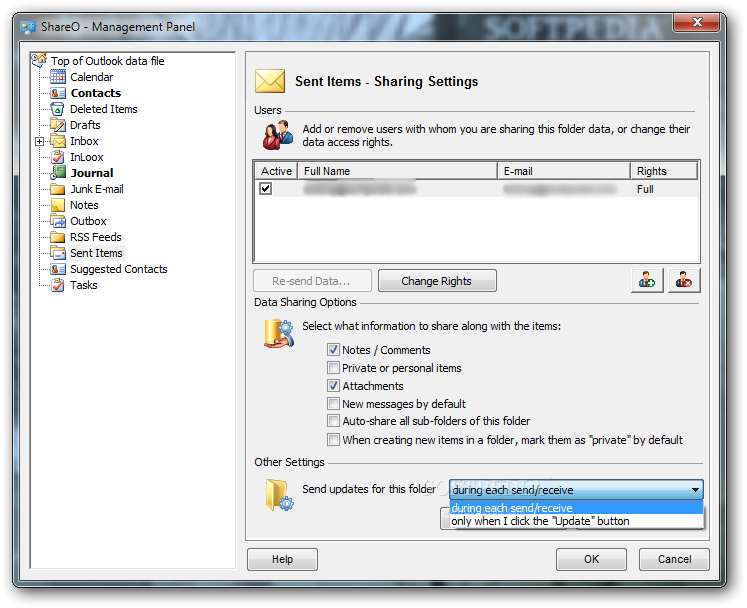
· Inbox and Sent Items folders sharing.
· Share any Documents. Just drag and drop, copy and paste documents from any windows folder to any e-mail type Microsoft Outlook folder.
· Share Files in Any Windows Folder. ShareO automatically sends updated files each time they are modified on your hard drive.
· Share Microsoft Outlook Folders with your own custom forms and imported items.
· Share different Microsoft Outlook Folders with different groups of people.
· True sharing of Mail Folders. Shared folders with e-mail messages are visible to others the same way they are in your Outlook.
· Free/Busy Information Sharing. Share and access yours and your Contacts’ Free/Busy time via the Scheduling Tab of the Appointment / Meeting Request or use Group Schedules in the Calendar folder. With the Shared Calendar this feature will help you schedule all your meetings and appointments. Always know your co-workers' and friends' free/busy time without disclosing the subject and private details.
· Sharing private appointments as blanks. This option will allow you to share private appointments without disclosing the appointment subject and other private details, only showing the scheduled time. The other users will be able to see your shared private appointments as blanks. Click here to see what a blank appointment looks like.
· Automatic division by data size of data messages sent via e-mail. You can now avoid ISPs' (Internet service providers') and e-mail accounts' limitations on sending large amounts of shared data and updates. The program will automatically divide the shared data into 5Mb units (by default), compress, and send them. It is especially useful for smooth sharing/synchronization of e-mails with large attachments, documents, and first-time sharing of large Inbox, Contacts and Calendars folders to avoid the loss
of shared data due to ISPs' limitations.
· Labels (colors) sharing in appointments sharing.
· Using the option ”r;Send updates from this computer only” you can ”r;subscribe” your clients to your folders’ data.
· Share attachments in any Outlook item.
· Notification About Updates. Now when updates are received, you will be notified about them. Notification icon in the Windows system tray will allow you to review the list of recently updated folders and quickly open this folder in Outlook.
· "Unread Only" filter button in Outlook 2003.
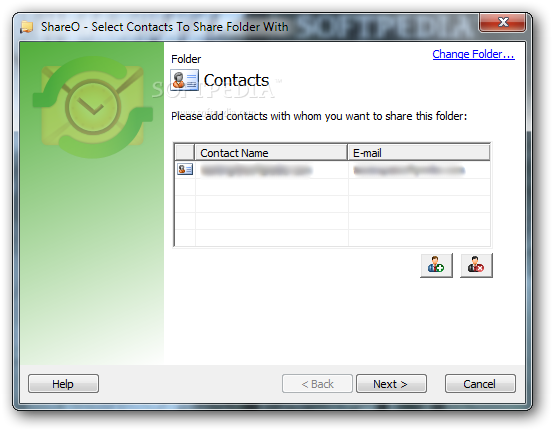
· Easy to use and manage with no requirement of special skills: if you know how to work with MS Outlook, you will be able to work with the program using the skills that you have already developed. Include a new sharer by simply adding his/her name in the program Share Wizard.
· Synchronize/update the shared data with your group members: just click "Send and Receive" in Microsoft Outlook, and your new entries in the shared folder will be sent over to their computers and automatically update their data
· Ability to Temporarily Cancel Sharing of a Folder or Deactivate Folder Sharing. The ability to temporarily disable sharing of a folder is now implemented for advanced administrative purposes, allowing you to additionally control what data will be sent or received during a period of time. Before going on vacation, you can temporarily disable your folder sharing (stop receiving updates from other sharers) without any trouble for other sharers. After returning, you can easily enable sharing again and start receiving updates from the other users.
· Ability to Disable Sharing Completely. For advanced administrative purposes, the sharing process can now be completely disabled on all team members' computers from one computer only.
· Ability to Add sharers From Distribution Lists. You can now share your folder with all contacts of a distribution list.
· Work offline or online. You can change data in the Outlook shared folder offline. As soon as the Internet or your company’s network connection is established, you will be able to update your shared folder’s data with all teammates automatically by clicking "Send and Receive". Updates are also automatically sent when Outlook performs ”r;Send/Receive” for all accounts as scheduled (by default every 5 minutes when you are online). Whether you work over the intranet, dial-up Internet or over a dedicated line, you can use this product as an ideal instrument for remote companies and groups.
· No server: all data is sent back and forth with the help of special e-mail messages automatically converted into Outlook items
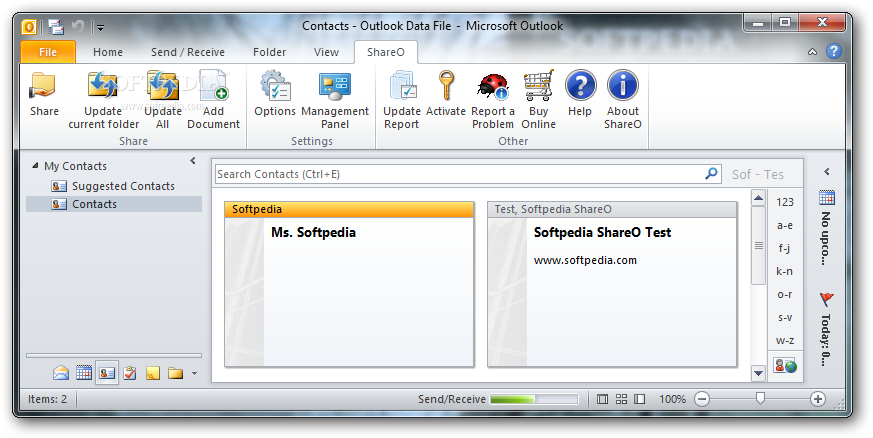
· "Share&ldots;" option from right-click menu of Outlook folders.
· Ability to quickly exclude/include/lock (mark as "private") any e-mail message from the sharing list.
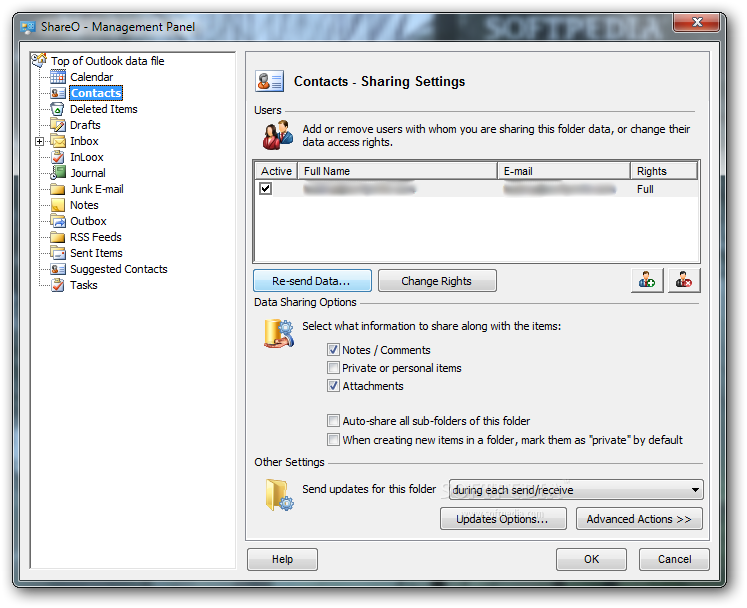
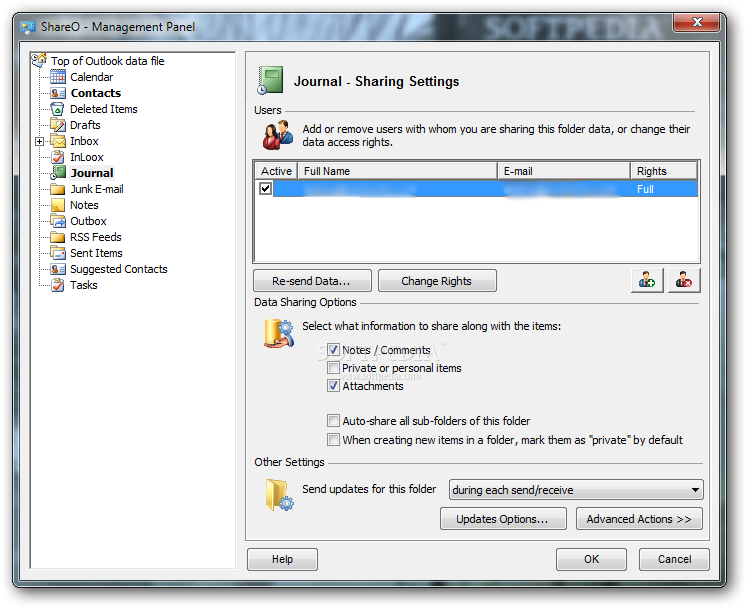
· Management panel allows you to manage your sharing information, define user rights and adjust different settings for each folder
· You can use standard Microsoft Outlook encryption methods to secure information that is being sent.
· You can synchronize shared Outlook items with your PDA or Palm device
· You can use ShareO to synchronize Outlook data between your desktop PC and laptop.
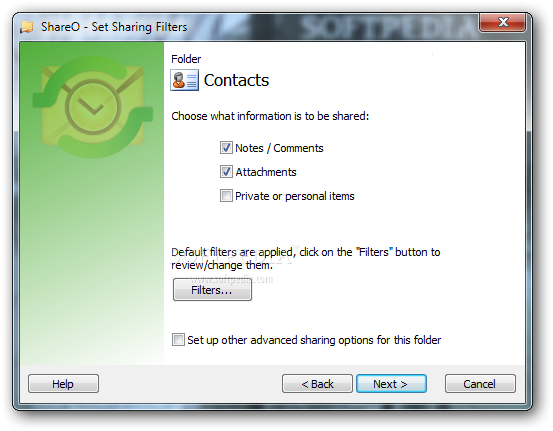
· Sharing filters. The filters will automatically apply to the shared folders. Their settings depend on the folder type, and can be adjusted at any time. The filters can save your traffic and time while synchronizing your folders.
· Add sharers from Distribution Lists. You can share your folder with all contacts of selected distribution lists.
· Duplicate Management.
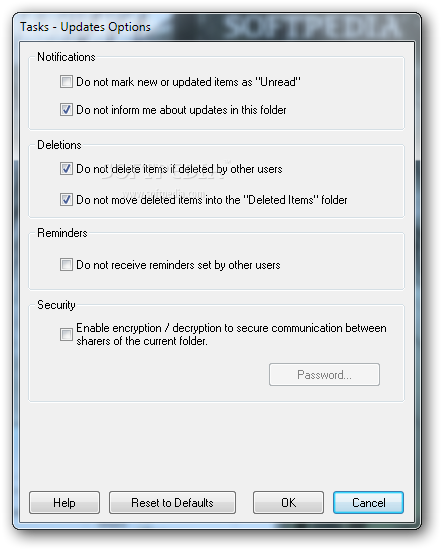
· Ignore or Remove Reminders From Any Folder. You can now disable reminders that you don't need in the shared folders. Also, by using the "Ignore Reminders" checkbox in the "Management Panel" you can disable reminders that arrive to your folder from other users. It is convenient for Outlook 2007, where reminders are supported in all folders, not only the default ones
· Sharing Invitation Form. When you receive a new invitation to share a folder, different destination folder options are available to choose from with detailed explanations of each option.
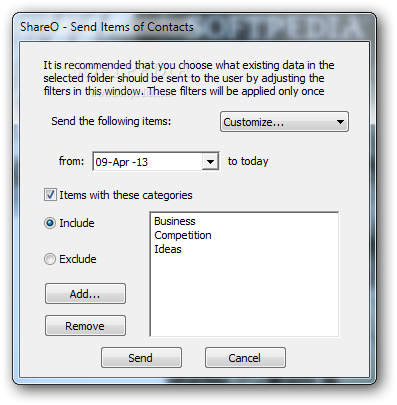
· Resending items with special filter. Filters can be applied when you resend items to selected user. Filter items by date, category, or by sender/receiver (emails)
· No Outlook rules for e-mails with updates. There is no need to adjust Outlook rules with exceptions to accept e-mails with updates - they are now ignored automatically.
· Ability to customize attachment file extension in e-mails with updates. In order to avoid problems with anti-virus and anti-spam software, attachment file extension can now be changed to any other so that e-mails with updates won't be filtered.
· Ability to Automatically Add Custom Text to Subject line of Update E-mails. You can now add some custom text to the subject line of updating e-mail messages in order to help adjust anti-spam and anti-virus software and ignore these e-mails for those users who experience problems with such software.
· No CDO (Microsoft Outlook Collaboration Data Objects) installation means smooth installation without the necessity of using the Microsoft Office or Outlook Installation CD and reliable functioning avoiding the Outlook CDO compatibility issues.


Requirements:

· Outlook 2000 SP3, 2002 SP3, 2003, 2007
· Email account type: POP3, IMAP4, Exchange and/or other email types


Limitations:

· 14 days trial


What's New in This Release:

· Issue with Outlook 2007 “freeze” solved.... [ read full changelog ]


Related downloads IT News Popular downloads New additions   Latest reviews  
Horodruin 2.2.234.0
Synchronize 2 or more folders by a couple of clicks only
OLCalendarSync 1.31
Synchronize your Outlook 2002/2003 Calendars over E-Mail
Sync2 for Outlook 1.51.0744
This application performs complete automatic background synchronization, even if Outlook is not running.
Directory Synchronize 1.0b1
Synchronizes the contents of one directory to another
OLFolderSync 1.24
OLFolderSync - Synchronize your Outlook 2000-2003 folders through e-mail
DataLink for Outlook Professional 3.3
DataLink for Outlook lets you to easily perform data transfer and synchronization
SyncFolders 1.3
Easy program to synchronize your file folders
CarbonFolder 1.2
Will provide fast and simple synchronization of data in local network
Sync Last Files Professional 2.3.0.153
This software can create backup copy of each replacing or deleting file.
Scendix SyncFolder 2.4
Easy-to-use but powerful synchronization and backup-tool with many features

go to top Use the following code to link to this page:


Welcome!
Hello, Guest

Login if you have a Softpedia.com account.

Otherwise, register for one.

Main categories:
  • Antivirus
  • Compression tools
  • CD/DVD Tools
  • Office tools
  • Programming
  • Authoring tools
  • File managers
  • Desktop Enhancements
  • Internet
  • Network Tools
  • IPOD TOOLS
  • Mobile Phone Tools
  • Multimedia
  • Tweak
  • System
  • Security
  • Others
  • Science / CAD
  • UNIX
  • Windows Widgets
  • PORTABLE SOFTWARE

  • Week's best:
  • Adobe Media Player 1...
  • Registry Mechanic 8....
  • BitSpirit 3.3.2.263
  • AnyDVD 6.4.5.6
  • Firefox 3.0.1 / 2.0....
  • AutoCAD 2009
  • Norton AntiVirus 200...
  • Norton Internet Secu...
  • The Bat! Professiona...
  • WinRAR 3.80 Beta 3 /...
  • GMail Drive shell ex...
  • DAEMON Tools Lite 4....
  • UBCD4WIN 3.2.0
  • Adobe Reader 9.0.0 /...
  • Total Commander Ulti...
  • System Mechanic 8.0....
  • Adobe Acrobat Profes...
  • iPhone PC Suite 1.0....
  • Portable Firefox 3.0...
  • MPlayer for Windows ...
  • Vista Codec Package ...
  • Windows Live Messeng...
  • WinBubble 1.73
  • Kaspersky Anti-Virus...
  • Malware Removal Tool...
  • Royale Noir Theme fo...
  • IBM Lotus Symphony 1...
  • Adobe Dreamweaver 10...
  • Adobe Fireworks 10.0...
  • BitDefender Total Se...
  • © 2001 - 2008 Softpedia. All rights reserved.
    Softpedia™ and Softpedia™ logo are registered trademarks of SoftNews NET SRL.
    Copyright Information | Privacy Policy | Terms of Use | Contact Softpedia | Update your software | Archive