
Handle your Visio diagrams and charts with increased efficiency, thanks to the tab-management system provided by this useful add-in #Visio tab #Tab management #Visio add-in #Tab #Visio #Customize

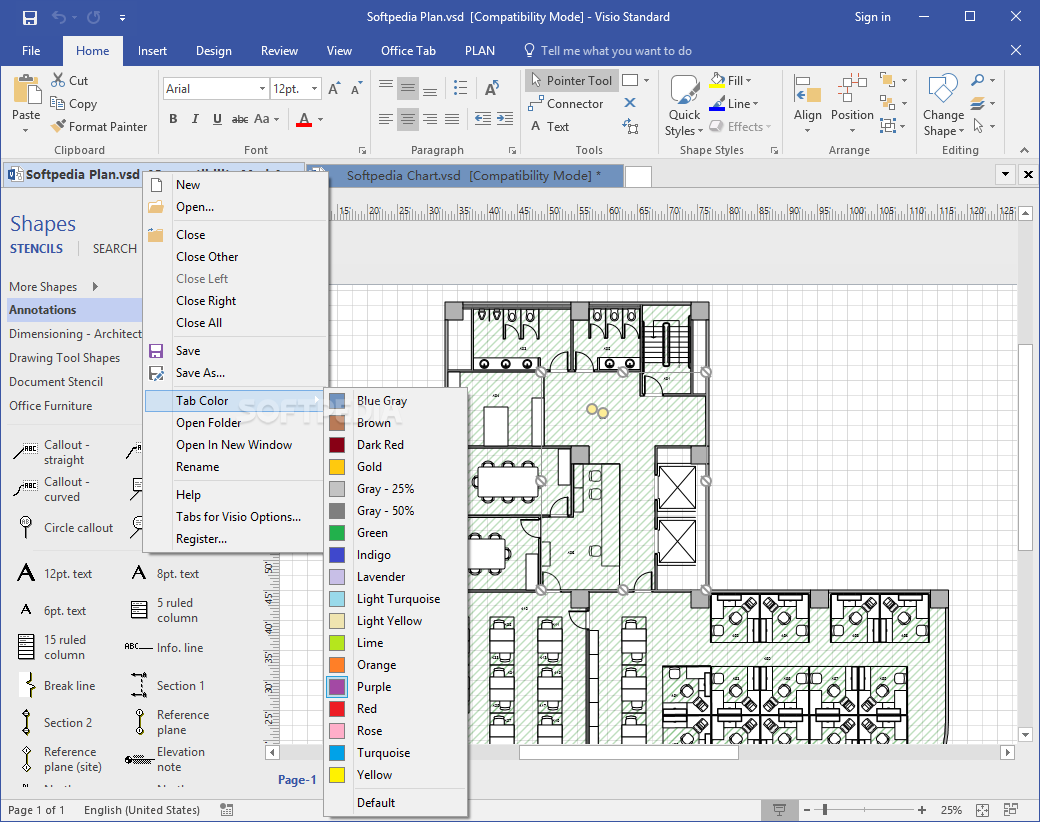
Creating diagrams and charts in Microsoft Visio is a complex task by itself, but managing them can be even more troublesome and users might have difficulties in handling multiple items simultaneously. Tabs for Visio is a handy add-in that was created in order to provide people with a way to improve their data handling in Visio projects. It will offer them an intuitive tabbed system interface that enables people to browse through tabs, move, open or close them with ease.
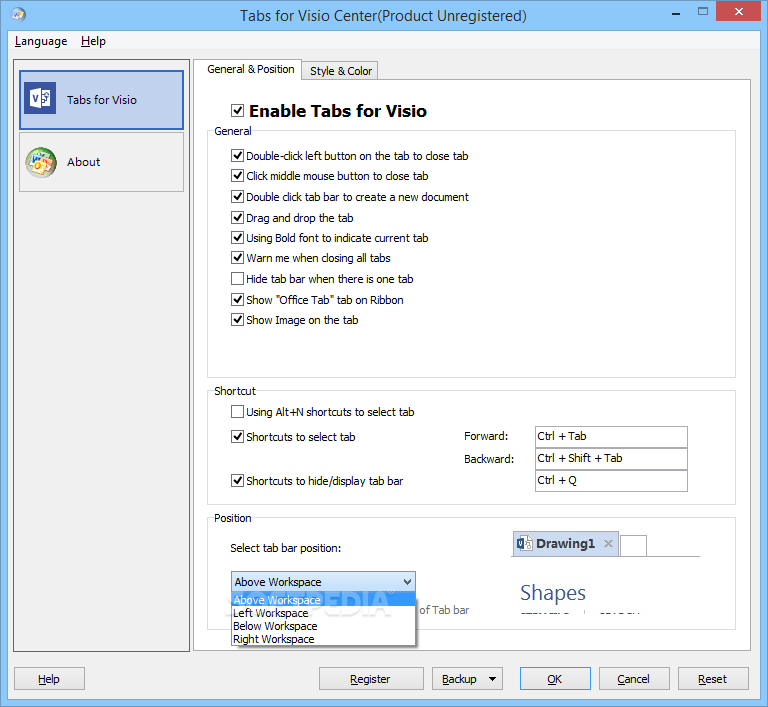
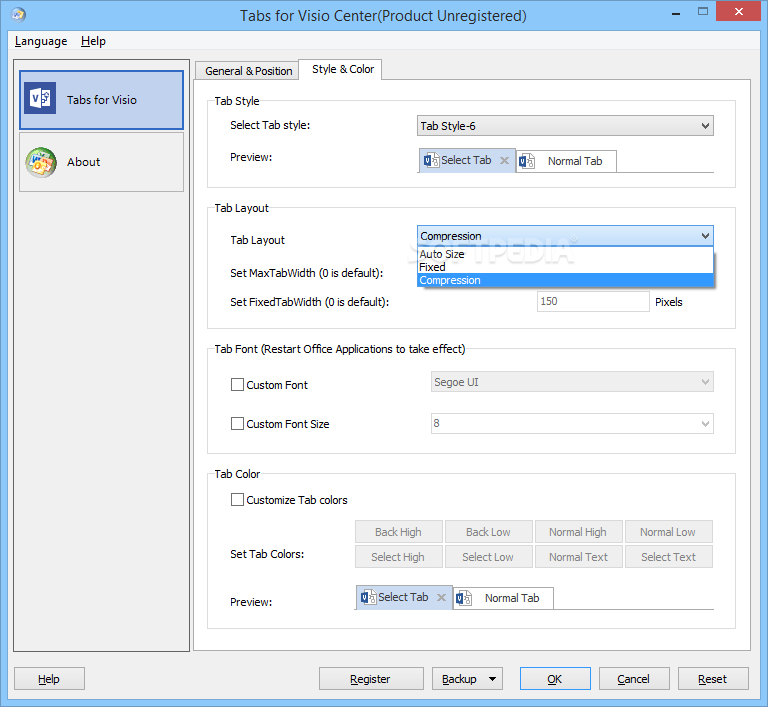
Tabs for Visio will be easy to identify, since it provides user with a useful desktop shortcut, which offers them access to its internal preferences menu. In their installation of Microsoft Visio, users will be able to view the effect of the add-in immediately, as all the loaded diagrams or charts will be neatly organized into tabs.
One can easily move each tab, perform drag-and-drop operations or close them, making handling data in Visio a more efficient process. If users wish to access saving or opening options, they can do so by simply clicking on the preferred tab and perform the required operation there.
With the help of Tabs for Visio, one can improve the overall data handling efficiency in Visio charts and drawings. By using it, people will be able to create their own work scheme by arranging the tabs in order to meet their specific requirements.
The add-in goes one step further and allows users to assign different colors for their tabs, by simply right-clicking on the preferred tab and choosing a color. This is highly useful, as it allows one to create a color-coded scheme for improving workflow.
This add-in addresses users who require an easy way of organizing their Visio charts and drawings even more. It will offer a tabbed system management that will allow them to handle data into tabs, which can be manipulated in accordance with their requirements. Also providing keyboard shortcuts for selecting tabs, Tabs for Visio ensures even more efficiency.
Tabs for Visio 13.10
add to watchlist add to download basket send us an update REPORT- runs on:
-
Windows 10 32/64 bit
Windows 8 32/64 bit
Windows 7 32/64 bit
Windows Vista 32/64 bit
Windows XP 32/64 bit - file size:
- 19.2 MB
- filename:
- SetupVisioTab.exe
- main category:
- Office tools
- developer:
- visit homepage
Context Menu Manager

Zoom Client

Windows Sandbox Launcher

calibre

Bitdefender Antivirus Free

7-Zip

ShareX

Microsoft Teams

4k Video Downloader

IrfanView

- Microsoft Teams
- 4k Video Downloader
- IrfanView
- Context Menu Manager
- Zoom Client
- Windows Sandbox Launcher
- calibre
- Bitdefender Antivirus Free
- 7-Zip
- ShareX