Softpedia
 

NEWS CATEGORIES:


NEWS ARCHIVE >>
SOFTPEDIA REVIEWS >>
MEET THE EDITORS >>
Home > News > Reviews > Windows software reviews

November 3rd, 2005, 07:06 GMT · By Alex Muradin

System Mechanic Review

SHARE:

Adjust text size:


System Mechanic Professional by iolo technologies LLC See editor's ratings     Request a review
Version reviewed: System Mechanic Professional

System Mechanic Professional - A totally integrated suite of powerful products to keep your PC running fast, and error-free. System Mechanic Professional will solve stubborn and frustrating problems and prevent them from reoccurring; automatically maintain your computer for peak performance, speed, and reliability; protect against viruses, hackers, e-mail worms, and Internet threats; eliminate dangerous spyware and malware parasites; ensure personal and internet privacy and security; recover lost or deleted files, photos, music, and email; and much more! System Mechanic Professional offers an unrivaled list of features by combing six award-winning products and seamlessly integrating them into one authoritative and easy-to-use solution!


Download System Mechanic Professional
Features:

· Eliminate spyware
· Award-winning virus protection
· Internet firewall defense
· Recover deleted files and other data
· Rescue data from system crashes
· Protection from identity theft
· Securely wipe data from drives
· Defrag hard drives
· Fix system errors
· Speed up Internet access
· Recover from disaster
· Clean up system clutter
· Defrag memory
· Optimize the Registry
· Block Web popups
· Set up scheduled maintenance
· Repair Windows security flaws
· Stop dangerous programs from starting
· Make Windows boot faster
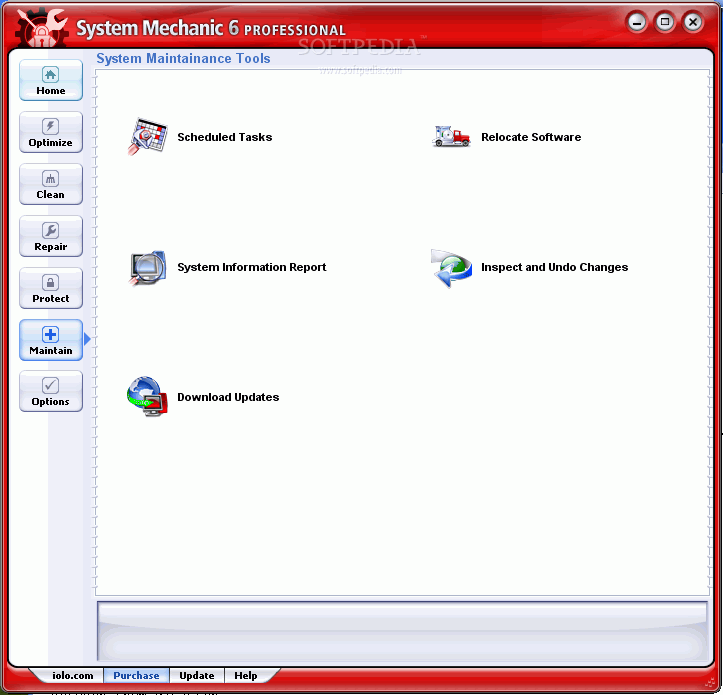
· Uninstall or relocate any program
· Tweak hundreds of Windows settings
· Save and compare system snapshots


Superman in a box

A program that could (get ready for this): clean my system, eliminate spyware, recover deleted files and other data, rescue data from system crashes, protect against identity theft, securely wipe out data from my drives, fix system errors, speed up Internet access, recover from disaster, clean up system clutter, defrag memory, optimize the registry, block Web popups, set up scheduled maintenance, repair Windows security flaws, stop dangerous programs from starting, make Windows boot faster AND uninstall or relocate any program.

Has Doomsday finally come?

From what System Mechanic claims, this program could very well be the silver bullet to any computer out there. What is this Superman in code form? There's no possible way for a measly program to pull off all these tasks successfully and thoroughly is there? Well, let's find out.

System Mechanic is undoubtedly a very eager program

The installation seemed to have gone fairly well had it not been for the incompatibility issues with another anti-spyware program that I had on my computer. So, with much dismay, I had to uninstall my previous program to make way for the newer, better and heftier System mechanic.

A couple of restarts later, I start pushing buttons to see if this is indeed a new super-tool or super-dud.

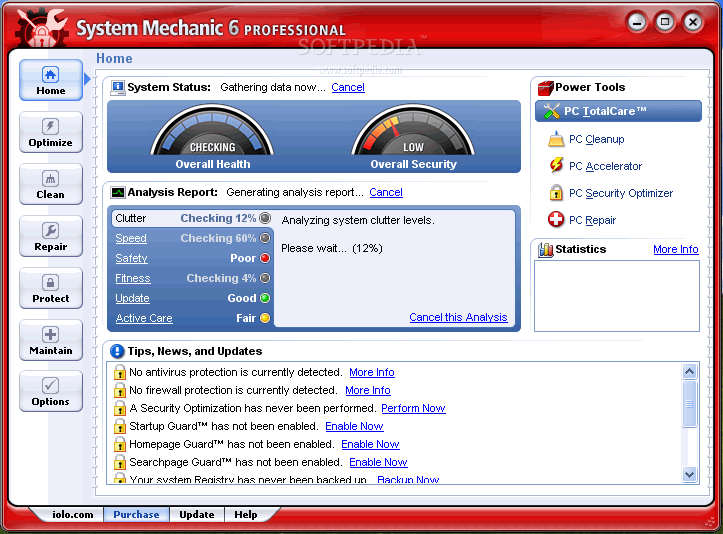
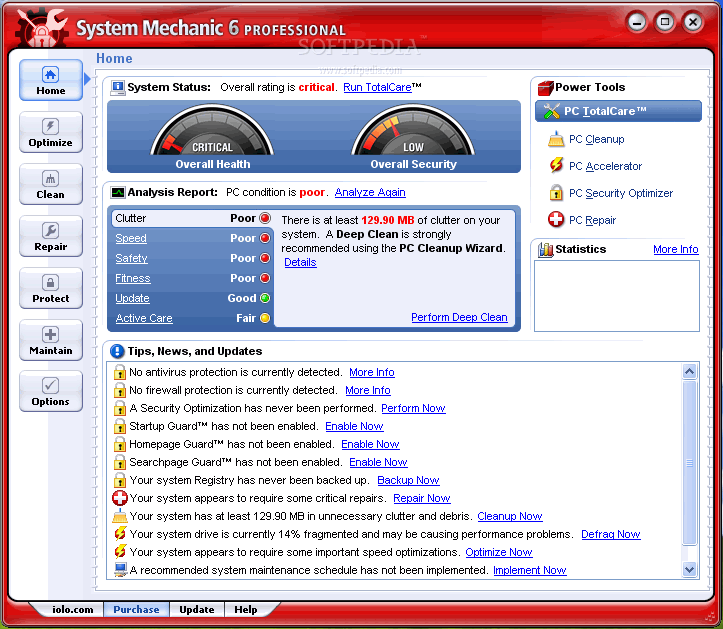
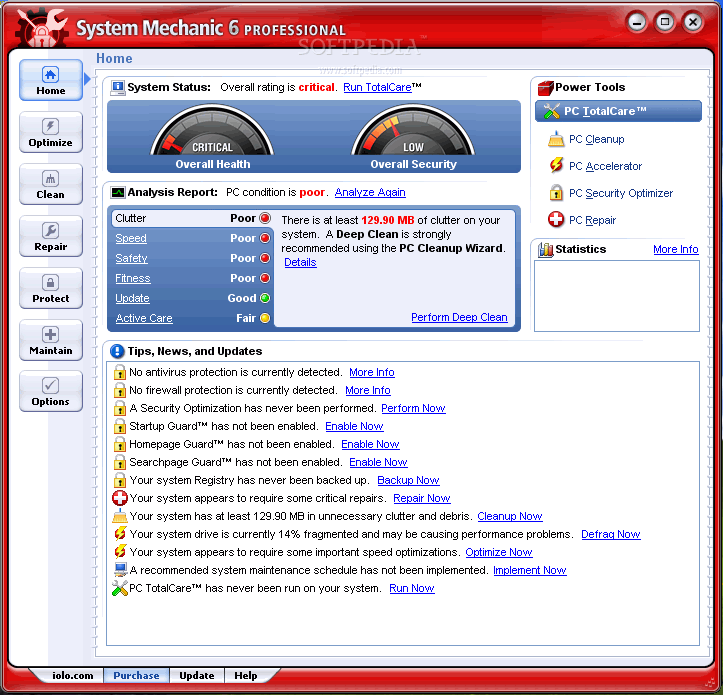
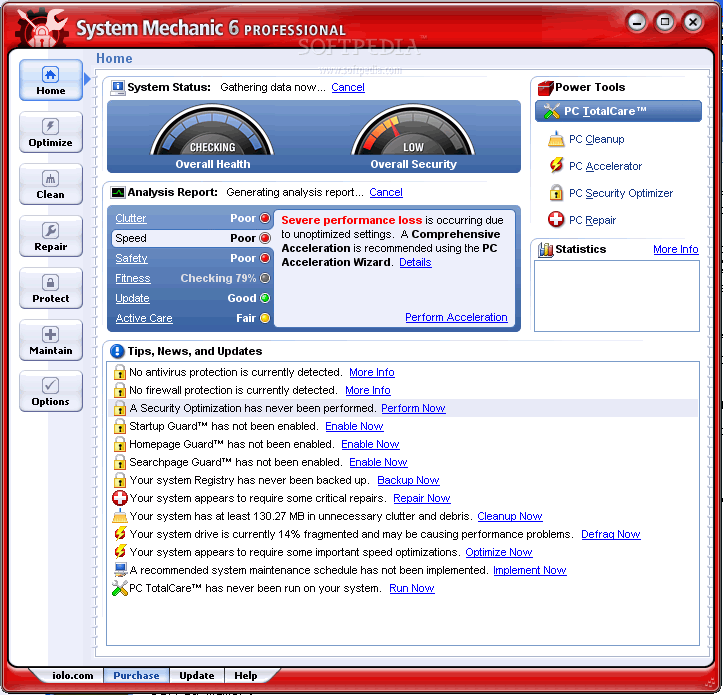
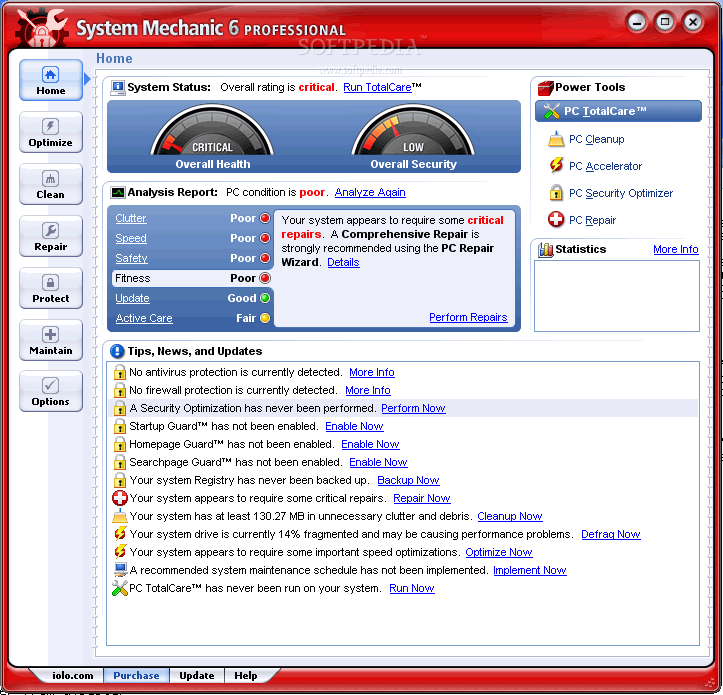
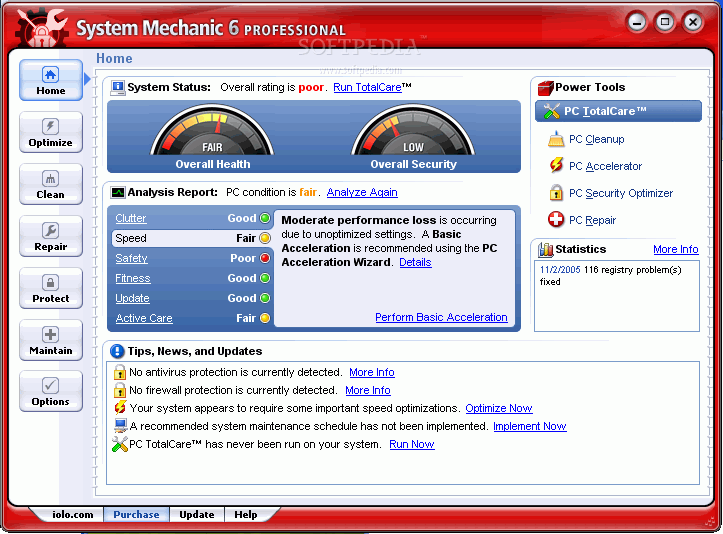
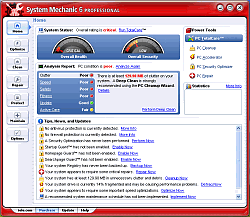
I don't want to pay the $70 activation and registration fee just yet, so I skip past the startup screen and get started. Apparently my computer is in terrible shape. My "Clutter" condition is 'POOR', my computer "Speed" is 'POOR', my computer "Safety" and "Fitness" are both in 'POOR' condition as well.

The only descent thing that I've done is kept up with my "Updates" (thank God for automatic updates). Since that is my only 'GOOD' rating, I am sadly disappointed to find out that I have not kept my computer up to the stringent standards that System Mechanic has set.

Luckily, I can get a complete analysis of every scan that it does on nearly every aspect of my PC.

Since my computer is in pitiful shape, System mechanic highly recommends that I proceed by running the TotalCare tool which essentially fixes my system right up. But I choose to stay away from that little tool since I want to dissect this program bit by bit to see if it actually performs to my own rigorous standards.

The Cleansing takes place

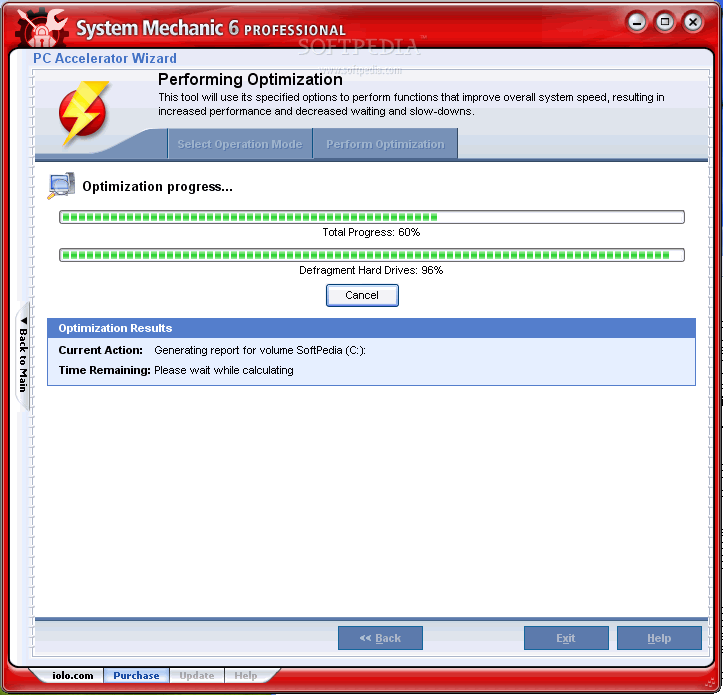
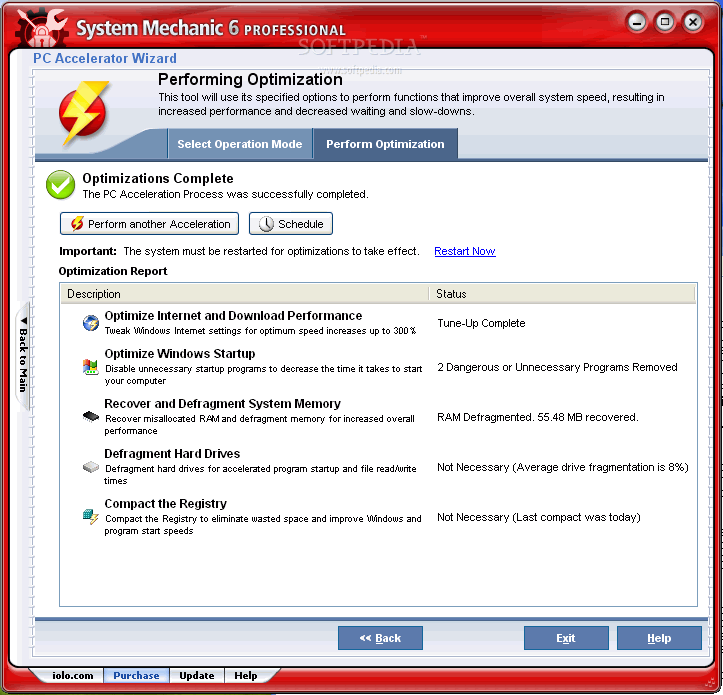
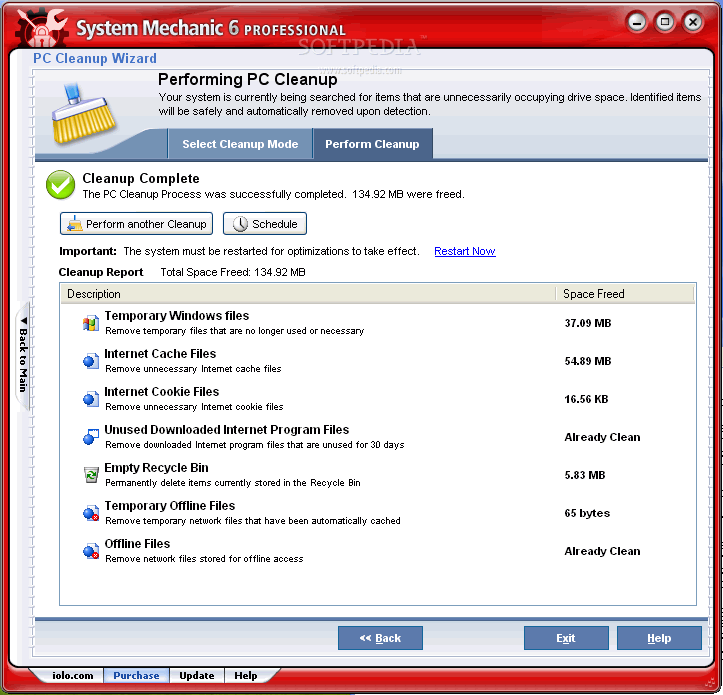
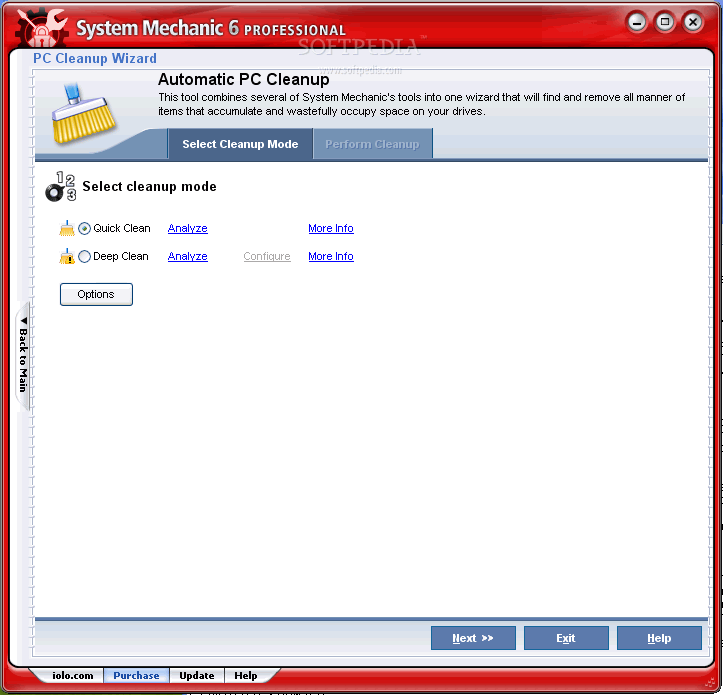
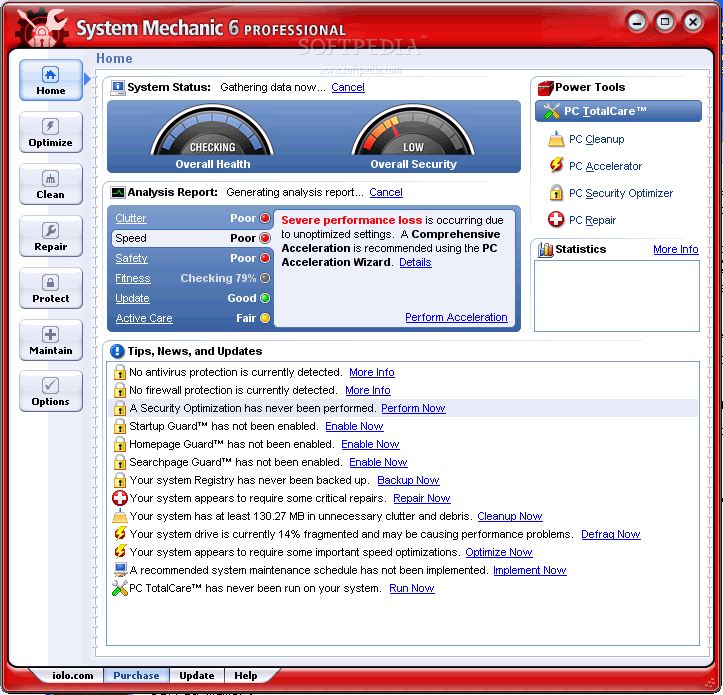
Starting off with the Clutter Category, I choose the option of a deep clean to see how much space I can re-allocate and save. I move on to the Comprehensive Accelerator to increase computer speed (while skipping the deep defragmentation option to save myself some time).

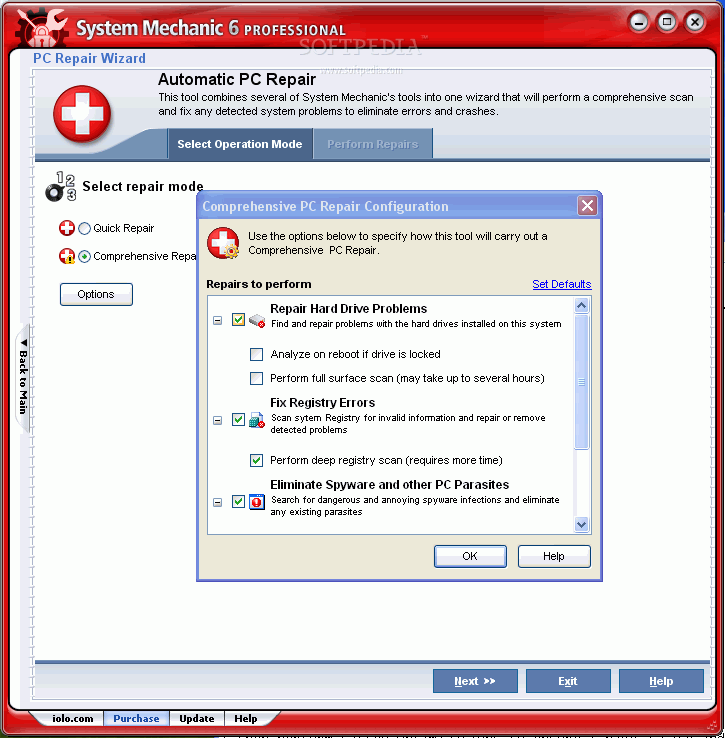
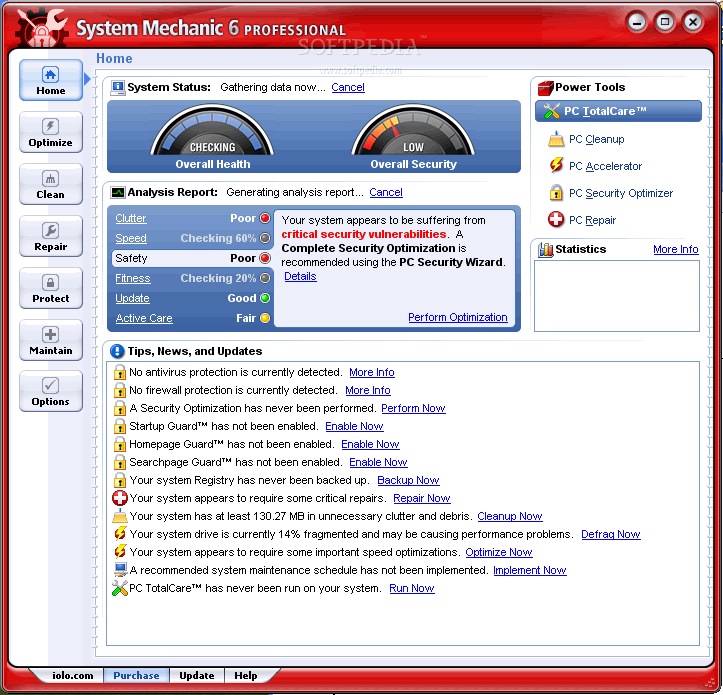
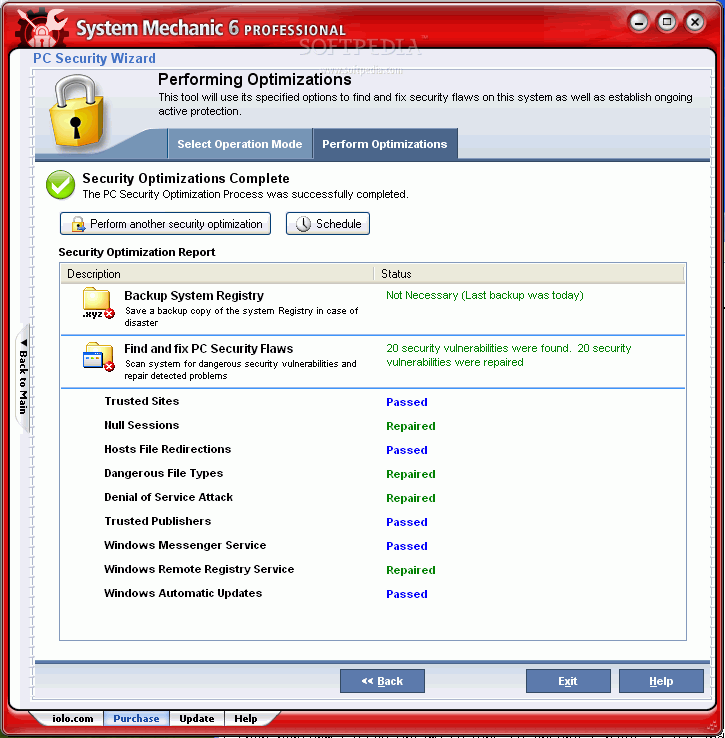
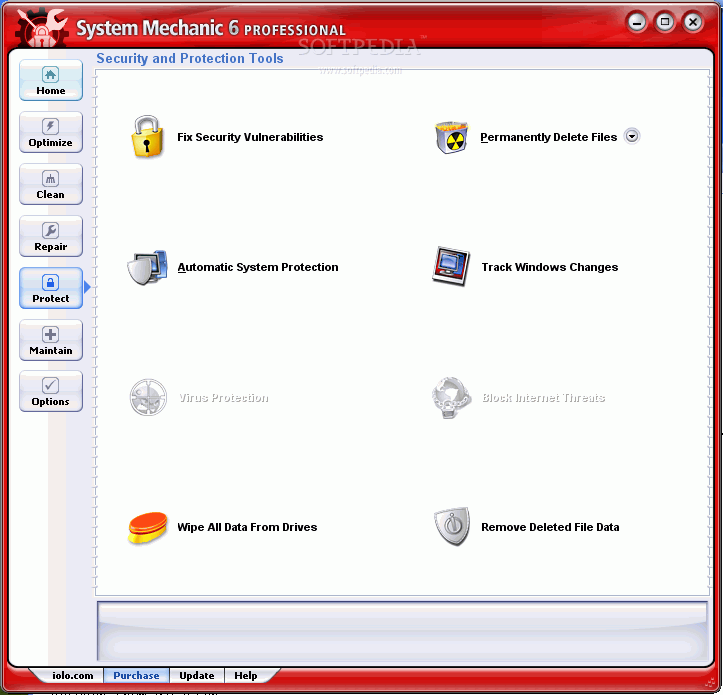
I then perform Safety Optimizations to ensure I have a safe and properly working machine.

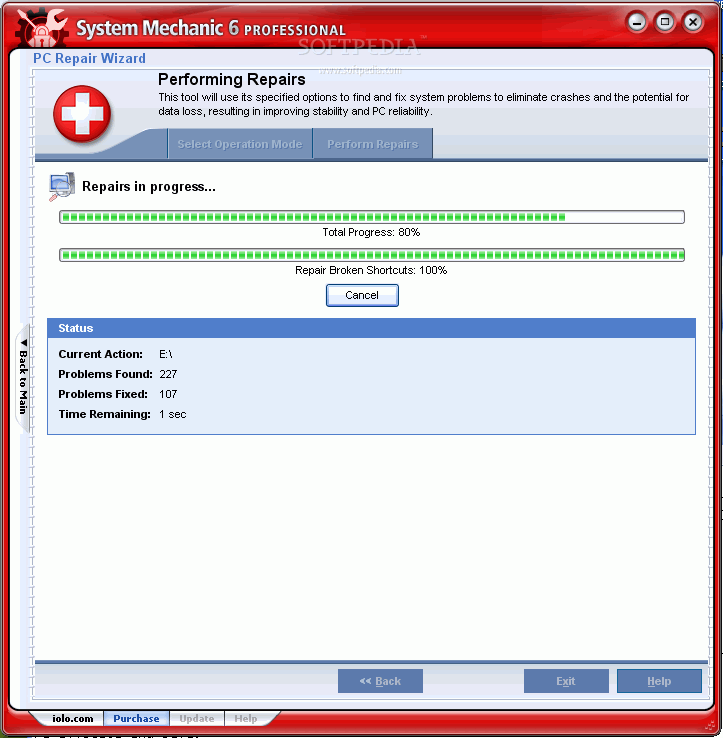
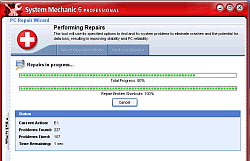
This includes: Repairing HD problems, Fixing Registry Errors and Eliminating potentially dangerous Spyware on my machine. Basically, this tool will use its specified options to find and fix any system problems to eliminate crashes and potential data loss, thus resulting in improved PC reliability and stability.

A noteworthy comment would have to be that I've been waiting a whole 15 minutes for this test to finish and it keeps on telling me that it only has "1 sec. left."

So I try to cancel the search for a missing
shortcut because I honestly don't think it's that important to find. But canceling a simple operation seems quite a difficult task for the super program.

After a complete restart, I take a look at how effective System mechanic has been to my so called "poor" PC.

First of all, I notice that not everything has been brought up to "GOOD" standards. This is a slight shock since I ran every test conceivable and my system has not been brought up to the correct standards that System mechanic has promised.

Upon further investigation, I noticed that the only "POOR" grade I'm receiving is with my computer's Speed and my computer's Safety. A reason I will attribute to the fact that I have no active firewall enabled. But I'm still curious - why my computer's speed is only a mere "FAIR" instead of a fantastic "GOOD"?

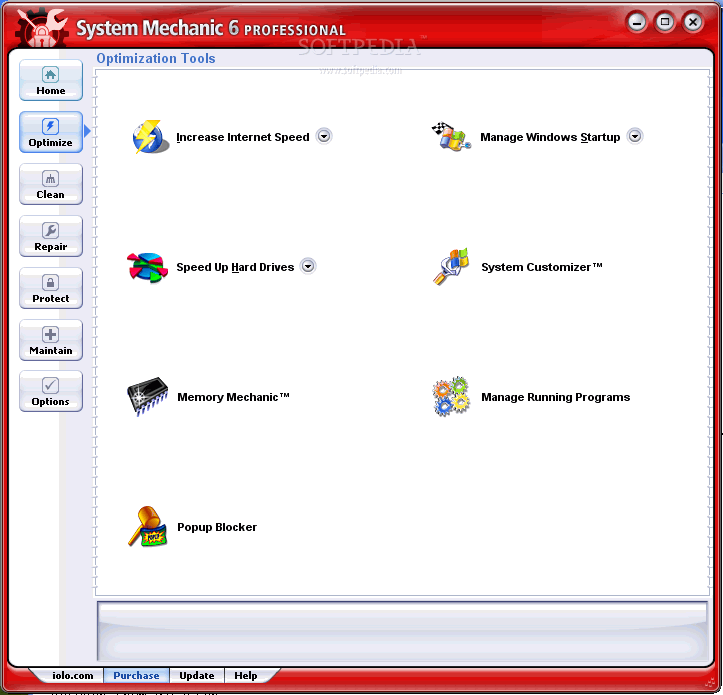
Internet Configurations, Windows Startup, disk defragmenter and my memory levels have all been optimized for maximum performance, yet my computer receives a score of "POOR" after every possible optimization. I guess My PC just isn't made for speed.

A little bit of Truth and Kryptonite

This program offers numerous services that are combined into one application instead of being spread around your computer. For the professional user who knows his system, this program might be worth it if you don't want to deal with going to each and every application, so it saves time.

The Good

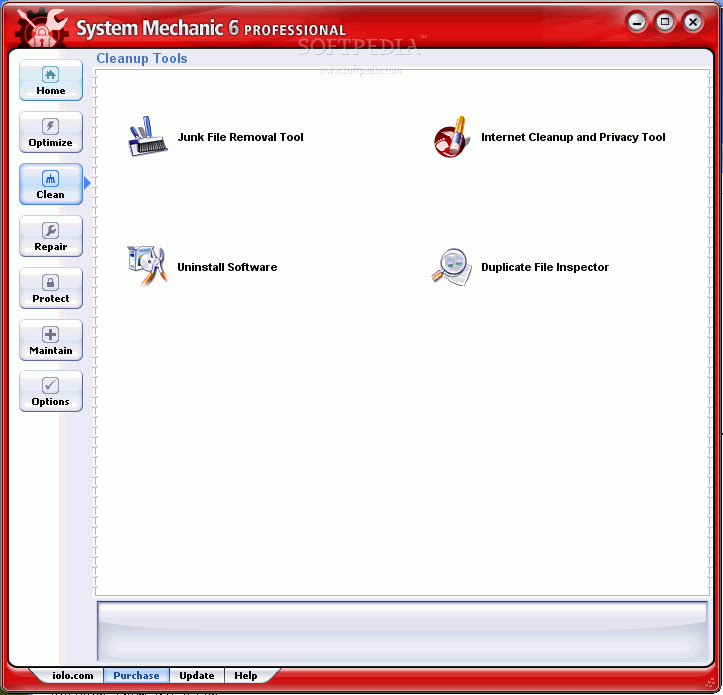
The interface is pleasant, aesthetic and easy enough to use, no matter how much you know about computers. As for the true effectiveness of the program, it's not too shabby. Missing shortcuts are magically fixed, and it's quite good in getting rid of software that lacks the uninstall utility. It prevents sneaky startup applications with its very own Startup Guard.

The Bad

There's no real improvement in speed of connection OR the speed of your computer. Given that although my very own PC was in 'POOR' shape, I still manage to keep it clear of too much clutter.

You have to uninstall prior and personalized antivirus and firewalls that you might have to enable System Mechanic to run its own.

The Truth

For advanced users who like to have their system run their own way and do exactly what they want, this program might not agree with you. From user reviews on the net, I've noticed that users might even have problems with their registry after installing this program.

For those of you who don't really care about the little intricacies of your system, but do care enough to have it run cleanly, quickly and without viruses or adware, then this program is worth a download and a trial period.

Give it a shot and if you do in fact like it, crank out the $70.00. I myself like to manage my own system in my way, but I do recommend System Mechanic for those who either don't have time or don't want to micro-manage. It's a good all-around program.

Check out some screenshots below


Review image

Review image

Review image

Review image

Review image

Review image

Review image

Review image

Review image

Review image

Review image

Review image

Review image

Review image

Review image

Review image

Review image

Review image

Review image

Review image


EDITOR'S RATINGS:

User Interface: (5/5)
Features: (4/5)
Ease of use: (4/5)
Pricing/Value: (3/5)
Overall: (4/5)
  Final verdict: Very good

TELL US WHAT YOU THINK:

24,641 hits · 10 comments · Link to this article · Print article · Send to friend · Subscribe to news

MUST-READ RELATED ARTICLES:

READER COMMENTS:


Comment #1 by: alan on 15 Apr 2009, 02:52 UTC reply to this comment

I bought System Mechanic with Tax software rebate. After installing the product and running it, the reports indicated a lot of things "cleaned up", but my system was slower than ever. I then went back in a couple weeks after the first cleansing and did a deep clean and again it found a number of items that needed to be fixed. Once again, I can see now difference.

On top of that I get the notification that the rebate was not post-marked in time. It was a promotion that was in affect until 4/15/2009, but in the fine print it said within 30 days of purchase which I didn't make (too busy to get around to it).

The point in sharing all this is that I'm not sure I can reallly trust this company. Maybe they really did clean things up, but then again, maybe in the fine print it really doesn't.

Let the buyer beware. By the way, when I tried calling on it, the company directed me to rebate fulfillment, which when I called them the automated system eventually dialed a number (for a representative) that came back as "number not in service".

Let the buyer beware is all I can say.

Comment #1.1 by: Diana on 29 Dec 2011, 12:57 GMT

I have read that this product is not great and causes more problems then it is worth. I am just wondering if anyone reported this to the better business? I have to say it has worked just fine on my lap top. but as far as my desk top. I keep getting error messages. I can on wonder if i made a big mistake doing that. Has anyone started a class action suit. I am sure this company is aware now of these problems. I would appreciate an answer please.


Comment #2 by: vinver on 19 Dec 2010, 15:59 UTC reply to this comment

I bought it, and what a total waste of money. If anything, it ran slower. What a useless waste of time and money, I should have spent it on beer, at least then I would have felt good about wasting my money.


Comment #3 by: Joeb on 06 Feb 2011, 14:59 UTC reply to this comment

I run system mechanic 10 having started with version 7. I find it a good program for solving registry problems mainly as I know enough to solve most problems myself. However it solves registry problems faster than I could find them.
The article above mentions that the professional version has a firewall. I believe this has been discontinued in the later versions


Comment #4 by: dschu53 on 12 Feb 2011, 14:48 UTC reply to this comment

I have been using it for 2 years now and my system has been protected and fast and never slows. Everything is set for auto update and fix. My system is fast, never crashes, and makes me feel confident with my system. EXCELLANT product


Comment #5 by: Scooter72501 on 23 Jun 2011, 16:06 UTC reply to this comment

I have System Mechanics Professional 10 at home and it keeps my PC clean and runs really well. I also have a firewall and antivirus, antispyware, antimalware software. I would recommend this software. Is there anything better out there? Thats the question.


Comment #6 by: Diana on 29 Dec 2011, 12:59 UTC reply to this comment

I am wondering how a product that seems to have a lot of unhappy complaints can still be in business? honestly, I don't really want to install this program after page after page of bad reviews. no wonder i was offered a warranty after purchasing this software.


Comment #7 by: alan on 30 Dec 2011, 04:20 UTC reply to this comment

I used system mechanic pro for a year and find that it created problems with my hp all in one printer. System Mechanic (SM) support offered to look at it to fix the problem. The problem was with my antivirus creating an issue for SM. I installed SM again, this time without installing the antivirus and antimalware. works fine. I don't think SM is worth the money as there are other programs out there (free) to do similarly. I am not renewing my subscription. alan


Comment #8 by: suzie on 04 Jan 2012, 16:10 UTC reply to this comment

Is the best software for any system troubles - for now :)


Comment #9 by: niko-las on 17 Jan 2012, 11:16 UTC reply to this comment

Very aggressive at registry cleaning and junk file cleaning. Finds twice as much registry junk as CCleaner, which makes me nervous - last scan CCleaner found 620, SM found 1180. I noticed that when I run its PC Cleanup feature to clean out temp junk files, it always deletes something in MS search, which it shouldn't - for example, after I have run PC Cleanup, I can't locate my portable apps by clicking on "Start" and then typing in the name of the portable app exe file. I think it also deletes all or some component of the MFT or required cache files - cause every time after a PC Cleanup, my disk keeps spinning like crazy as it appears it is rebuilding some form of cache files which had been unecessarily deleted. This program hasn't harmed my PC yet, but I have yet to try every tool under its bonnet - I have been consertative with running this program and prefer to run a particular tool one at a time (only after a reg backup and system image backup). But so far, its reg clean and junk clean features seem to be very aggressive, which also usually means, a greater level of risk.

Copyright © 2001-2012 Softpedia. Contact/Tip us at

WindowsGamesDriversMacLinuxScriptsMobileHandheldNews

SUBMIT PROGRAM   |   ADVERTISE   |   GET HELP   |   SEND US FEEDBACK   |   RSS FEEDS   |   UPDATE YOUR SOFTWARE   |   ROMANIAN FORUM